1. Product Overview
The Tribesigns 69 Inch L Shaped Desk is designed to optimize your workspace with its versatile configuration and integrated storage solutions. It features a large desktop, an elevated monitor shelf for ergonomic comfort, and two mesh storage shelves to keep your essentials organized.
Key Features:
- Ergonomic Design: Elevated monitor shelf reduces strain on back and neck.
- Sturdy Construction: Manufactured from high-quality E0 board and thickened stainless steel legs for stability.
- Large Reversible Desktop: Provides ample space for multiple monitors and can be configured for left or right-hand use.
- Integrated Storage: Two mesh shelves offer convenient storage for files, books, printers, and other office accessories.
- Adjustable Foot Pads: Ensures stability on uneven ground and protects flooring.
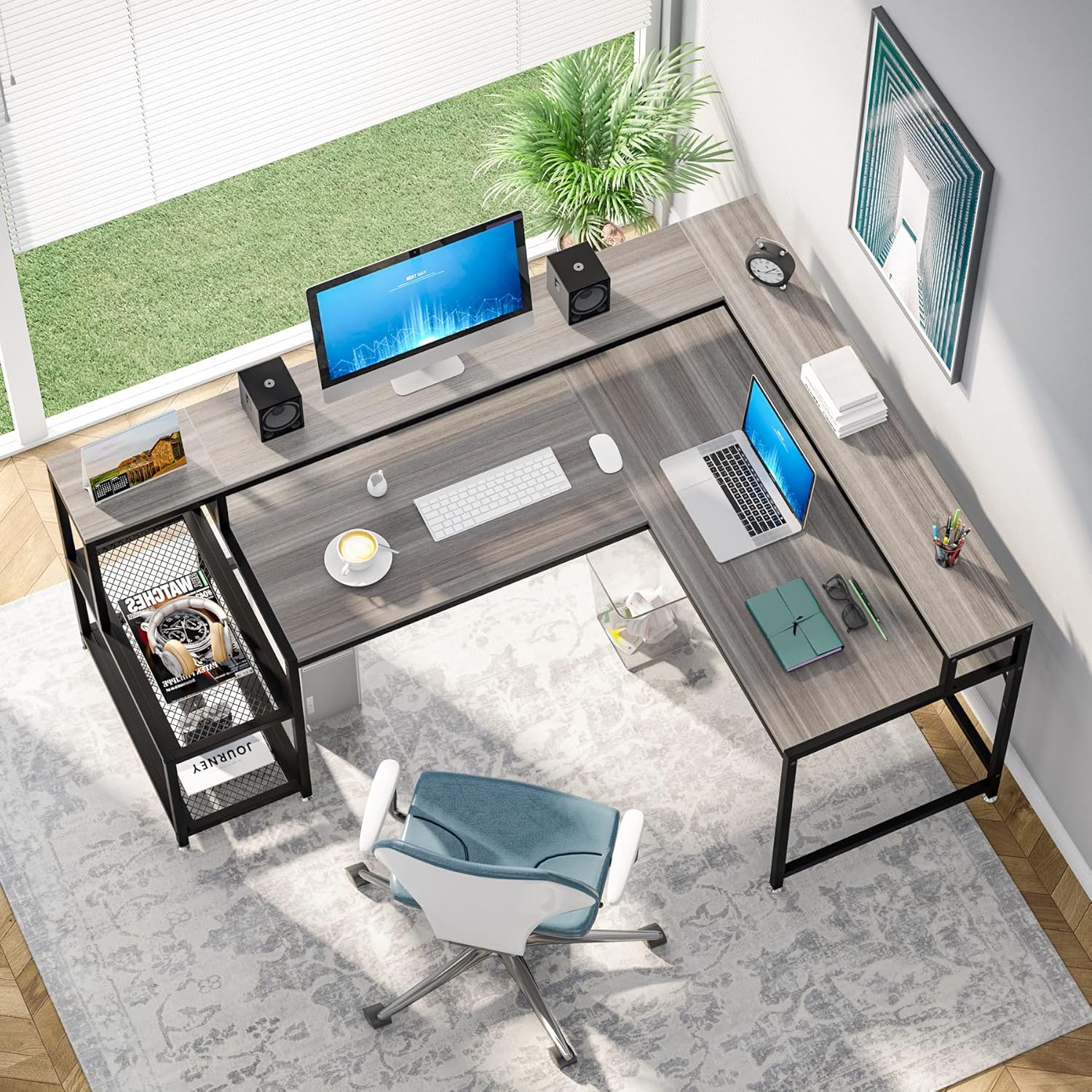
Image 1.1: Overview of the Tribesigns L-Shaped Desk with monitor stand and storage.
2. Safety Information
Please read and understand all safety warnings before assembly and use. Failure to follow these instructions may result in injury or damage to the product.
- Always assemble the desk on a stable, level surface to prevent tipping.
- Ensure all parts are securely fastened during assembly. Periodically check and tighten all screws and bolts.
- This desk is heavy. It is recommended that two people assemble the desk to prevent injury.
- Do not place excessively heavy objects on the desk without proper support. Distribute weight evenly across the desktop.
- Keep small parts and packaging materials away from children and pets to avoid choking hazards.
- Avoid exposing the desk to direct sunlight or extreme temperatures, which can cause material degradation.
3. Package Contents
Before beginning assembly, verify that all components listed below are present and undamaged. If any parts are missing or damaged, please contact customer service for assistance.
| Item | Description | Quantity |
|---|---|---|
| Desktop Panels | Main L-shaped desktop sections and monitor stand panels | Varies by model |
| Metal Frame Components | Legs, support bars, and frame for storage shelves | Varies by model |
| Mesh Storage Shelves | Two mesh shelves for the storage unit | 2 |
| Hardware Kit | Screws, bolts, nuts, Allen wrench, etc. | 1 Set |
| Adjustable Foot Pads | For leveling the desk and protecting floors | Multiple |
| Assembly Instructions | Detailed step-by-step guide | 1 |
Note: The exact number of panels and frame components may vary slightly based on the specific desk configuration. Refer to the included assembly instructions for precise part identification.
4. Setup and Assembly Instructions
Assembly of the Tribesigns L-Shaped Desk is designed to be straightforward with labeled parts and illustrated instructions. It is recommended to have two people for assembly due to the size and weight of the components.
- Prepare Workspace: Clear a spacious, level area for assembly. Lay down a blanket or cardboard to protect your floor and desk components from scratches.
- Identify Parts: Unpack all components and lay them out. Match each part to the corresponding label in the instruction manual.
- Choose Configuration: Decide whether you want the longer section of the L-shaped desk on the left or right side. The desk is reversible, allowing for flexible placement in your room. Refer to the specific diagrams in your manual for your chosen orientation.
- Assemble Frame: Begin by assembling the metal frame components according to the step-by-step diagrams. Ensure all screws are finger-tightened initially.
- Attach Desktop Panels: Carefully place the desktop panels onto the assembled frame. Secure them using the provided hardware.
- Install Monitor Shelf: Attach the elevated monitor shelf to the main desktop as indicated in the instructions.
- Assemble Storage Shelves: Construct and attach the two mesh storage shelves to the designated side of the desk.
- Final Tightening: Once all components are in place, systematically tighten all screws and bolts using the provided Allen wrench. Do not overtighten.
- Adjust Leveling Feet: Adjust the foot pads at the bottom of the desk legs to ensure the desk is stable and level on your floor.
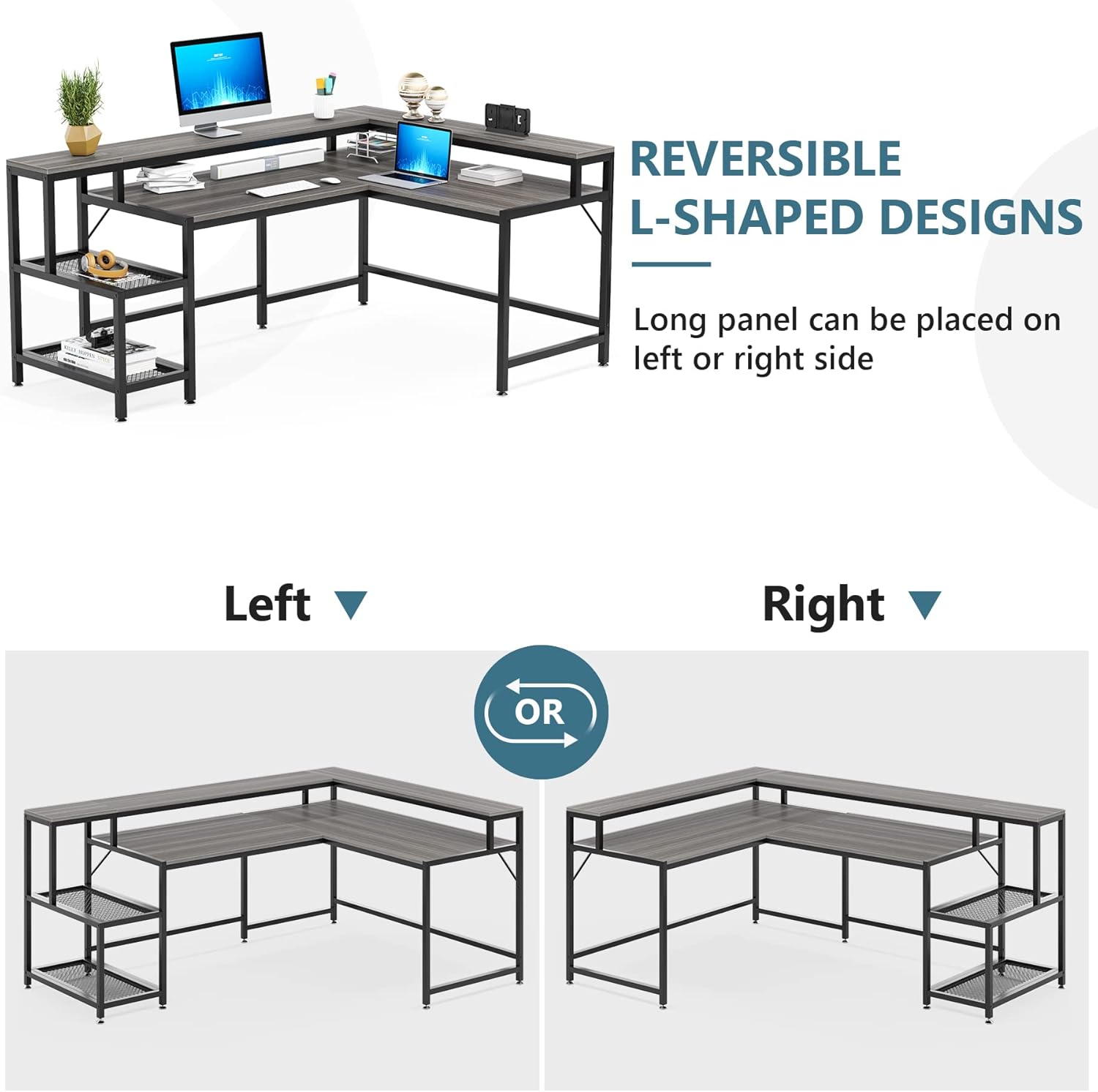
Image 4.1: The reversible design allows for left or right L-shaped configurations.

Image 4.2: Adjustable leg pads ensure stability on uneven surfaces.
5. Operating Instructions
The Tribesigns L-Shaped Desk is designed for versatile use in various home office or study environments.
5.1 Utilizing the L-Shape Configuration
The L-shape provides an expansive work surface, ideal for multitasking. You can dedicate one side for your computer setup and the other for writing, drawing, or other tasks. The reversible design allows you to orient the longer section to suit your room layout and personal preference.
5.2 Ergonomic Monitor Shelf
Place your monitor(s) on the elevated shelf to achieve an ergonomic viewing height. This helps to reduce neck and eye strain during prolonged use. The space beneath the monitor shelf can be used for a soundbar, keyboard, or other accessories, freeing up main desktop space.

Image 5.1: The monitor riser promotes an ergonomic posture, reducing strain.
5.3 Storage Shelves
The two mesh shelves provide convenient storage for office supplies, files, books, or even a small printer. Utilize these shelves to keep your desktop clear and organized, ensuring everything you need is within arm's reach.

Image 5.2: The integrated mesh shelves offer practical storage solutions.
5.4 Product Video
Video 5.1: An overview of the Tribesigns L Shaped Desk with Monitor Shelf, showcasing its features and design in various settings.
6. Maintenance and Care
Proper care will extend the life and appearance of your Tribesigns L-Shaped Desk.
- Cleaning: Wipe the desk surfaces with a damp cloth. For stubborn marks, use a mild, non-abrasive cleaner. Avoid harsh chemicals or abrasive materials that could damage the finish.
- Spills: Immediately wipe up any spills to prevent staining or damage to the wood surface.
- Heat and Moisture: Avoid placing hot items directly on the desktop. Use coasters for drinks to prevent water rings.
- Sunlight Exposure: Prolonged exposure to direct sunlight may cause fading or discoloration. Position the desk away from direct sunlight if possible.
- Hardware Check: Periodically check all screws and bolts to ensure they remain tight. Retighten as necessary to maintain stability.
7. Troubleshooting
If you encounter any issues with your Tribesigns L-Shaped Desk, refer to the following common problems and solutions:
| Problem | Possible Cause | Solution |
|---|---|---|
| Desk is wobbly or unstable | Uneven floor; loose screws/bolts; incorrect assembly. | Adjust the leveling foot pads until the desk is stable. Check and tighten all assembly screws. Review assembly instructions to ensure all parts are correctly installed. |
| Parts do not fit together | Incorrect orientation of parts; manufacturing defect. | Double-check the assembly instructions and diagrams to ensure parts are oriented correctly (e.g., reversible sections). If parts are clearly defective, contact customer service. |
| Missing hardware or components | Packaging error. | Carefully check all packaging materials. If still missing, contact customer service with the specific part number(s) from the manual. |
| Scratches or damage during assembly | Lack of protective surface; rough handling. | Always assemble on a soft, protective surface. Handle components carefully. Minor scratches can sometimes be touched up with furniture repair kits. |
If the problem persists after attempting these solutions, please contact Tribesigns customer support for further assistance.
8. Specifications
| Attribute | Detail |
|---|---|
| Brand | Tribesigns |
| Model Number | JW0364 |
| Product Dimensions (D x W x H) | 24"D x 69"W x 36"H |
| Item Weight | 66 Pounds |
| Color | Gray |
| Style | Industrial |
| Base Material | Wood (E0 Board) |
| Frame Material | Alloy Steel / Stainless Steel |
| Special Feature | Reversible, Monitor Stand, Storage Shelves |
| Room Type | Office, Bedroom |
| Required Assembly | Yes |
| Recommended Number of People for Assembly | 2 |
| Product Care Instructions | Wipe with Damp Cloth |

Image 8.1: Detailed dimensions of the Tribesigns L-Shaped Desk.
9. Warranty and Support
Tribesigns provides a 24-month limited warranty for this product, covering manufacturing defects and material flaws under normal use. This warranty ensures your satisfaction and confidence in the product's quality.
For warranty claims, missing parts, assembly assistance, or any other inquiries, please contact Tribesigns customer service. Have your model number (JW0364) and purchase information ready to expedite the process.
Customer Service Contact: Refer to the contact information provided on your purchase receipt or the official Tribesigns website.


