
1. Introduction
This manual provides comprehensive instructions for the setup, operation, and maintenance of your XREXS Digital Wall Clock. This versatile device features an extra-large display, remote control, multiple time display formats, temperature reading, date, day of week, alarm, and timer functions. Please read this manual thoroughly before use to ensure proper functionality and longevity of your product.
2. What's in the Box
- XREXS Digital Wall Clock (Model 3039YK-W)
- Remote Control
- Mounting Template
- 4 x AA Batteries (for main unit)
- 2 x AAA Batteries (for backup power)
- 2 x AAA Batteries (for remote control)
- User Manual
3. Setup
3.1 Battery Installation
The clock is battery-operated, allowing for flexible placement without the need for an outlet. Batteries are included for immediate use.
- Main Unit: Open the battery compartment on the back of the clock. Insert 4 AA batteries and 2 AAA backup batteries, ensuring correct polarity. Remove any insulating tape from the batteries before installation.
- Remote Control: Open the battery compartment on the back of the remote. Insert 2 AAA batteries, ensuring correct polarity. Remove any insulating tape.

Figure 1: Rear view of the clock with battery compartments and fold-out stand.
3.2 Placement Options
The clock offers two convenient placement methods:
- Wall Mount: Use the provided mounting template to mark the positions for two screws on your wall. Hang the clock securely using the keyhole slots on the back.
- Desk Stand: Utilize the integrated fold-out stand on the back of the clock to place it on any flat surface, such as a desk, shelf, or countertop.

Figure 2: The clock can be wall-mounted using two hanging holes or placed on a desk using its fold-out stand.
4. Operating Instructions
The clock can be operated using the buttons on the back or the included remote control.
4.1 Setting Time and Date
- Press the SET button on the remote control or the back of the clock. The year display will begin to blink.
- Use the + or - buttons to adjust the year.
- Press SET again to confirm the year and move to setting the month. Repeat the process for month, date, hour, and minute.
- The day of the week will automatically adjust based on the date.
4.2 12/24 Hour Display
To switch between 12-hour and 24-hour time formats, press the + / 12-24HR button on the remote control or the back of the clock.
4.3 Temperature Unit Selection
To toggle between Celsius (°C) and Fahrenheit (°F) temperature display, press the °C/°F button on the remote control or the back of the clock.
4.4 Backlight Control
The clock features an auto-sensing backlight with two brightness levels (High, Low) and an Off option. The backlight function is radar-sensing and illuminates for approximately 30 seconds when motion is detected in low-light conditions. Use the switch on the back of the clock to select High, Low, or Off for the backlight.
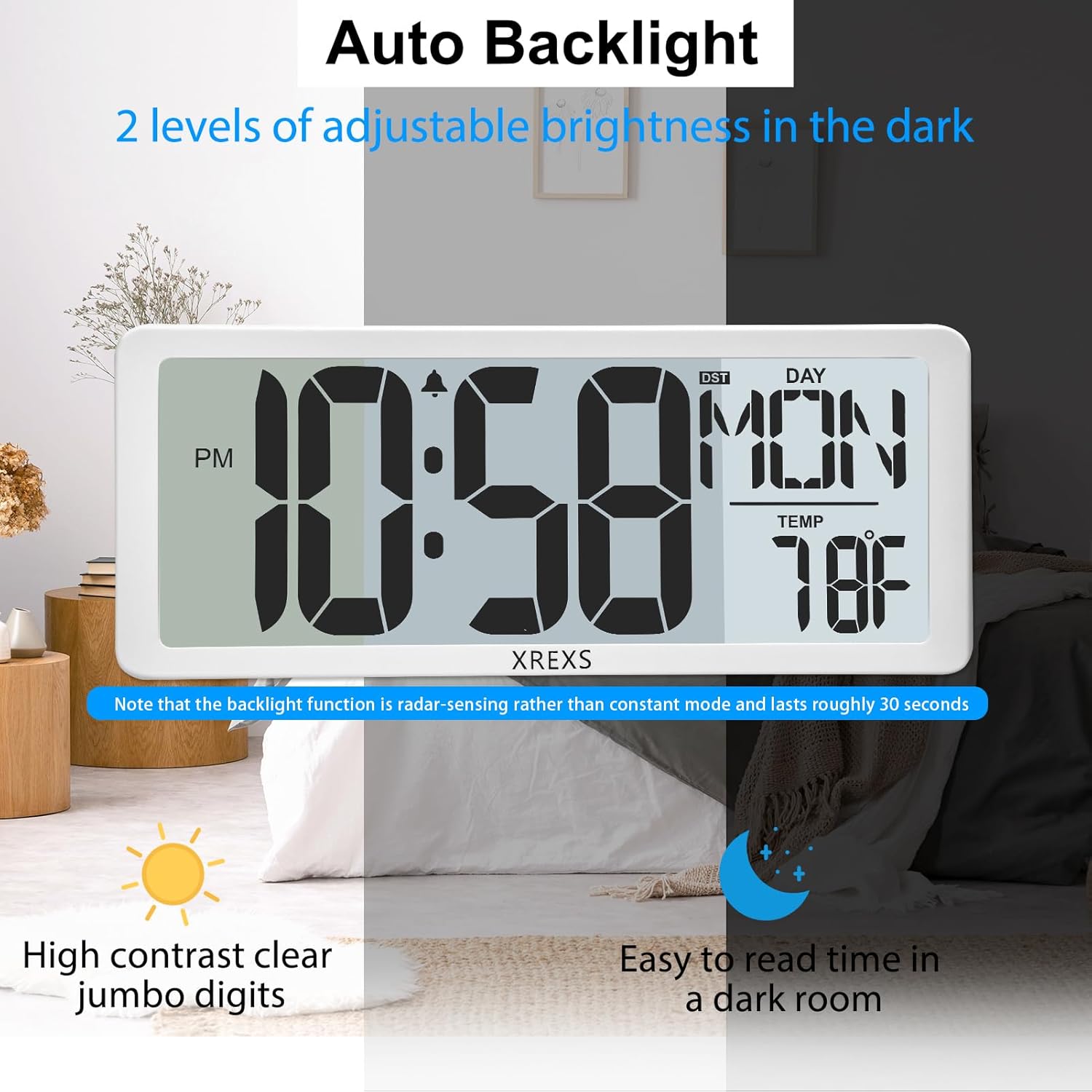
Figure 3: Auto backlight feature with two adjustable brightness levels for dark environments.
4.5 Alarm Function
To set the alarm:
- Press the ALARM SET button on the remote control or the back of the clock. The alarm hour will begin to blink.
- Use the + or - buttons to adjust the alarm hour.
- Press ALARM SET again to confirm the hour and move to setting the alarm minute.
- Press ALARM SET one more time to activate or deactivate the alarm. An alarm icon will appear on the display when activated.
- To snooze, press the SNOOZE button when the alarm sounds.
4.6 Timer Function (Countdown/Count-up)
The clock supports both countdown and count-up timer modes.
- Press the ENTER/EXIT TIMER button on the remote control to enter timer mode. The display will show 0:00:00.
- To set a Countdown Timer: Use the HR, MIN, and SEC buttons on the remote to set the desired countdown duration.
- Press the TIMER ST/SP button to start the countdown. Press again to pause.
- To use as a Count-up Timer: In timer mode (0:00:00), simply press the TIMER ST/SP button to start counting up.
- To reset the timer, press the TIMER RESET button on the remote control.

Figure 4: The clock features three modes: Clock, Alarm Clock, and Count Up/Down Timer.
4.7 Automatic Daylight Saving Time (DST)
The clock is equipped with an automatic DST feature. It will adjust itself for daylight saving time changes, eliminating the need for manual adjustment.
5. Maintenance
- Clean the clock with a soft, dry cloth. Avoid using abrasive cleaners or solvents.
- Replace batteries when the low battery indicator appears on the display to ensure continuous operation.
- If the clock will not be used for an extended period, remove all batteries to prevent leakage.
6. Troubleshooting
- Clock not displaying or buttons unresponsive: Ensure all batteries are correctly installed and any insulating tape has been removed. If the issue persists, try resetting the clock by pressing the reset button located at the back of the bracket with a toothpick.
- Backlight not working: Check the backlight switch on the back of the clock to ensure it is not set to "Off." Verify battery levels.
- Remote control not working: Ensure batteries are correctly installed and not depleted. Point the remote directly at the clock.
7. Specifications
| Feature | Detail |
|---|---|
| Brand | XREXS |
| Model Number | 3039YK-W |
| Display Type | Digital |
| Display Size | 14.17 inches |
| Power Source | Battery Powered (4 AA main, 2 AAA backup) |
| Special Features | Adjustable Brightness (Backlight), Alarm, Day Mode, Snooze, Remote Control, Countdown Timer, Temperature, Date, Day of Week, Auto DST |
| Mounting Type | Wall Mount, Desk Stand |
| Indoor/Outdoor Usage | Indoor |
| Frame Material | Acrylonitrile Butadiene Styrene |
8. Official Product Video
Video 1: An overview of the XREXS Digital Wall Clock, demonstrating its features and functionality.
9. Warranty and Support
For warranty information or technical support, please refer to the contact details provided on the product packaging or visit the official XREXS website.