
1. Product Overview
The Maxxus Saunas Seattle Elite 2-Person PureTech™ FAR Infrared Sauna is designed to provide a relaxing and therapeutic experience in the comfort of your home. This sauna utilizes radiant heat energy, which is absorbed into the body to promote various health benefits. These benefits include deep tissue warmth for muscle relaxation, reduced stiffness, and relief from joint pain, particularly associated with arthritis. Additionally, the infrared heat stimulates detoxification by encouraging the body to release toxins and waste residues through perspiration. The sauna operates at lower, more tolerable temperatures compared to traditional saunas, making it suitable for individuals with respiratory issues or physical limitations.
Key Features:
- Capacity: Designed for 2 persons.
- Wood Construction: Crafted from natural reforested Canadian Hemlock wood.
- Heating Technology: Features 6 PureTech Near Zero EMF (under 2MG when sitting 2-3 inches from heating panels) FAR Infrared Carbon heating panels.
- Temperature Range: Operates up to 140°F (ideal between 118°F to 135°F).
- Integrated Controls: Includes interior and exterior control panels for temperature and timer settings.
- Audio System: Equipped with music capability, radio with MP3 auxiliary input, and two speakers.
- Lighting: Features chromotherapy lighting system with various color options and a reading light.
- Foot Reflexology: Includes floor heating for added comfort and reflexology benefits.
2. Safety Information
Before operating your sauna, please read this manual thoroughly and retain it for future reference. Always consult with a healthcare professional before beginning any new health regimen, especially if you have pre-existing medical conditions. Ensure the sauna is properly assembled and connected to a suitable power source as per electrical requirements. Do not use the sauna under the influence of alcohol or drugs. Stay hydrated by drinking water before, during, and after sauna sessions. Avoid prolonged exposure to high temperatures. Keep children and pets away from the sauna during operation.
3. Setup and Assembly
The Maxxus Saunas Seattle Elite is designed for relatively easy assembly. The sauna is delivered in several panels that connect using a buckle-clip system. While most panels are manageable, the front panel with the glass door is the heaviest and may require two people for safe handling and installation. Ensure all panels are securely latched together before proceeding with electrical connections.
Assembly Steps:
- Unpack all components and verify against the packing list.
- Assemble the base and floor panels.
- Connect the side and back wall panels using the provided buckle clips.
- Install the front panel with the glass door, ensuring it is properly aligned and secured.
- Install the roof panel.
- Connect all internal wiring as instructed in the detailed manual (not provided here).
- Install the benches and any accessories.
- Connect the sauna to a standard electrical outlet.


4. Operating Instructions
Control Panel:
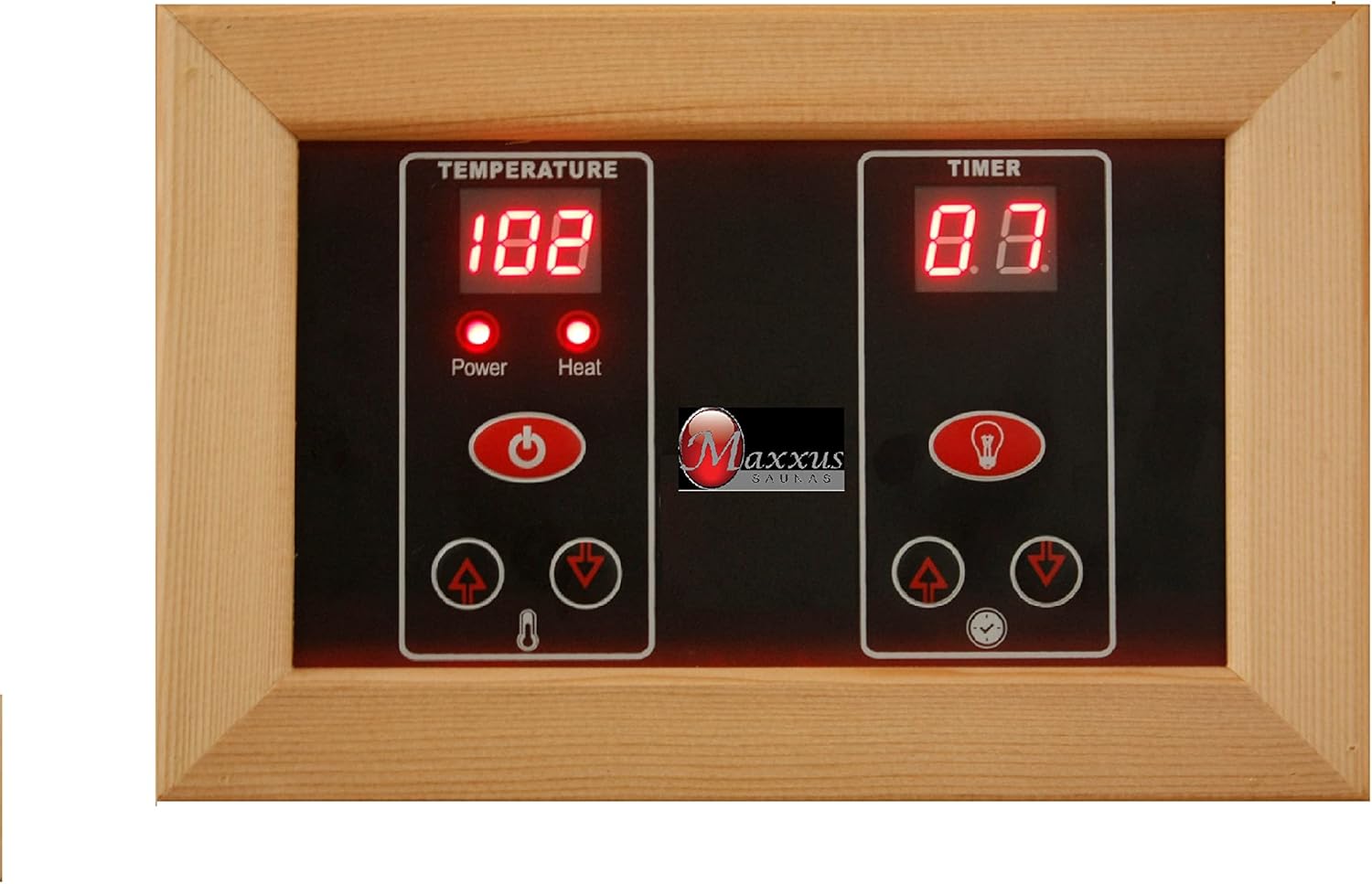
The sauna features both interior and exterior control panels for convenient operation. These panels allow you to adjust temperature, set the timer, and control lighting and audio functions.
Starting a Session:
- Press the 'Power' button on either the interior or exterior control panel.
- Use the 'Temperature' up/down arrows to set your desired temperature (recommended between 118°F to 135°F). The sauna can reach up to 140°F.
- Use the 'Timer' up/down arrows to set your desired session duration (up to 60 minutes).
- Press the 'Start' button to begin heating. Allow approximately 20-30 minutes for the sauna to reach the set temperature.
Lighting and Audio:
- Chromotherapy Lighting: Use the light bulb icon button on the control panel to cycle through various chromotherapy light colors or turn it off.
- Reading Light: Activate the separate reading light for illumination within the sauna.
- Bluetooth/MP3: Pair your device via Bluetooth or connect an MP3 player to the auxiliary input to enjoy music through the integrated speakers.

5. Maintenance
Maintaining your sauna is simple and ensures its longevity and hygiene. After each use, wipe down the benches and interior surfaces with a hot, steamy towel to clean and sanitize. Avoid using harsh chemical cleaners, as they can damage the wood and heating elements. Periodically inspect all electrical connections and heating panels for any signs of wear or damage.
6. Troubleshooting
- Sauna not heating: Check if the power cord is securely plugged into a working outlet. Ensure the 'Power' and 'Start' buttons have been pressed and the temperature is set above the current ambient temperature.
- Lights not working: Verify that the light functions are activated on the control panel. If issues persist, check the bulb or contact customer support.
- Audio not working: Ensure your Bluetooth device is properly paired or the MP3 player is correctly connected to the auxiliary input. Check the volume settings on both your device and the sauna.
- Unusual odors: New saunas may emit a slight wood odor initially; this should dissipate with use. Ensure proper ventilation.
7. Specifications
| Specification | Detail |
|---|---|
| Brand | DYNAMIC SAUNAS |
| Model Number | MX-J206-01 |
| Capacity | 2 Person |
| Overall Dimensions (WDH) | 48″ x 42″ x 75″ |
| Material | Natural Reforested Canadian Hemlock Wood |
| Heating Elements | 6 PureTech Near Zero EMF FAR Infrared Carbon Heating Panels |
| Maximum Operating Temperature | 140°F |
| Item Weight | 275 Pounds |
| Color | Nature |
| GTIN | 00850041998527 |
8. Warranty and Support
For warranty information, please refer to the documentation included with your purchase or visit the DYNAMIC SAUNAS official website. For technical support, troubleshooting assistance, or to order replacement parts, please contact DYNAMIC SAUNAS customer service. Keep your purchase receipt and model number handy when contacting support.


