1. Introduction
Thank you for choosing the Xtreme Wireless Super Slim Keyboard. This manual provides essential information for setting up, operating, maintaining, and troubleshooting your new keyboard. Designed for universal use with Windows and Mac desktop computers, this keyboard offers a reliable wireless connection up to 33 feet away using its included USB Nano Receiver.
What's in the Box:
- Xtreme Wireless Super Slim Keyboard
- USB Nano Receiver
Note: 2 AAA batteries are required and not included with this unit.
2. Setup
2.1 Battery Installation
The keyboard requires two (2) AAA batteries (not included) for operation.
- Locate the battery compartment cover on the underside of the keyboard.
- Slide the cover open.
- Insert two AAA batteries, ensuring the positive (+) and negative (-) terminals align correctly with the indicators inside the compartment.
- Close the battery compartment cover securely.
2.2 Connecting the USB Nano Receiver
The Xtreme Wireless Super Slim Keyboard uses a plug-and-play USB Nano Receiver for wireless connectivity.
- Locate an available USB port on your desktop computer (Windows or Mac).
- Insert the USB Nano Receiver firmly into the USB port.
- Your computer should automatically detect and install the necessary drivers. This process may take a few moments.
- Once the drivers are installed, the keyboard is ready for use.
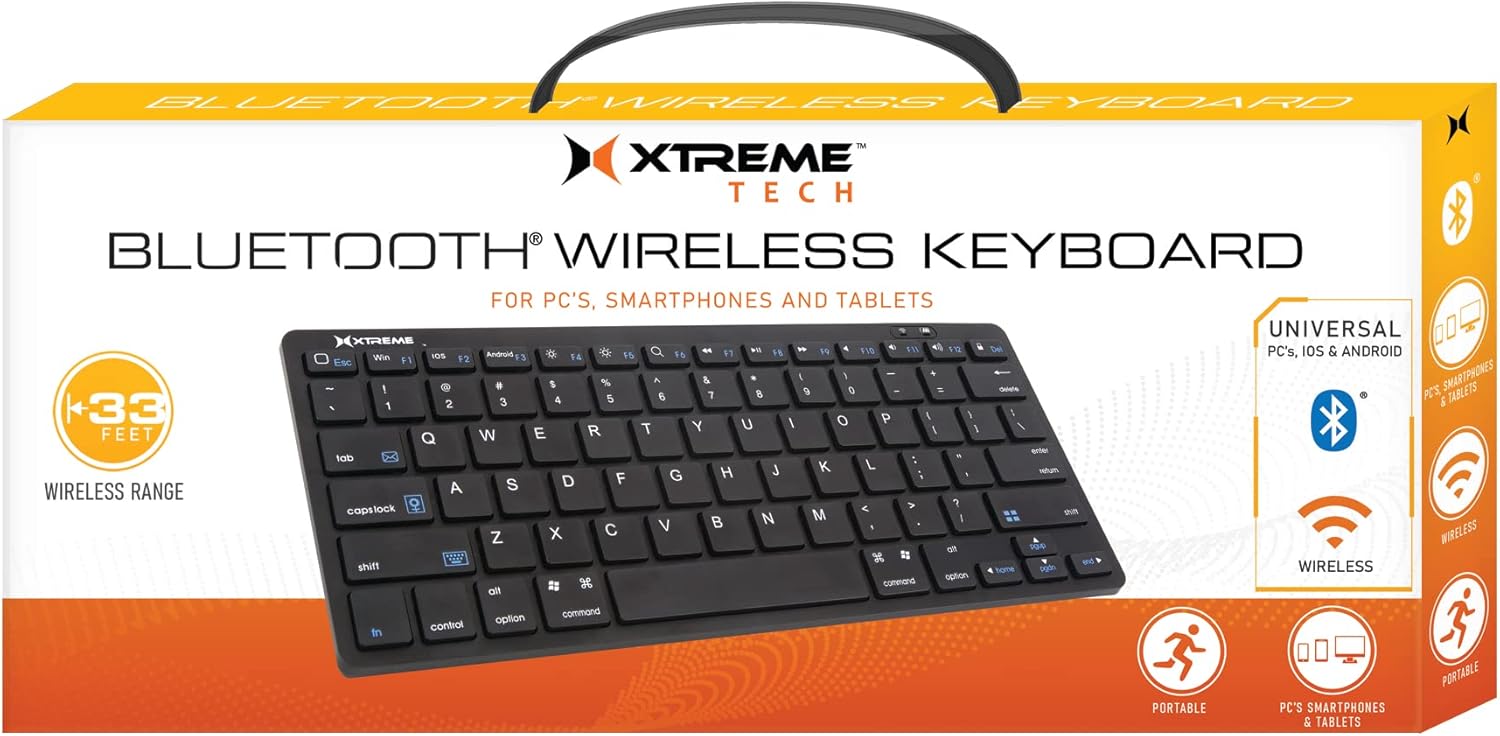
Image: The Xtreme Wireless Super Slim Keyboard shown with its compact design and the small USB Nano Receiver, ready for connection to a computer.
3. Operating the Keyboard
3.1 Basic Operation
Once connected, the keyboard functions like a standard computer keyboard. Simply begin typing. The wireless connection allows you to operate the keyboard from a distance of up to 33 feet (approximately 10 meters) from your computer, providing flexibility in your workspace.
3.2 Compatibility
This keyboard is universally compatible with both Windows and Mac operating systems. No special software or complex setup is required beyond inserting the USB Nano Receiver.
4. Maintenance
4.1 Cleaning
To maintain the keyboard's appearance and functionality:
- Use a soft, dry, lint-free cloth to wipe the surface of the keyboard.
- For stubborn dirt, slightly dampen the cloth with water or a mild, non-abrasive cleaning solution. Avoid excessive moisture.
- Do not spray cleaners directly onto the keyboard.
- Use compressed air to remove dust and debris from between the keys.
4.2 Battery Replacement
When the keyboard's performance degrades or it stops responding, it may be time to replace the batteries. Follow the battery installation steps in Section 2.1.
4.3 Storage
When not in use for extended periods, it is recommended to remove the batteries to prevent leakage and damage to the keyboard. Store the keyboard in a cool, dry place.
5. Troubleshooting
5.1 Keyboard Not Responding
- Check Batteries: Ensure fresh AAA batteries are correctly installed.
- Check Receiver Connection: Make sure the USB Nano Receiver is securely plugged into a working USB port on your computer. Try a different USB port.
- Range: Ensure the keyboard is within the 33-foot operating range of the receiver.
- Interference: Move the keyboard and receiver away from other wireless devices or large metal objects that might cause interference.
- Restart Computer: Sometimes, a simple computer restart can resolve connectivity issues.
5.2 Keys Not Functioning Correctly
- Clean Keys: Check for any debris or obstructions under the keys. Refer to Section 4.1 for cleaning instructions.
- Battery Level: Low battery power can sometimes cause erratic key behavior. Replace batteries if necessary.
6. Specifications
| Feature | Detail |
|---|---|
| Model Name | XCA2-1004-BLK |
| Brand | XTREME DIGITAL LIFESTYLE ACCESSORIES |
| Connectivity Technology | USB Wireless (via Nano Receiver) |
| Wireless Range | Up to 33 feet (10 meters) |
| Compatible Devices | PC (Windows), Mac |
| Power Source | 2 x AAA Batteries (not included) |
| Color | Black |
| Included Components | Nano Receiver |
| Manufacturer | Jem Accessories |
7. Warranty and Support
For information regarding warranty coverage and technical support for your Xtreme Wireless Super Slim Keyboard, please refer to the documentation included with your product packaging or visit the official XTREME DIGITAL LIFESTYLE ACCESSORIES website. You may also contact the seller, AllTech 365, for purchase-specific support.
Online Resources:


