
1. Introduction
Welcome to the user manual for your new TAOPON Smartwatch IP67 Round. This guide provides essential information on setting up, operating, maintaining, and troubleshooting your device. Please read this manual thoroughly to ensure proper use and to maximize your smartwatch's features.
2. Product Overview
The TAOPON Smartwatch is a versatile wearable device designed for both men and women, offering a range of features to support your health and daily activities. It features a round, high-definition display and is built with IP67 water resistance.

Figure 2.1: A close-up view of the TAOPON Smartwatch, showcasing its round display and sleek design.
Key Features:
- Physical Health Monitoring: Equipped with a heart rate sensor, the smartwatch helps monitor your heart rate and blood pressure. Sleep data analysis assists in improving sleep quality.
- High-Definition Round Screen: Features a 1.28-inch IPS 240x240 color touchscreen for easy operation. Offers 5 main interfaces and a soft, humanized silicone strap for comfort.
- Activity Tracking: Tracks steps, calories burned, distance, and other important fitness information. Includes functions like 'find phone', stopwatch, alarm, music control, and sedentary reminders.
- Notifications: Connects via Bluetooth to your smartphone using the 'Da Fit' app to display caller ID/number, SMS, and SNS notifications (Facebook, WhatsApp, Twitter, Instagram, Messenger, email, Skype). Vibrates to alert you to important calls and messages.
- Compatibility & Battery: Compatible with iOS 9.0+ and Android 5.0+ smartphones. Features a 200mA battery providing 7-10 days of normal use and charges fully in 2 hours.
Package Contents:
Ensure all items are present in the package:
- TAOPON Smartwatch
- Charging Cable
- User Manual
- Silicone Strap

Figure 2.2: The smartwatch package contents, including the watch, charging cable, and user manual.
3. Setup
3.1 Charging the Smartwatch
Before first use, fully charge your smartwatch. Connect the magnetic charging cable to the charging contacts on the back of the watch and plug the USB end into a power adapter (not included) or a computer's USB port. A full charge typically takes about 2 hours.

Figure 3.1: The smartwatch charging, highlighting its ultra-thin dial and battery life.
3.2 App Installation
To unlock all features and synchronize data, download the 'Da Fit' app on your smartphone. You can find it on the App Store (for iOS devices) or Google Play Store (for Android devices).
- Scan the QR code in the manual or on the watch packaging, or search for 'Da Fit' in your phone's app store.
- Download and install the app.
- Grant necessary permissions when prompted by the app.
3.3 Device Pairing
After installing the app, pair your smartwatch with your smartphone:
- Ensure Bluetooth is enabled on your smartphone.
- Open the 'Da Fit' app.
- Navigate to the 'Device' or 'Add Device' section within the app.
- The app will search for available devices. Select your TAOPON Smartwatch from the list (it may appear as 'Smartwatch' or a similar identifier).
- Confirm the pairing request on both your phone and the smartwatch if prompted.
4. Operating Instructions
4.1 Basic Navigation
The smartwatch features a full touchscreen for intuitive control:
- Swipe Up/Down: Scroll through menus and notifications.
- Swipe Left/Right: Access quick functions or different watch faces.
- Tap: Select an item or confirm an action.
- Press Side Button: Return to the home screen or power on/off (long press).
4.2 Health Monitoring
Your smartwatch continuously monitors various health metrics:
- Heart Rate: Access the heart rate interface to view your current heart rate. The watch can track your heart rate throughout the day.
- Blood Pressure: Measure your blood pressure directly from the watch. For accurate readings, remain still during measurement.
- Sleep Monitoring: Wear the watch to bed to track your sleep patterns, including total sleep, light sleep, and deep sleep. View detailed analysis in the 'Da Fit' app.

Figure 4.1: Health monitoring features including heart rate, calories, blood oxygen, and detailed sleep tracking.
4.3 Activity Tracking
The smartwatch is equipped with multiple sports modes to track your workouts:
- Step Counter: Automatically records your daily steps.
- Distance & Calories: Calculates distance traveled and calories burned based on your activity.
- Sports Modes: Select from various sports modes (e.g., walking, running, cycling) to get specific data for your activity.

Figure 4.2: The smartwatch tracking steps, distance, and calories during a run.
4.4 Notifications
Receive real-time alerts directly on your wrist:
- Call Alerts: The watch will vibrate and display the caller's name or number. You can accept or reject calls from the watch.
- Message Alerts: View incoming SMS and social media notifications (e.g., Facebook, WhatsApp, Twitter) directly on the watch screen.

Figure 4.3: The smartwatch displaying an incoming call and icons for various messaging apps.
4.5 Additional Functions
The smartwatch offers several convenient features:
- Music Control: Control music playback on your smartphone (play, pause, skip tracks) directly from your watch.
- Remote Camera: Use your watch as a remote shutter button for your smartphone camera.
- Find Phone: If your phone is misplaced, use this feature to make it ring.
- Stopwatch & Alarm: Utilize the built-in stopwatch and set alarms.
- Sedentary Reminder: Receive alerts to move if you've been inactive for too long.
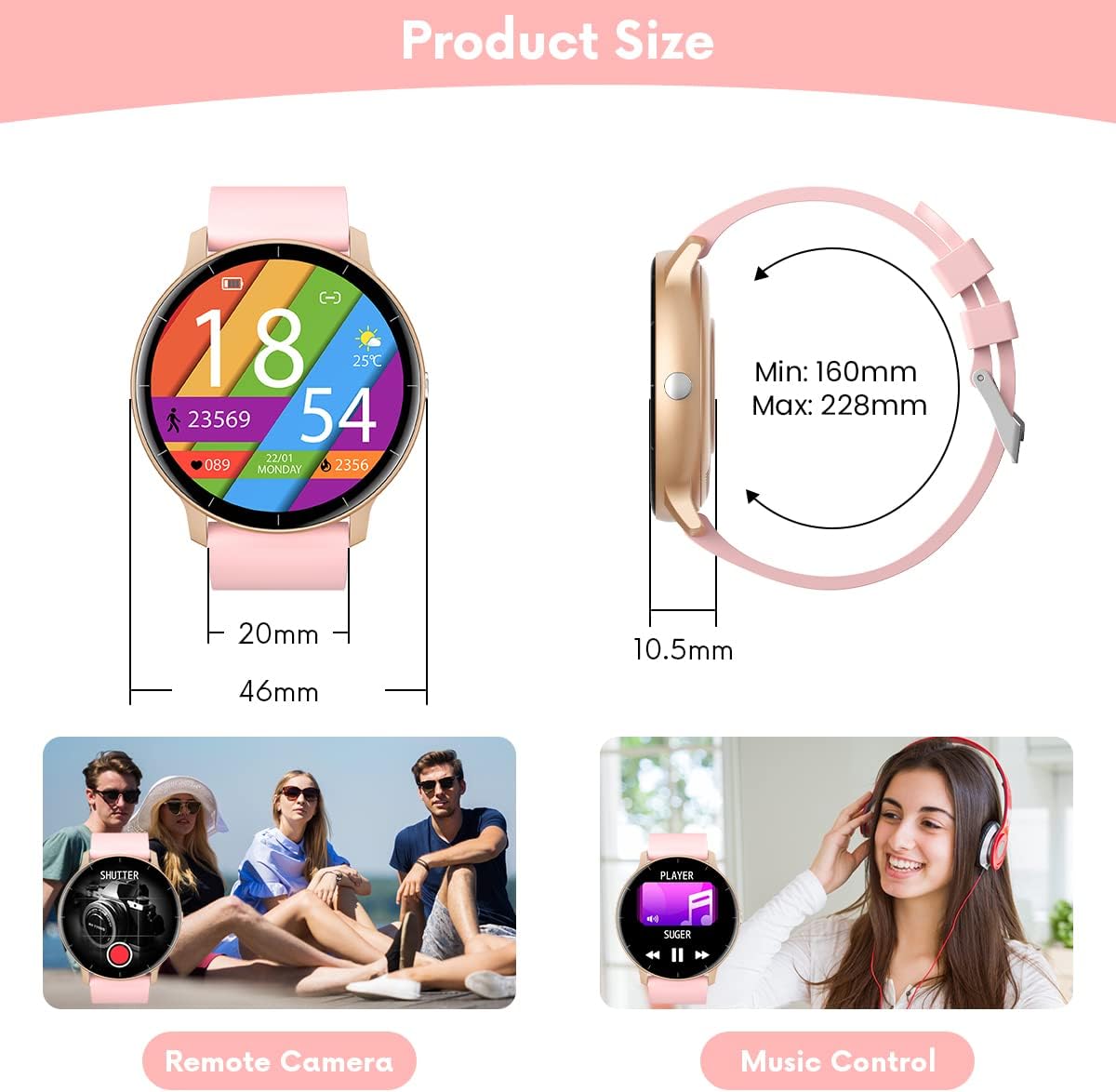
Figure 4.4: Illustrations of remote camera control and music playback features.
4.6 Customizing Watch Faces
Personalize your smartwatch with various watch faces:
- The watch comes with several pre-installed main interfaces.
- Through the 'Da Fit' app, you can access a wider selection of watch faces or even upload your own photos to create custom designs.
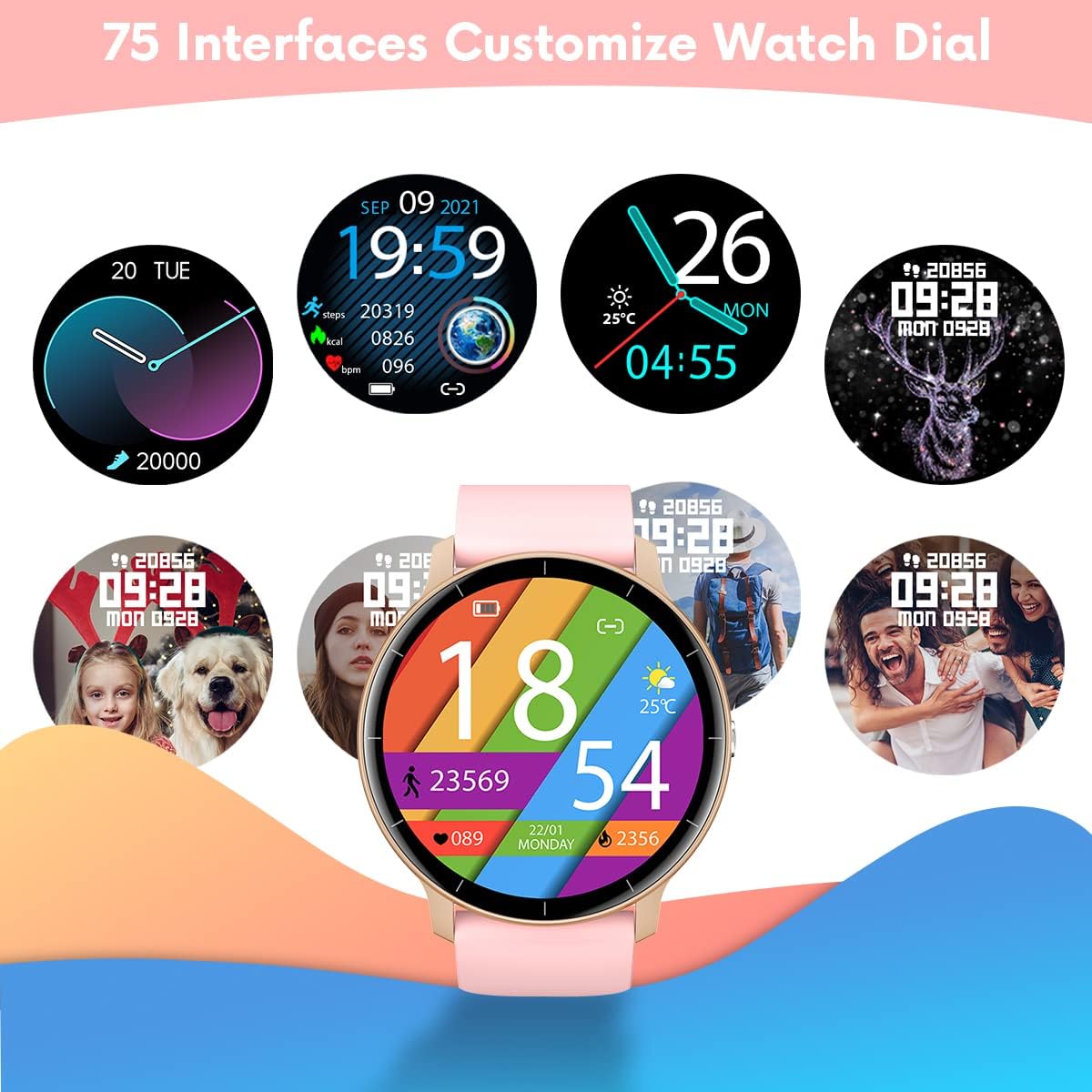
Figure 4.5: A variety of customizable watch face designs available for the smartwatch.
5. Maintenance
5.1 Cleaning Your Smartwatch
To maintain the appearance and functionality of your smartwatch:
- Wipe the screen and strap regularly with a soft, damp cloth.
- Avoid using harsh chemicals or abrasive materials, as these can damage the device.
- Ensure the charging contacts are clean and dry before charging.
5.2 Water Resistance (IP67)
Your TAOPON Smartwatch is rated IP67, meaning it is resistant to dust and can withstand immersion in water up to 1 meter for up to 30 minutes. This makes it suitable for daily use, such as washing hands or light rain exposure.
- Do not use the watch for swimming, diving, or showering with hot water.
- Avoid exposing the watch to high-pressure water or steam.
- If the watch gets wet, dry it thoroughly before charging or using the touchscreen.

Figure 5.1: A person washing hands with the smartwatch on, illustrating its water-resistant design.
6. Troubleshooting
If you encounter issues with your smartwatch, refer to the following common solutions:
| Problem | Solution |
|---|---|
| Watch does not turn on | Ensure the watch is fully charged. Connect it to the charger for at least 30 minutes. |
| Cannot pair with smartphone | 1. Ensure Bluetooth is enabled on your phone. 2. Make sure the watch is within 10 meters of your phone. 3. Restart both the watch and your phone. 4. Check if the 'Da Fit' app has necessary permissions. |
| Notifications not received | 1. Check Bluetooth connection. 2. Ensure notification permissions are granted in the 'Da Fit' app and your phone's settings. 3. Verify that the app is running in the background. |
| Inaccurate health data | 1. Ensure the watch is worn snugly on your wrist, not too loose or too tight. 2. Keep your arm still during measurements. 3. Environmental factors and individual physiology can affect readings. |
| Short battery life | 1. Reduce screen brightness. 2. Turn off continuous heart rate monitoring if not needed. 3. Limit frequent notifications. 4. Ensure the watch is fully charged (2 hours). |
If the problem persists, please refer to the 'Da Fit' app's help section or contact customer support.
7. Specifications
| Feature | Detail |
|---|---|
| Brand | TAOPON |
| Model | Smartwatch IP67 Round (B0BKSFDWWL) |
| Screen Size | 1.28 Inches |
| Display Type | IPS Color Touchscreen (LED) |
| Resolution | 240 x 240 pixels |
| Connectivity | Bluetooth |
| Compatibility | Android 5.0+ / iOS 9.0+ |
| Battery Capacity | 200mA Lithium-polymer |
| Battery Life | 7-10 days (typical use) |
| Charging Time | Approx. 2 hours |
| Water Resistance | IP67 (Dust and water resistant up to 1 meter for 30 minutes) |
| Supported App | Da Fit |
| Health Features | Heart Rate Monitor, Blood Pressure Monitor, Sleep Tracker |
| Activity Features | Pedometer, Calorie Counter, Distance Tracker, Multiple Sports Modes |
| Other Features | Notifications (Calls, SMS, SNS), Music Control, Remote Camera, Alarm, Stopwatch, Sedentary Reminder, Find Phone |
8. Warranty and Support
8.1 Warranty Information
Your TAOPON Smartwatch is covered by a standard manufacturer's warranty. Please refer to the warranty card included in your product packaging for specific terms and conditions, including the warranty period and coverage details. Keep your proof of purchase for warranty claims.
8.2 Customer Support
For any questions, technical assistance, or issues not covered in this manual, please contact TAOPON customer support. Contact details can typically be found on the product packaging, the official TAOPON website, or through your retailer.
When contacting support, please have your product model (B0BKSFDWWL) and purchase information ready.


