
Introduction
This manual provides detailed instructions for the safe and efficient operation of your KITWLEMEN Camping Fan with Light, Model D12. This versatile device features a high-capacity rechargeable battery, multi-speed fan, integrated LED lighting, oscillation, and timer functions, making it suitable for various indoor and outdoor applications.
Please read this manual thoroughly before first use and retain it for future reference.
Safety Information
- Do not insert fingers or any objects into the fan grille.
- Keep the fan away from water or other liquids.
- Do not disassemble or attempt to repair the fan yourself. Contact qualified personnel for service.
- Ensure the fan is placed on a stable, flat surface or securely hung to prevent falling.
- Keep out of reach of children.
- Use only the provided charging cable or a compatible 5V USB charger.
Package Contents
- KITWLEMEN Camping Fan with Light (Model D12)
- Remote Control
- USB Charging Cable
- Instruction Manual
Product Overview
The KITWLEMEN Camping Fan is designed for portability and multi-functionality. It features a durable construction, an integrated handle for easy transport, and a versatile base that allows for tabletop placement or hanging. The fan head can pivot 270 degrees for directional airflow.

Figure 1: Main components of the KITWLEMEN Camping Fan.
Control Panel & Remote
The fan can be operated directly via the control panel on its base or using the included remote control. The control panel includes buttons for power, fan speed, oscillation, light, timer, and sleep mode, along with LED indicators for battery level and current settings.

Figure 2: Control panel and remote control layout.
Setup
The fan is designed for immediate use out of the box. Ensure the battery is sufficiently charged before extended use. The fan can be placed on any flat surface or hung using its integrated hook.
Hanging the Fan
The fan features a 360-degree rotatable hook located on the top handle. To use, simply extend the hook and attach it to a suitable hanging point, such as inside a tent or under a canopy. Adjust the fan head's pivot to direct airflow as desired.

Figure 3: Fan hung from a tent ceiling.
Video 1: Demonstration of the fan's auto-oscillating feature and its use in a tent setting.
Operating Instructions
Power On/Off
Press the power button on the control panel or remote to turn the fan on or off.
Fan Speed Adjustment
The fan offers 4 speed settings. Press the fan speed button (or +/- on remote) repeatedly to cycle through the speeds (1-4). Speed 1 is the lowest, and Speed 4 provides the highest airflow.

Figure 4: Fan speed settings and estimated run times.
LED Lighting Control
The fan features 16 ultra-bright LED bulbs with 3 brightness settings. Press the light button (or light icon on remote) repeatedly to cycle through the brightness levels (Low, Medium, High) or to turn the light off.

Figure 5: LED lighting brightness levels.
Automatic Oscillation
Activate the automatic oscillation feature by pressing the oscillation button (or rotate button on remote). The fan can oscillate within 45° or 90° to cover a wider area. Press again to stop oscillation.

Figure 6: Oscillation and pivoting capabilities.
Video 2: Demonstration of the fan's auto-oscillating function and remote control usage.
Timer Function
Set a timer for the fan to automatically turn off after a specified duration. Press the timer button (or time icon on remote) repeatedly to select 1, 2, 4, or 8 hours. The corresponding LED indicator will light up.
Sleep Mode
Activate sleep mode by pressing the sleep mode button (or sleep icon on remote). In this mode, the fan operates at its lowest noise level, and all indicator lights are turned off to avoid disturbing your rest.
Charging External Devices
The fan's 20000mAh battery can also serve as a power bank. Locate the USB output ports on the side of the fan's base. Connect your phone or other USB-powered devices using their respective charging cables to charge them.
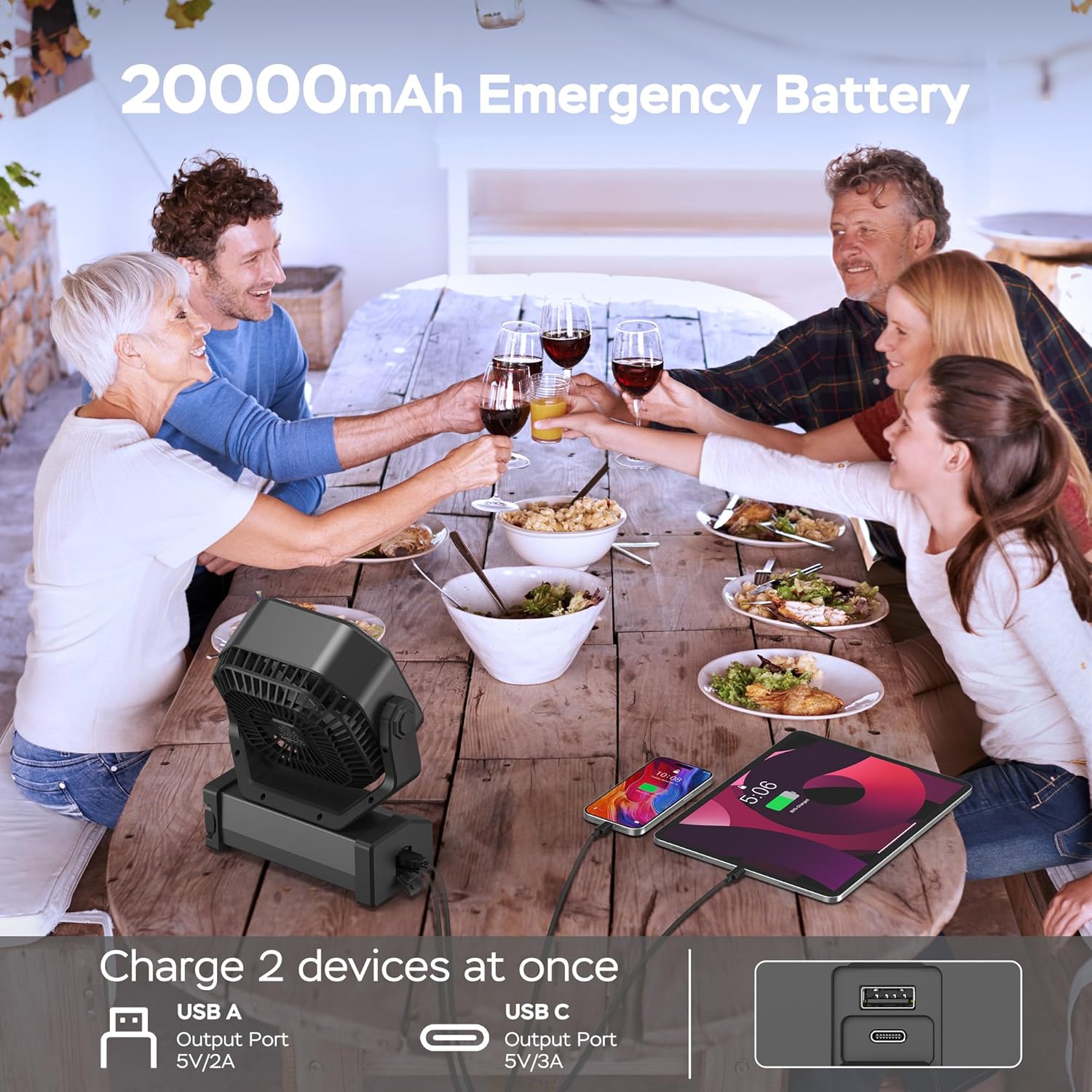
Figure 7: Charging external devices using the fan's power bank function.
Video 3: Overview of the portable camping fan's features, including its 20000mAh battery and various functions.
Maintenance
To ensure optimal performance and longevity of your fan, follow these maintenance guidelines:
- Cleaning: Regularly wipe the exterior of the fan with a soft, dry cloth. For stubborn dirt, a slightly damp cloth can be used, ensuring no water enters the fan grille or control panel.
- Storage: When not in use for extended periods, store the fan in a cool, dry place away from direct sunlight and extreme temperatures. Ensure the battery is partially charged (around 50%) before storage to prolong its lifespan.
- Battery Care: Avoid fully discharging the battery frequently. Recharge the fan when the battery indicator shows low power.
Troubleshooting
- Fan not turning on: Check if the battery is charged. If not, connect the fan to a power source using the USB charging cable.
- Light not working: Ensure the light function is activated via the control panel or remote. Check battery level.
- Remote control not responding: Ensure there are no obstructions between the remote and the fan. Check the remote's battery (if applicable).
- Oscillation not working: Verify that the oscillation function is activated. If the fan head is manually adjusted, ensure it's within the operational range for oscillation.
Specifications
| Feature | Detail |
|---|---|
| Brand | KITWLEMEN |
| Model Name | D12 |
| Color | Black |
| Power Source | Battery Powered |
| Battery Capacity | 20000mAh (Rechargeable Lithium Polymer) |
| Max Run Time | Up to 60 hours (lowest wind speed) |
| Fan Speeds | 4 |
| Airflow Speed | Up to 12.5 ft./s |
| Oscillation | 45°/90° Automatic |
| Pivot Angle | 270° Vertical |
| LED Lights | 16 ultra bright LED bulbs |
| Light Brightness | 3 settings (Max 400LM) |
| Timer Settings | 1H, 2H, 4H, 8H |
| Noise Level | <30dB (lowest setting) |
| Control Method | Remote, On-device buttons |
| Remote Range | 19.6ft |
| USB Output Ports | Yes (for charging devices) |
| Product Dimensions | 4"D x 8"W x 10"H |
| Item Weight | 3.44 pounds |
Warranty and Support
For warranty information, technical support, or any inquiries regarding your KITWLEMEN Camping Fan, please refer to the contact details provided on the product packaging or the official KITWLEMEN website. Keep your purchase receipt as proof of purchase for warranty claims.

