
YMOO RT5039
YMOO Bluetooth 5.1 Receiver DS200 User Manual
Model: RT5039 | Brand: YMOO
Product Overview
The YMOO DS200 is a high-fidelity Bluetooth 5.1 receiver designed to integrate modern wireless audio streaming with traditional home stereo systems. It features an audiophile-grade DAC for lossless audio decoding and supports various Bluetooth codecs, providing a stable and high-quality audio experience. This manual provides detailed instructions for setting up, operating, and maintaining your DS200 receiver.

Image: Front view of the YMOO DS200 Bluetooth Receiver, a compact black device with an antenna.
Package Contents
Please check the package for the following items:
- YMOO DS200 Bluetooth Receiver
- USB Power Cable
- RCA Audio Cable
- Coaxial Audio Cable
- Optical Audio Cable
- User Manual (this document)

Image: The YMOO DS200 Bluetooth Receiver shown with its included accessories: USB power cable, RCA cable, coaxial cable, optical cable, and user manual.
Device Layout and Connections
Familiarize yourself with the various ports and controls on your DS200 receiver.

Image: A diagram illustrating the front and back panels of the DS200. The front panel shows the Bluetooth status switch, Bluetooth status indicator, and power switch. The back panel displays the RCA output (Analog Out R/L), Coaxial output (COAX OUT), Optical fiber output (OPT OUT), and Power Supply (5V DC In).
Front Panel Controls:
- Bluetooth Status Switch: Toggles Bluetooth functionality.
- Bluetooth Status Indicator: LED light indicating Bluetooth connection status (flashing for pairing, solid for connected).
- Power Switch: Turns the device on or off.
Rear Panel Ports:
- Analog Out (RCA): Red and white ports for connecting to stereo amplifiers or receivers via RCA cables.
- COAX OUT (Coaxial): Yellow port for digital audio output via coaxial cable.
- OPT OUT (Optical): Optical port for digital audio output via optical fiber cable.
- 5V DC In: Power input port for connecting the USB power cable.
Setup Guide
Follow these steps to set up your YMOO DS200 Bluetooth Receiver:
- Connect Power: Connect the provided USB power cable to the 5V DC In port on the DS200 and plug the other end into a suitable 5V USB power adapter (not included) or a USB port on your audio equipment.
- Connect to Audio System:
- RCA Connection: Use the RCA audio cable to connect the "Analog Out" ports on the DS200 to the corresponding RCA input ports (e.g., "AUX In", "CD In") on your amplifier, receiver, or powered speakers.
- Coaxial Connection: Use the coaxial audio cable to connect the "COAX OUT" port on the DS200 to the coaxial digital input on your audio system.
- Optical Connection: Use the optical audio cable to connect the "OPT OUT" port on the DS200 to the optical digital input on your audio system.
- Power On: Press the power switch on the front panel of the DS200 to turn it on.
- Enter Pairing Mode: Press and hold the Bluetooth button on the front panel for approximately three seconds until the Bluetooth status indicator flashes blue and red alternately. This indicates the device is in pairing mode.
- Pair with Your Device:
- On your smartphone, tablet, or computer, go to the Bluetooth settings.
- Search for available Bluetooth devices.
- Select "DS200+" from the list of found devices to connect.
- Once successfully paired, the Bluetooth status indicator on the DS200 will turn solid blue.

Image: A visual guide showing three steps: 1) Powering on and connecting audio cables, 2) Entering Bluetooth pairing mode by holding the Bluetooth button, and 3) Connecting successfully via a mobile device's Bluetooth settings.
Operating Instructions
Once connected, you can begin streaming audio to your home stereo system.
Audio Streaming:
- After successful pairing, play audio from your connected device (smartphone, tablet, computer) through your preferred music application.
- The audio will be transmitted wirelessly to the DS200 and output through the connected audio cables to your stereo system.
- Adjust the volume using your source device or your stereo amplifier/receiver.
High-Fidelity Audio:
The DS200 features an ESS ES9018K2M Audiophile Grade DAC (Digital-to-Analog Converter) chip, ensuring high-quality sound reproduction. It supports a wide range of audio formats and codecs for optimal performance.
- Supported Codecs: SBC, MP3, AAC, APTX, APTX-LL (Low Latency), APTX-HD (High Definition).
- Sampling Rate: 16-32bit / 44.1-384kHz.
- Signal-to-Noise Ratio (SNR): 115dB.
- Distortion: Less than 0.002%.

Image: A scene depicting individuals enjoying music, with the DS200 receiver connected to a speaker system. An overlay graph illustrates the latency performance of various Bluetooth codecs, including SBC, AAC, APTX, APTX-LL, and APTX-HD.
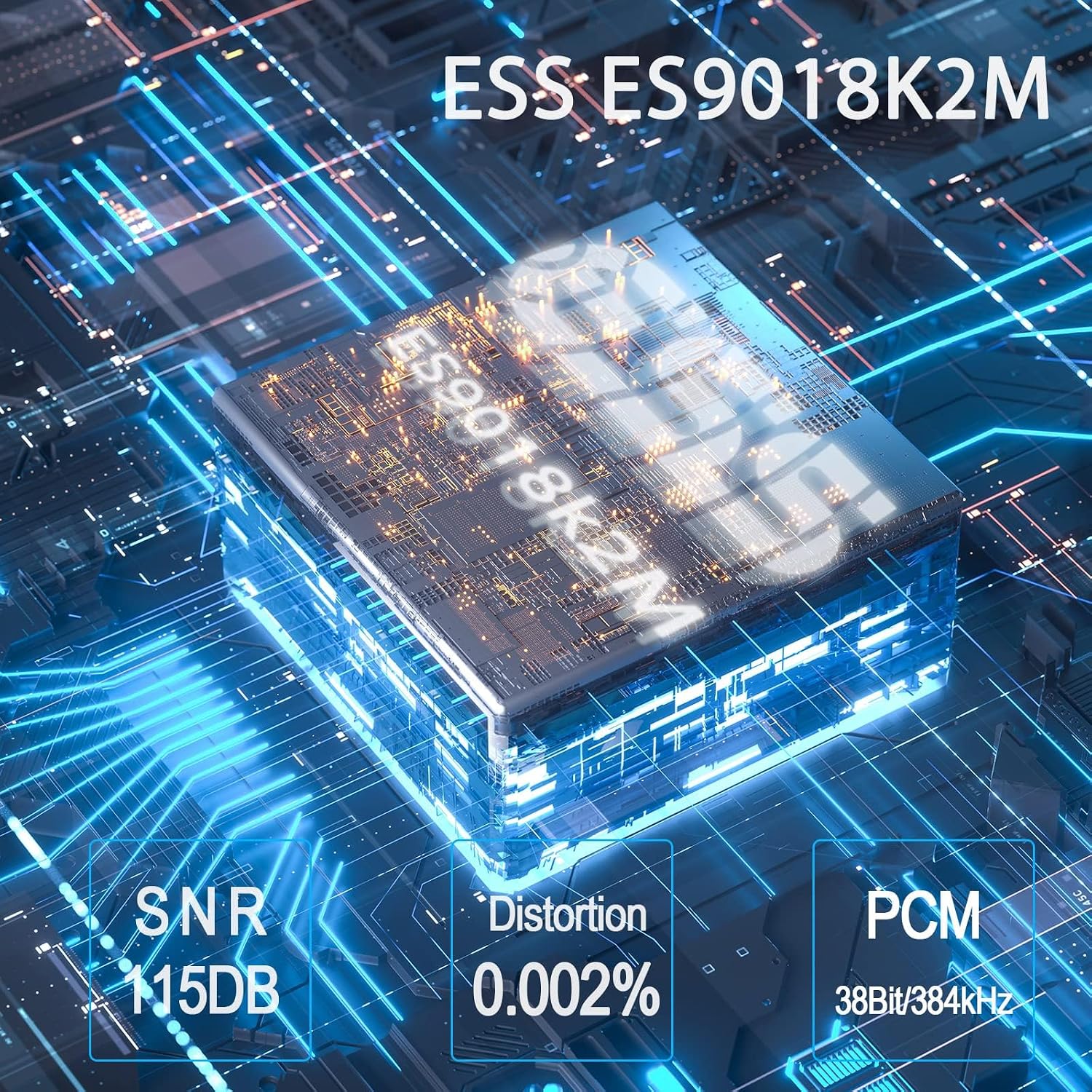
Image: A detailed view of the ESS ES9018K2M audiophile-grade DAC chip, highlighting its role in providing high-quality audio with specifications like 115dB SNR, 0.002% distortion, and 38Bit/384kHz PCM support.
Bluetooth Range:
Equipped with a Qualcomm QCC3031 Bluetooth 5.1 chip and an external antenna, the DS200 provides a stable Bluetooth connection up to 50 feet (approximately 15 meters) in open areas, allowing for flexible placement within your home.
Maintenance
To ensure the longevity and optimal performance of your YMOO DS200 Bluetooth Receiver, please follow these maintenance guidelines:
- Cleaning: Use a soft, dry cloth to clean the exterior of the device. Do not use liquid cleaners, aerosols, or solvents, as they may damage the finish or internal components.
- Storage: When not in use for extended periods, store the device in a cool, dry place away from direct sunlight and extreme temperatures.
- Handling: Handle the device with care. Avoid dropping it or subjecting it to strong impacts.
- Ventilation: Ensure the device is placed in a well-ventilated area to prevent overheating. Do not block any ventilation openings.
- Power Supply: Only use the provided power cable or a compatible 5V USB power source.
Troubleshooting
If you encounter any issues with your YMOO DS200, please refer to the following common problems and solutions:
| Problem | Possible Cause | Solution |
|---|---|---|
| No power/Device does not turn on. | Power cable not connected properly or power source issue. | Ensure the USB power cable is securely connected to the DS200 and the power source. Try a different USB power adapter or USB port. |
| Cannot pair with Bluetooth device. | DS200 not in pairing mode; device too far; interference; previously paired device connected. |
|
| No sound or poor sound quality. | Incorrect audio cable connection; wrong input selected on stereo; low volume; source audio quality. |
|
| Bluetooth connection is unstable or drops. | Device too far; physical obstructions; interference from other wireless devices. |
|
Specifications
Detailed technical specifications for the YMOO DS200 Bluetooth Receiver:
| Feature | Detail |
|---|---|
| Brand | YMOO |
| Model Number | RT5039 |
| Bluetooth Version | 5.1 (Qualcomm QCC3031 chip) |
| Supported Audio Codecs | SBC, MP3, AAC, APTX, APTX-LL, APTX-HD |
| DAC Chip | ESS ES9018K2M |
| Sampling Rate | 16-32bit / 44.1-384kHz |
| Signal-to-Noise Ratio (SNR) | 115dB |
| Distortion | < 0.002% |
| Connectivity Technology | Bluetooth, Auxiliary, Wi-Fi (Built-in Wi-Fi for antenna, not for network connection) |
| Output Ports | RCA (Analog Out), Coaxial (COAX OUT), Optical (OPT OUT) |
| Power Input | 5V DC |
| Product Dimensions | 7.5 x 9 x 2.5 cm (2.95" x 3.54" x 0.98") |
| Item Weight | 123 g (0.27 lbs) |
| Compatible Devices | Personal Computer, Smartphone, Speaker, Tablet |
Warranty and Support
YMOO products are designed for reliability and performance. For specific warranty details, please refer to the warranty card included with your product or visit the official YMOO website.
Customer Support:
If you require further assistance, technical support, or have questions regarding your YMOO DS200 Bluetooth Receiver, please contact YMOO customer support:
- Email: support@ymoo.com
- Website: Refer to the official YMOO store on Amazon or their brand website for additional resources and FAQs.

Image: The rear panel of the DS200, displaying regulatory compliance marks (FCC, CE, RoHS) and the customer support email address: support@ymoo.com.
Related documentsRT5039


Ask a question about this manual
Ask about setup, troubleshooting, compatibility, parts, safety, or missing instructions. Manuals+ will review the question and use this page’s manual context to help answer it.