
1. Introduction
Thank you for choosing the VIHELM DT-131 High Precision Digital Probe Thermometer. This manual provides essential information for the safe and effective use of your device. Please read these instructions carefully before operation and retain them for future reference.
2. Product Overview and Features
The VIHELM DT-131 is a versatile digital probe thermometer designed for accurate temperature measurement across a wide range of applications. Its robust design and user-friendly interface make it suitable for both professional and home use.
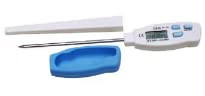
Image: The VIHELM DT-131 thermometer with its stainless steel probe and protective sheath.
Key Features:
- LCD Display: Clear digital readout for easy temperature monitoring.
- Temperature Unit Switching: Easily switch between Celsius (°C) and Fahrenheit (°F).
- High Resolution: 0.1°C/°F for precise readings.
- Fast Sampling Time: Approximately 2.0 seconds for quick measurements.
- Max/Min Storage: Records and displays maximum and minimum temperatures measured.
- Data Hold Function: Freezes the current temperature reading on the display.
- Automatic Shutdown: Conserves battery life by turning off after approximately 20 minutes of inactivity.
- Wide Temperature Range: Measures from -40°C to 250°C (-40°F to 482°F).
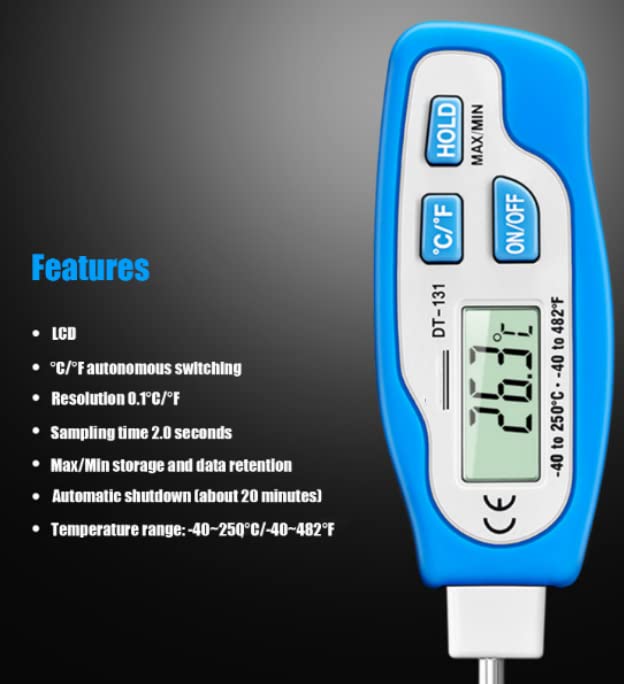
Image: Close-up of the DT-131 display and control buttons, highlighting its features.
3. Setup
Battery Installation
The VIHELM DT-131 thermometer requires one LR44 (1.5V) button battery for operation. Follow these steps to install or replace the battery:
- Locate the battery compartment cover on the back of the thermometer unit.
- Carefully slide the battery cover open.
- Insert one LR44 (1.5V) button battery, ensuring the correct polarity (+/-) as indicated inside the compartment.
- Slide the battery cover back into place until it clicks securely.
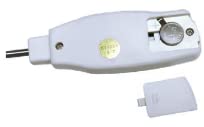
Image: The rear view of the DT-131 thermometer, showing the open battery compartment and the LR44 battery slot.
4. Operating Instructions
Power On/Off
- Press the ON/OFF button to turn the thermometer on.
- Press the ON/OFF button again to turn the thermometer off.
- The device will automatically shut down after approximately 20 minutes of inactivity to conserve battery life.
Switching Temperature Units (°C/°F)
- With the thermometer powered on, press the °C/°F button to toggle between Celsius and Fahrenheit temperature scales.
Data Hold Function
- While taking a measurement, press the HOLD button to freeze the current reading on the display.
- Press the HOLD button again to release the reading and resume live measurement.
Maximum/Minimum Temperature (MAX/MIN)
- After turning on the thermometer, the device automatically begins recording the maximum and minimum temperatures.
- Press and hold the HOLD/MAX/MIN button to cycle through the current temperature, maximum recorded temperature (MAX), and minimum recorded temperature (MIN).
- To clear the MAX/MIN records, turn the thermometer off and then on again.
Taking a Measurement
- Ensure the thermometer is powered on and the desired temperature unit is selected.
- Carefully insert the stainless steel probe into the substance or area you wish to measure. Ensure the probe tip is fully immersed for accurate readings.
- Wait for the reading on the LCD display to stabilize (approximately 2.0 seconds).
- Read the temperature displayed. Use the HOLD function if you need to record the reading.
- After use, clean the probe thoroughly before storing.
5. Applications
The VIHELM DT-131 thermometer is suitable for a variety of temperature measurement tasks, including but not limited to:
- Food Preparation: Checking internal temperatures of meats, poultry, baked goods, and liquids during cooking, grilling, or baking.
- Beverage Temperature: Ensuring optimal serving temperatures for coffee, tea, milk, or other beverages.
- Home Use: Measuring bath water temperature for infants, or ambient room temperatures.
- Gardening: Monitoring soil temperature for planting.
- Laboratory Settings: Basic temperature checks for non-corrosive liquids or environments.
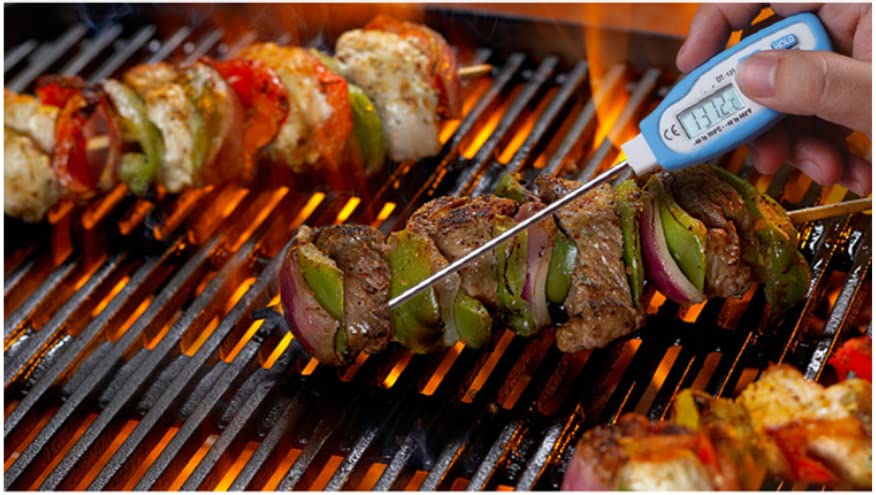
Image: The DT-131 thermometer being used to measure the internal temperature of food on a grill.
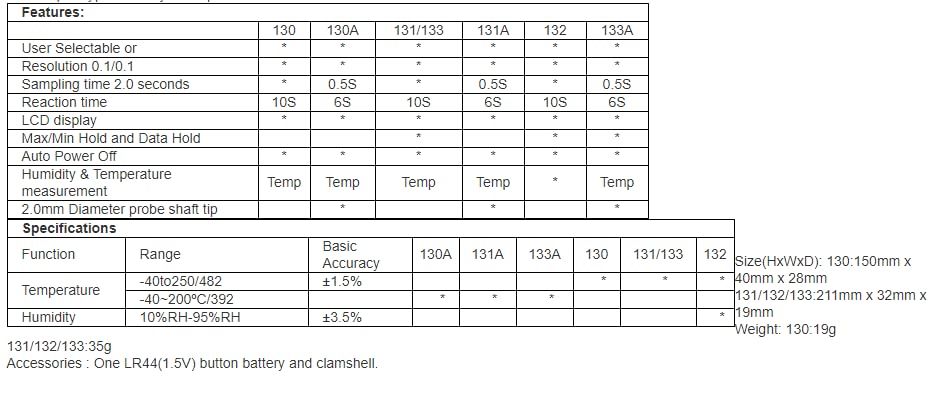
Image: A visual representation of the thermometer's diverse applications, from culinary to scientific and domestic uses.
6. Specifications
| Feature | Description |
|---|---|
| Model Name | DT-131 |
| Temperature Range | -40°C to 250°C (-40°F to 482°F) |
| Resolution | 0.1°C / 0.1°F |
| Basic Accuracy | ±1.5% |
| Sampling Time | 2.0 seconds |
| Display | LCD |
| Power Source | 1 x LR44 (1.5V) Button Battery |
| Automatic Shutdown | Approx. 20 minutes |
| Included Components | DT-131 Thermometer, Protective Clamshell |
| Item Length (Probe) | 5 Inches (approx.) |
| Package Dimensions | 6 x 3 x 2 inches |
| Item Weight | 1.1 Pounds (approx.) |
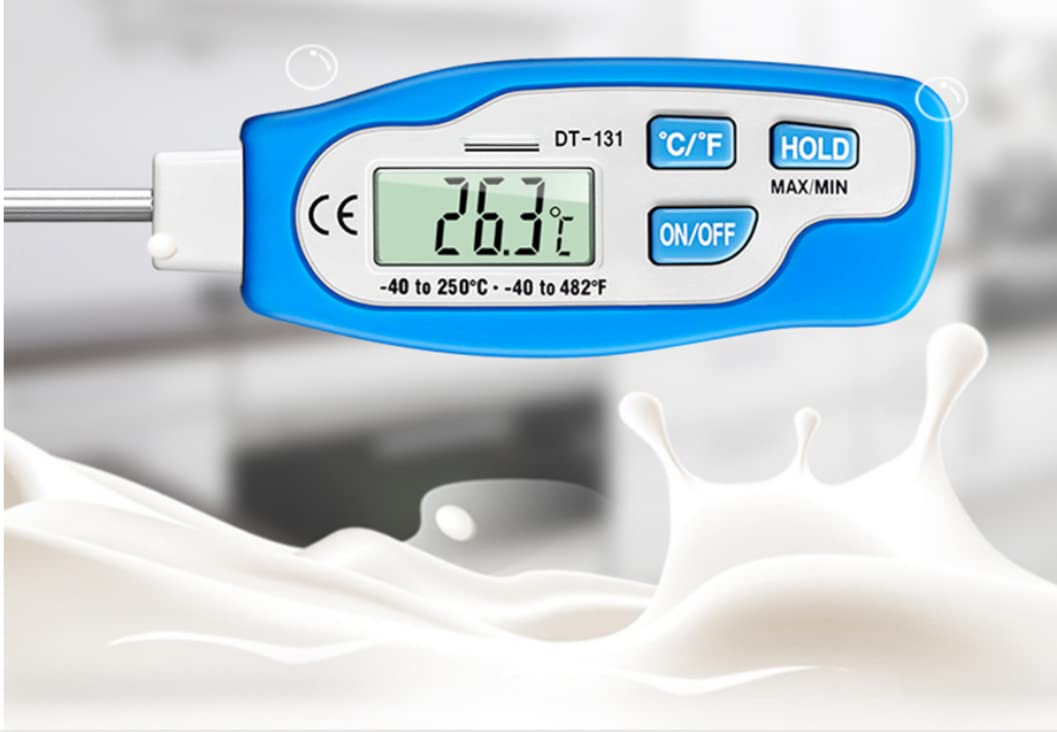
Image: Detailed table outlining features and specifications, including those for the DT-131 model.
7. Maintenance and Care
- Cleaning: After each use, wipe the stainless steel probe with a damp cloth and mild detergent. Rinse thoroughly and dry completely. Do not immerse the main body of the thermometer in water.
- Storage: Store the thermometer in its protective clamshell or sheath when not in use to prevent damage to the probe. Keep it in a clean, dry place away from extreme temperatures.
- Battery Replacement: Replace the LR44 battery when the display becomes dim or the thermometer fails to power on. Follow the battery installation steps in Section 3.
- Avoid Harsh Chemicals: Do not use abrasive cleaners or solvents on the thermometer, as they may damage the plastic casing or display.
8. Troubleshooting
- No Display / Dim Display: Check if the battery is correctly installed and has sufficient charge. Replace the LR44 battery if necessary.
- Inaccurate Readings: Ensure the probe tip is fully immersed in the substance being measured. Allow sufficient time for the reading to stabilize. Verify the thermometer is within its specified operating temperature range.
- Buttons Not Responding: Try removing and reinserting the battery to reset the device. If the issue persists, the battery may be low.
9. Warranty and Support
For warranty information or technical support, please refer to the product packaging or contact your retailer or the manufacturer directly. Keep your purchase receipt as proof of purchase.