
1. Product Overview
The Xiaomi Smart Tower Heater Lite is a compact and efficient electric fan heater designed to provide rapid and consistent warmth for indoor spaces. Featuring smart control capabilities and multiple operating modes, it offers a comfortable heating experience.

Figure 1: Front view of the Xiaomi Smart Tower Heater Lite.
2. Safety Instructions
Please read all safety instructions carefully before using this product to prevent injury or damage.
- Do not cover the heater to avoid overheating.
- Keep flammable materials at least 1 meter (3 feet) away from the heater.
- Do not use the heater in bathrooms, laundry areas, or similar wet locations.
- Ensure the power outlet matches the heater's voltage and current requirements.
- Always unplug the heater when not in use or before cleaning.
- Do not insert objects into the heater's openings.
- Supervise children and pets when the heater is in operation.
3. Package Contents
- Xiaomi Smart Tower Heater Lite (1 unit)
- User Manual (this document)
4. Setup
4.1 Unpacking
- Carefully remove the heater from its packaging.
- Remove all protective materials and plastic bags.
- Inspect the heater for any signs of damage. If damaged, do not use and contact support.
4.2 Placement
- Place the heater on a firm, level surface.
- Ensure there is adequate clearance around the heater for proper airflow (at least 30 cm from walls and furniture).
- Do not place the heater directly below a power outlet.
5. Operating Instructions
5.1 Power On/Off
Plug the power cord into a suitable electrical outlet. Press the power button on the top panel or use the Xiaomi Home app to turn the heater on or off.
5.2 Rapid Heating
The 2000W PTC ceramic heating element provides warmth within 3 seconds of activation.
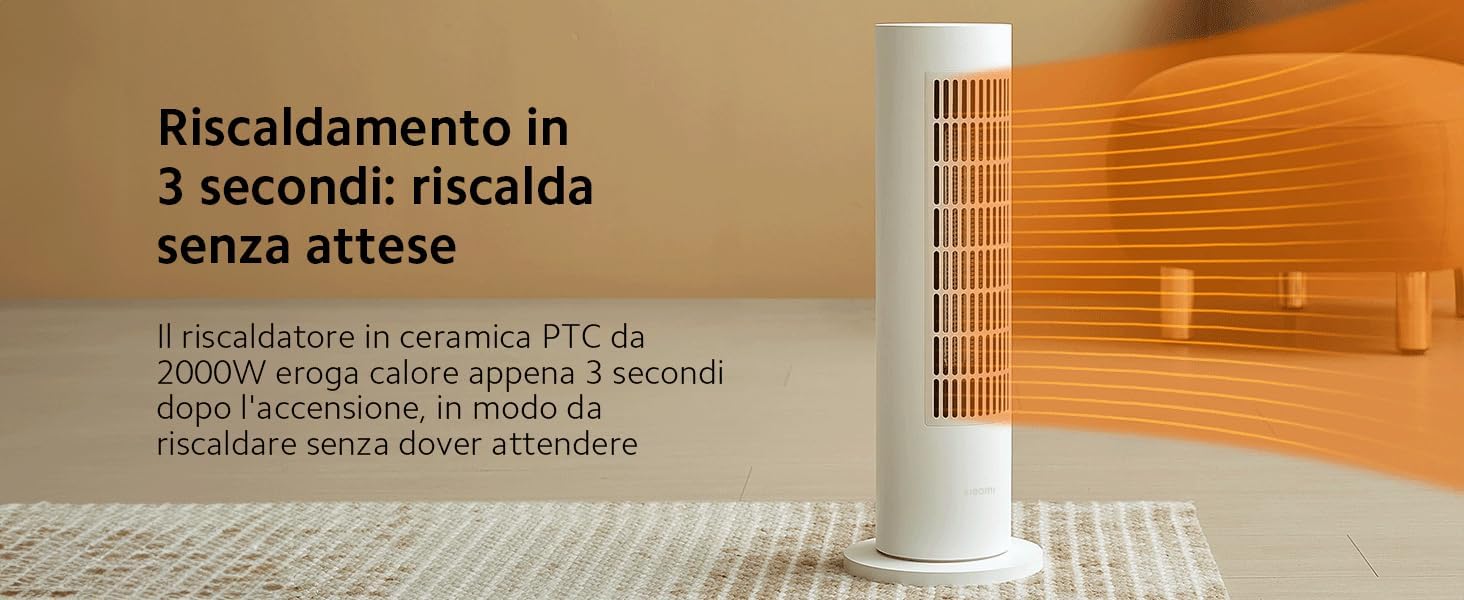
Figure 2: The heater's rapid heating capability.
5.3 Mode Selection
The heater offers four operating modes for optimal comfort:
- Constant Temperature Mode: Maintains a set temperature using the NTC sensor and integrated thermostat.
- Hot Air Mode: Provides continuous hot air.
- Heating Mode: Standard heating operation.
- Natural Mode: Operates as a fan without heating.

Figure 3: Control panel with mode selection options.
5.4 Oscillation Function
Activate the oscillation function to distribute heat evenly across a 70-degree wide angle.

Figure 4: Heater with 70-degree oscillation indicated.
5.5 Smart Control (Xiaomi Home App)
Connect your heater to the Xiaomi Home app for remote control, scheduling, and advanced settings.
- Download the Xiaomi Home app from your device's app store.
- Follow the in-app instructions to add and connect your Smart Tower Heater Lite.
- Control power, modes, temperature, and set schedules from your smartphone.
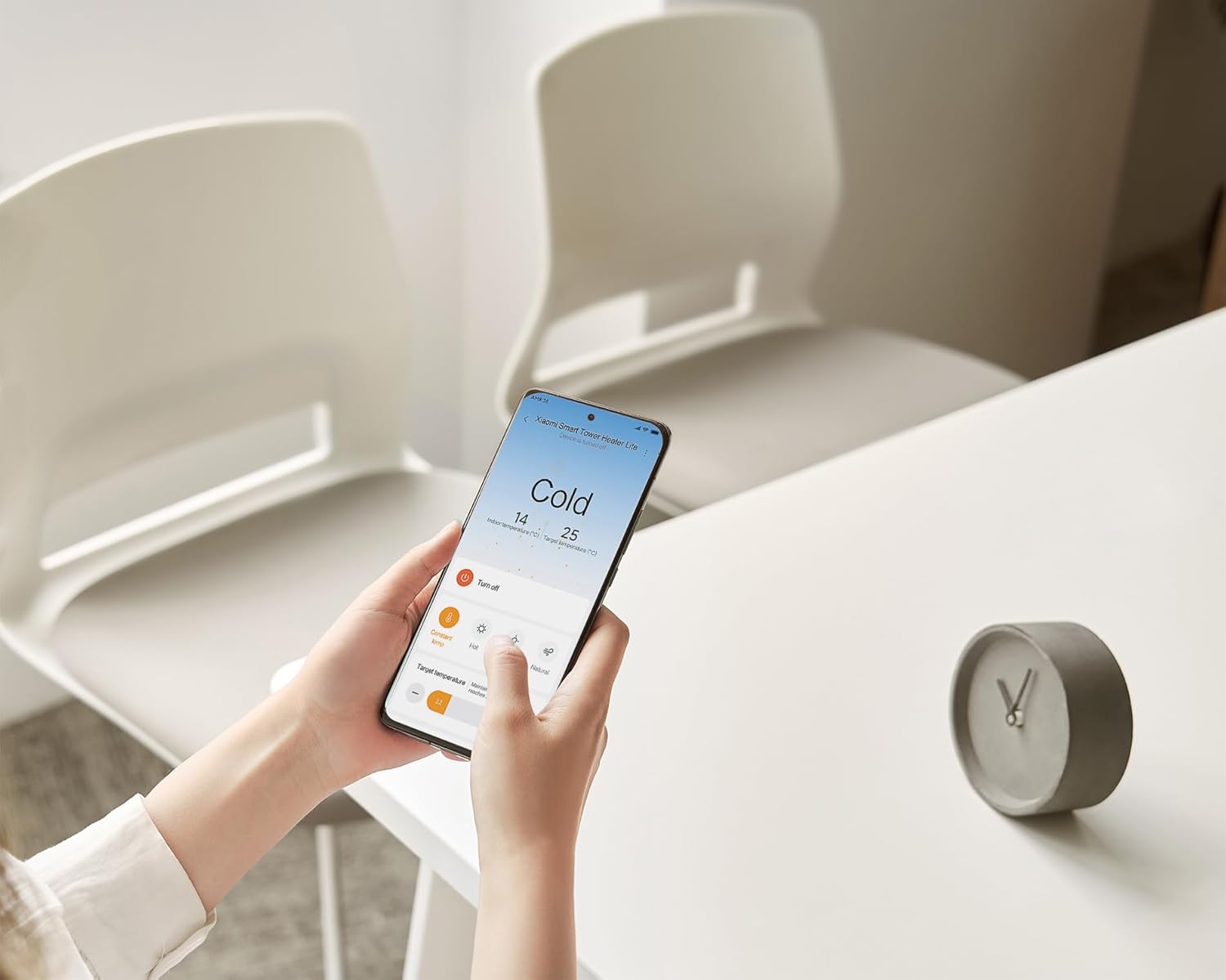
Figure 5: Controlling the heater via the Xiaomi Home app.
6. Maintenance
6.1 Cleaning
- Always unplug the heater and allow it to cool completely before cleaning.
- Wipe the exterior with a soft, damp cloth. Do not use abrasive cleaners or solvents.
- Use a vacuum cleaner with a brush attachment to gently remove dust from the air intake and outlet grilles.
- Do not immerse the heater in water or any other liquid.
6.2 Storage
When not in use, store the heater in a cool, dry place, preferably in its original packaging, away from direct sunlight and moisture.
7. Troubleshooting
Refer to the table below for common issues and their solutions.
| Problem | Possible Cause | Solution |
|---|---|---|
| Heater does not turn on | No power supply; Power button not pressed; Overheat protection activated. | Check power cord and outlet; Press power button; Unplug and let cool for 30 minutes. |
| No heat output | Incorrect mode selected; Temperature setting too low. | Select a heating mode; Increase temperature setting. |
| Oscillation not working | Oscillation function not activated. | Press the oscillation button on the control panel or via the app. |
| App connection issues | Wi-Fi signal weak; Incorrect pairing process. | Ensure strong Wi-Fi signal; Re-attempt pairing process as per app instructions. |
8. Specifications
| Feature | Specification |
|---|---|
| Model Number | BHR6101EU |
| Brand | XIAOMI |
| Power | 2000W |
| Product Dimensions | 18D x 18W x 50H cm |
| Item Weight | 2.2 Kilograms |
| Form Factor | Tower |
| Heating Method | Powered Air |
| Power Source | Corded Electric |
| Special Features | Portable |
| Recommended Use | Indoor |

Figure 6: Product dimensions of the Xiaomi Smart Tower Heater Lite.
9. Warranty and Support
This product comes with a 1-year warranty from the date of purchase. For warranty claims, technical support, or service inquiries, please contact your retailer or visit the official Xiaomi support website.
Please retain your proof of purchase for warranty validation.
10. Disposal
This product should not be disposed of with household waste. Please recycle it at a designated collection point for electrical and electronic equipment. Contact your local authority for information regarding available collection facilities.


