
Introduction
This manual provides detailed instructions for the proper setup, operation, and maintenance of your Buffbee Sound Machine & Alarm Clock 2-in-1. Please read this manual thoroughly before using the product to ensure optimal performance and safety.
Safety Information
Important Safety Precautions:
- Ensure correct battery use.
- Keep out of reach of children.
- Do not expose to water or extreme temperatures.
- Follow recommended noise exposure levels to prevent hearing damage.
Setup
Follow these steps to set up your Buffbee Sound Machine & Alarm Clock:
- Unbox the Buffbee Sound Machine & Alarm Clock.
- Connect the power adapter to the device and plug it into a power outlet. The device requires continuous power to operate all functions.
- If desired, install backup batteries (not included) in the battery compartment located at the bottom of the unit. This will preserve time and alarm settings during power outages.
- Adjust the clock face brightness using the dimmer control.
- Set the current time and desired alarm settings.

Image: The Buffbee Sound Machine and Alarm Clock, showcasing its compact design and digital time display.
Operating Instructions
Sound Machine Features
The device offers 18 soothing sounds to aid sleep and relaxation:
- 5 White Noise Sounds: For consistent background sound.
- 3 Fan Sounds: Mimicking natural fan airflow.
- 10 Nature Sounds: Including ocean, lullaby, waves, rain, thunderstorm, brook, croaking, bird chirping, summer night, and campfire.
Volume Control: Features a precise 30-level volume control for customized sound intensity.
Sleep Timer: Set an auto-off timer for 15, 30, 60, 90, or 120 minutes, or choose continuous play.

Image: Visual representation of the 2-in-1 functionality, emphasizing 18 soothing sounds and alarm clock features.

Image: An exploded view illustrating the internal 5W upward-firing speaker for rich, detailed sound.
Alarm Clock Features
- Set alarms with 5 different wake-up sounds.
- Choose between 12-hour and 24-hour clock display.
Display Dimmer
The clock face features a 0-100% display dimmer, allowing you to adjust brightness from completely dark to fully bright, or any level in between, to suit your preference and avoid disturbing sleep.
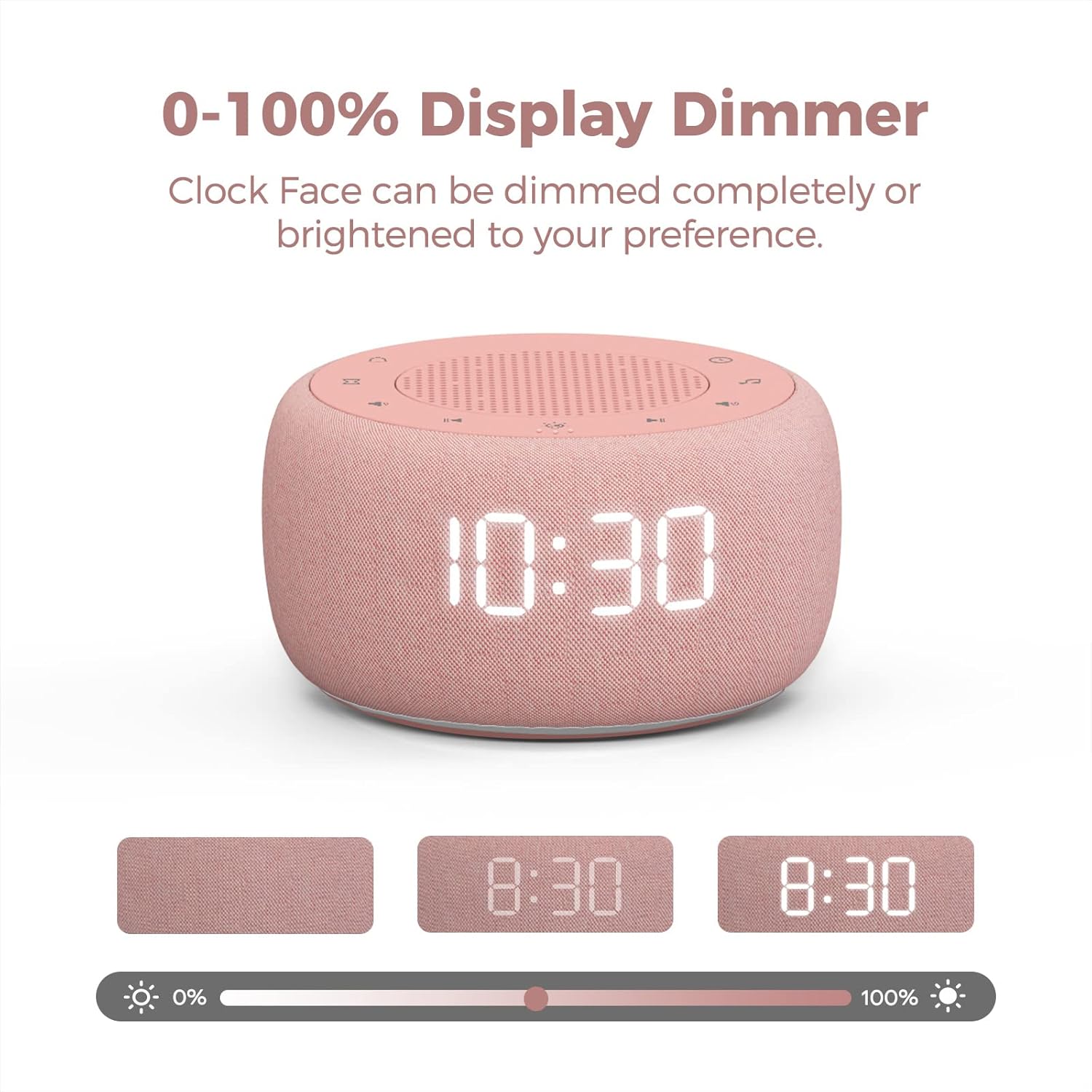
Image: The display dimmer feature, showing how the clock face brightness can be adjusted from 0% to 100%.
Night Light
The device includes a 7-color under light feature, creating a calming glow. This light can be turned on or off as desired.

Image: The sound machine displaying its 7-color under light, providing ambient illumination.
Maintenance
To ensure the longevity and proper functioning of your Buffbee Sound Machine & Alarm Clock, follow these maintenance guidelines:
- Cleaning: Use a soft, dry cloth to wipe the exterior of the device. Do not use liquid cleaners or abrasive materials.
- Storage: When not in use for extended periods, store the device in a cool, dry place away from direct sunlight and extreme temperatures.
- Power: Always use the provided power adapter. Disconnect from power during electrical storms or when unused for long periods.
Troubleshooting
| Problem | Possible Cause | Solution |
|---|---|---|
| Device does not power on. | Power adapter not connected or outlet issue. | Ensure the power adapter is securely plugged into the device and a working electrical outlet. |
| No sound or low volume. | Volume set too low or sound not selected. | Increase the volume using the 30-level volume control. Ensure a sound is selected and not paused. |
| Clock display is too bright/dim. | Display dimmer setting needs adjustment. | Use the 0-100% display dimmer control to adjust brightness to your preference. |
| Alarm does not sound. | Alarm not set or volume too low. | Verify alarm time and ensure alarm volume is audible. Check if the alarm is enabled. |
Specifications
- Model Number: BK11P
- Brand: BUFFBEE
- Material: Acrylonitrile Butadiene Styrene (ABS) or Polycarbonate
- Power Source: Battery Powered (for memory) / AC Adapter (for operation)
- Package Dimensions: 5.83 x 4.49 x 3.11 inches
- Item Weight: 11.68 ounces
- Color: Pink
- Speaker: Built-in 5W driver
- Sound Options: 18 (5 white noise, 3 fan, 10 nature sounds)
- Volume Levels: 30
- Display Dimmer: 0-100%
- Night Light: 7 colors with ON/OFF options
Warranty and Support
For warranty information or technical support, please refer to the product packaging or contact BUFFBEE customer service directly. Keep your purchase receipt for warranty claims.