
1. Introduction
The ThermoPro TempSpike is a truly wireless meat thermometer designed to monitor internal meat temperature and ambient cooking temperatures with precision. Featuring advanced Bluetooth 5.2 technology, it offers an ultra-long range of up to 500 feet, allowing you to track your cooking remotely via a multifunctional smartphone application. This device is ideal for various cooking methods including grilling, smoking, oven baking, rotisserie, pan-frying, and sous vide, providing a hassle-free and wire-free cooking experience.
Key features include:
- 500-Ft Ultra-Long Range: Advanced Bluetooth 5.2 connectivity for remote monitoring.
- 100% Wire-Free Design: Versatile for various cooking appliances without tangled wires.
- 1 Probe, 2 Sensors: Simultaneously measures internal meat and ambient pit temperatures with high accuracy.
- Easy-to-Use, Multifunctional App: Real-time alerts, custom timers, temperature graphs, and USDA-recommended presets.
- Smart Alarm System: Estimates cooking time and provides pre-alarms to prevent overcooking.
2. Package Contents
Your ThermoPro TempSpike package includes the following items:
- 1x TempSpike Probe
- 1x Booster Body
- 1x USB Charging Cable
- 1x User Manual

Image: The TempSpike probe, booster, and a smartphone displaying the app interface.
3. Setup
3.1 Charging the Device
Before initial use, ensure both the TempSpike probe and booster are fully charged. Connect the booster to a USB power source using the provided USB charging cable. The probe charges wirelessly when inserted into the booster.
3.2 App Installation and Pairing
- Download the ThermoPro App from your smartphone's app store (iOS or Android).
- Enable Bluetooth on your smartphone.
- Launch the ThermoPro App and follow the on-screen instructions to connect to your TempSpike device.
- The app will display real-time temperature readings once successfully paired.
3.3 Probe Insertion
Proper probe insertion is crucial for accurate temperature readings and to prevent damage to the probe.
- Insert the probe into the thickest part of the meat, avoiding bones.
- Ensure the probe is inserted past the safety notch (the black part of the probe) to accurately measure internal meat temperature and ambient temperature.
- The probe is 100% wire-free, making it suitable for rotisseries, smokers, ovens, and grills.

Image: The TempSpike probe features two sensors: one for internal meat temperature (14°F to 212°F) and one for ambient temperature (14°F to 572°F).
Video: A seller-provided video demonstrating the setup process for the TempSpike Pro.
4. Operating the Device
4.1 Monitoring Temperatures
Once the probe is inserted and paired with the app, you can monitor temperatures in real-time. The app displays both the internal meat temperature and the ambient cooking temperature.
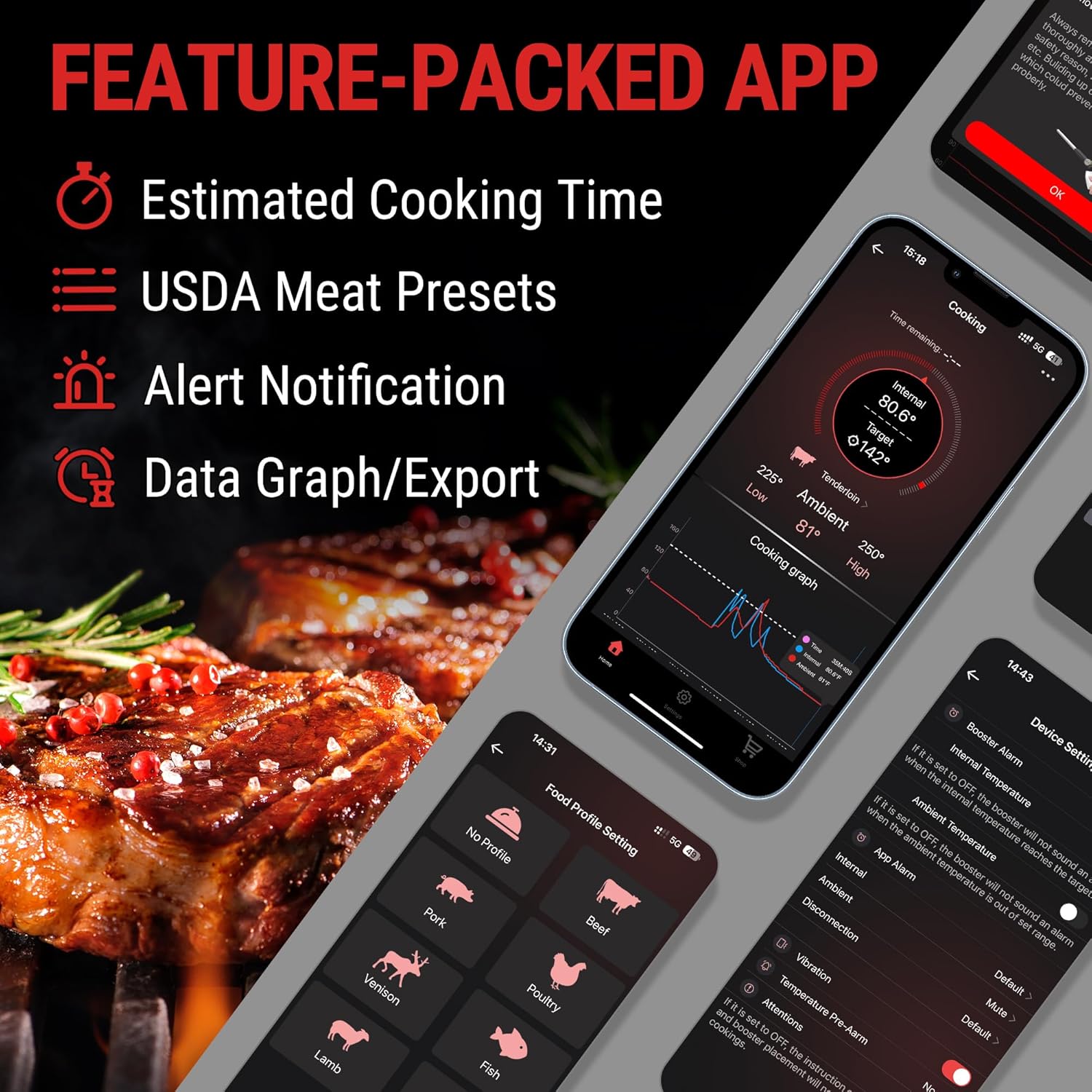
Image: The ThermoPro app provides estimated cooking time, USDA meat presets, alert notifications, and data graphs.
4.2 Setting Alarms and Presets
- USDA Presets: The app includes USDA-recommended preset temperatures for various meat types and doneness levels. Select the appropriate preset for your meal.
- Custom Temperatures: You can customize target temperatures if the presets do not meet your specific needs.
- Ambient Alarms: Set high and low ambient temperature alarms to maintain optimal cooking conditions in your smoker or oven.
- Pre-Alarms: Configure pre-alarms to notify you when the meat is within 5°F/10°F/15°F of the target temperature, allowing for carry-over cooking.
- Estimated Cooking Time: The app provides an estimated cooking time based on the current temperature progression, helping you manage your cooking schedule.

Image: The app offers 9 preset meat types and various doneness levels for precise cooking.
5. Maintenance
5.1 Cleaning the Probe
The TempSpike probe is IP67 waterproof and dishwasher safe, making cleanup simple.
- After each use, allow the probe to cool down.
- Wash the probe with soap and water or place it in the dishwasher.
- Do not immerse the booster in water. Wipe it clean with a damp cloth.

Image: The TempSpike probe is easy to clean and IP67 waterproof.
5.2 Storage
Store the probe securely in its booster when not in use. Ensure both components are clean and dry before storage.
6. Troubleshooting
If you encounter issues with your ThermoPro TempSpike, consider the following:
- Connectivity Issues: Ensure your smartphone's Bluetooth is enabled and the app is open. Check that the booster is within the 500-ft range. Obstructions can affect signal strength.
- Inaccurate Readings: Verify the probe is inserted correctly into the thickest part of the meat, avoiding bones. Ensure the safety notch is fully inside the meat.
- Battery Life: Fully charge both the probe and booster before each use. Low battery can affect performance and connectivity.
- App Not Responding: Close and restart the ThermoPro App. If the issue persists, try restarting your smartphone.
7. Specifications
| Feature | Detail |
|---|---|
| Brand | ThermoPro |
| Model Name | TempSpike |
| Special Feature | Wireless Meat Thermometer |
| Color | Red |
| Included Components | Probe, Booster body |
| Outer Material | Stainless Steel |
| Connectivity Technology | Bluetooth 5.2 |
| Wireless Range | 500-Ft Ultra-Long Range |
| Display Type | Digital |
| Power Source | Battery Powered (2 Lithium Ion batteries included) |
| Item Weight | 4.8 ounces |
| Upper Temperature Rating | 572 Degrees Fahrenheit |
| Response Time | 500 Milliseconds |
| Reusability | Reusable |
| Product Care Instructions | Wipe Clean (Probe is Dishwasher Safe) |
8. Warranty & Support
ThermoPro products are designed for durability and performance. For warranty information, product registration, or technical support, please visit the official ThermoPro website or contact their customer service directly. Many users have reported excellent customer service and support from ThermoPro.


