Introduction
This manual provides detailed instructions for the operation and maintenance of your Victor VHRP-1100 Lakeshore 5-in-1 Turntable System. This versatile audio system integrates a record player, Bluetooth connectivity, USB playback and recording, and an FM radio, all within a compact unit with built-in stereo speakers. Please read this manual thoroughly before use to ensure proper function and longevity of your device.
Important Safety Information
- Power Source: Use only the specified power adapter. Ensure the voltage matches your local power supply.
- Water and Moisture: Do not expose the unit to rain, moisture, or dripping/splashing liquids. Do not place objects filled with liquids, such as vases, on the unit.
- Ventilation: Ensure adequate ventilation. Do not block ventilation openings.
- Heat: Keep the unit away from heat sources such as radiators, heat registers, stoves, or other apparatus (including amplifiers) that produce heat.
- Cleaning: Clean only with a dry cloth.
- Servicing: Do not attempt to service this product yourself. Refer all servicing to qualified service personnel.
- Placement: Place the unit on a stable, flat surface to prevent damage from falling.
Package Contents
Verify that all items listed below are included in your package:
- Victor VHRP-1100 Lakeshore 5-in-1 Turntable System
- UL Approved Adaptor
- User Manual (this document)
- Quick Setup Guide
Product Overview
Familiarize yourself with the components of your Victor VHRP-1100 Lakeshore turntable system.

Figure 1: Top-down view of the Victor VHRP-1100 Lakeshore turntable system with a record on the platter and the dust cover open. This image shows the overall layout of the unit, including the control panel at the front.
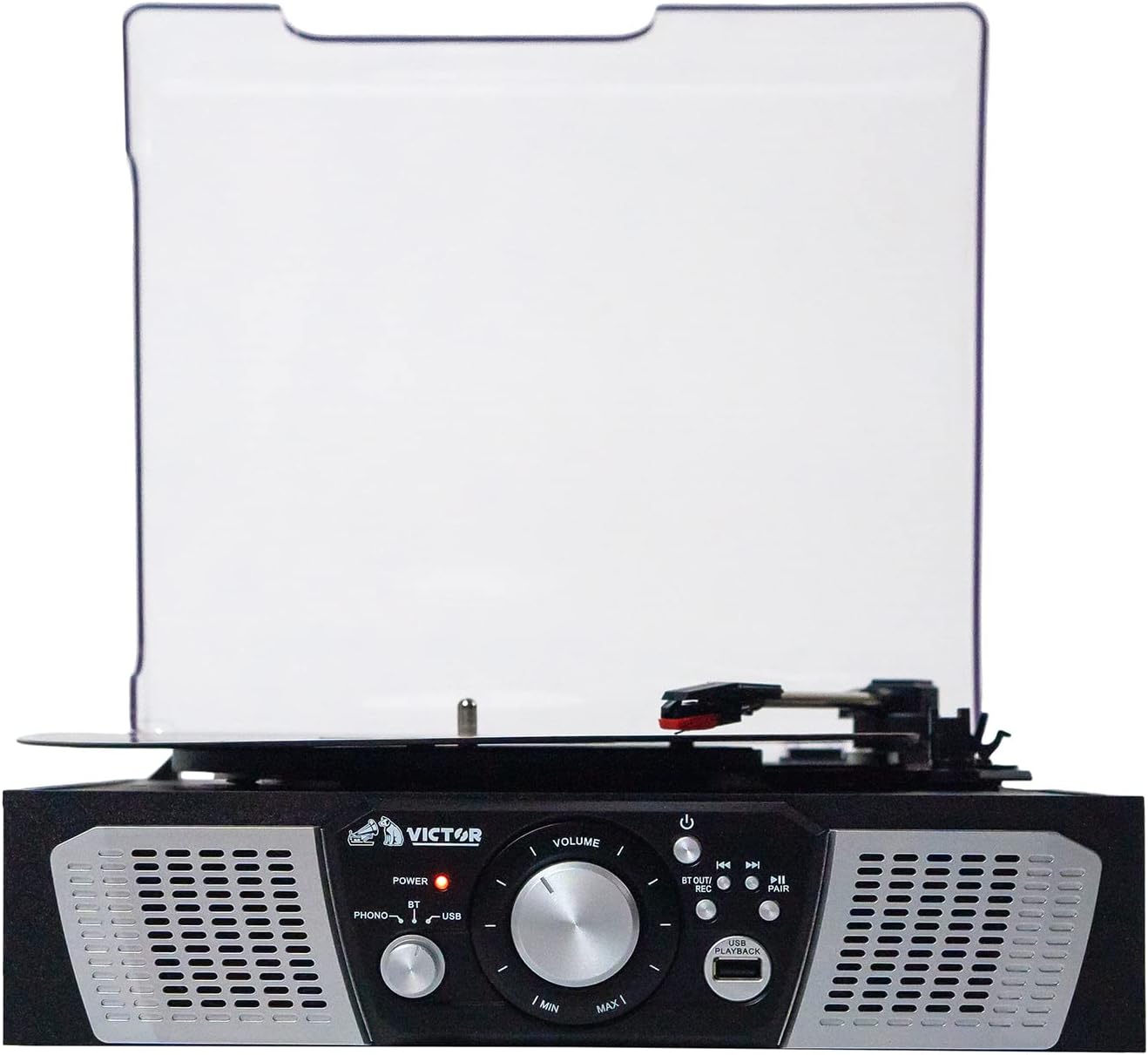
Figure 2: Front view of the Victor VHRP-1100 Lakeshore turntable system, highlighting the control panel with the power button, volume knob, function selector, and USB port. The built-in stereo speakers are visible on either side.

Figure 3: Rear view of the Victor VHRP-1100 Lakeshore turntable system, showing the DC 9V power input and the AUX OUT (RCA L/R) ports for connecting to external audio systems.
Front Panel Controls:
- Power Button: Turns the unit on or off.
- Volume Knob: Adjusts the audio output level.
- Function Selector: Switches between Phono, Bluetooth, USB, and FM Radio modes.
- USB Port: For USB playback and recording.
- Playback/Recording Controls: Buttons for play, pause, skip tracks, and initiate recording.
- Pair Button: Initiates Bluetooth pairing.
Rear Panel Connections:
- DC 9V Input: Connects to the provided UL Approved Adaptor.
- AUX OUT (RCA L/R): Connects to external amplifiers or powered speakers.
Setup
- Unpacking: Carefully remove the unit from its packaging. Retain all packaging materials for future transport or storage.
- Placement: Place the turntable on a flat, stable surface away from direct sunlight, heat sources, and excessive dust or vibration.
- Power Connection: Connect the provided UL Approved Adaptor to the DC 9V input on the rear of the unit. Plug the adaptor into a standard wall outlet.
- Dust Cover: The unit comes with a clear dust cover. Carefully attach it to the hinges at the back of the turntable.
- External Audio Connection (Optional): If you wish to connect the turntable to an external amplifier or powered speakers, use RCA cables (not included) to connect the AUX OUT (R/L) ports on the back of the unit to the corresponding audio inputs on your external system.
Video 1: A short video demonstrating the Victor Lakeshore VHRP-1100-ES turntable system in a room setting, providing a visual context for its size and appearance.
Video 2: A 360-degree view of the Victor Lakeshore VHRP-1100-ES turntable system, allowing users to observe all angles and details of the product before or during setup.
Operating Instructions
1. Turntable Operation (Playing Vinyl Records)
- Power On: Press the Power button to turn on the unit.
- Select Phono Mode: Use the Function Selector to choose "Phono" mode.
- Open Dust Cover: Lift the dust cover.
- Place Record: Carefully place a vinyl record on the turntable platter.
- Select Speed: Adjust the speed selector (usually a switch near the platter) to match the record's RPM (33 1/3, 45, or 78 RPM). For 45 RPM records, place the included 45 RPM adapter on the spindle.
- Release Tone Arm: Gently move the tone arm from its rest and position the stylus over the desired track on the record.
- Lower Tone Arm: Slowly lower the tone arm onto the record. The platter will begin to spin, and audio will play through the built-in speakers or connected external speakers.
- Adjust Volume: Use the Volume knob to adjust the listening level.
- End of Play: At the end of the record, the tone arm may automatically return to its rest (auto-stop feature, if present). If not, manually lift the tone arm and return it to its rest.
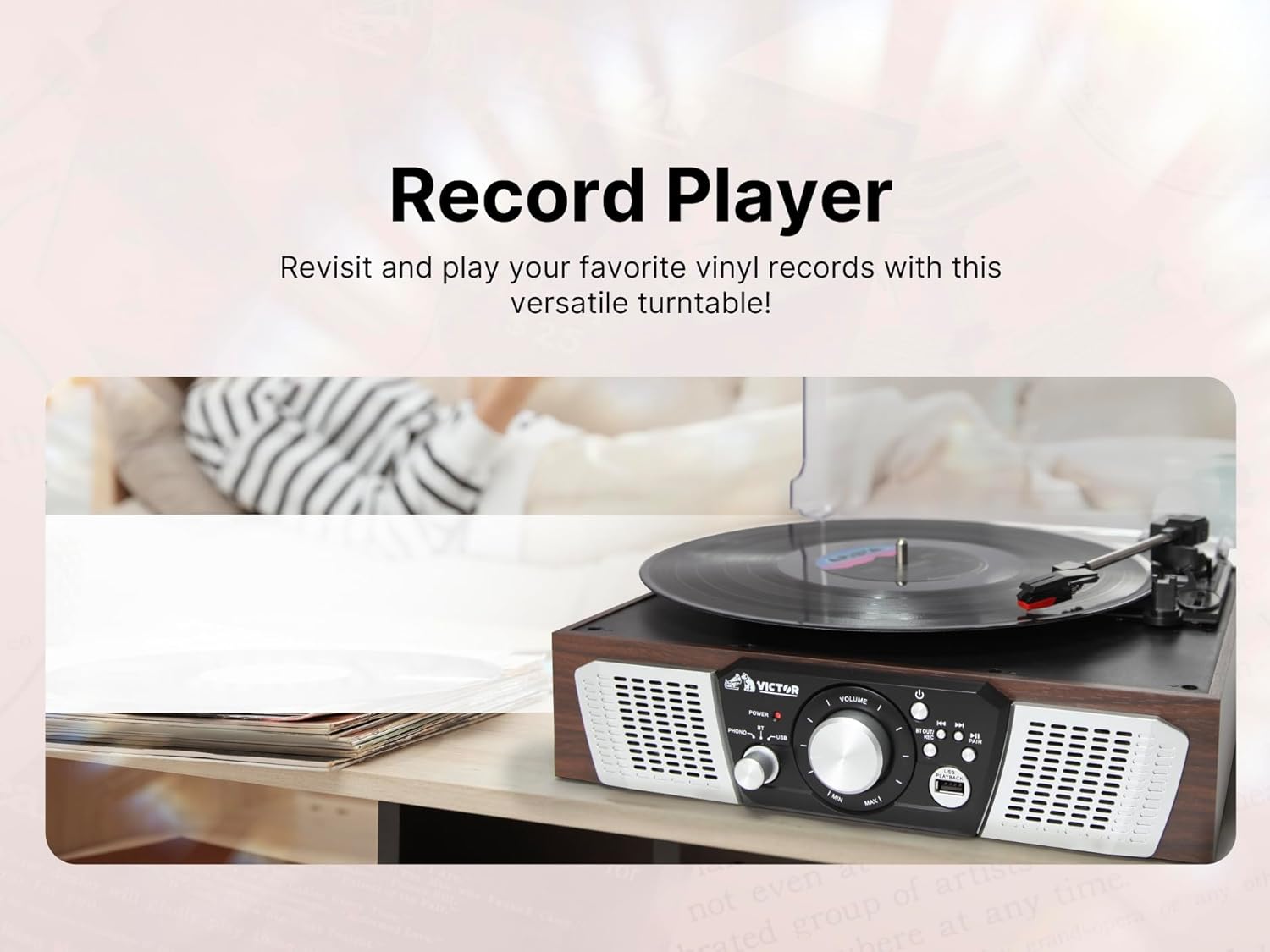
Figure 4: An image depicting a hand carefully placing a vinyl record onto the platter of the Victor VHRP-1100 Lakeshore turntable, illustrating the initial step of playing a record.
2. Bluetooth Operation (Wireless Streaming)
- Power On: Press the Power button to turn on the unit.
- Select Bluetooth Mode: Use the Function Selector to choose "Bluetooth" mode. The Bluetooth indicator light will flash, indicating it's in pairing mode.
- Enable Bluetooth on Device: On your smartphone, tablet, or other Bluetooth-enabled device, enable Bluetooth and search for available devices.
- Pair Device: Select "VHRP-1100" from the list of devices. Once paired, the Bluetooth indicator light will stop flashing and remain solid.
- Play Music: Start playing music on your connected device. The audio will stream wirelessly to the turntable's speakers.
- Adjust Volume: Control the volume using both your connected device and the Volume knob on the turntable.

Figure 5: An image showing a person enjoying music wirelessly from the Victor VHRP-1100 Lakeshore turntable through Bluetooth headphones, demonstrating the Bluetooth output capability.
3. USB Playback
- Power On: Press the Power button to turn on the unit.
- Insert USB Drive: Insert a USB flash drive containing MP3 audio files into the USB port on the front panel.
- Select USB Mode: Use the Function Selector to choose "USB" mode. The unit will automatically begin playing the first compatible audio file.
- Control Playback: Use the Playback/Recording controls (Play/Pause, Skip Forward/Backward) to navigate your music files.
- Adjust Volume: Use the Volume knob to adjust the listening level.

Figure 6: This image illustrates a USB flash drive connected to the USB port of the Victor VHRP-1100 Lakeshore turntable, indicating the readiness for digital audio playback.
4. USB Recording (Digitizing Vinyl)
- Prepare for Playback: Follow steps 1-6 of "Turntable Operation" to prepare your vinyl record for playback.
- Insert USB Drive: Ensure a USB flash drive is inserted into the USB port.
- Start Recording: While the record is playing, press the "REC" button (part of the Playback/Recording controls). The recording indicator will illuminate, and the audio from the record will be converted and saved as an MP3 file on the USB drive.
- Stop Recording: Press the "REC" button again to stop recording. The recording indicator will turn off.
- Access Recorded Files: Switch to USB mode to listen to your newly recorded digital files.

Figure 7: This image shows a person relaxing while the Victor VHRP-1100 Lakeshore turntable is actively recording vinyl audio to a USB drive, highlighting the convenience of the USB recording feature.
5. FM Radio Operation
- Power On: Press the Power button to turn on the unit.
- Select FM Mode: Use the Function Selector to choose "FM Radio" mode.
- Tune Stations: Use the tuning knob or buttons (if available) to scan for FM radio stations. The unit will automatically stop at strong signals.
- Adjust Volume: Use the Volume knob to adjust the listening level.
- Antenna: For improved FM reception, extend the FM wire antenna located at the back of the unit.
Maintenance
- Cleaning the Unit:
Wipe the exterior of the unit with a soft, dry cloth. Do not use abrasive cleaners, waxes, or solvents as they may damage the finish.
- Stylus Care:
The stylus (needle) is a delicate component. Clean it periodically with a soft brush, brushing from back to front. Avoid touching the stylus with your fingers.
A worn stylus can damage records and degrade sound quality. Replace the stylus approximately every 300-500 hours of playback, or if you notice a decrease in sound quality.
- Dust Cover:
Keep the dust cover closed when the unit is not in use to protect the turntable and stylus from dust and debris. Clean the dust cover with a soft, damp cloth.
Troubleshooting
| Problem | Possible Cause | Solution |
|---|---|---|
| No power | Power adapter not connected or faulty outlet. | Ensure the power adapter is securely connected to the unit and a working power outlet. |
| No sound from speakers | Volume too low, incorrect mode selected, or external speakers not connected/powered. | Increase the volume. Verify the correct function mode (Phono, Bluetooth, USB, FM) is selected. If using external speakers, ensure they are properly connected and powered on. |
| Turntable not spinning | Unit not powered on, Phono mode not selected, or tone arm not moved over record. | Ensure the unit is powered on and in Phono mode. Gently move the tone arm over the record to activate the platter. |
| Bluetooth not pairing | Unit not in Bluetooth mode, device too far, or previously paired with another device. | Ensure the unit is in Bluetooth mode and the indicator is flashing. Move your device closer. Disconnect from other Bluetooth devices and try pairing again. |
| Poor sound quality (vinyl) | Dirty record, dirty/worn stylus, or incorrect speed setting. | Clean your records. Clean or replace the stylus. Ensure the correct RPM speed is selected for the record. |
Specifications

Figure 8: An image displaying the key dimensions (length, width, height) and weight of the Victor VHRP-1100 Lakeshore turntable system, providing essential physical specifications.
- Model: VHRP-1100
- Product Dimensions: 12.9 x 12.4 x 4.8 inches
- Item Weight: 4.84 pounds
- Power Input: DC 9V
- Turntable Speeds: 33 1/3, 45, 78 RPM
- Connectivity: Bluetooth, USB, FM Radio
- Audio Output: Built-in Stereo Speakers, AUX OUT (RCA L/R)
- Material: Plastic
Warranty and Support
For warranty information and technical support, please refer to the warranty card included with your product or visit the official Victor website. Keep your purchase receipt as proof of purchase.
Manufacturer: Victor
For further assistance, please contact Victor customer support.


