
Introduction
This manual provides detailed instructions for the safe and effective operation of your U`King LED Par Light RGBW 4-in-1 Stage Light. Please read this manual thoroughly before use and retain it for future reference. This LED stage light features 8 lighting modes: Static Color, Color Changing, Color Fade, Strobe, Auto, Sound Activated, Master-Slave, and DMX control. Speed and sound sensitivity are adjustable to create various stage atmospheres.
What's in the Box
- Par light (x4)
- Remote control (x4)
- Power cord (x4)
- Metal Bracket (x8)
- Screw (x8)
Product Features
- Professional Stage Lighting: Offers 8 lighting effects including Static Color, Color Changing, Color Fade, Strobe, Auto, Sound Activated, Master-Slave, and DMX. Adjustable speed and sound sensitivity.
- Convenient Control: Supports remote control and DMX control for versatile operation.
- Simple Installation: Features a durable dual-handle design for hanging or floor standing. The angle is easily adjustable and stable.
- Wide Application: Suitable for various occasions such as bars, family gatherings, KTV, theaters, wedding scenes, dance halls, discotheques, Halloween, and Christmas events.

Image: U`King LED Par Light demonstrating its multi-color capabilities and control options including DMX, RGBW, Sound Activated, and High Brightness.
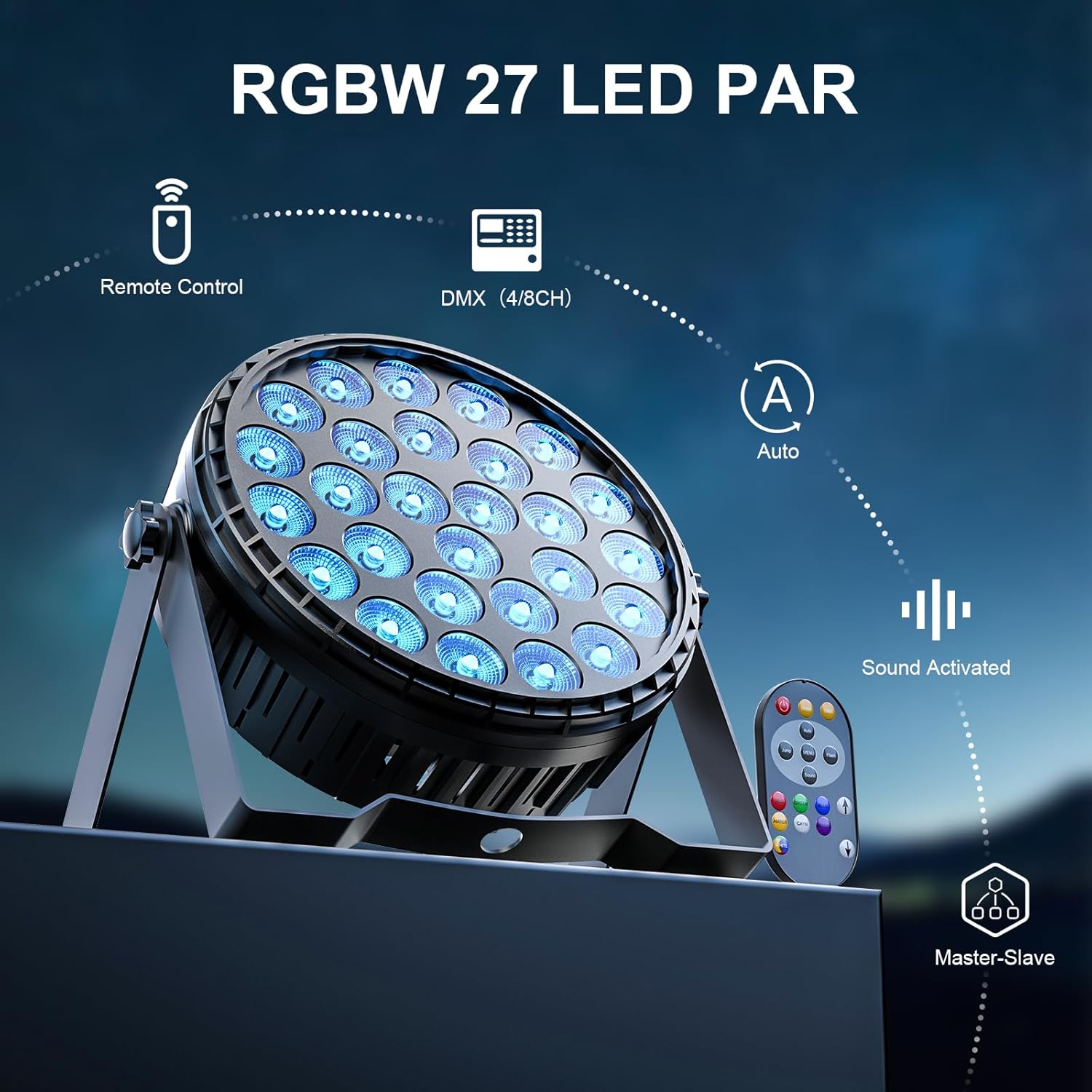
Image: Close-up of the U`King LED Par Light highlighting its remote control, DMX (4/8CH), Auto, Sound Activated, and Master-Slave functionalities.
Specifications
| Brand | U`King |
| Model Number | ZQ01425-US |
| Light Source Type | LED |
| Wattage | 160 Watts |
| Material | Aluminum, Plastic |
| Product Dimensions | 11"L x 5.2"W x 11"H |
| Item Weight | 5 Pounds |
| Power Source | Corded Electric |
| Voltage | 120 Volts |
| Bulb Features | Dimmable |
| Specification Met | CE |
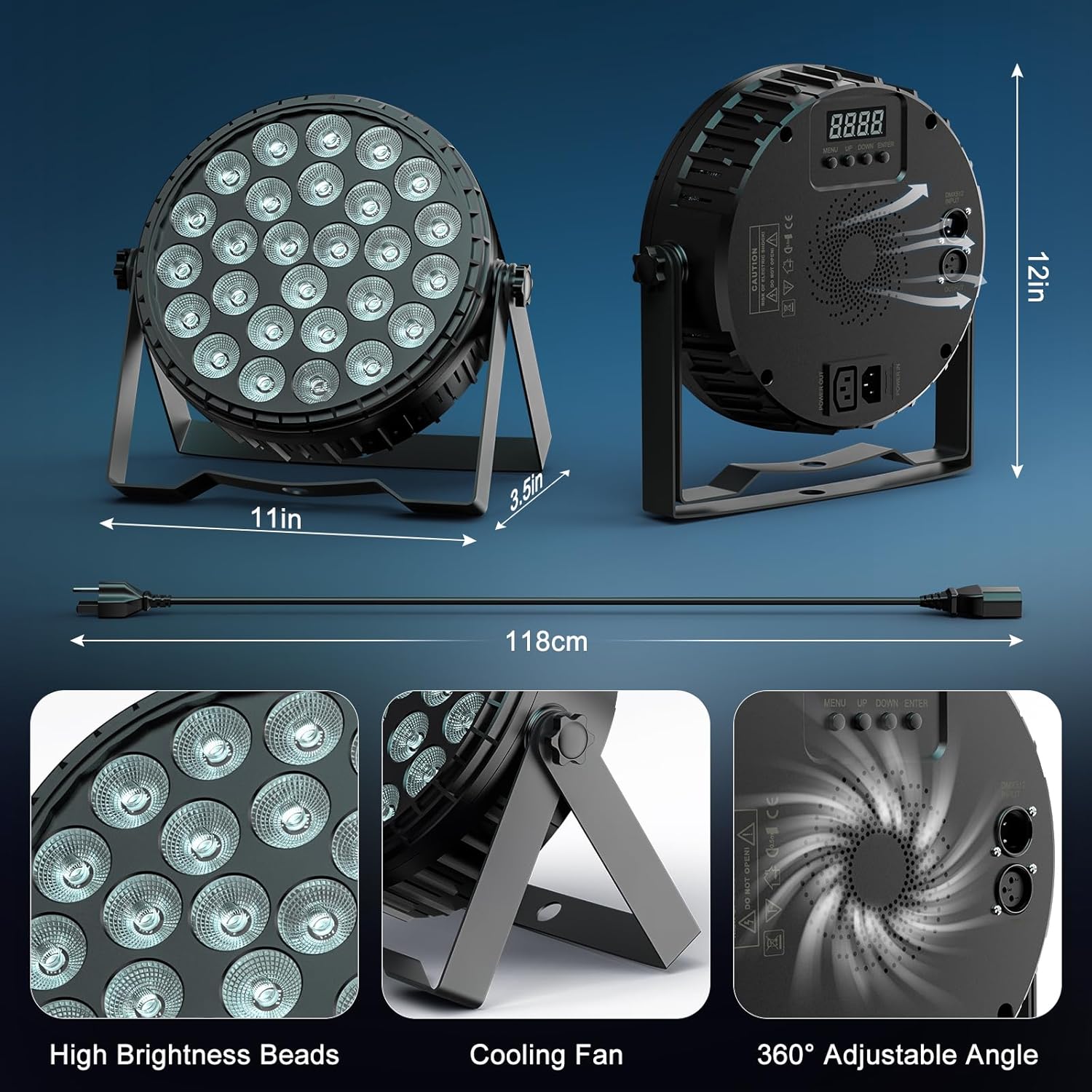
Image: Detailed view of the U`King LED Par Light showing its dimensions (11in, 3.5in, 12in), high brightness beads, cooling fan, and 360° adjustable angle.
Setup
- Unpacking: Carefully remove all components from the packaging. Verify that all items listed in the "What's in the Box" section are present.
- Mounting: Attach the metal brackets to the light fixture using the provided screws. The dual-handle design allows for flexible positioning. You can hang the lights from a truss system or place them on a flat surface. Ensure the light is securely mounted before operation.
- Power Connection: Connect the power cord to the light fixture's power jack and then to a standard 120V AC power outlet.
- DMX Connection (Optional): For DMX control, connect a DMX cable from your DMX controller's output to the DMX IN port on the first light. If using multiple lights, daisy-chain them by connecting the DMX OUT of the first light to the DMX IN of the next, and so on.
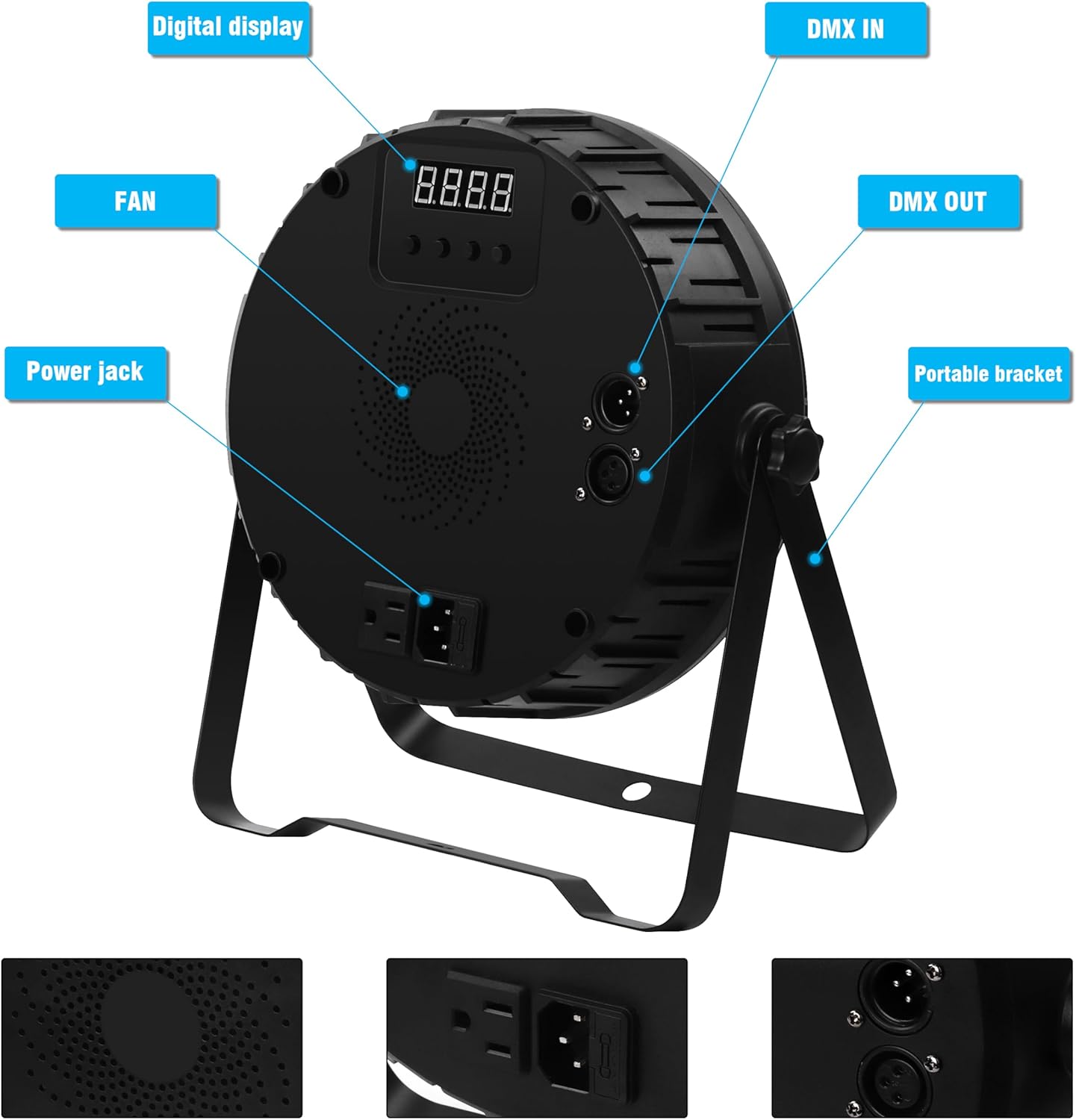
Image: Rear panel of the U`King LED Par Light, indicating the digital display, fan, power jack, DMX IN, DMX OUT, and portable bracket.
Operating Modes
The U`King LED Par Light offers multiple operating modes, which can be selected via the onboard digital display, remote control, or DMX controller.
- Static Color Mode: Displays a single, constant color. Select from various preset colors.
- Color Changing Mode: Automatically cycles through different colors.
- Color Fade Mode: Colors smoothly transition from one to another.
- Strobe Mode: Produces a flashing light effect. The flash rate can be adjusted.
- Auto Play Mode: Runs through a series of pre-programmed lighting sequences automatically.
- Sound Activated Mode: The lights react to ambient sound or music, changing patterns and colors in sync with the beat.
- Master-Slave Mode: Connect multiple lights, set one as the master, and the others as slaves. The slave units will mimic the master's settings.
- DMX Control Mode: For professional control, connect to a DMX controller to customize each light's parameters (color, intensity, effects) using 4 or 8 DMX channels.
Video: Demonstration of the U`King LED Par Lights showcasing various color changes and effects.
Video: Overview of the LED Par Can RGBW Lighting Effect, illustrating its dynamic capabilities.
Maintenance
- Cleaning: Regularly clean the lens and housing with a soft, dry cloth to maintain optimal light output and prevent dust buildup. Do not use harsh chemicals or abrasive materials.
- Inspection: Periodically check power cords, DMX cables, and mounting hardware for any signs of wear or damage. Replace any damaged components immediately.
- Cooling Fan: Ensure the cooling fan vents are clear of obstructions to prevent overheating. The integrated cooling fan helps maintain silence during operation.
- Storage: When not in use, store the lights in a cool, dry place, away from direct sunlight and extreme temperatures.

Image: Premium LED stage light with 24 bulbs arranged in a circular pattern, showing four-in-one lamp beads with high brightness and conversion rate.

Image: 360-degree adjustable bracket for the lighting equipment, highlighting its rotational capability for flexible positioning.
Troubleshooting
- No Power: Ensure the power cord is securely connected to both the light and the power outlet. Check if the outlet is functional.
- No Light Output: Verify that the light is receiving power. Check the selected operating mode; some modes may appear off if not actively displaying light (e.g., during a dark segment of a program).
- DMX Control Issues: Ensure DMX cables are correctly connected (IN to OUT, OUT to IN). Verify the DMX address settings on each light match your controller's configuration. Check for proper termination if using a long DMX chain.
- Remote Control Not Working: Check the remote control's battery. Ensure there are no obstructions between the remote and the light's IR receiver.
- Overheating: If the light feels excessively hot or shuts down unexpectedly, ensure the cooling fan vents are clear and the light is in a well-ventilated area.
Warranty and Support
This U`King LED Par Light is covered by a 30-Day Money Back Guarantee and a 90-Day warranty from the date of purchase. For any questions or issues regarding this product, please contact our customer service via the after-sale email provided at the time of purchase. We aim to respond within 24 hours to assist with any problems.


