1. Product Overview
The EGLO Padulari LED Ceiling Light is a modern, dimmable lighting fixture designed for various indoor spaces such as living rooms, bedrooms, offices, and hallways. It features a sleek black metal design with white plastic light surfaces, providing versatile illumination with adjustable color temperatures and brightness.
Key Features:
- Dimmable LED lighting with remote control.
- Adjustable light color: Warm white, neutral white, and cool white (25.6 watts, 3800 lumens).
- Includes comfort functions: night light mode and 30-minute timer.
- Minimalist design suitable for modern interiors.
- Dimensions: Length 53.5 cm, Width 47 cm, Height 5 cm.

Figure 1: EGLO Padulari LED Ceiling Light, showcasing its linear black and white design.
2. Safety Information
Please read all safety instructions carefully before installation and use. Failure to follow these instructions may result in electric shock, fire, or other hazards.
- Electrical Safety: Always disconnect power at the main circuit breaker before installing, cleaning, or servicing the fixture. Ensure all electrical connections comply with local codes and regulations. If unsure, consult a qualified electrician.
- Installation: This product requires assembly. Ensure the mounting surface can support the weight of the fixture (approximately 1.44 kg). Do not install in damp or wet locations.
- Handling: Handle the light fixture with care to avoid damage to the LED components or housing.
- Light Source: The LED light source is integrated and not user-replaceable. Do not attempt to disassemble the LED module.
3. Package Contents
Verify that all components are present before beginning installation:
- EGLO Padulari LED Ceiling Light fixture
- Remote Control
- Assembly Instructions (English language)
- Mounting Hardware (screws, anchors, etc. - typically included with assembly instructions)
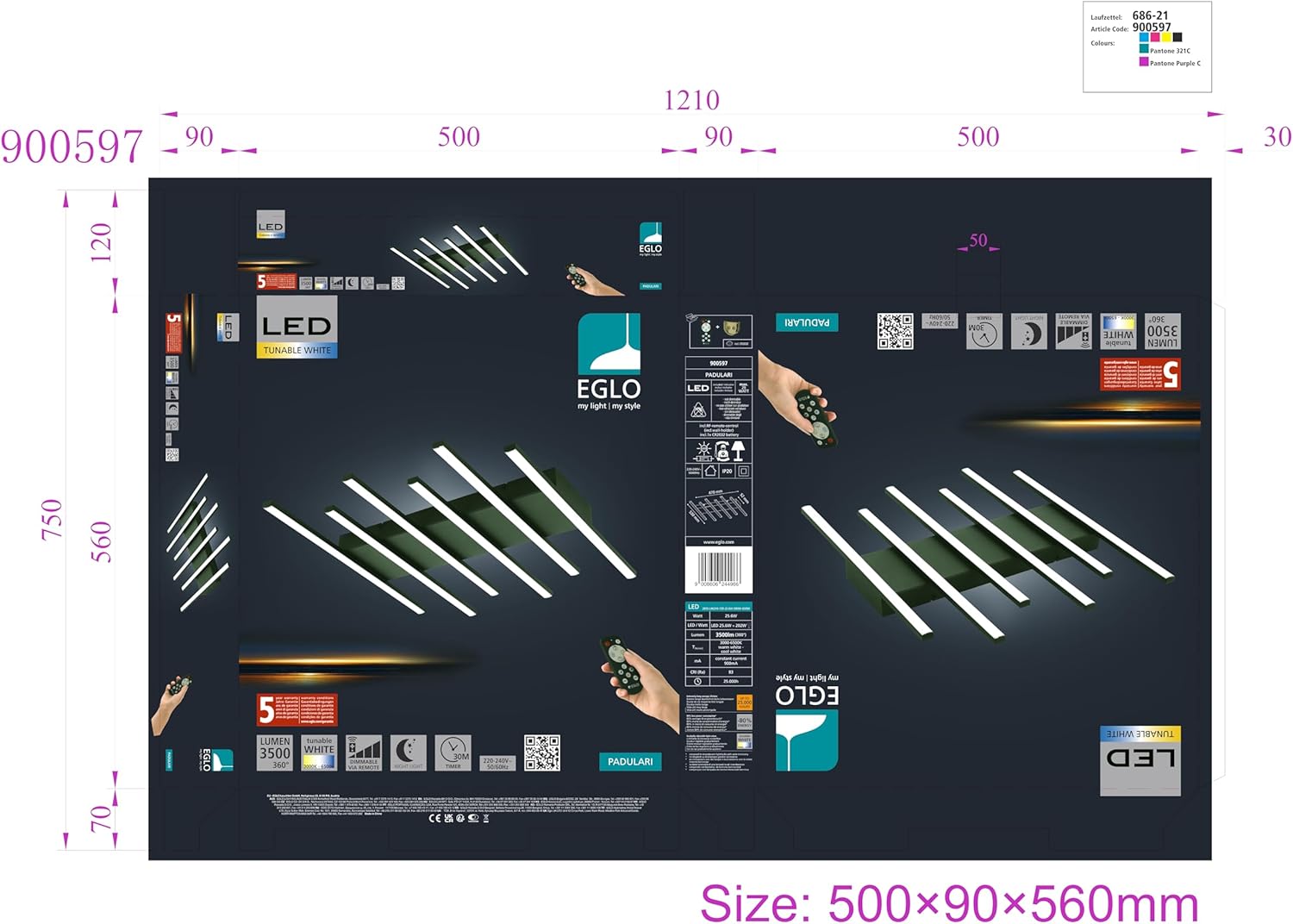
Figure 2: Diagram illustrating the light fixture's dimensions and typical components included for assembly.
4. Setup and Installation
Assembly is required for this ceiling light. Please follow the detailed assembly instructions provided in the package for proper installation.
- Prepare for Installation:
- Turn off power at the main circuit breaker to the junction box where the light will be installed.
- Unpack all components and lay them out on a clean, flat surface.
- Ensure you have the necessary tools (e.g., screwdriver, wire strippers, drill if needed).
- Mounting the Fixture:
- Attach the mounting bracket to the ceiling junction box using the provided screws.
- Connect the electrical wires (live, neutral, ground) from the fixture to the corresponding wires in the junction box, following standard electrical wiring practices. Secure connections with wire nuts.
- Carefully attach the light fixture body to the mounting bracket, ensuring it is securely fastened.
- Remote Control Setup:
- The remote control requires batteries. Insert the specified battery type (usually AAA, check remote compartment for details) into the remote control, observing polarity.
- The remote control should be pre-paired with the light. If not, refer to the specific pairing instructions in the included manual.
- Final Check:
- Once the fixture is securely mounted and wired, restore power at the circuit breaker.
- Test the light using the remote control.

Figure 3: The EGLO Padulari LED Ceiling Light installed, demonstrating its appearance in a living space.
5. Operating Instructions
The EGLO Padulari LED Ceiling Light is operated using the included remote control. Familiarize yourself with the buttons and their functions:
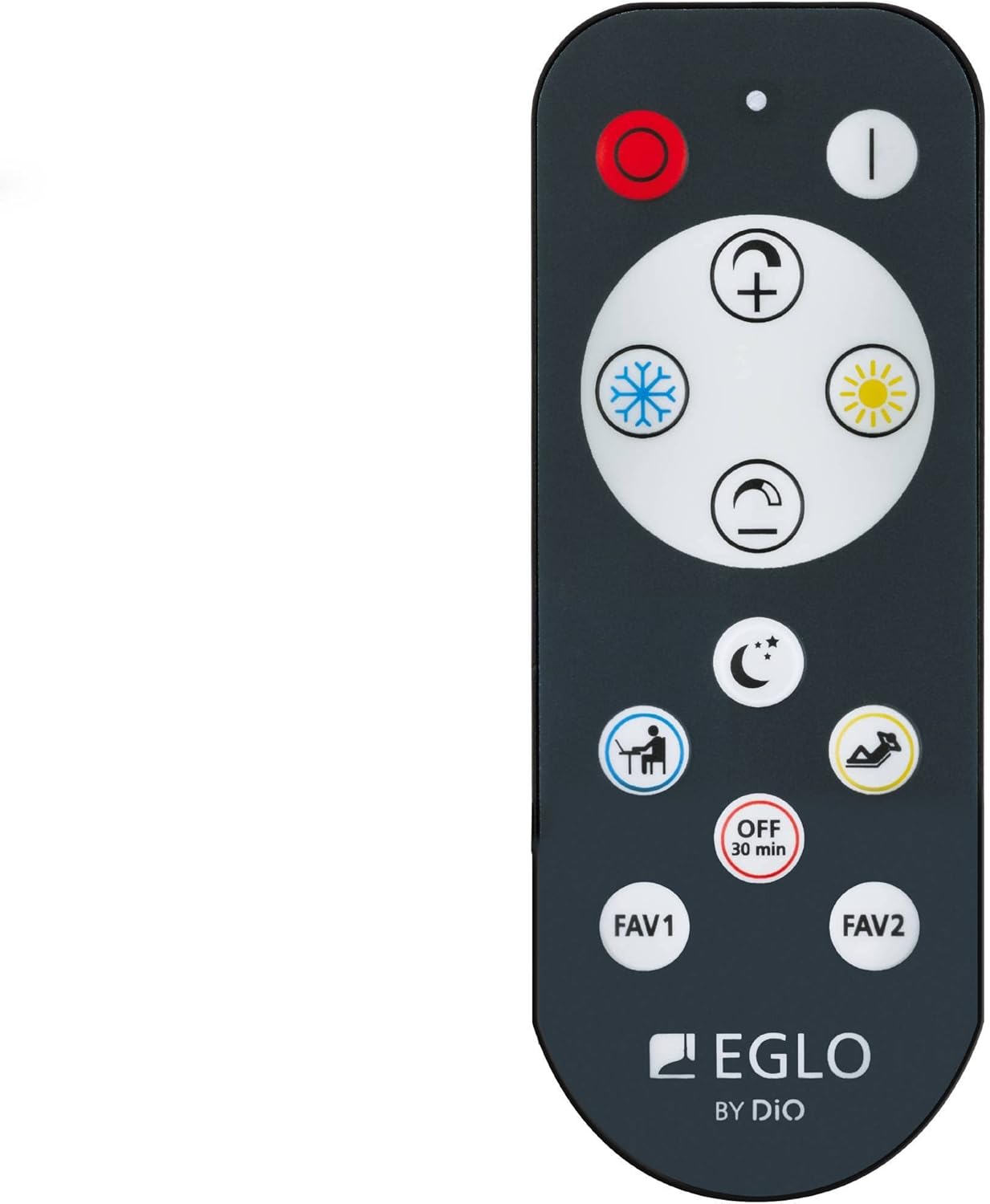
Figure 4: The remote control for the EGLO Padulari LED Ceiling Light, showing various function buttons.
Remote Control Functions:
- Power On/Off: Press the red circle button to turn the light off, and the white vertical line button to turn it on.
- Brightness Adjustment (Dimming): Use the + and - buttons (often depicted as sun with plus/minus) to increase or decrease the light intensity.
- Color Temperature Adjustment:
- Snowflake/Blue Icon: Adjusts to cooler white light.
- Sun/Yellow Icon: Adjusts to warmer white light.
- The light offers a range from warm white to neutral white to cool white.
- Night Light Mode: Press the Crescent Moon with Stars icon for a low-intensity, soft light suitable for nighttime.
- Timer Function: Press the "OFF 30 min" button to set the light to automatically turn off after 30 minutes.
- Scene Presets (FAV1, FAV2): These buttons allow you to save and recall your preferred light settings (brightness and color temperature). Refer to the detailed remote control instructions in your included manual for saving presets.
- Specific Use Modes (e.g., Desk Lamp, Relax): Icons resembling a person at a desk or a person relaxing may activate specific pre-programmed light settings optimized for those activities.
6. Maintenance
Proper care will ensure the longevity and optimal performance of your EGLO Padulari LED Ceiling Light.
- Cleaning:
- Always turn off the light and disconnect power at the circuit breaker before cleaning.
- Wipe the fixture with a soft, dry, or slightly damp cloth.
- Do not use abrasive cleaners, solvents, or polishes as they may damage the finish or plastic components.
- LEDs: The LEDs are integrated and do not require replacement. Do not attempt to open the LED modules.
- Remote Control: If the remote control stops responding, check and replace the batteries. Ensure there are no obstructions between the remote and the light fixture.
7. Troubleshooting
If you encounter issues with your EGLO Padulari LED Ceiling Light, refer to the following common problems and solutions:
| Problem | Possible Cause | Solution |
|---|---|---|
| Light does not turn on. | No power to the fixture; loose wiring; remote control issue. | Check circuit breaker. Ensure all wire connections are secure. Replace remote control batteries. Re-pair remote if necessary (refer to included manual). |
| Light flickers or dims unexpectedly. | Unstable power supply; loose connection; incompatible dimmer (not applicable as it uses its own remote). | Check power supply. Verify wiring connections. If problem persists, consult a qualified electrician. |
| Remote control not responding. | Dead batteries; remote out of range; obstruction; remote not paired. | Replace batteries. Ensure remote is within operating range and pointed towards the light. Remove any obstructions. Refer to manual for pairing instructions. |
| Light color or brightness cannot be adjusted. | Remote control issue; internal fault. | Check remote batteries and functionality. If remote works for other functions, there might be an internal fault. Contact customer support. |
If the problem persists after trying these solutions, please contact customer support.
8. Specifications
| Attribute | Value |
|---|---|
| Brand | Eglo |
| Model Number | 900597 |
| ASIN | B0BGMF7429 |
| Product Dimensions | 53.5 x 47 x 5 cm |
| Item Weight | 1.44 Kilograms |
| Material | Aluminum Metal |
| Color | Black |
| Light Source Type | LED |
| Wattage | 25.6 watts |
| Luminous Flux | 3800 lumens |
| Color Temperature | Warm White / Neutral White / Cool White (Adjustable) |
| Power Source | AC |
| Assembly Required | Yes |
| Batteries Required (for remote) | Yes |
| Included Components | Ceiling light, remote control, assembly instructions |
9. Warranty and Support
For warranty information and customer support, please refer to the documentation included with your purchase or contact the seller directly. As this product is fulfilled by Amazon Germany, you may contact Amazon customer service for assistance with returns or product-related inquiries.
Contact Information:
- For general inquiries or support, visit the Amazon Customer Service page.
- For product-specific technical support, refer to the contact details provided in the original packaging or on the Eglo official website.


