
ORICO AUG416-US-10-BK
ORICO Portable EV Charger Instruction Manual
Model: AUG416-US-10-BK
1. Introduction
This manual provides essential instructions for the safe and efficient operation of your ORICO Portable EV Charger. This Level 1/Level 2 charger is designed for electric vehicles compatible with the J1772 charging protocol, offering adjustable charging speeds and portability.
Please read this manual thoroughly before using the product and retain it for future reference.

Figure 1: ORICO Portable EV Charger components including the NEMA 5-15P plug, control box, J1772 connector, and a storage bag.
2. Safety Instructions
To ensure safe operation and prevent damage, observe the following safety precautions:
- Always connect the charger to a properly grounded outlet.
- Do not use the charger if the cable, plug, or EV connector is damaged.
- Avoid submerging the control box or EV connector in water. The control box is IP66 rated for water and moisture resistance, but direct submersion should be avoided.
- Do not attempt to open, disassemble, or modify the charger. This may void the warranty and pose safety risks.
- Keep children and pets away from the charging area during operation.
- Ensure the charging cable is not pinched, stepped on, or subjected to damage.
- The charger features multiple protection mechanisms including overheating, current overflow, power surge, low voltage, power overload, and leakage protection. If a fault is detected, the charger will cease operation and indicate a troubleshooting status via the LED indicator.

Figure 2: Illustration of the charger's multi-detection system, including temperature monitoring and various safety protections like lightning, over-voltage, leakage, over-current, grounding, overheat, over-charge, and under-voltage protection.
3. Package Contents
Verify that all items are present in the package:
- 1 x ORICO Portable EV Charger (with NEMA 5-15P plug and J1772 connector)
- 1 x Storage Bag
- User Manual (this document)
Note: The product description mentions "2 x USB Cable" but this is likely an error as EV chargers do not typically include USB cables. Please refer to the actual contents of your package.
4. Product Overview
The ORICO Portable EV Charger consists of the following main components:
- Power Plug (NEMA 5-15P): Connects to a standard 110V-240V wall outlet.
- Control Box: Houses the intelligent charging circuitry, LED indicators, and control buttons. It is IP66 rated for water and moisture resistance.
- Charging Cable: Connects the control box to the EV connector. Available in 16.4 ft or 32.8 ft lengths.
- EV Connector (J1772): Plugs into your electric vehicle's charging port.
- Storage Bag: For convenient transport and storage of the charger.

Figure 3: Rear view of the ORICO Portable EV Charger, highlighting the control box and cable connections.

Figure 4: The waterproof IP66 rated control box and connector in an outdoor environment, demonstrating resistance to rain and moisture.
5. Setup
Follow these steps to set up your ORICO Portable EV Charger:
- Unpack the Charger: Carefully remove all components from the packaging.
- Inspect for Damage: Before first use, visually inspect the charger, cables, and connectors for any signs of damage. Do not use if damaged.
- Choose a Location: Select a dry, well-ventilated area for charging. While the control box is water-resistant, protecting it from direct heavy rain or prolonged exposure to harsh weather is recommended for longevity.
- Connect to Power Outlet: Plug the NEMA 5-15P power plug into a standard 110V-240V grounded wall outlet. Ensure the outlet is capable of providing the required amperage (up to 16A).
- Initial Power On: Once connected to power, the charger's LED indicator lights will illuminate, indicating it is powered on and ready to connect to a vehicle.

Figure 5: Details on the charger's durable cable, temperature-controlled control box, and IP66 waterproof rating.
6. Operating Instructions
6.1 Basic Charging Procedure
- Connect to Vehicle: Open your electric vehicle's charging port cover and firmly insert the J1772 connector into the vehicle's charging inlet. Ensure it clicks into place.
- Start Charging: The charger will automatically initiate charging. The LED indicators on the control box will show the charging status.
- Monitor Charging: Observe the LED indicators for charging status.
- Stop Charging: To stop charging, first disconnect the J1772 connector from your vehicle. Then, unplug the power plug from the wall outlet.
6.2 Adjusting Charging Speed (Amperage)
The ORICO charger allows you to adjust the charging current to suit your needs or the capacity of your electrical circuit. You can select from 8A, 10A, 13A, or 16A.
- Refer to the control box for buttons to adjust the amperage. Typically, there is a dedicated button for this function.
- Press the amperage adjustment button to cycle through the available current settings. The display on the control box will indicate the selected amperage.
- The actual charging speed depends on both the charger's setting and your electric vehicle's capabilities.

Figure 6: The charger's four-speed switching (8-16A) feature, illustrating compatibility with a wide range of electric vehicles.
6.3 Charging Appointment Function
The charger includes a staggered charging appointment function, allowing you to set a delayed start time for charging (1 to 10 hours).
- After connecting the charger to both the power outlet and your vehicle, locate the "Charge by appointment" button on the control box.
- Press this button repeatedly to select the desired delay time (1-10 hours). The display will show the selected delay.
- The charger will begin charging automatically after the set delay period has elapsed.

Figure 7: The control box interface demonstrating the "Charge by appointment" function for setting a delayed charging start time.
7. Maintenance
Proper maintenance ensures the longevity and safe operation of your charger:
- Cleaning: Disconnect the charger from both the power outlet and the vehicle before cleaning. Use a soft, dry cloth to wipe the control box and cables. Do not use harsh chemicals or abrasive cleaners.
- Storage: When not in use, store the charger in its provided storage bag in a dry, cool place, away from direct sunlight and extreme temperatures.
- Cable Care: Avoid kinking, twisting, or stretching the charging cable. Coil it loosely when storing.
- Inspection: Periodically inspect the power plug, control box, cable, and EV connector for any signs of wear, damage, or corrosion. If any damage is found, discontinue use and contact customer support.
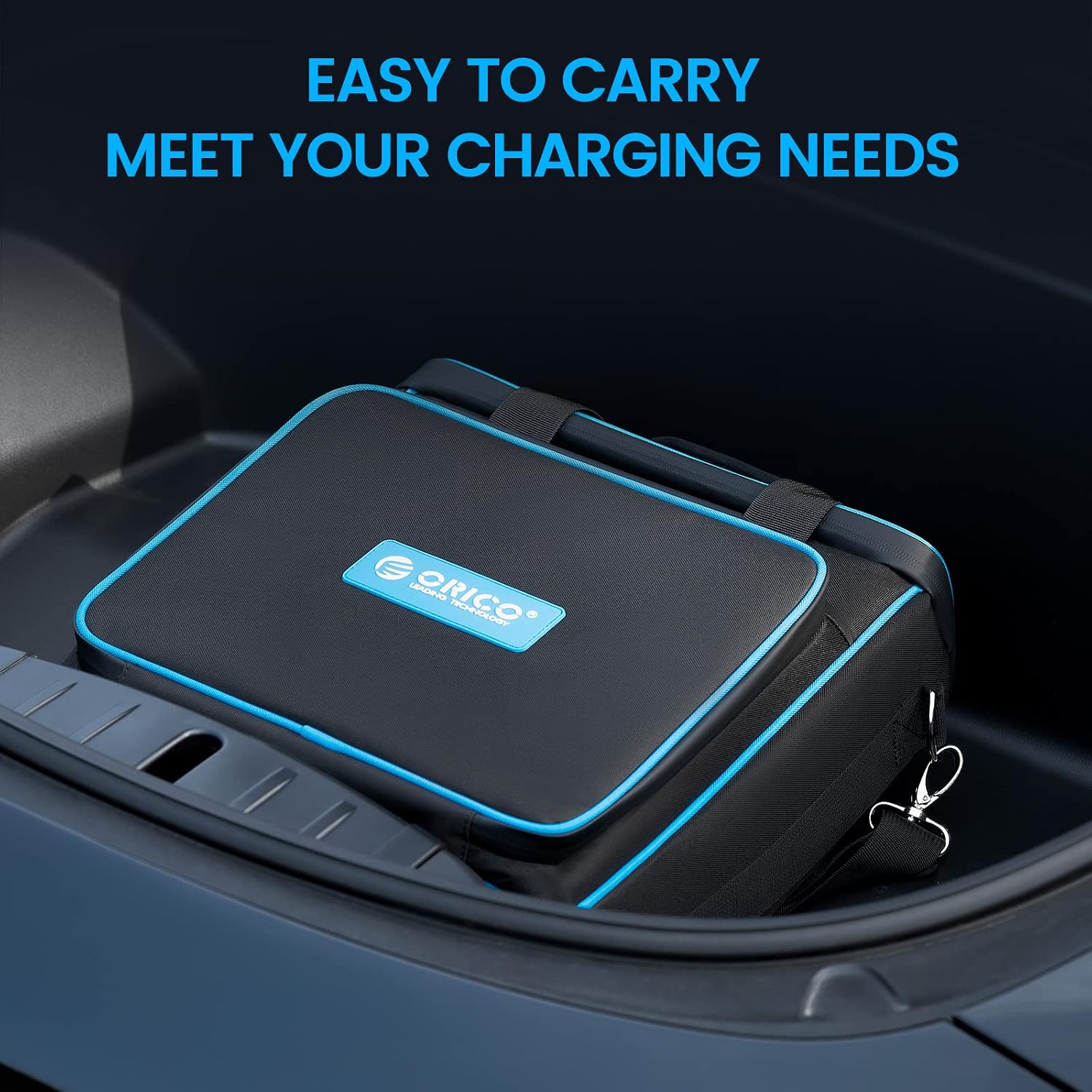
Figure 8: The charger and its storage bag, illustrating ease of transport and storage in a vehicle's trunk.
8. Troubleshooting
If you encounter issues with your ORICO Portable EV Charger, refer to the following common problems and solutions:
| Problem | Possible Cause | Solution |
|---|---|---|
| Charger not powering on. | No power from outlet; loose connection. | Ensure the power plug is fully inserted into a live, grounded outlet. Check the circuit breaker. |
| Charging not starting. | EV connector not fully inserted; vehicle not ready to charge; fault detected. | Ensure the J1772 connector is securely latched into the vehicle. Check vehicle's charging settings. Observe LED indicators for fault codes. |
| Charging stops unexpectedly. | Overheating; power surge; vehicle fault; power outage. | Check for obstructions around the control box. Allow charger to cool if hot. Check household power. Consult vehicle manual. |
| LED indicator shows a fault. | Internal error or safety protection activated. | Unplug the charger from both the vehicle and the power outlet. Wait 5 minutes, then reconnect. If the fault persists, contact customer support. |
9. Specifications
| Feature | Detail |
|---|---|
| Model Number | AUG416-US-10-BK |
| Input Voltage | 110V-240V |
| Amperage | Adjustable: 8A, 10A, 13A, 16A |
| Connector Type | J1772 (EV side), NEMA 5-15P (Wall side) |
| Cable Length | 32.8 ft (as per product description, also 16.4ft option mentioned) |
| IP Rating | IP66 (Control Box and Connector) |
| Safety Features | Overheating, Current Overflow, Power Surge, Low Voltage, Power Overload, Leakage, Lightning, Grounding, Over Charge, Under Voltage Protection |
| Item Weight | 11.3 pounds |
| Package Dimensions | 13.6 x 13.6 x 6.2 inches |

Figure 9: Illustration of different current options, including 16A for home charging and a 10A conversion plug for travel.
10. Warranty and Support
ORICO products are designed for reliability and performance. For warranty information, technical support, or service inquiries, please refer to the warranty card included with your product or visit the official ORICO website.
Please have your model number (AUG416-US-10-BK) and purchase date available when contacting support.
Online Resources:
- ORICO Official Website: www.orico.cc (General link, specific support page may vary)
- Amazon Store: ORICO Urpower Official Store
Ask a question about this manual
Ask about setup, troubleshooting, compatibility, parts, safety, or missing instructions. Manuals+ will review the question and use this page’s manual context to help answer it.