
PECSU Q7S
PECSU MP3 Player with Bluetooth (Model Q7S) - User Manual
Brand: PECSU | Model: Q7S
1. Product Overview
The PECSU MP3 Player with Bluetooth (Model Q7S) is a compact and versatile audio device designed for portable music playback, voice recording, and more. It features a durable metal body with a glass panel and a convenient back clip for easy portability during sports or daily activities. With built-in 32GB memory, it can store a large library of music files.

Figure 1: PECSU Q7S MP3 Player, showcasing its compact design and integrated USB plug.
Key Features:
- USB & Back Clip Design: Features a metal body, glass panel, back clip, and a standard USB 2.0 port for direct connection to car audio systems or computers for file transfer and use as a USB flash drive.
- 32GB Storage & Lossless Sound: Built-in 32GB memory capable of storing approximately 6000 high-quality songs or 1500 lossless music files. Supports lossless formats including APE, FLAC, WAV, WMA, AAC, and MP3.
- Bluetooth 5.0 & One-key Recording: Bluetooth 5.0 for high-speed and stable connections (functions as a transmitter only). Includes a dedicated red button for instant one-key voice recording.
- Designed for Kids & Sports: An offline audio player suitable for children, supporting A-B repeat for learning. The back clip and lanyard hole provide wearable options for sports and gym use.
- Long Battery Life: Integrated Li-polymer battery offers approximately 30 hours of continuous music playback on a 2-hour full charge.

Figure 2: The MP3 player's clip-on design and lanyard hole, highlighting its portability for various activities.

Figure 3: Overview of the MP3 player's multi-functional capabilities, including FM radio, music playback, Bluetooth, recording, file management, and settings.

Figure 4: Close-up view emphasizing the stylish design, including the metal body, glass touch panel, and the prominent one-touch recording key button.
2. What's in the Box
Upon opening the package, please ensure all the following items are present:
- 1 × Q7S MP3 Player
- 1 × USB Extension Charging Cable
- 1 × Lanyard
- 2 × USB Lids
- 1 × Wired Headset
3. Setup
3.1 Initial Charging
Before first use, fully charge the MP3 player. Connect the player directly to a computer's USB port or use the provided USB Extension Charging Cable with a compatible USB power adapter (not included). A full charge typically takes approximately 2 hours.

Figure 5: The MP3 player's USB plug connected directly to a laptop for charging and file transfer.
3.2 Transferring Music and Files
The PECSU Q7S MP3 player functions as a USB flash drive. To transfer files:
- Remove the USB cap from the MP3 player.
- Plug the MP3 player directly into an available USB 2.0 port on your computer.
- The computer will recognize the device as a removable disk. Open the device folder.
- Drag and drop your desired music files (MP3, APE, FLAC, WAV, WMA, AAC) or E-book files (TXT) into the appropriate folders on the player.
- Once transfer is complete, safely eject the device from your computer before unplugging.

Figure 6: Detail of the integrated USB plug for direct connection.

Figure 7: The durable back clip, allowing for secure attachment during activities.
4. Operating Instructions
4.1 Basic Navigation
The MP3 player features a simple button layout for navigation. Use the arrow buttons to move through menus and selections, and the central button (often the play/pause button) to confirm. The menu button (three horizontal lines) typically accesses options within a screen, and the return button (U-turn arrow) goes back to the previous screen.
Video 1: An official product video demonstrating the features and usage of the PECSU Q7/Q7S MP3 player, including navigation and key functions.
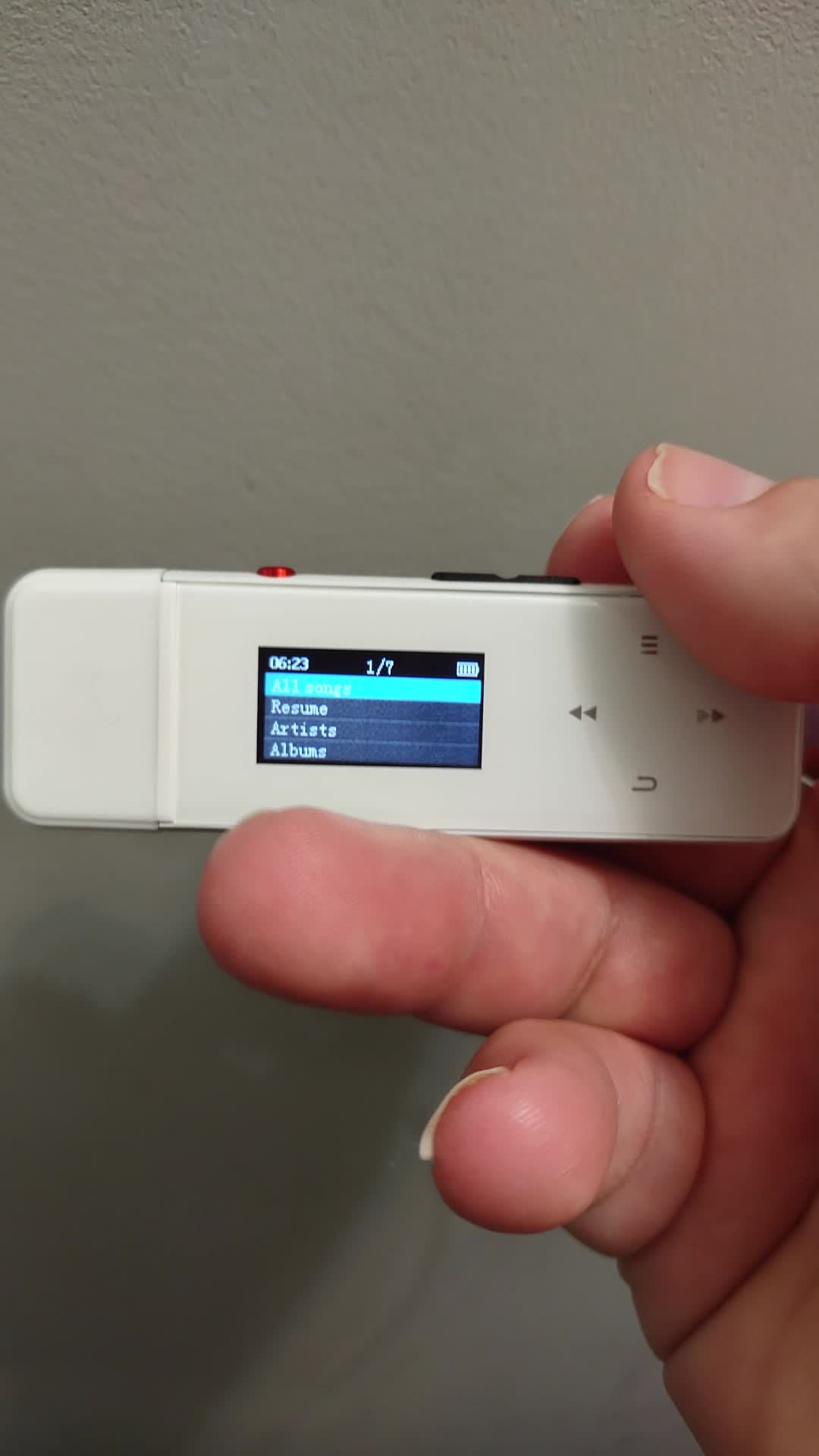
Figure 8: A user demonstrating navigation through the MP3 player's main menu, highlighting various functional icons.
4.2 Music Playback
From the main menu, select "Music" to access your audio files. You can browse by song, artist, or album. The player supports A-B repeat functionality, useful for language learning or practicing specific audio segments.
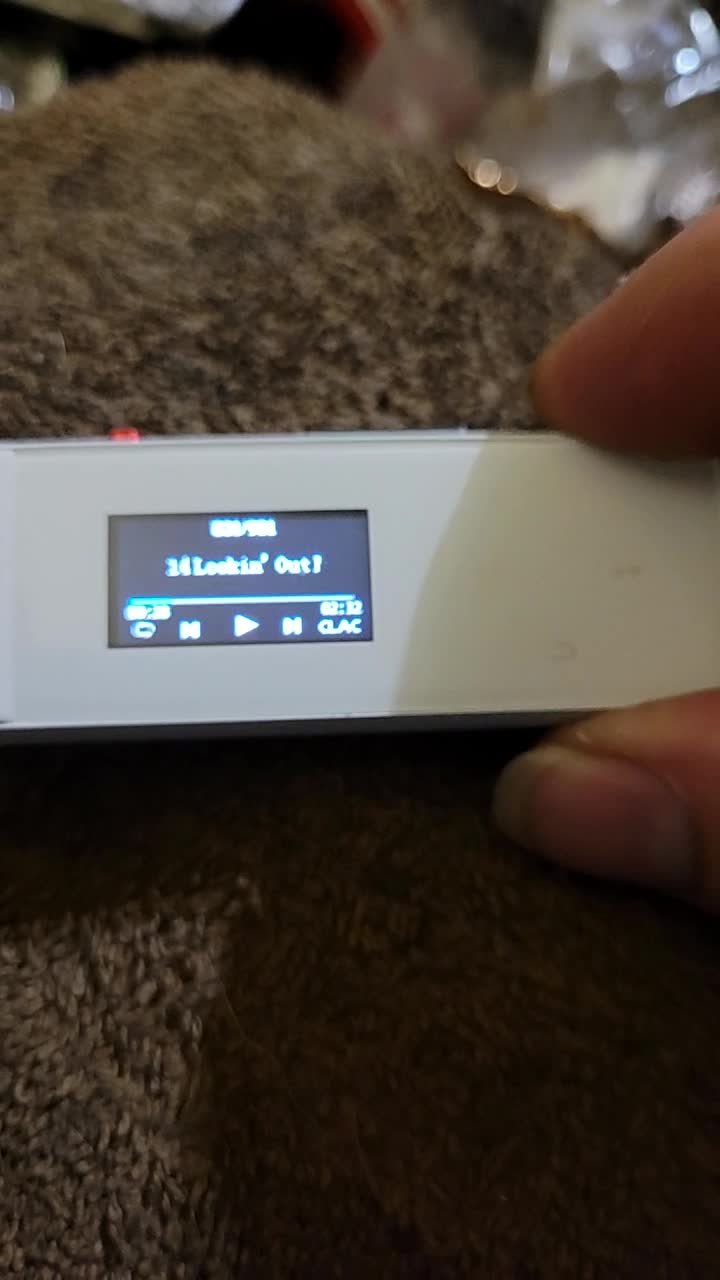
Figure 9: The MP3 player's screen showing a song currently playing, with track details and playback controls visible.
4.3 One-Key Recording
The dedicated red button on the side of the player allows for quick voice recording. Deep press this button to instantly start recording. Recordings are saved in MP3 or WAV format.

Figure 10: The red button on the side of the device, designated for one-key recording.
4.4 Bluetooth Connectivity
The player supports Bluetooth 5.0 for connecting to compatible Bluetooth headphones, speakers, car audio, or home theater systems. Note that the Bluetooth function acts as a transmitter only, not a receiver.
- Navigate to the "Bluetooth" option in the main menu.
- Ensure your Bluetooth receiving device (e.g., headphones) is in pairing mode.
- Select "Search Device" on the MP3 player to find available devices.
- Select your device from the list to pair.
4.5 FM Radio
The MP3 player includes an FM radio function. The frequency range is 87.5~108Mhz. Ensure wired headphones are connected as they often act as the antenna for FM reception.
4.6 E-Book Function
The player supports TXT format E-books. Transfer TXT files to the device and select the "E-Book" option from the menu to read.
4.7 Screen Lock
To prevent accidental presses, press and hold the menu button to lock the screen. Repeat the action to unlock.
5. Maintenance
- Cleaning: Use a soft, dry cloth to clean the device. Avoid using harsh chemicals or abrasive materials.
- Storage: Store the player in a cool, dry place away from direct sunlight and extreme temperatures.
- Battery Care: To prolong battery life, avoid completely draining the battery frequently. Charge the device regularly, even if not in use for extended periods.
- USB Port: Always use the provided USB lids to protect the USB port from dust and damage when not in use.
6. Troubleshooting
| Problem | Possible Cause | Solution |
|---|---|---|
| Device does not turn on or respond. | Low battery; System crash. | Charge the device fully. If unresponsive, try a soft reset by pressing and holding the power button for 10-15 seconds. |
| Cannot transfer files to the device. | Improper connection; Device not recognized by computer. | Ensure the USB plug is fully inserted. Try a different USB port or computer. Ensure the device is not in another mode (e.g., charging only). |
| Bluetooth connection is unstable or fails. | Interference; Device too far from receiver; Receiver not in pairing mode. | Ensure the MP3 player and Bluetooth receiver are within range (typically 10 meters). Reduce obstacles between devices. Ensure the receiving device is in pairing mode. Re-pair the devices. |
| No sound from headphones. | Headphones not properly connected; Volume too low; Corrupted audio file. | Ensure headphones are fully plugged into the 3.5mm jack. Increase volume. Test with a different audio file or headphones. |
| Recording function not working. | Insufficient storage; Microphone obstruction. | Check available memory. Ensure the microphone (small hole on the device) is not covered. |
7. Specifications
| Feature | Detail |
|---|---|
| Product Dimensions | 0.6 x 1 x 3.2 inches |
| Item Weight | 1.59 ounces |
| Manufacturer | PECSU |
| Item Model Number | Q7S |
| Batteries | 1 Lithium Polymer battery (included) |
| Brand | PECSU |
| Model Name | Q7S |
| Special Features | Bluetooth, Voice Recorder, E-Book, Built-In Clip, FM Radio |
| Connectivity Technology | Bluetooth, USB |
| Memory Storage Capacity | 32 GB |
| Color | White |
| Screen Size | 0.96 Inches |
| Compatible Devices | Earphone, Speaker, Car audio, Home theater, and other Bluetooth devices. |
| Media Type | Internal Memory |
Note: The product specifications indicate "Media Type: SD Card", however, the feature bullets state "This portable MP3 player does NOT support micro sd card". For this manual, we prioritize the feature bullet information regarding SD card support.
8. Warranty and Support
For detailed warranty information and customer support, please refer to the official PECSU brand store or contact PECSU customer service directly. The official user manual in PDF format is also available for download.
- Official User Manual (PDF): Download PDF
- Visit the PECSU Store: PECSU Amazon Store
Each item has a unique code that is verified before shipping, ensuring product authenticity.
Related documentsQ7S


Ask a question about this manual
Ask about setup, troubleshooting, compatibility, parts, safety, or missing instructions. Manuals+ will review the question and use this page’s manual context to help answer it.