
ALLPOWERS AP-SP-037
ALLPOWERS SP037 400W Portable Solar Panel Instruction Manual
Model: AP-SP-037 | Brand: ALLPOWERS
1. Introduction
This manual provides detailed instructions for the safe and efficient use of your ALLPOWERS SP037 400W Portable Solar Panel. This high-efficiency solar panel is designed to provide substantial power for various applications, including charging portable power stations for outdoor adventures, RV travel, and emergency power outages.
Key features include:
- 400W High Power Output: Capable of providing 37.4V output, suitable for large solar generators.
- 22% High Efficiency Solar Cells: Advanced polycrystalline solar modules ensure efficient conversion of sunlight.
- IP67 Waterproof and ETFE Coating: Designed to withstand extreme weather conditions, offering protection against scratches, dust, and water splashes.
- Foldable & Portable Design: Compact and lightweight for easy storage and transport, ideal for mobile use.

Image 1.1: The ALLPOWERS SP037 400W Portable Solar Panel fully unfolded, ready for use.
2. Safety Information
Please read all safety warnings and instructions carefully before using the solar panel. Failure to follow these instructions may result in electric shock, fire, or serious injury.
- Do not attempt to disassemble, repair, or modify the solar panel.
- Avoid exposing the solar panel to open flames or extreme heat.
- Do not immerse the solar panel in water, despite its IP67 rating, as prolonged submersion can cause damage.
- Handle the solar panel with care to prevent physical damage.
- Ensure all connections are secure and correct before operation.
- Keep out of reach of children.
- Only use the solar panel with compatible devices and power stations.
3. What's Included
Verify that all items are present in the package:
- ALLPOWERS 400W Solar Panel (SP037)
- Solar to XT60 Cable
- Solar to DC 5525 / DC 8020 Cable
- User Guide

Image 3.1: Package contents showing the folded solar panel, various connection cables, and the user manual.
4. Setup Instructions
Unfold the Solar Panel:
Carefully unfold the five panels of the ALLPOWERS SP037. Lay them flat in an area with direct sunlight.
Image 4.1: The solar panel fully extended.
Position for Optimal Sunlight:
Utilize the integrated adjustable kickstands to angle the solar panel towards the sun. For best results, position the panel to receive maximum direct sunlight throughout the day. Adjust the angle periodically as the sun moves.
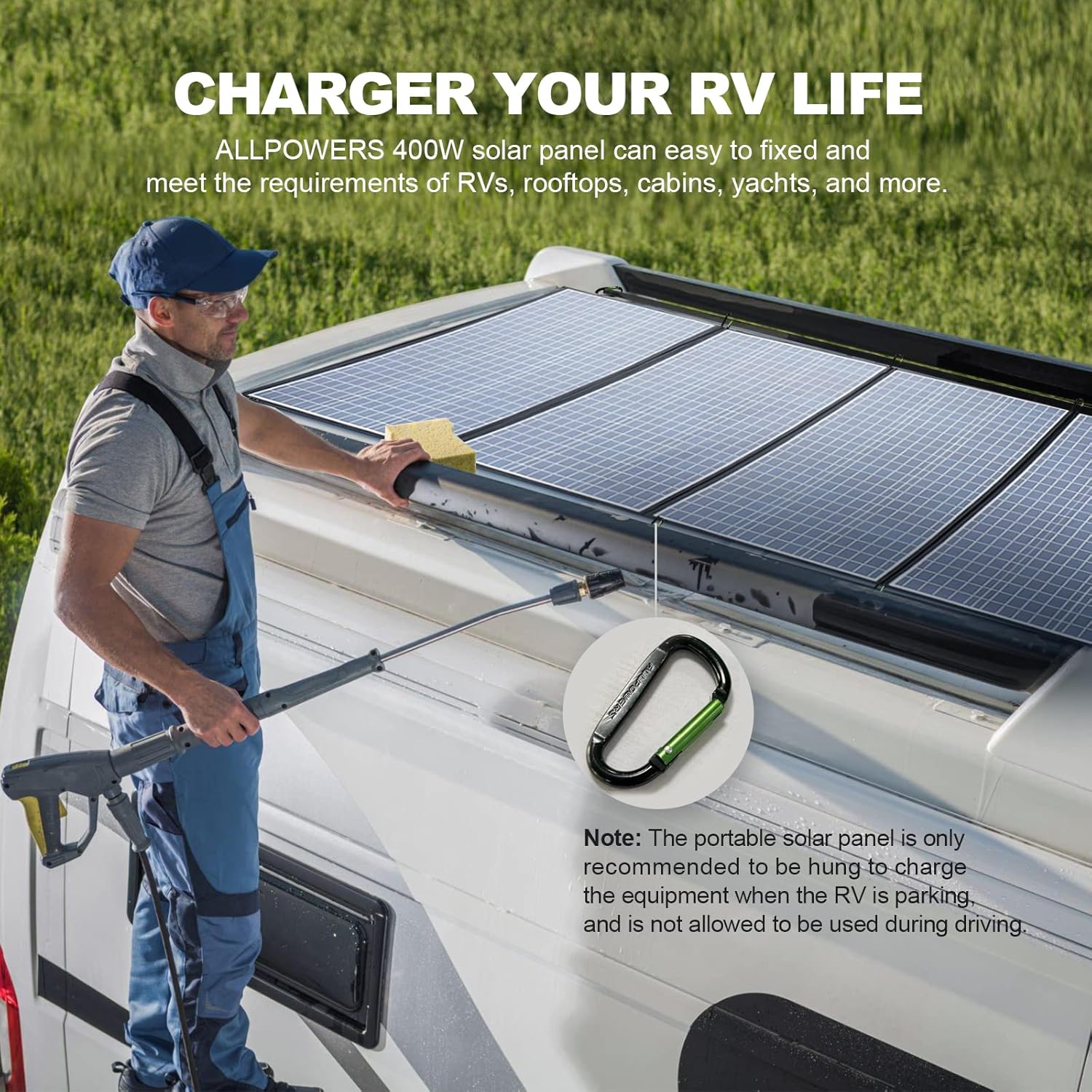
Image 4.2: Adjusting the panel's kickstands for better sun exposure.
Connect to a Power Station:
Connect the appropriate cable (Solar to XT60 or Solar to DC 5525 / DC 8020) from the solar panel to your compatible portable power station (e.g., ALLPOWERS R1500/R2500/S2000 Pro). Ensure the connection is firm and secure.

Image 4.3: Connection diagram of the solar panel to a power station.
Note: The portable solar panel is only recommended to be hung to charge the equipment when the RV is parking, and is not allowed to be used during driving.

Image 4.4: Solar panel installed on an RV roof.
5. Operating Instructions
Once properly set up and connected, the ALLPOWERS SP037 solar panel will begin converting sunlight into electricity to charge your connected devices.
- Charging Indicator: Refer to your power station's display for charging status and input wattage.
- Efficiency: The panel boasts a 22% high conversion efficiency, allowing for effective power generation even on partially cloudy days.
- Wide Compatibility: The universal connecting cables ensure compatibility with various ALLPOWERS power stations (S1500, S2000, S2000 Pro, R4000) and many third-party portable power stations.

Image 5.1: The solar panel in use for garden, RV, and camping scenarios.

Image 5.2: The solar panel demonstrating its green, durable, and reliable characteristics.
6. Maintenance
Proper maintenance ensures the longevity and optimal performance of your solar panel.
- Cleaning: Regularly wipe the surface of the solar panel with a soft, damp cloth to remove dust, dirt, or debris that may reduce efficiency. Do not use harsh chemicals or abrasive materials.
- Storage: When not in use, fold the solar panel and store it in a dry, cool place away from direct sunlight and extreme temperatures. The compact folded size (41.3 x 104 x 2.5 inches) makes storage convenient.
- Water Resistance: The IP67 rating provides protection against dust ingress and temporary immersion in water (up to 1 meter for 30 minutes). However, avoid prolonged exposure to heavy rain or submersion.
- Inspection: Periodically check cables and connectors for any signs of wear, damage, or corrosion.

Image 6.1: Demonstrating the IP67 water resistance of the panel.
7. Troubleshooting
If you encounter issues with your ALLPOWERS SP037 solar panel, refer to the following common troubleshooting steps:
| Problem | Possible Cause | Solution |
|---|---|---|
| No power output / Low power output |
|
|
| Panel overheating |
|
|
If the problem persists after attempting these solutions, please contact ALLPOWERS customer support.
8. Technical Specifications
| Feature | Detail |
|---|---|
| Brand | ALLPOWERS |
| Model Number | AP-SP-037 |
| Maximum Power | 400 Watts |
| Maximum Voltage | 37.5 Volts |
| Efficiency | 22% (High Efficiency) |
| Material | ETFE |
| Product Dimensions (Unfolded) | 40.94"L x 23.62"W x 4.72"H |
| Folded Size | 41.3" x 104" x 2.5" |
| Item Weight | 40.8 Pounds |
| Waterproof Rating | IP67 |

Image 8.1: Visual representation of the solar panel's key specifications.
9. Warranty Information
The ALLPOWERS SP037 400W Portable Solar Panel comes with a 2-year warranty. This warranty covers defects in materials and workmanship under normal use. Please retain your proof of purchase for warranty claims.
The warranty does not cover:
- Damage caused by misuse, abuse, accident, or negligence.
- Unauthorized repair or modification.
- Normal wear and tear.
- Damage from natural disasters (e.g., lightning, flood).
10. Customer Support
For technical assistance, warranty claims, or any other inquiries regarding your ALLPOWERS SP037 400W Portable Solar Panel, please contact ALLPOWERS customer support.
You can find more information and contact details on the official ALLPOWERS store page:
Visit the ALLPOWERS Store on Amazon
Please have your product model number (AP-SP-037) and purchase date ready when contacting support.
11. Product Videos
No official product videos from the seller were found in the provided data that meet the embedding criteria (m3u8 format and 'Seller' creator type). Please refer to the product page on Amazon for any available video content.
Related documentsAP-SP-037


Ask a question about this manual
Ask about setup, troubleshooting, compatibility, parts, safety, or missing instructions. Manuals+ will review the question and use this page’s manual context to help answer it.