
Introduction
This manual provides essential instructions for the safe and efficient operation, setup, and maintenance of your AIRCARE Whole-House Console-Style Evaporative Humidifier, Model 14416A. Please read all instructions carefully before use and retain this manual for future reference.
Important Safety Instructions
To reduce the risk of fire, electric shock, or injury, always follow basic safety precautions when operating this appliance:
- Read all instructions before using the humidifier.
- Ensure the power cord is not damaged and is properly grounded.
- Do not operate the humidifier if any part is damaged. Contact customer service for repairs.
- Keep the humidifier away from water sources and ensure it is placed on a stable, level surface.
- Unplug the unit before filling, cleaning, or performing any maintenance.
- Do not block air inlets or outlets.
- This appliance is not intended for use by persons (including children) with reduced physical, sensory, or mental capabilities, or lack of experience and knowledge, unless they have been given supervision or instruction concerning use of the appliance by a person responsible for their safety.
Product Features
The AIRCARE Model 14416A humidifier is designed to provide whole-house humidification with the following key features:
- Coverage Area: Up to 3,700 sq. ft.
- Water Capacity: 4.75 gallons
- Maximum Run Time: Up to 45 hours
- Fan Speeds: 3 settings
- Controls: Analog controls with adjustable humidistat
- Safety: Automatic shut-off when empty
- Convenience: Pour-in reservoir, refill indicator, casters for mobility.
- Filter Type: Evaporative wicking filter (HDC411 Super Wick)
Setup
1. Unpacking
Carefully remove the humidifier from its packaging. Inspect for any damage. Retain packaging materials for potential future transport or service.
2. Placement
Place the humidifier on a firm, level, water-resistant surface in a central location of your home. Ensure it is at least 6 inches away from walls and furniture to allow for proper airflow. This unit is suitable for various rooms including bedrooms, living rooms, and offices.

Image: The AIRCARE humidifier positioned in a living room environment, demonstrating suitable placement near furniture.
3. Filter Installation (Initial)
The humidifier uses HDC411 Super Wick evaporative filters. Ensure these are correctly seated within the unit. Refer to the internal diagrams for precise placement. The unit typically comes with initial filters pre-installed or included for first use.
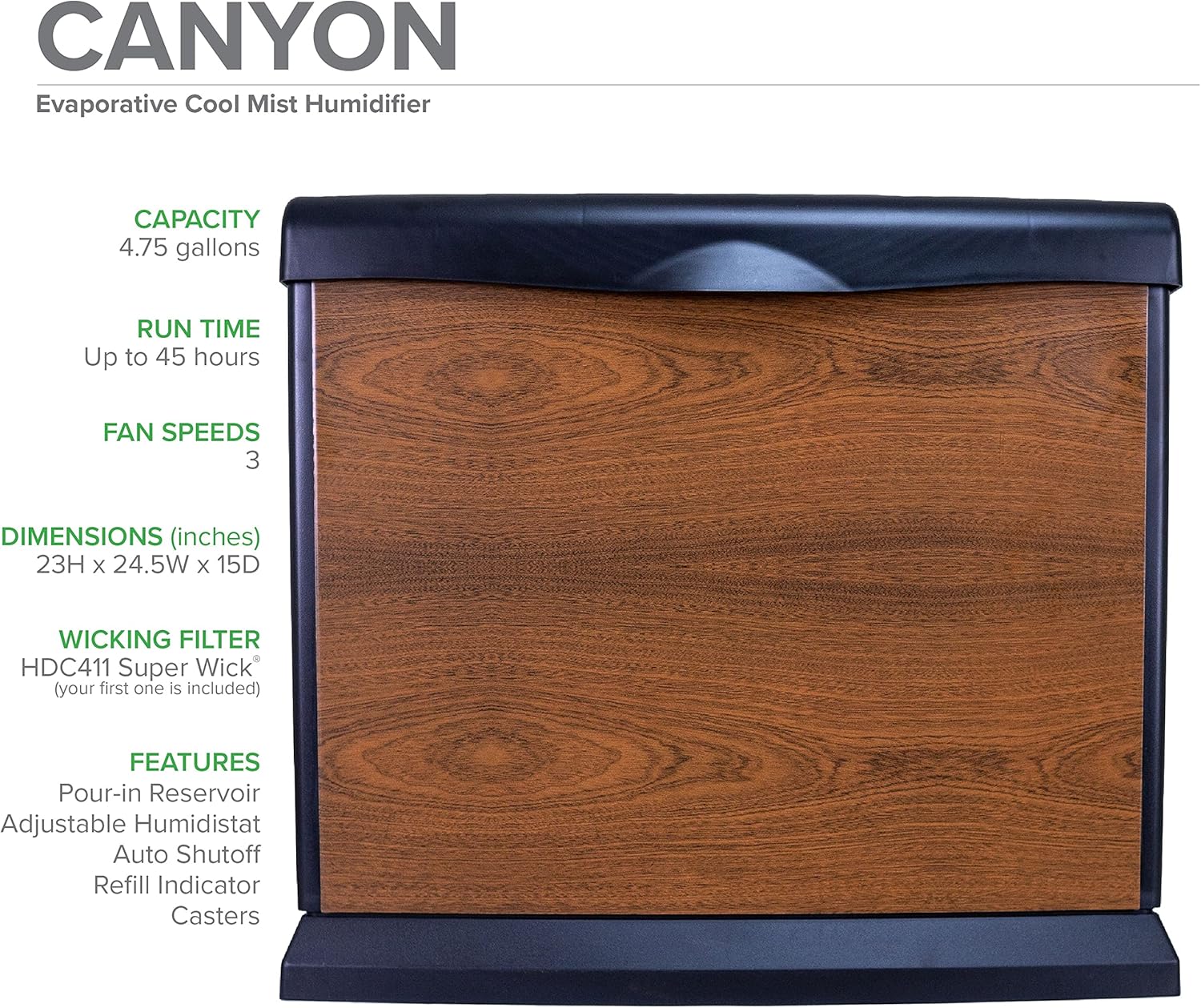
Image: Front view of the AIRCARE humidifier, highlighting its design and listing key specifications such as capacity, run time, fan speeds, dimensions, and wicking filter type.
4. Power Connection
Plug the power cord into a standard 120V AC electrical outlet. Ensure the cord is not pinched or placed under heavy objects.
Operating Instructions
1. Filling the Water Reservoir
The humidifier features a convenient pour-in reservoir. Open the top access panel and carefully pour clean, cool tap water into the reservoir until it reaches the maximum fill line. Do not overfill.
2. Adjusting Fan Speed
Use the "Speed" control knob on the top panel to select one of the three available fan speeds. Higher speeds will increase humidification output and fan noise.
3. Setting Humidity Level (Humidistat)
The "Humidity" control knob allows you to set your desired humidity level. The humidifier will automatically turn on and off to maintain this setting. Start with a medium setting and adjust as needed for comfort. The unit will automatically shut off when the water reservoir is empty.
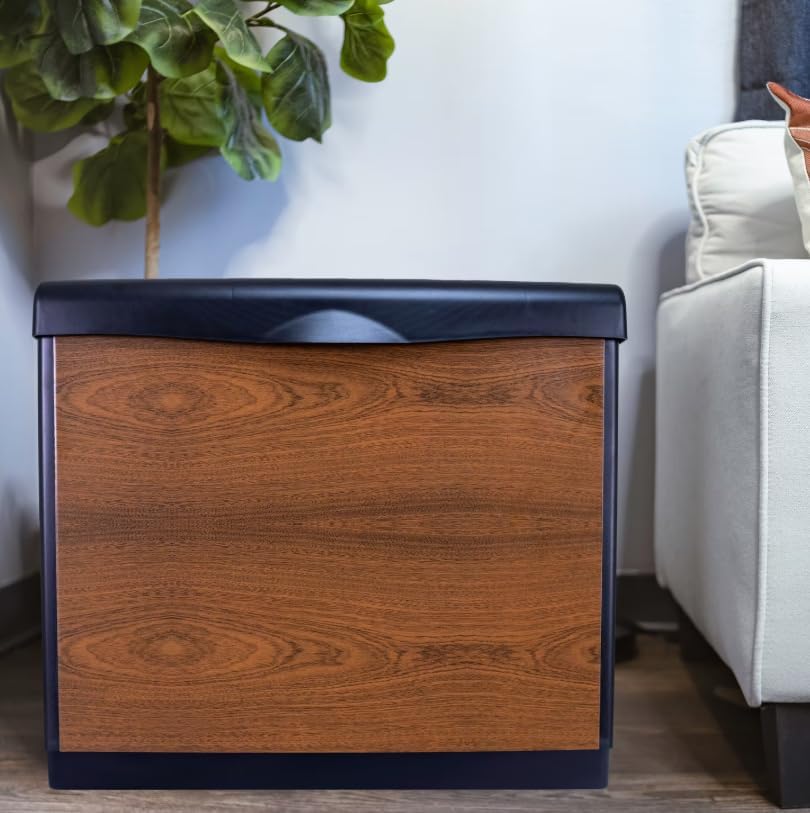
Image: A detailed view of the humidifier's analog control panel, showing the "Speed" and "Humidity" adjustment knobs, along with "Power" and "Refill" indicator lights.
4. Refill Indicator
The "Refill" indicator light will illuminate when the water level in the reservoir is low, signaling that it's time to add more water.
Maintenance
Regular maintenance ensures optimal performance and longevity of your humidifier.
1. Filter Replacement
The evaporative wicking filters (HDC411 Super Wick) should be replaced regularly, typically every 1-3 months depending on water quality and usage. A decrease in humidification output or a hardened filter indicates it's time for replacement. Always unplug the unit before replacing filters.
2. Cleaning the Unit
Clean the water reservoir and base regularly to prevent mineral buildup and bacterial growth. Use a mild detergent and water, or a descaling solution specifically designed for humidifiers. Rinse all components thoroughly before reassembly. Do not immerse the motor or electrical components in water.
3. Storage
If storing the humidifier for an extended period, ensure it is completely dry and clean. Remove and discard old filters. Store in a cool, dry place.
Troubleshooting
If you encounter issues with your humidifier, refer to the following common solutions:
- No Mist/Low Output:
- Check water level; refill if empty.
- Inspect filters; replace if clogged or hardened.
- Ensure the unit is plugged in and powered on.
- Unit Not Turning On:
- Verify power connection.
- Check if the water reservoir is empty (automatic shut-off engaged).
- Ensure the humidistat is set to a level above the current room humidity.
- Unusual Noise:
- Ensure the unit is on a level surface.
- Check for any obstructions in the fan area.
- Inspect filters for proper seating.
For persistent issues, contact AIRCARE customer support.
Specifications
| Feature | Specification |
|---|---|
| Brand | AIRCARE |
| Model Number | 14416A |
| Operation Mode | Evaporative |
| Coverage Area | Up to 3700 Square Feet |
| Water Capacity | 4.75 Gallons |
| Maximum Run Time | 45 Hours |
| Fan Speeds | 3 |
| Special Feature | Adjustable Humidistat, Automatic Shut-off, Refill Indicator |
| Product Dimensions | 23"D x 25"W x 15"H |
| Item Weight | 26 Pounds |
| Color | Canyon |
| UPC | 043129541344 |

Image: Side view of the AIRCARE humidifier with its dimensions clearly marked as 23 inches deep, 25 inches wide, and 15 inches high.
Warranty and Support
For warranty information, product registration, or technical assistance, please contact AIRCARE customer support directly. Refer to the product packaging or the official AIRCARE website for the most current contact details.
AIRCARE Customer Service: Visit AIRCARE Support