Introduction
This manual provides essential information for the safe assembly, operation, and maintenance of your vidaXL TV Cabinet with LED Lighting. Please read these instructions carefully before beginning assembly and retain them for future reference.
Safety Information
While no specific safety warnings are provided beyond general furniture safety, please observe the following precautions:
- Ensure all components are securely fastened during assembly.
- Do not overload the cabinet. Refer to the specifications for weight limits if available.
- Place the cabinet on a flat, stable surface to prevent tipping.
- Keep small parts and packaging materials away from children to avoid choking hazards.
- For LED lighting, use only a certified USB power source (not included) and ensure proper cable management to prevent tripping hazards or damage.
Package Contents
Before assembly, verify that all parts are present and undamaged. An assembly manual with a detailed list of components is included in the product packaging. If any parts are missing or damaged, please contact vidaXL customer support.
Setup and Assembly
Assembly of this TV cabinet is required. A detailed assembly manual is provided within the product packaging. Follow the step-by-step instructions in the included manual for proper construction.
Product Dimensions

Figure 1: Overall dimensions of the vidaXL TV Cabinet. The cabinet measures 80 cm in length, 35 cm in depth, and 40 cm in height. Internal compartments are designed for media devices and storage.
Material Construction

Figure 2: Illustration of the engineered wood material, emphasizing its layered structure for durability, smooth surface, stability, ease of cleaning, and quality finish.
Assembly Tips
- Lay out all components on a clean, soft surface to prevent scratches.
- Identify each part using the labels in the assembly manual.
- Tighten all screws and fasteners firmly, but do not overtighten to avoid damaging the material.
- Ensure the cabinet is level after assembly.
Operating Instructions (LED Lighting)
The TV cabinet features integrated RGB LED lighting to enhance its modern aesthetic.
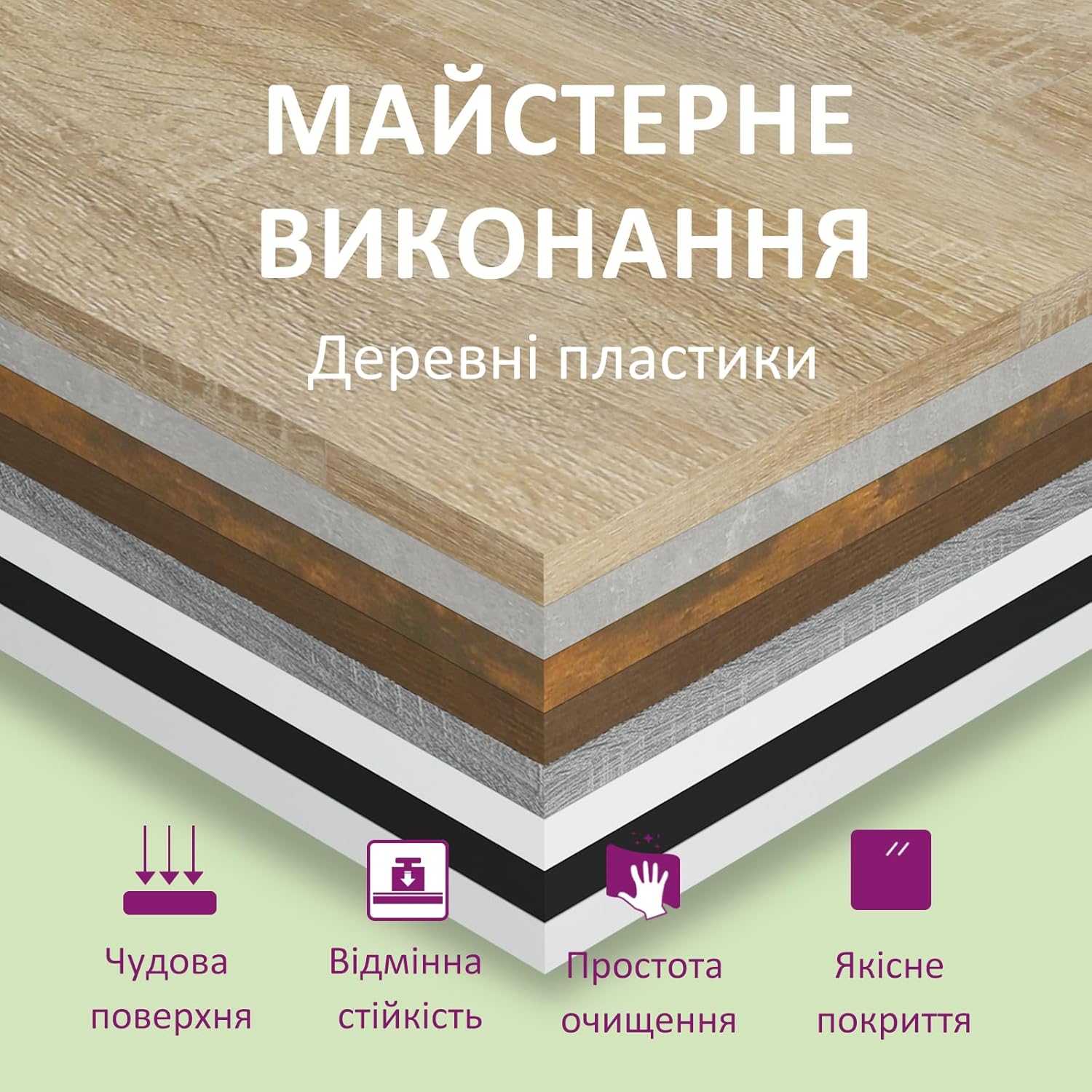
Figure 3: The TV cabinet with its RGB LED lighting active, displaying different color options.
- Power Source: The LED lighting system requires a USB power source (e.g., a USB wall adapter or a USB port on a TV/media player). A certified USB power source is not included and must be supplied by the user.
- Connection: Connect the USB plug from the LED strip to your chosen USB power source.
- Control: The LED lights typically come with a remote control or an inline controller to change colors, adjust brightness, and select various lighting modes (e.g., static color, fading, flashing). Refer to the specific LED controller's instructions for detailed operation.
- Features: The RGB LED lights offer multiple color options and automatic color adjustment modes, allowing you to customize the ambiance of your room.
Maintenance
Proper care will help maintain the appearance and longevity of your TV cabinet.
- Cleaning: Wipe the surfaces with a dry, soft cloth. For stubborn marks, a slightly damp cloth can be used, followed immediately by a dry cloth. Avoid abrasive cleaners or harsh chemicals.
- Spills: Clean up spills immediately to prevent moisture damage to the engineered wood.
- LED Care: Ensure the LED strips and wiring are not exposed to excessive moisture or physical damage. If an LED strip malfunctions, consult the manufacturer or a qualified electrician.
- Fasteners: Periodically check all screws and fasteners and tighten them if necessary to ensure stability.
Troubleshooting
If you encounter issues with your TV cabinet, consider the following:
- Cabinet Instability: Ensure all assembly screws are tightened. Check that the cabinet is placed on a level surface. Adjust leveling feet if present.
- LED Lights Not Working:
- Verify the USB plug is securely connected to a working USB power source.
- Ensure the USB power source is providing power (e.g., try charging a phone with it).
- Check the inline controller or remote control for battery issues or proper function.
- Inspect the LED strip for visible damage.
- Doors/Drawers Not Aligning: Check the hinges or runners for proper installation and adjustment. Refer to the assembly manual for specific adjustment instructions.
Specifications
| Feature | Detail |
|---|---|
| Brand | vidaXL |
| Model Number | 815723 |
| Material | Engineered Wood |
| Color | Smoked Oak |
| Overall Dimensions (L x W x H) | 80 x 35 x 40 cm (31.5 x 13.8 x 15.7 inches) |
| Item Weight | 18.48 Kilograms |
| Style | Modern |
| Assembly Required | Yes |
| LED Lighting | RGB, USB powered (USB power source not included) |
| Product Care | Wipe with dry cloth |
Warranty and Support
For warranty information, please refer to the documentation provided with your purchase or contact the retailer directly. For product support, missing parts, or further assistance, please visit the official vidaXL store or contact their customer service department.
You can find more information and contact details at the vidaXL Store on Amazon.


