
1. Important Safety Information
Please read all instructions carefully before using the SUPRENT PRO Professional Hair Clippers and T-Blade Trimmer Combo. Keep this manual for future reference.
- Always unplug the clippers before changing or cleaning the blades.
- Avoid contact with eyes and face during operation.
- Keep out of reach of children.
- Do not ingest or inhale small parts.
- Dispose of hair trimmings responsibly.
- Do not immerse the unit in water.
- Use only the provided charging cables and accessories.
2. Product Overview and What's in the Box
The SUPRENT PRO Professional Hair Clippers and T-Blade Trimmer Combo is designed for precision hair cutting and detailing. This kit includes a powerful hair clipper and a zero-gap T-blade trimmer, along with essential accessories.

Your kit typically includes:
- SUPRENT PRO Hair Clipper
- SUPRENT PRO T-Blade Trimmer
- 6 Metal Guide Combs for Hair Clipper
- 3 Guide Combs for Detail Trimmer
- Charging Cables (USB)
- Cleaning Brush
- Blade Oil
- Hair Cutting Cape (style may vary)
Unboxing Video
Video: An unboxing of the SUPRENT PRO clipper kit, showcasing all included components and their initial presentation.
3. Setup
Charging the Clippers and Trimmer
Both the hair clipper and T-blade trimmer are equipped with long-life Li-ion batteries and support cord/cordless use. Before first use, fully charge both devices.
- Connect the charging cable to the device and a suitable USB power adapter (not included).
- The LED display on the clipper will show the battery status. The trimmer may have a blue light indicator.
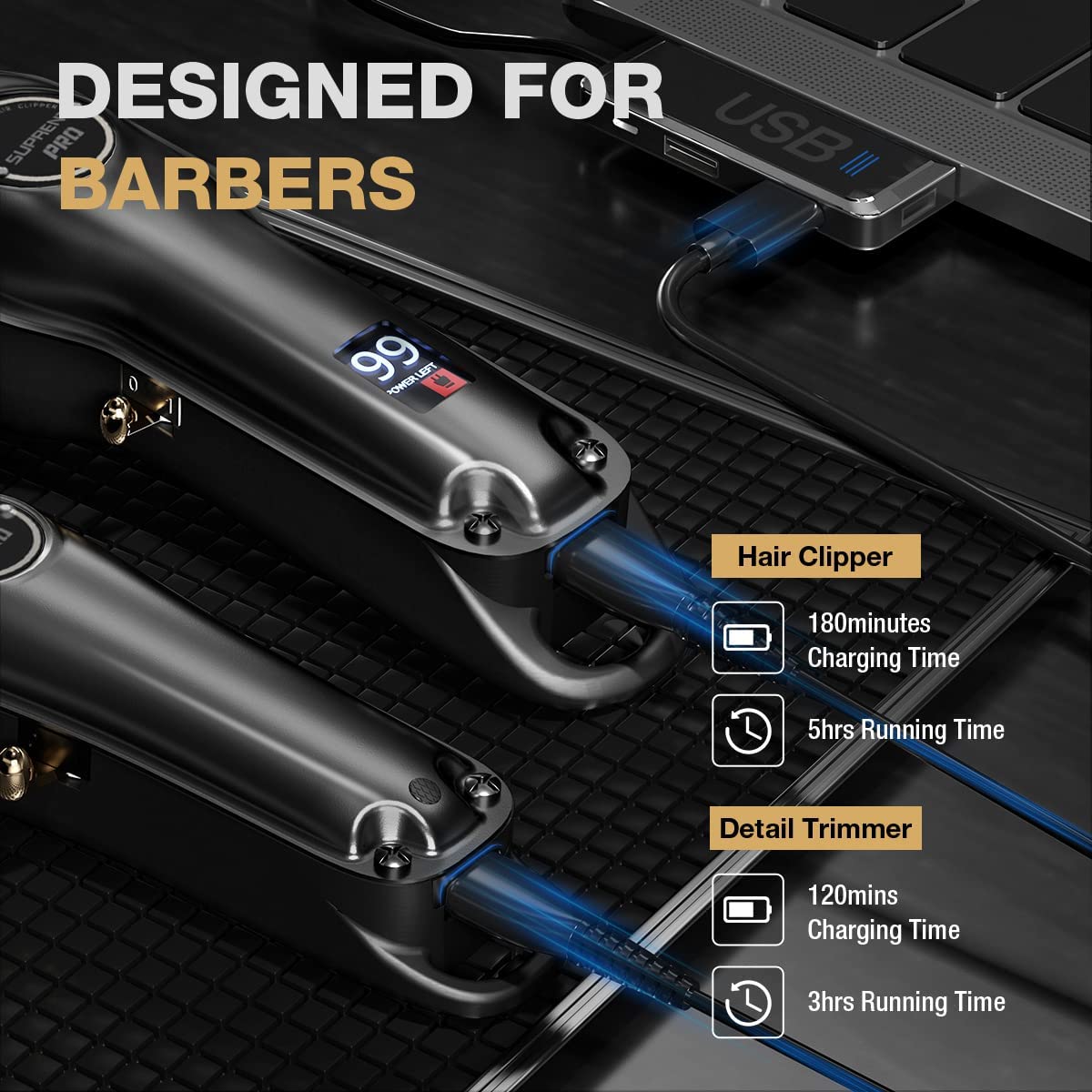
- Charging time for the hair clipper is approximately 180 minutes for 5 hours of running time.
- Charging time for the detail trimmer is approximately 120 minutes for 3 hours of running time.

Attaching Guide Combs
Select the desired metal guide comb for your preferred hair length. Align the comb with the clipper or trimmer blade and snap it securely into place.
Adjusting the T-Blade for Zero Gap
The T-blade trimmer can be adjusted for a zero-gap cut, allowing for closer trimming and outlining. Refer to the video below for detailed instructions on how to perform this adjustment.
Video: A demonstration on how to adjust the T-blade of the trimmer to achieve a zero-gap setting for precise cuts.
4. Operating Instructions
Ensure the device is fully charged before use. Turn on the clipper or trimmer using the power switch.
Hair Clipper Usage
- The hair clipper features a powerful rotary motor for smooth cutting, even through thick hair.
- Use the adjustable taper lever (0.5-2mm) to fine-tune cutting lengths for fading and blending.
- Attach the appropriate metal guide comb for bulk hair removal or desired length.
T-Blade Trimmer Usage
- The T-blade is ideal for carving, tapering, blending, and fading.
- Use the trimmer to shape precise edges and create detailed designs.
- For closest cuts, ensure the T-blade is zero-gapped (refer to Setup section).
LED Smart Display
The ultra-clear LED display on the clipper shows the remaining battery percentage, allowing you to monitor power levels during use.

Operational Videos
Video: A barber demonstrates the use of the SUPRENT PRO clipper and trimmer for a precise haircut.
Video: Showcase of the SUPRENT PRO tools in action, creating various styles with ease and precision.
Video: A demonstration of the SUPRENT Hair kit for achieving quality haircuts.
Video: Professional barber demonstrating the SUPRENT PRO tools for various styles.
Video: A professional overview of the SUPRENT Professional Hair Clippers for Men.
5. Maintenance
Proper maintenance ensures the longevity and optimal performance of your SUPRENT PRO devices.
Cleaning the Blades
- Always turn off and unplug the device before cleaning.
- Use the provided cleaning brush to remove loose hair from the blades after each use.
- For a deeper clean, carefully detach the blade assembly (refer to the zero-gap adjustment video for guidance on blade removal) and rinse under running water. Ensure blades are completely dry before reattaching.
Oiling the Blades
Regular oiling helps maintain blade sharpness and smooth operation. Apply a few drops of the included blade oil to the teeth of the blades after every few uses or as needed. Turn on the device for a few seconds to distribute the oil evenly.
6. Troubleshooting
If you encounter issues with your SUPRENT PRO devices, try the following troubleshooting steps:
- Device not turning on: Ensure the device is fully charged. Check the charging cable and adapter for damage.
- Reduced cutting performance: Clean the blades thoroughly to remove any hair buildup. Apply blade oil. Ensure the blades are properly aligned.
- Unusual noise or vibration: Turn off the device and inspect the blades for any foreign objects or damage. Ensure the blade assembly is securely attached.
- Battery not holding charge: Ensure you are using the original charging cable. If the issue persists, contact customer support.
7. Specifications
| Feature | Specification |
|---|---|
| Product Dimensions | 11.6 x 8.4 x 2.7 inches |
| Weight | 2.54 Pounds |
| Battery Type | 1 Lithium Ion battery required |
| Hair Clipper Motor Speed | 5500 RPM |
| Hair Clipper Running Time | 5 hours |
| Hair Clipper Charging Time | 3 hours |
| Detail Trimmer Motor Speed | 6000 RPM ±10% |
| Detail Trimmer Running Time | 3 hours |
| Detail Trimmer Charging Time | 2 hours |
| Included Components | Hair Clipper, T-Blade Trimmer, Guide Combs, Charging Cables, Cleaning Brush, Blade Oil, Hair Cape |
8. Warranty and Support
Your SUPRENT PRO Hair Clippers and T-Blade Trimmer Combo comes with a standard return policy allowing for refund or replacement within 30 days of purchase.
Protection Plans
Extended protection plans are available for purchase:
- 2-Year Protection Plan: Available for $8.99.
- 3-Year Protection Plan: Available for $11.99.
- Complete Protect: A monthly plan covering all eligible past and future purchases for $16.99/month.
For further assistance, product support, or warranty claims, please refer to the contact information provided with your purchase or visit the official SUPRENT website.