
Slimpal SPC020
Slimpal SPC020 Cordless Heating Pad User Manual
Model: SPC020
1. Introduction
Thank you for choosing the Slimpal SPC020 Cordless Heating Pad. This device is designed to provide targeted heat and vibration therapy for comfort and relief. Please read this manual thoroughly before use to ensure safe and effective operation.
2. Safety Information
For your safety and to prevent damage to the device, please observe the following precautions:
- Always use the heating pad under supervision. Do not leave the heating pad unattended while in use.
- Keep the heating pad away from flammable materials.
- Do not use the heating pad if it shows signs of damage or malfunction.
- Consult a doctor before use if you have any medical conditions or are pregnant.
- Keep the heating pad out of reach of children and pets.
- Do not use the included charging cable with other devices.
- Do not use the device while it is charging.
3. Product Overview
The Slimpal SPC020 is a portable, cordless electric heating pad designed to provide targeted heat and vibration therapy for comfort and relief. Its ergonomic design ensures a comfortable fit for various body areas.

Figure 3.1: Slimpal SPC020 Cordless Heating Pad and its retail packaging.
3.1 Key Features:
- Cordless and Portable: Designed for use anytime, anywhere without being tethered to an electrical outlet.
- Adjustable Heat Settings: Four heat levels ranging from 104°F to 140°F for personalized thermal comfort.
- Vibration Modes: Three distinct vibration patterns (No Interval, Short Interval, Long Interval) to complement heat therapy.
- Extended Use: Equipped with NTC sensors for continuous and stable operation, avoiding frequent automatic shut-offs.
- Comfortable Design: Features a curved, thin profile with a soft velvet fabric cover and an adjustable elastic belt (up to 57 inches) for a secure and discreet fit.
- USB-C Rechargeable: Convenient charging for the integrated lithium polymer battery.
3.2 Benefits of Heat Therapy:
Heat therapy is recognized for its ability to promote circulation and relax muscles. The Slimpal SPC020 heating pad provides direct heat to the affected area, which can assist in alleviating discomfort and supporting relaxation.

Figure 3.2: Explanation of how heat therapy aids in muscle relaxation and pain relief.

Figure 3.3: The Slimpal heating pad supports pain relief, improved circulation, and overall relaxation.
3.3 NTC Sensor Technology:
The Slimpal SPC020 incorporates NTC (Negative Temperature Coefficient) sensors to maintain a consistent and safe temperature. This technology prevents the common issue of intermittent heating and cooling found in devices without NTC sensors, ensuring stable and effective heat delivery.

Figure 3.4: NTC sensors provide continuous, stable, and safe temperature control.

Figure 3.5: The device is certified by multiple international standards for safety and reliability.
4. Setup
4.1 Charging the Device
Before initial use, fully charge the Slimpal SPC020 heating pad. Use the provided USB-C charging cable. The charging time is approximately 3 hours.
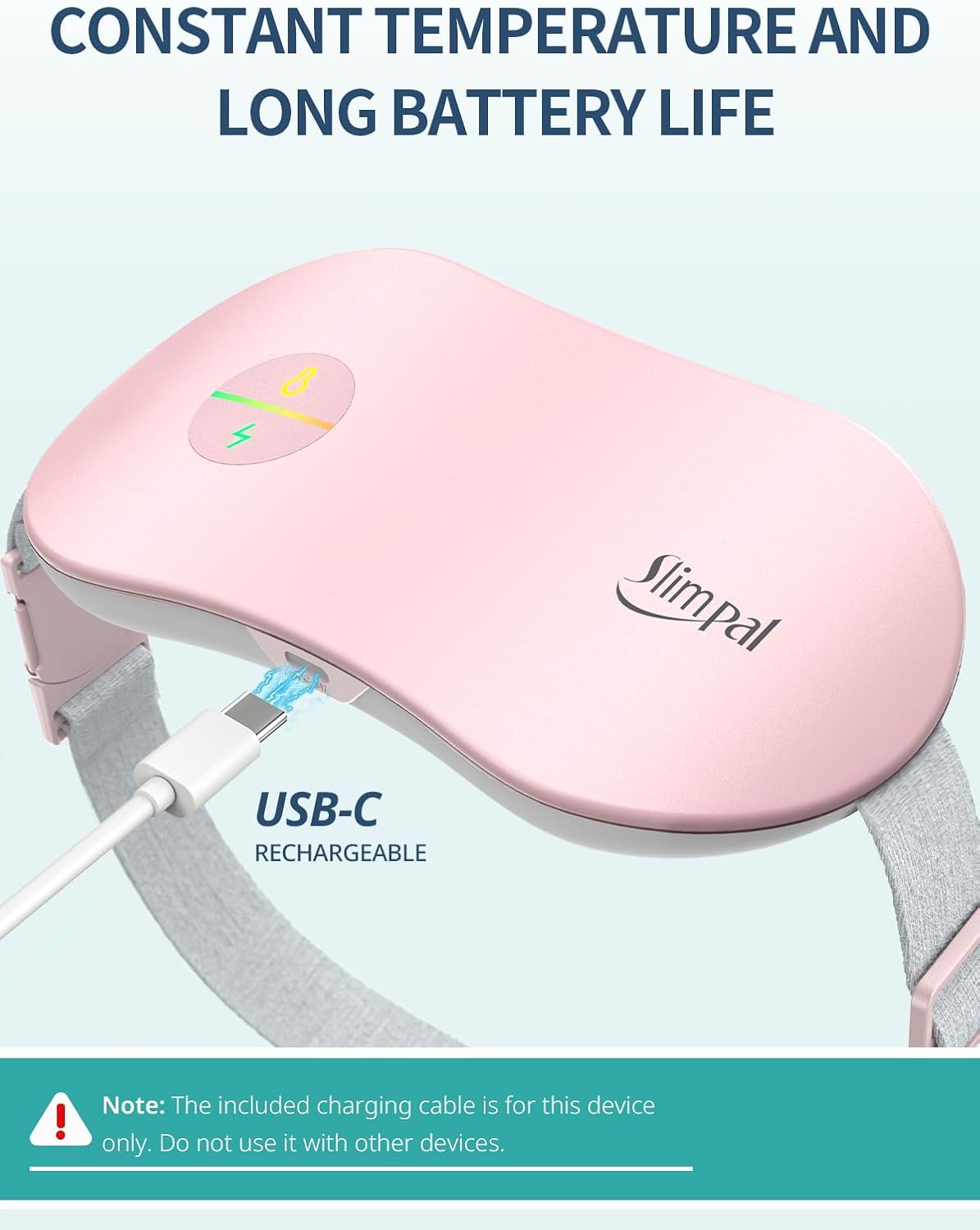
Figure 4.1: Connecting the USB-C charging cable to the Slimpal heating pad.
Note: Only use the charging cable supplied with this device. Do not use the device while it is connected to the charger.
4.2 Wearing the Heating Pad
The heating pad features an adjustable elastic belt for a comfortable and secure fit. It can be worn around the waist, abdomen, or lower back.
- Place the heating pad against the desired area of your body (e.g., lower abdomen, lower back).
- Wrap the elastic belt around your body and adjust it to a snug, comfortable fit. The belt can stretch up to 57 inches.
- Ensure the device is positioned correctly for optimal heat and vibration delivery.
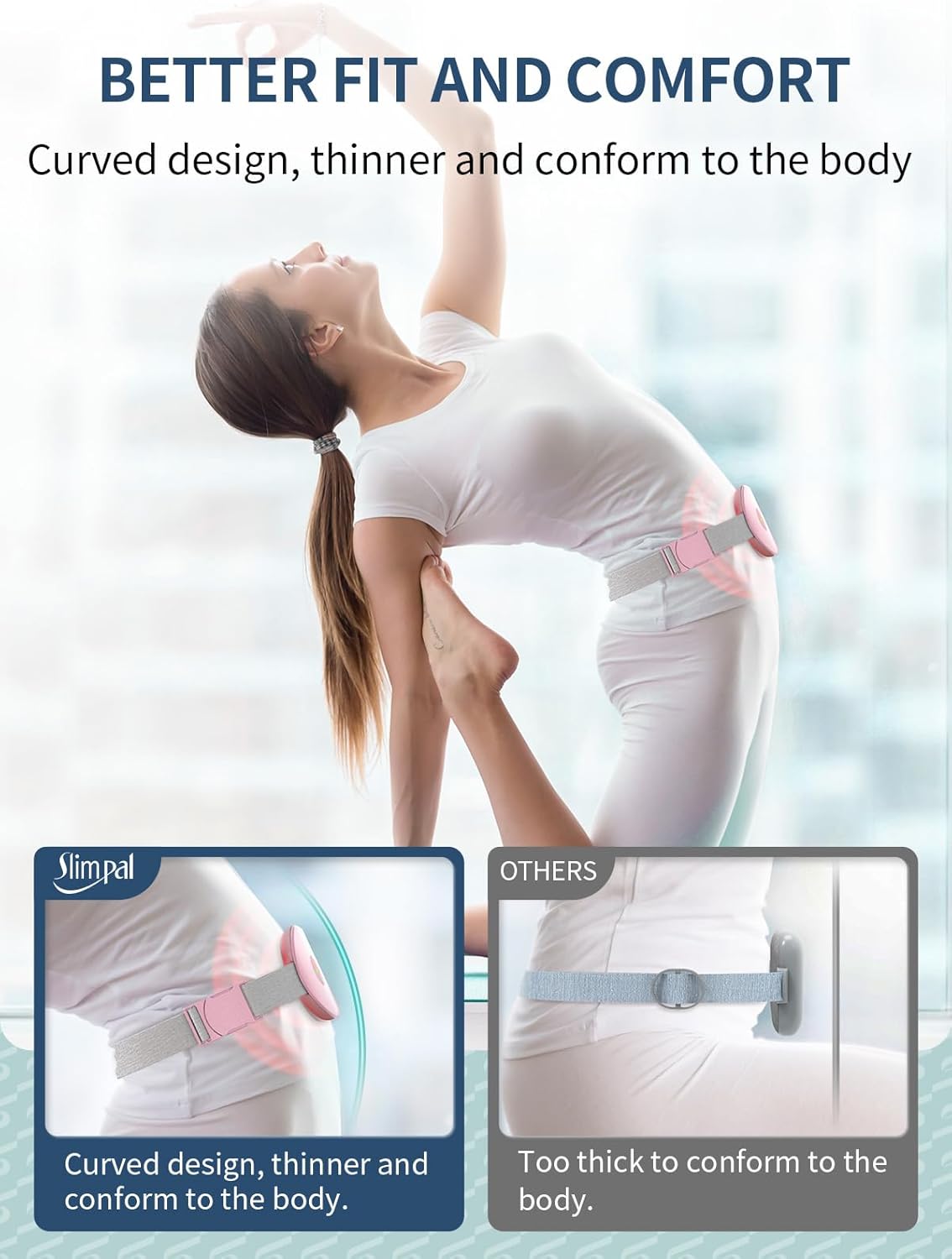
Figure 4.2: The curved design of the Slimpal heating pad conforms to the body for a comfortable fit.
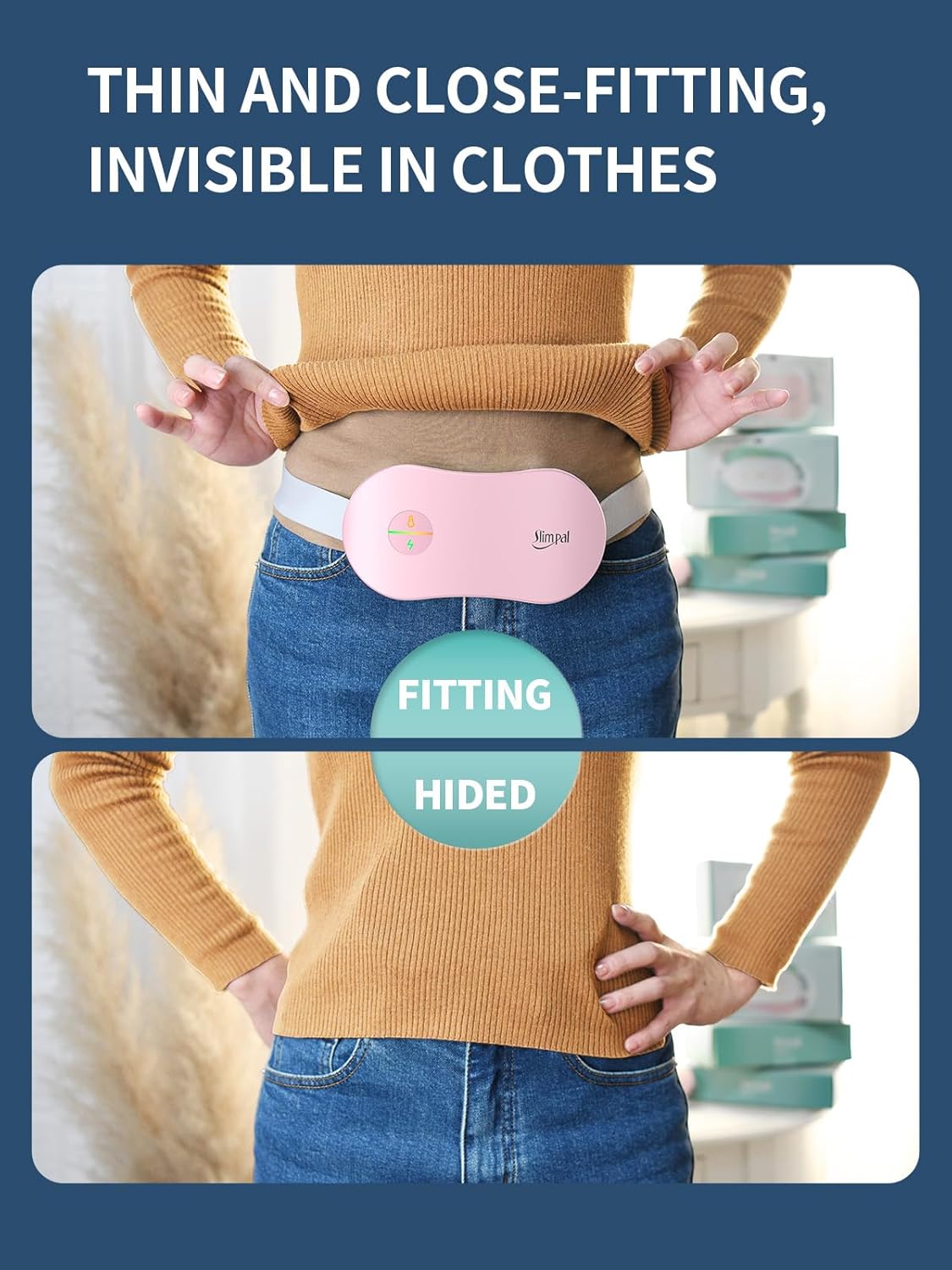
Figure 4.3: The thin profile allows the heating pad to be worn discreetly under clothing.
5. Operating Instructions
The Slimpal SPC020 features intuitive controls for heat and vibration settings.

Figure 5.1: Overview of heat and vibration settings.
5.1 Power On/Off
- To turn on: Press and hold the power button (usually indicated by a lightning bolt or power symbol) for a few seconds.
- To turn off: Press and hold the power button again for a few seconds.
5.2 Adjusting Heat Settings
The device offers four heat levels. Short press the heat button (often indicated by a thermometer symbol) to cycle through the settings:
- Level 1 (Green Light): 104°F (Daily Maintenance)
- Level 2 (Blue Light): 122°F (Menstrual Care)
- Level 3 (Yellow Light): 140°F (Deep Temperature Care)
- Cycle Mode (Yellow Flashing Light): Cycles between 104°F and 140°F.
The NTC sensors ensure continuous and stable temperature output.
5.3 Adjusting Vibration Modes
The device offers three vibration modes. Short press the vibration button (often indicated by a wave symbol) to cycle through the settings:
- Mode 1 (Green Light): No Interval Vibration
- Mode 2 (Blue Light): Short Interval Vibration
- Mode 3 (Yellow Light): Long Interval Vibration
You can use the heating and vibration functions independently or simultaneously.

Figure 5.2: The cordless design allows for use in various settings, such as working or resting.
6. Maintenance
6.1 Cleaning
- Ensure the device is turned off and unplugged before cleaning.
- Wipe the surface of the heating pad with a soft, damp cloth.
- Do not immerse the device in water or any other liquid.
- Do not use abrasive cleaners or solvents.
- Allow the device to air dry completely before storing or using again.
6.2 Storage
- Store the heating pad in a cool, dry place, away from direct sunlight and extreme temperatures.
- Keep it out of reach of children and pets.
7. Troubleshooting
If you encounter any issues with your Slimpal SPC020 heating pad, please refer to the following common solutions:
| Problem | Possible Cause | Solution |
|---|---|---|
| Device does not turn on. | Battery is depleted. | Charge the device fully using the provided USB-C cable. |
| No heat or weak heat. | Incorrect heat setting selected or low battery. | Ensure a higher heat setting is selected. Recharge the device if the battery is low. |
| Vibration not working. | Vibration mode not activated or low battery. | Press the vibration button to activate a mode. Recharge the device if the battery is low. |
| Device gets too hot or too cold intermittently. | This model features NTC sensors for stable temperature. If this occurs, discontinue use and contact support. | Discontinue use and contact customer support. |
If the problem persists after trying these solutions, please contact customer support.
8. Specifications
| Feature | Detail |
|---|---|
| Model Number | SPC020 |
| Product Dimensions | 7.48 x 3.35 x 0.98 inches |
| Item Weight | 7.05 ounces (200 Grams) |
| Battery | 1 Lithium Polymer battery (included) |
| Charging Time | Approximately 3 hours |
| Usage Time | Up to 8 hours (depending on heat/vibration settings) |
| Heating Temperature Range | 104°F to 140°F |
| Material | Velvet |
| Adjustable Belt Length | Up to 57 inches |
| Certifications | CE, UKCA, RoHS, UL (as per product information) |

Figure 8.1: Product specifications as listed on the packaging.
9. Warranty and Support
For warranty information or technical support, please contact the manufacturer or seller.
- Manufacturer: Slimpal
- Seller: Health Vast
- Support Email: support@health-vast.com
Please retain your proof of purchase for warranty claims.
Related documentsSPC020

Ask a question about this manual
Ask about setup, troubleshooting, compatibility, parts, safety, or missing instructions. Manuals+ will review the question and use this page’s manual context to help answer it.