
Rfiver easel tv stand
Rfiver Easel TV Stand User Manual
Model: easel tv stand
Brand: Rfiver
Introduction
Thank you for choosing the Rfiver Easel TV Stand. This stand is designed to provide a stylish and functional solution for displaying your television, offering features like 180-degree swivel, height adjustment, and integrated storage. This manual provides detailed instructions for assembly, operation, maintenance, and troubleshooting to ensure safe and optimal use of your product.

Image: The Rfiver Easel TV Stand, showcasing its design with a television, soundbar, and record player on its integrated shelves.
Safety Information
- Ensure all parts are present and undamaged before assembly. Do not use if any parts are missing or broken.
- Adhere strictly to the maximum weight capacity of 88 lbs (40 kg) for the TV and 22 lbs (10 kg) per shelf. Exceeding these limits can cause instability and damage.
- This stand is suitable for TVs between 32 and 65 inches. Verify your TV's VESA mounting pattern (100x100mm to 400x400mm) before installation.
- Assemble the stand on a soft, clean surface to prevent scratches.
- Always use two people when lifting and mounting the television onto the stand.
- Position the stand on a flat, stable, and level surface to prevent tipping.
- Keep small children and pets away from the stand during assembly and operation to prevent accidents.
Package Contents
Before beginning assembly, please ensure all components listed in the product's packing list are present and accounted for. Refer to the included hardware pack for all necessary screws, bolts, and tools.
Assembly Instructions
Assembly of the Rfiver Easel TV Stand is designed to be straightforward. Follow the steps carefully, referring to the diagrams for visual guidance. A second person is recommended for certain steps, especially when mounting the TV.
Step 1: Unpack and Identify Parts
Carefully unpack all components and lay them out on a soft, clean surface. Identify each part by comparing it with the parts list provided in your package.
Step 2: Assemble the Base and Legs
Attach the three premium wood legs to the central base structure. Ensure they are securely fastened. The widened base design enhances stability.
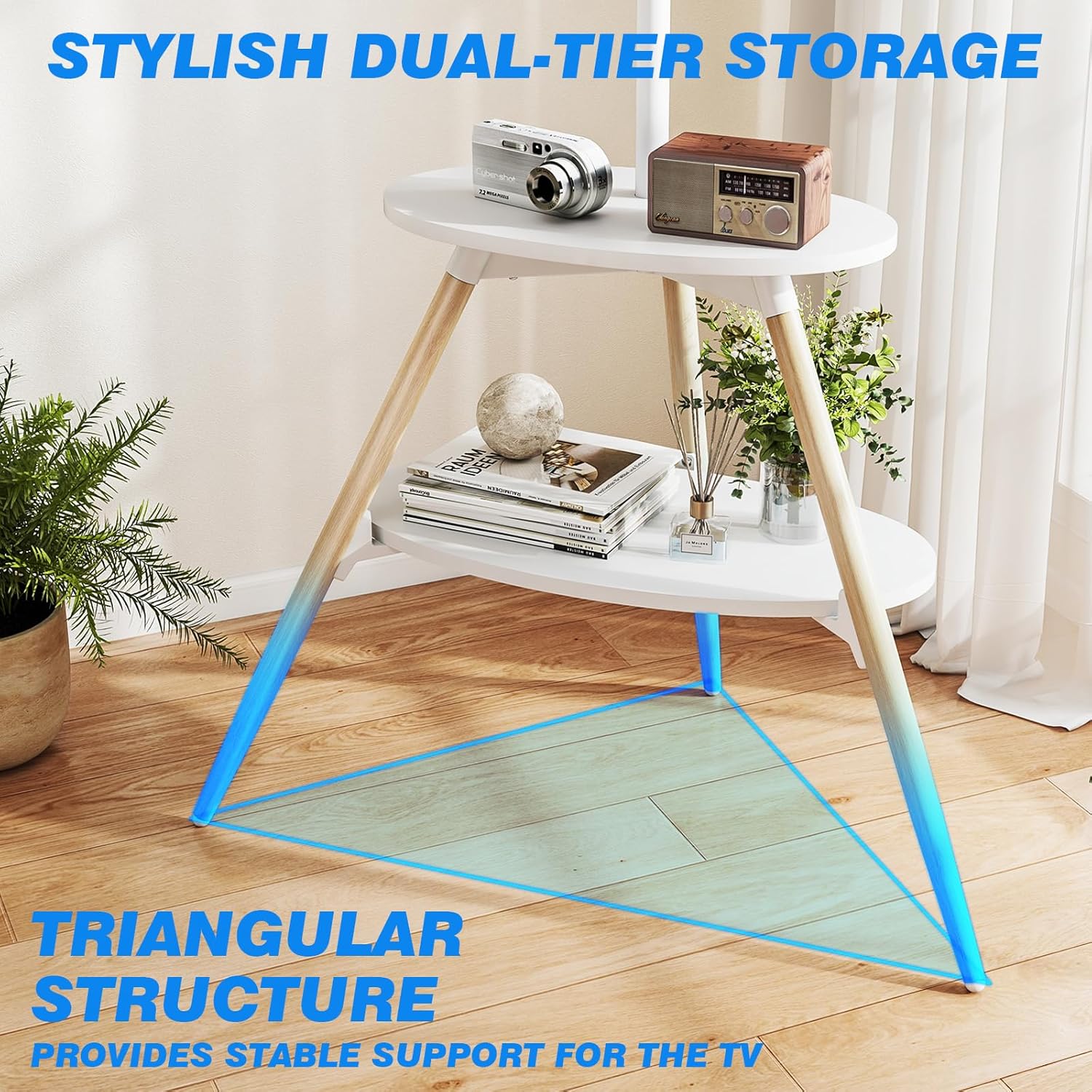
Image: A detailed view of the stand's dual-tier storage and the triangular base structure, emphasizing stability.
Step 3: Install the TV Mounting Bracket
Attach the vertical TV mounting bracket to the main support pole. Ensure it is oriented correctly for height adjustment and swivel functionality.
Step 4: Attach Storage Shelves
Secure the two wooden storage shelves to the stand. These shelves provide space for media devices like DVD players, Wi-Fi routers, or projectors.
Step 5: Mount Your TV
Carefully attach your television to the mounting bracket using the appropriate VESA screws. Ensure the TV is centered and securely fastened. It is highly recommended to have a second person assist with this step.

Image: A diagram showing the full dimensions of the assembled TV stand, including the adjustable height range and shelf sizes.
Operating Instructions
Swivel Function
The Rfiver Easel TV Stand features a smooth 90-degree left and right swivel capability, allowing for a total of 180 degrees of rotation. To adjust the viewing angle, gently rotate the television to your desired position. No need to move the entire stand.

Image: Visual representation of the stand's 180-degree swivel range, showing how the TV can be angled for optimal viewing.
Height Adjustment
The TV mounting bracket can be adjusted along the main support pole to achieve your preferred viewing height. Loosen the securing mechanism, slide the TV to the desired height, and then re-tighten to secure it in place. This allows for multi-height settings for eye-level comfort.
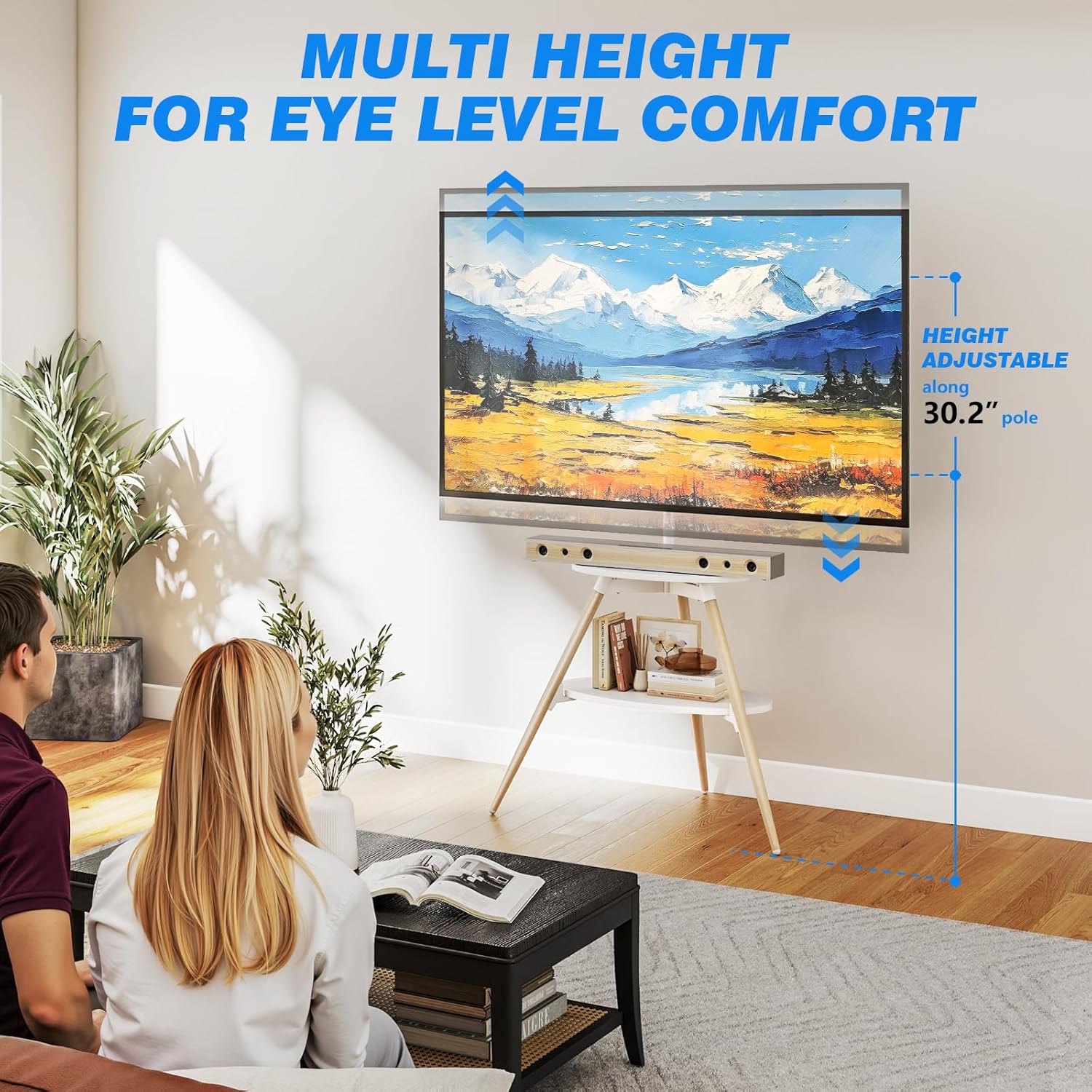
Image: An illustration showing the adjustable height range of the TV on the stand, emphasizing comfort and flexibility.
Storage Shelves
Utilize the two wooden shelves for organizing your media devices, remote controls, or decorative items. Each shelf has a maximum load capacity of 22 lbs (10 kg).
Cable Management
The stand is equipped with an integrated cable management system. Use the provided cable clips to route and conceal messy cords and wires along the main support pole and legs, creating a neat and organized entertainment space.

Image: A close-up of the cable management clips, showing how cables can be neatly routed along the stand's legs.
Maintenance and Care
- Cleaning: Wipe the stand with a soft, dry cloth. For stubborn marks, a slightly damp cloth can be used, followed by immediate drying. Avoid harsh chemicals or abrasive cleaners.
- Regular Checks: Periodically check all screws and connections to ensure they remain tight and secure. Re-tighten if necessary.
- Avoid Overloading: Do not place items heavier than the specified weight limits on the shelves or mount a TV exceeding the maximum weight capacity.
- Environmental Conditions: Avoid exposing the stand to extreme temperatures, high humidity, or direct sunlight for prolonged periods, as this may affect the material integrity.
Troubleshooting
| Problem | Possible Cause | Solution |
|---|---|---|
| Stand feels unstable or wobbly. | Not all screws are tightened; stand is on an uneven surface; TV weight exceeds capacity. | Ensure all assembly screws are fully tightened. Move the stand to a flat, level surface. Verify your TV's weight is within the 88 lbs limit. |
| TV is not level or slightly tilted forward. | Main spine pipe not perfectly straight; legs not in optimal position. | Check the alignment of the main support pole. Try slightly adjusting the position of the tripod legs to find a more balanced stance. Ensure the TV is mounted centrally. |
| Cannot attach TV to the bracket. | Incorrect VESA pattern; wrong screws used. | Verify your TV's VESA pattern is between 100x100mm and 400x400mm. Use the correct screws provided for your TV's VESA holes. |
Specifications
| Feature | Detail |
|---|---|
| Brand | Rfiver |
| Model Number | easel tv stand |
| Product Dimensions | 33 x 21.6 x 54.9 inches |
| Item Weight | 8.9 pounds |
| Material | Alloy Steel, Wood |
| Color | White |
| Mounting Type | Floor Mount |
| Movement Type | Swivel (180°) |
| Maximum Compatible TV Size | 65 Inches |
| Minimum Compatible TV Size | 32 Inches |
| Maximum TV Load Capacity | 88 lbs (40 kg) |
| Shelf Load Capacity | 22 lbs (10 kg) per shelf |
| VESA Compatibility | 100x100mm to 400x400mm |
Compatibility
The Rfiver Easel TV Stand is designed for wide compatibility with various television models. Please ensure your TV meets the following criteria:
- Screen Size: Suitable for most 32 to 65 inch LCD/LED/OLED Flat/Curved screens or monitors.
- Weight Capacity: Your TV must not exceed 88 lbs (40 kg).
- VESA Mounting Patterns: Supports VESA mounting patterns ranging from 100x100mm to 400x400mm. This refers to the distance between the four mounting holes on the back of your TV (horizontal x vertical).
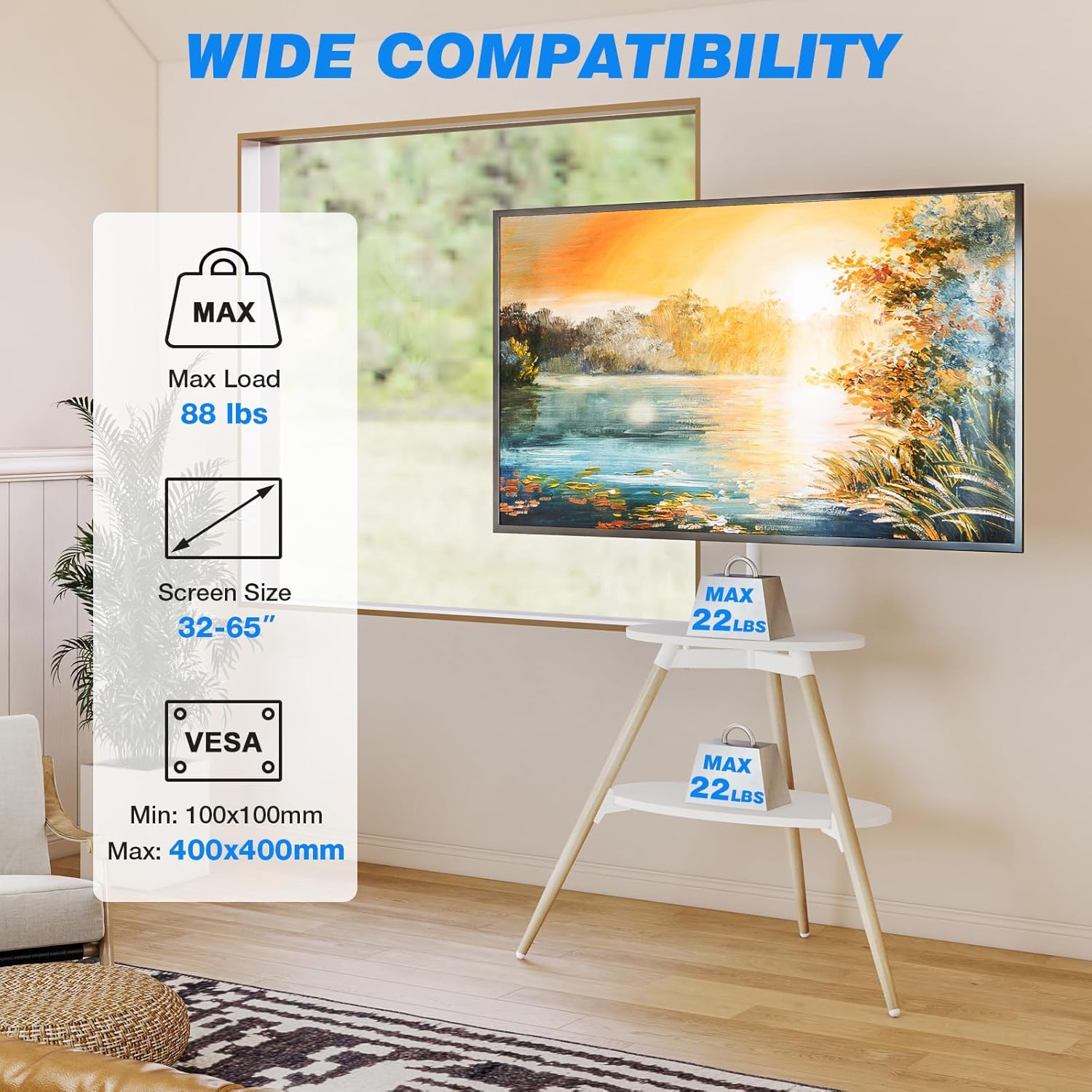
Image: An infographic summarizing the compatibility requirements for the TV stand, including supported screen sizes, maximum weight, and VESA standards.
Warranty and Support
Rfiver stands behind the quality of its products. For any questions regarding assembly, operation, or troubleshooting, please contact Rfiver customer support. Keep your purchase receipt for any warranty claims. Specific warranty details may vary and are typically provided with the product packaging or on the manufacturer's official website.
Ask a question about this manual
Ask about setup, troubleshooting, compatibility, parts, safety, or missing instructions. Manuals+ will review the question and use this page’s manual context to help answer it.