
AWEI T35
AWEI T35 Gaming Earbuds User Manual
Model: T35
Brand: AWEI
Introduction
Thank you for choosing the AWEI T35 Gaming Earbuds. These wireless Bluetooth headphones are designed to provide a high-quality audio experience with features tailored for gaming, including ultra-low latency and dynamic lighting. This manual will guide you through the setup, operation, maintenance, and troubleshooting of your new earbuds to ensure optimal performance and longevity.
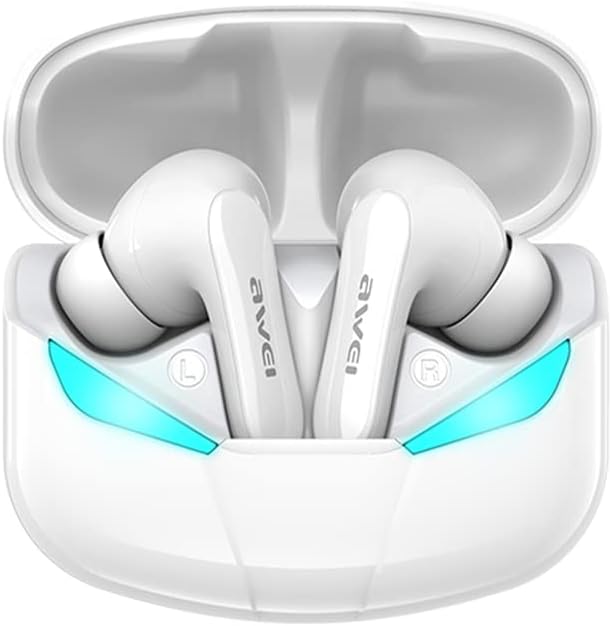
Image: AWEI T35 Gaming Earbuds in their white charging case, showcasing the illuminated blue ambient lights. The earbuds are designed for a comfortable in-ear fit.
Setup
1. Charging the Earbuds and Case
Before first use, ensure both the earbuds and the charging case are fully charged.
- Connect the provided Type-C charging cable to the charging port on the case and a compatible USB power source (DC 5V).
- The indicator lights on the case will show charging status.
- Place the earbuds into the charging case. They will begin charging automatically.
- A full charge for the case provides approximately 300 hours of standby time and allows for multiple earbud recharges. Earbuds provide about 4.5 hours of play time per charge.
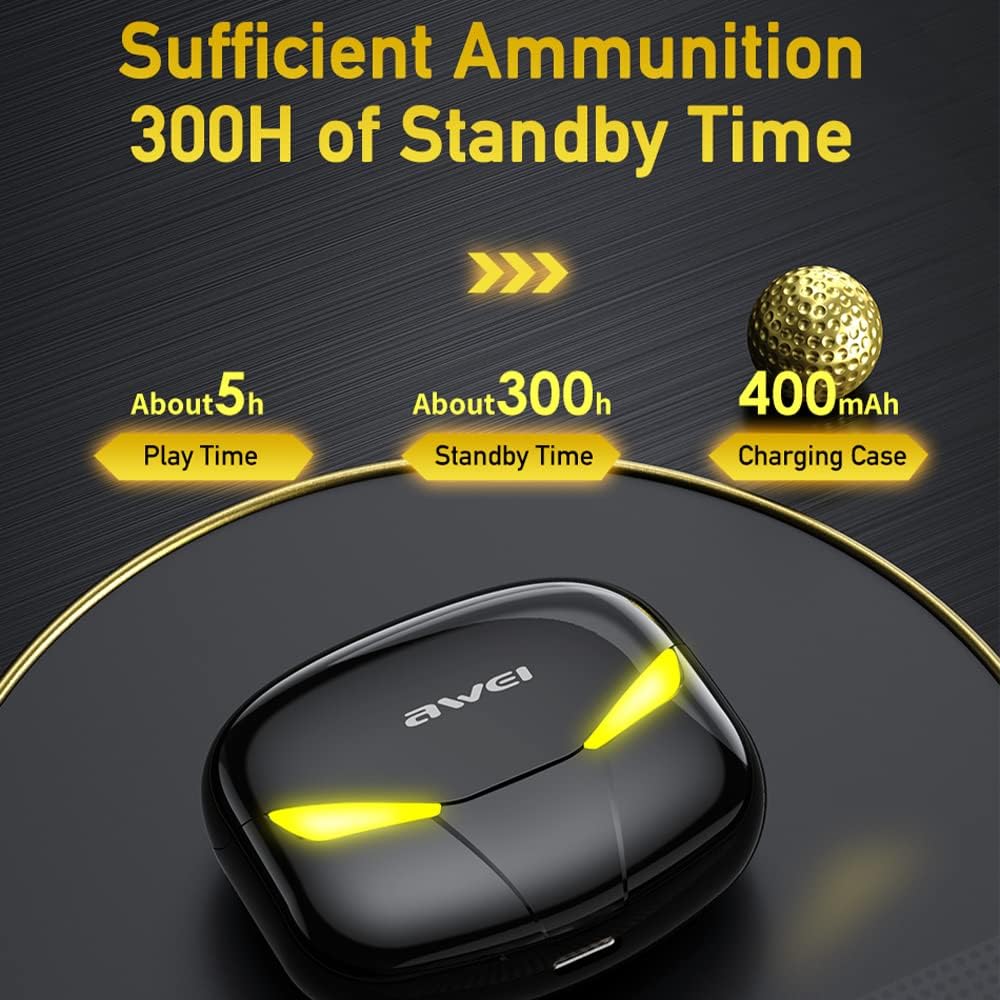
Image: The AWEI T35 charging case illustrating its 400mAh capacity, providing approximately 5 hours of play time and 300 hours of standby time for the earbuds.
2. Pairing with Your Device
The AWEI T35 earbuds utilize Bluetooth 5.0 for a stable and fast connection.
- Open the charging case. The earbuds will automatically power on and enter pairing mode.
- On your mobile phone or compatible device, enable Bluetooth.
- Search for "AWEI T35" in the list of available Bluetooth devices.
- Select "AWEI T35" to connect. Once connected, you will hear a confirmation prompt.
- The earbuds will automatically reconnect to the last paired device when taken out of the case, if Bluetooth is enabled on the device.

Image: An exploded view of an earbud's internal components, highlighting the 10mm audio driver and the benefits of Bluetooth 5.0 for stable and faster connections over a 10-meter range.
Operating Instructions
Touch Controls
The AWEI T35 earbuds feature sensitive one-touch operation for various functions:

Image: A visual guide to the one-touch operations of the AWEI T35 earbuds, including controls for power on/off, waking up Siri, answering/ending calls, playing/pausing music, and navigating tracks (previous/next).
- Power On/Off: Earbuds power on automatically when removed from the case and power off when placed back in.
- Play/Pause: Single tap on either earbud.
- Answer/End Call: Single tap on either earbud.
- Reject Call: Press and hold either earbud for 2 seconds.
- Next Track: Double tap the right earbud.
- Previous Track: Double tap the left earbud.
- Activate Voice Assistant (Siri/Google Assistant): Triple tap either earbud.
- Switch Game/Music Mode: Press and hold the right earbud for 2 seconds. (Indicated by ambient light changes and sound prompts).
Game and Music Modes
The AWEI T35 earbuds feature dual modes optimized for different audio experiences:
- Game Mode: Provides ultra-low latency (45ms) for synchronized audio and video, crucial for competitive gaming. This mode often activates the dynamic ambient lights on the earbuds and case.
- Music Mode: Optimizes audio for rich, high-fidelity stereo sound, ideal for listening to music and general media consumption.

Image: Black AWEI T35 earbuds and charging case with glowing yellow ambient lights, emphasizing the "Cool Ambient Lights" and "45MS Ultra-low Latency" features for an enhanced gaming experience.
Maintenance
Cleaning and Storage
- Regularly clean the earbuds and charging case with a soft, dry, lint-free cloth.
- Avoid using abrasive materials, solvents, or chemical cleaners.
- Ensure charging contacts on both earbuds and case are clean and free of debris for proper charging.
- Store the earbuds in their charging case when not in use to protect them and keep them charged.
Water Resistance (IPX5)
The AWEI T35 earbuds are rated IPX5 waterproof, meaning they are protected against low-pressure water jets from any direction. This makes them suitable for use during workouts or in light rain.
- Do not submerge the earbuds in water.
- The charging case is not waterproof. Keep it dry.
- If the earbuds get wet, wipe them dry thoroughly before placing them back into the charging case to prevent damage to the charging contacts.

Image: Both white and black versions of the AWEI T35 earbuds and their cases, with water droplets on them, illustrating their IPX5 waterproof rating and resistance to rain and sweat.
Troubleshooting
| Problem | Possible Cause | Solution |
|---|---|---|
| Earbuds not pairing/connecting. | Low battery; out of range; not in pairing mode; previously paired to another device. | Charge earbuds and case. Ensure earbuds are out of case. Turn off Bluetooth on other devices. Forget "AWEI T35" on your device and re-pair. |
| Only one earbud working. | One earbud not charged; connection issue between earbuds. | Ensure both earbuds are charged. Place both earbuds back in the case, close it, wait a few seconds, then take them out again to re-establish stereo connection. |
| Poor sound quality. | Earbuds dirty; weak Bluetooth signal; incorrect ear tip size. | Clean earbuds. Move closer to your device. Try different ear tip sizes for a better seal. |
| Touch controls unresponsive. | Earbuds frozen; dirty touch sensor. | Place earbuds back in case, close, then reopen. Clean the touch sensor area. |
Specifications
| Feature | Detail |
|---|---|
| Model | T35 |
| Bluetooth Version | 5.0 |
| Bluetooth Range | Up to 10 meters (33 feet) |
| Audio Latency | 45 Milliseconds (Game Mode) |
| Audio Driver Size | 10 Millimeters |
| Frequency Response Range | 20Hz-22KHz |
| Charging Case Battery Capacity | 400mAh / 3.7V |
| Earbud Play Time | Approx. 4.5 hours |
| Charging Case Standby Time | Approx. 300 hours |
| Charging Voltage | DC 5V |
| Charging Port | Type-C |
| Water Resistance Rating | IPX5 (Earbuds only) |
| Control Type | Touch Control |
| Compatible Devices | Mobile Phones, other Bluetooth-enabled devices |
| Product Dimensions | 1.57 x 1.18 x 0.79 inches (Earbud) |
| Item Weight | 7 ounces (Total package weight) |
Warranty and Support
AWEI products typically come with a standard manufacturer's warranty. Please refer to the warranty card included in your product packaging for specific terms and conditions, or visit the official AWEI website for detailed warranty information.
For technical support, troubleshooting assistance, or warranty claims, please contact AWEI customer service through their official website or the retailer from whom you purchased the product. Keep your purchase receipt as proof of purchase.
You can find more information and support at the AWEI Official Store on Amazon.
Ask a question about this manual
Ask about setup, troubleshooting, compatibility, parts, safety, or missing instructions. Manuals+ will review the question and use this page’s manual context to help answer it.