
Baseus SUP-Galaxy2021-ZFold3-5G-UBPro-SP-Black
Baseus PPBD2 BIPOW Pro 22.5W Digital Display Power Bank 20000mAh Black User Manual
Model: PPBD2 BIPOW Pro
1. Product Overview
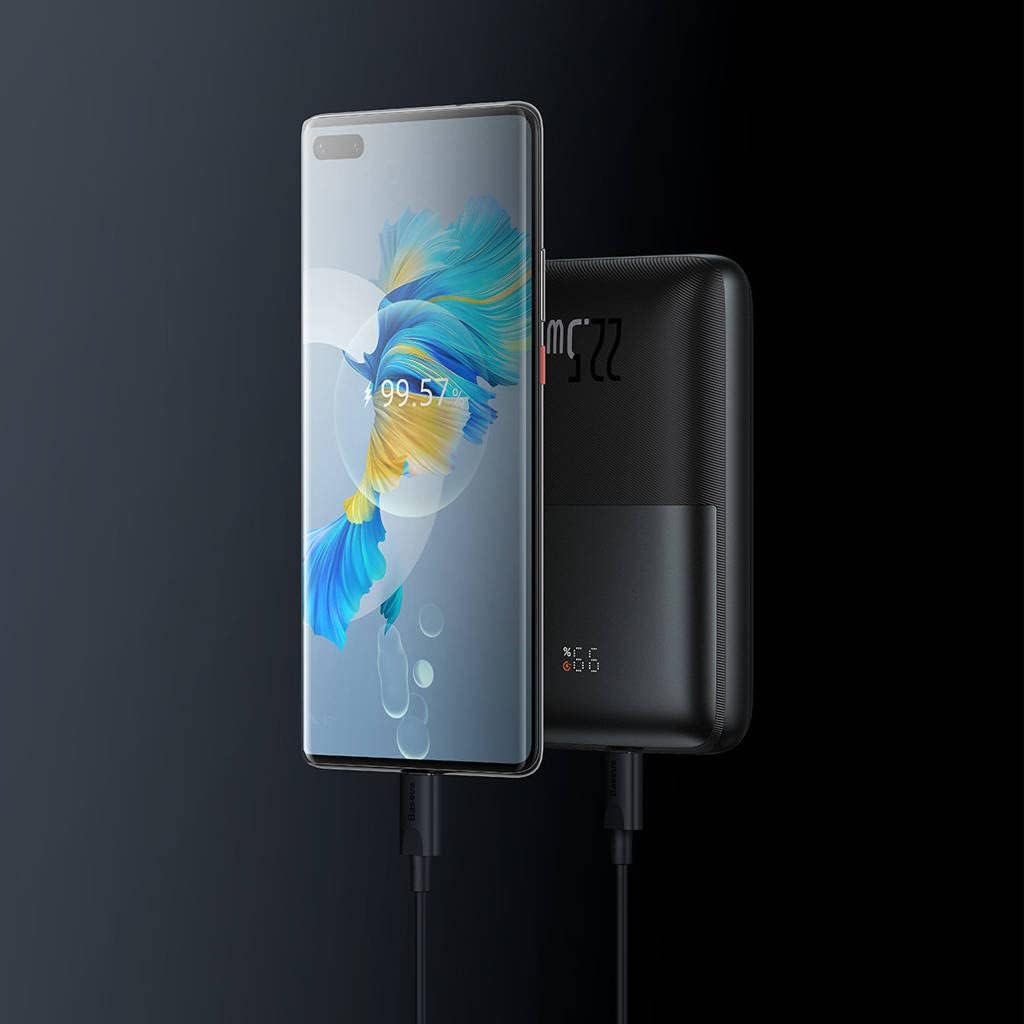
The Baseus PPBD2 BIPOW Pro is a high-capacity portable power bank designed to charge your electronic devices on the go. Featuring a digital display for real-time battery status and 22.5W fast charging capabilities, it provides reliable power for smartphones, tablets, and other USB-powered gadgets.


2. Package Contents
- Baseus PPBD2 BIPOW Pro 22.5W Digital Display Power Bank
- USB-A to USB-C Charging Cable
- User Manual (this document)

3. Setup and Initial Use
3.1 Charging the Power Bank
Before first use, fully charge the power bank. Use the provided USB-A to USB-C cable or a compatible USB-C cable with a wall adapter (not included).
- Connect the USB-C end of the cable to the Type-C port on the power bank.
- Connect the USB-A end (or other compatible end) to a USB wall charger or computer USB port.
- The digital display will show the charging percentage. When it reaches 100%, the power bank is fully charged.
It is recommended to fully charge the power bank every three months if not in regular use to maintain battery health.
3.2 Checking Battery Level
Press the power button once to activate the digital display and view the current battery percentage.
4. Operating Instructions
4.1 Charging Your Devices
The power bank features multiple output ports for charging various devices simultaneously.
- Connect your device's charging cable to one of the USB-A output ports (USB 1 or USB 2) or the Type-C port on the power bank.
- Connect the other end of the cable to your device.
- The power bank will automatically begin charging your device. If not, press the power button once to initiate charging.
- The digital display will show the remaining battery percentage of the power bank during charging.

4.2 Digital Display Indicators
The digital display provides important information about the power bank's status:
- Percentage (%): Indicates the remaining battery charge level.
- Fast Charging Indicator: An icon (often a lightning bolt or similar) may appear to indicate fast charging is active.

5. Maintenance and Care
- Keep the power bank away from water, moisture, and extreme temperatures.
- Do not expose the power bank to direct sunlight for prolonged periods.
- Avoid dropping or subjecting the power bank to strong impacts.
- Clean the surface with a soft, dry cloth. Do not use harsh chemicals or abrasive materials.
- Store in a cool, dry place when not in use.
6. Troubleshooting
| Problem | Possible Cause | Solution |
|---|---|---|
| Power bank not charging | Cable not connected properly; faulty cable/adapter; power bank fully discharged. | Ensure connections are secure. Try a different cable or wall adapter. Allow a few minutes for the power bank to respond if completely drained. |
| Device not charging from power bank | Power bank low on charge; cable not connected properly; device not compatible; power button not pressed. | Recharge the power bank. Check cable connections. Ensure your device is compatible with USB charging. Press the power button to activate output. |
| Digital display not working | Power bank is off; internal issue. | Press the power button to activate the display. If it still doesn't work after charging, contact customer support. |
7. Specifications
| Feature | Detail |
|---|---|
| Brand | Baseus |
| Model Name | BIPOW Pro |
| Model Number | PPBD2 (Note: Product data also lists SUP-Galaxy2021-ZFold3-5G-UBPro-SP-Black, which appears to be a different product's model number.) |
| Battery Capacity | 20000mAh (74Wh) |
| Input (Type-C) | 5V=3A, 9V=2.22A, 12V=1.5A |
| Output (USB 1/USB 2) | 4.5V=5A (SCP), 5V=4.5A (SCP), 5V=3A, 9V=2A, 12V=1.5A |
| Output (Type-C) | 5V=3A, 9V=2.22A, 12V=1.5A |
| Total Output | 5V=3A Max |
| Dimensions | Approximately 4 x 13 x 19 cm |
| Weight | Approximately 500 g |
| Material | Plastic |
Note: Specifications are subject to change without notice.
8. Safety Precautions
- Do not disassemble, modify, or repair the device yourself.
- Do not expose to fire or high temperatures.
- Do not short-circuit the power bank.
- Keep out of reach of children.
- Dispose of the power bank responsibly according to local regulations.
- Avoid using the power bank in environments with strong magnetic fields.
9. Warranty and Support
Baseus products come with a standard warranty. For detailed warranty information and customer support, please visit the official Baseus website or contact your local distributor.
Official Baseus Website: www.baseus.com
For technical assistance or inquiries, please refer to the contact information provided on the product packaging or the official website.
Related documentsSUP-Galaxy2021-ZFold3-5G-UBPro-SP-Black


Ask a question about this manual
Ask about setup, troubleshooting, compatibility, parts, safety, or missing instructions. Manuals+ will review the question and use this page’s manual context to help answer it.