
ZIYOU LANG K3
ZIYOU LANG K3 Mechanical Gaming Keyboard User Manual
Model: K3
1. Introduction
Thank you for choosing the ZIYOU LANG K3 Mechanical Gaming Keyboard. This manual provides detailed instructions for setting up, operating, maintaining, and troubleshooting your new keyboard. The K3 keyboard features a compact 96% layout with 100 keys, linear red switches, rainbow backlighting, and a durable design, making it ideal for both gaming and daily use.
2. Package Contents
Please verify that all items are present in your package:
- ZIYOU LANG K3 Mechanical Gaming Keyboard
- Coiled Type-C to USB Cable
- User Manual (this document)
3. Setup Guide
3.1 Connecting the Keyboard
- Locate the coiled Type-C to USB cable included in the package.
- Connect the Type-C end of the cable to the USB-C port on the ZIYOU LANG K3 keyboard.
- Connect the USB-A end of the cable to an available USB port on your computer (PC, Laptop, Chromebook, PS4/PS5).
- The keyboard is plug-and-play and should be automatically recognized by your operating system.

Image: ZIYOU LANG K3 Mechanical Gaming Keyboard connected via its coiled Type-C to USB cable.

Image: Detailed diagram illustrating the Type-C and USB-A connections of the coiled cable, highlighting the metal aviation connector.
4. Operating Instructions
4.1 Keyboard Layout and Features
The K3 keyboard features a 96% layout, which includes a numeric keypad, function keys, and arrow keys in a compact form factor. This design saves desk space while retaining full functionality.

Image: Overview of the K3 keyboard highlighting its portable connection, U-shaped keys for better touch, high and low key layout for comfort, and adjustable stand.

Image: Close-up of the K3 keyboard showcasing its two-color injection keycaps and metal panel construction, emphasizing durability and aesthetic design.
4.2 Backlighting Control
The K3 keyboard features vibrant rainbow backlighting with multiple lighting effects. You can adjust these effects and brightness using the function keys.
- To cycle through 10 different lighting modes: Press Fn + Ins.
- To adjust backlight brightness: Press Fn + ↑ (increase brightness) or Fn + ↓ (decrease brightness).
- To adjust backlight speed: Press Fn + ← (decrease speed) or Fn + → (increase speed).

Image: The K3 keyboard displaying various customizable RGB backlighting effects, illustrating the "10 Kinds of Backlight" feature.
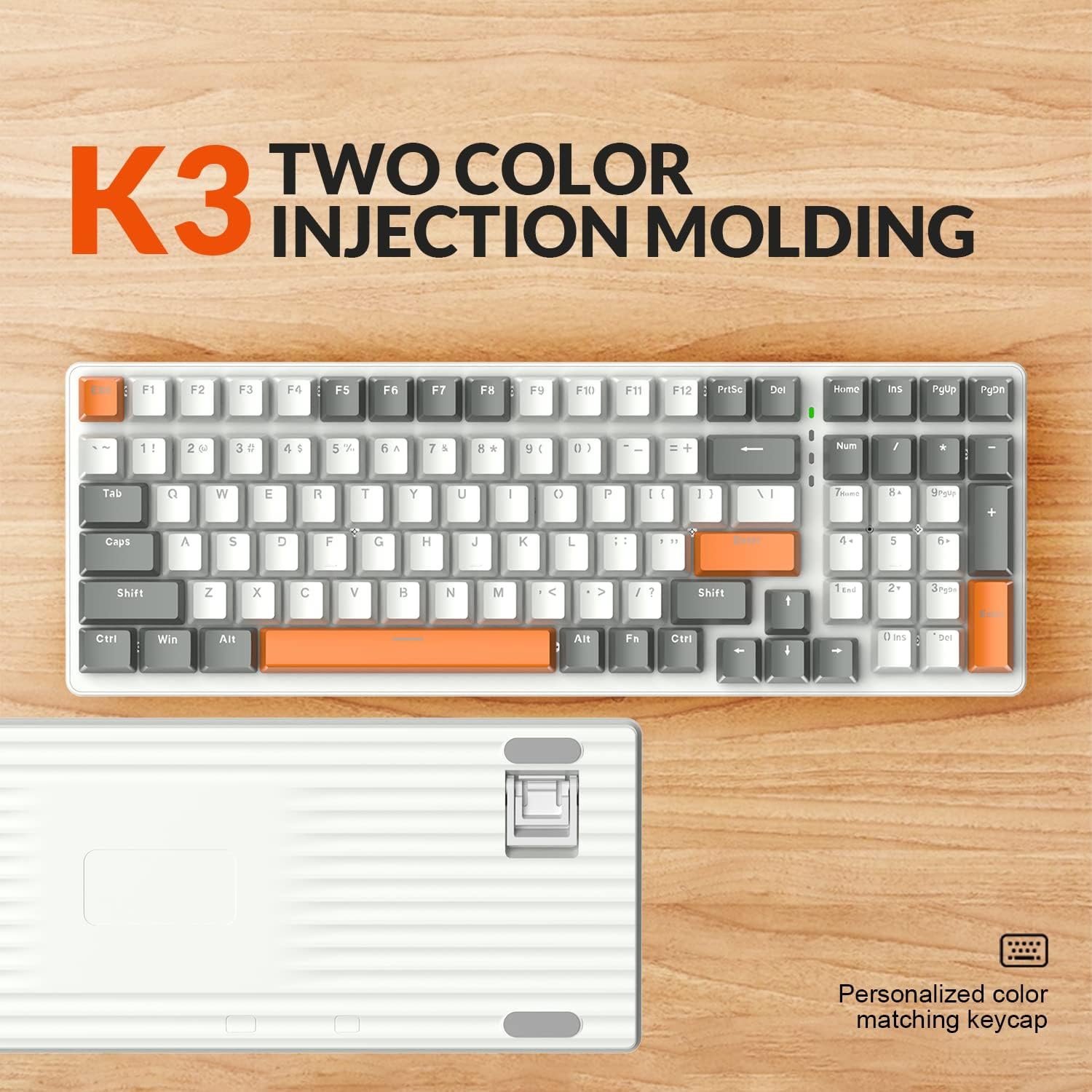
Image: A visual guide demonstrating the "Fn + Ins" key combination for cycling through light modes, and a comparison of the K3's compact 96% layout to a standard 104-key keyboard.
4.3 Hot-Swappable Switches
The K3 keyboard features hot-swappable 3-pin switches, allowing you to customize your typing experience without soldering. The keyboard comes pre-installed with linear red switches, known for their quiet operation and smooth keystrokes.

Image: A detailed view of the K3 keyboard's PBT color-blocking keycaps and the underlying red switches, illustrating the hot-swappable design and durable keycap material.

Image: An exploded view illustrating the red switches and double-shot keycaps, emphasizing the precision engineering and crystal clear uniform backlighting.
4.4 Ergonomic Design
The K3 keyboard is designed for comfort during extended use. It features ABS keycaps with a smooth feel and an adjustable typing angle to reduce wrist pressure.

Image: The ZIYOU LANG K3 keyboard integrated into a gaming setup, demonstrating its suitability for gaming and working environments.

Image: The ZIYOU LANG K3 keyboard positioned in an office setting, illustrating its versatility for both professional and casual use.
5. Maintenance
5.1 Cleaning the Keyboard
- Disconnect the keyboard from your computer before cleaning.
- Use a soft, lint-free cloth lightly dampened with water or a mild cleaning solution to wipe down the keycaps and chassis.
- For dust and debris between keys, use compressed air.
- Avoid using harsh chemicals or abrasive materials, as these can damage the keyboard's finish.
5.2 Cable Care
The coiled Type-C to USB cable is designed for durability. To ensure its longevity:
- Avoid sharp bends or kinks in the cable.
- Do not pull on the cable to disconnect it; always grasp the connector.
- The metal aviation connector allows for quick and secure detachment.

Image: A diagram illustrating the flexible and durable features of the coiled cable, including its 5000+ plug life, TPU material, aluminum case, and high-quality copper wire construction.
6. Troubleshooting
| Problem | Possible Cause | Solution |
|---|---|---|
| Keyboard not responding | Loose cable connection, incorrect USB port, driver issue. | Ensure the USB cable is securely connected to both the keyboard and the computer. Try a different USB port. Restart your computer. |
| Backlighting not working or inconsistent | Backlight turned off, low brightness, software glitch. | Press Fn + Ins to cycle through modes. Press Fn + ↑ to increase brightness. Disconnect and reconnect the keyboard. |
| Keys not registering or double-typing | Dust/debris under keycap, faulty switch. | Use compressed air to clean around the affected key. If hot-swappable, try replacing the switch. |
| Keyboard disconnects randomly | Faulty cable, unstable USB port, power management settings. | Try a different USB port or cable. Check computer's USB power management settings to ensure ports are not turning off. |
7. Specifications
- Model: K3
- Layout: 96% (100 Keys)
- Switch Type: Linear Red Switches (Hot-swappable 3-pin)
- Keycap Material: ABS (Two-color injection)
- Backlighting: Rainbow LED (10 modes)
- Connectivity: Wired USB-C (Detachable Coiled Cable with Aviation Connector)
- Compatibility: Windows XP/Vista/7/8/10/X, Mac, Desktop, Chromebook, PC, Laptop, PS4/PS5
- Dimensions: 17.36 x 7.05 x 1.89 inches
- Weight: 2.33 pounds
- Special Features: Ergonomic Design, Full Anti-ghosting, Durable Metal Panel
8. Warranty and Support
ZIYOU LANG products come with a standard manufacturer's warranty. For specific warranty terms and conditions, please refer to the warranty card included with your product or visit the official ZIYOU LANG website. If you encounter any issues or have questions regarding your K3 keyboard, please contact ZIYOU LANG customer support through their official channels or the retailer from whom you purchased the product.
For more information, visit the ZIYOU LANG Store on Amazon.
Ask a question about this manual
Ask about setup, troubleshooting, compatibility, parts, safety, or missing instructions. Manuals+ will review the question and use this page’s manual context to help answer it.