
Introduction
This manual provides essential information for setting up, operating, maintaining, and troubleshooting your Apple Watch Ultra GPS + Cellular 49mm Smart Watch. Please read this manual thoroughly to ensure proper use and to maximize the device's capabilities.

Image: Front view of the Apple Watch Ultra, displaying a compass watch face with various metrics like altitude, longitude, and UV index. The watch features a rugged titanium case and a green Alpine Loop band.
What's in the Box
Upon unboxing your Apple Watch Ultra, verify that all components are present:
- Apple Watch Ultra Case (49mm Titanium)
- Selected Band (e.g., Alpine Loop, Trail Loop, Ocean Band)
- USB-C Magnetic Fast Charging Cable

Image: A visual representation of the Apple Watch Ultra box contents, including the watch case, an Alpine Loop band, and the USB-C Magnetic Fast Charging Cable.
Setup
1. Charging Your Apple Watch Ultra
Before initial use, fully charge your Apple Watch Ultra using the provided USB-C Magnetic Fast Charging Cable. Connect the magnetic charger to the back of your watch and the USB-C end to a compatible power adapter (sold separately) or USB-C port.
2. Pairing with iPhone
- Ensure your iPhone is updated to the latest iOS version and Bluetooth is enabled.
- Turn on your Apple Watch Ultra by pressing and holding the Side Button until the Apple logo appears.
- Bring your iPhone near your Apple Watch. A pairing screen will appear on your iPhone. Tap "Continue".
- Position your iPhone so the Apple Watch appears in the viewfinder. This will pair the devices.
- Follow the on-screen instructions on both devices to complete the setup, including setting up cellular service (if desired), creating a passcode, and installing apps.
3. Attaching the Band
Slide the band into the slots on the top and bottom of the watch case until you hear a click. Ensure the band is securely fastened before wearing.

Image: Rear view of the Apple Watch Ultra, showing the optical heart sensor, charging contacts, and the band attachment mechanism. The text "WATCH ULTRA", "49MM TITANIUM & CERAMIC CASE", "GPS", "LTE", "WR-100M", and "DIVE-40M" are visible.
Operating Your Apple Watch Ultra
Digital Crown and Side Button
- Digital Crown: Rotate to scroll, zoom, or adjust values. Press once to go to the watch face or app list. Double-press to switch between recently used apps. Press and hold for Siri.
- Side Button: Press once to open the Dock (recently used apps). Double-press for Apple Pay. Press and hold for Emergency SOS or to power off.
Action Button
The customizable Action Button (orange button on the left side) can be configured for quick access to various functions, such as starting a workout, marking a Compass Waypoint, or initiating a dive. Customize its function in the Settings app on your Apple Watch or iPhone.
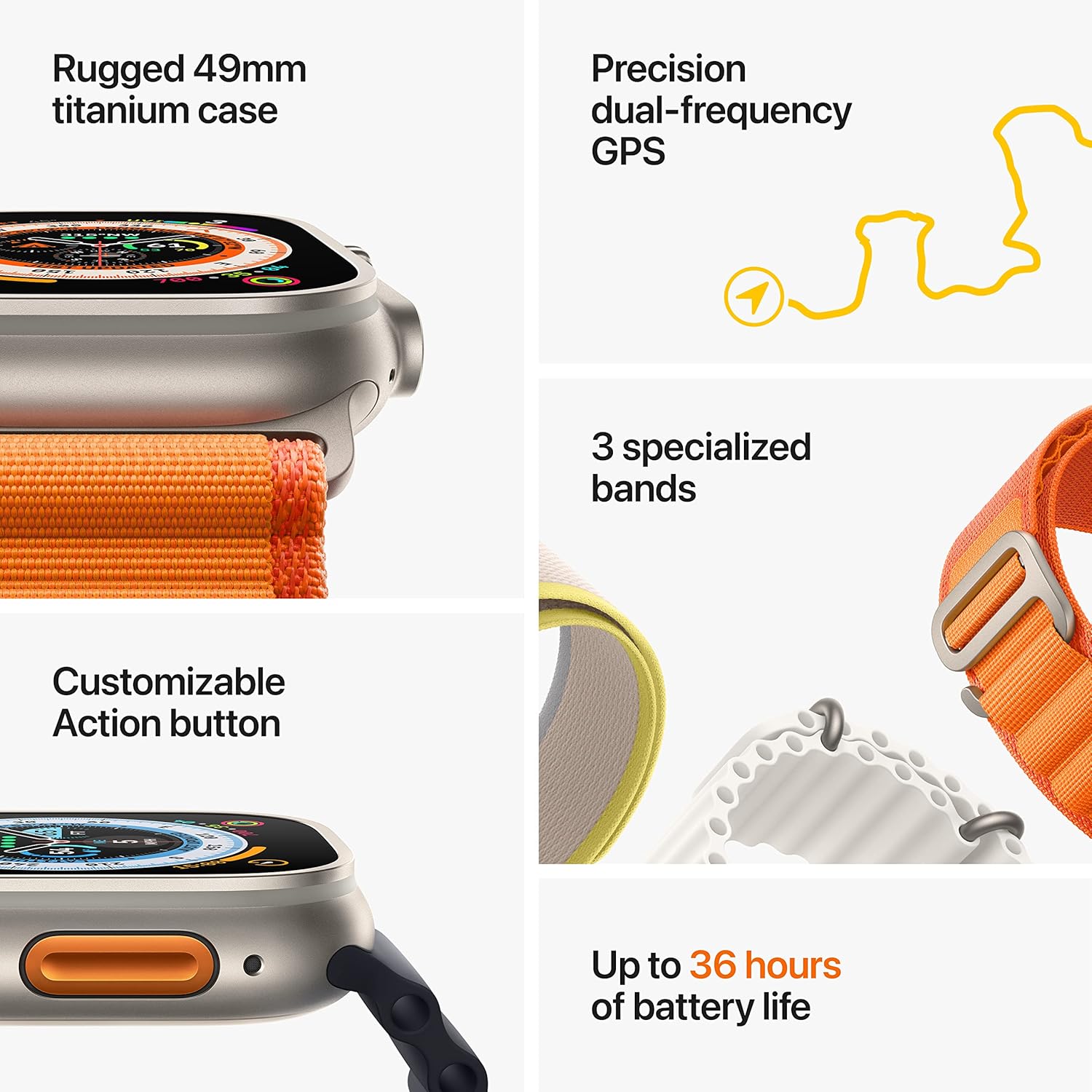
Image: A graphic highlighting key features of the Apple Watch Ultra, including its rugged 49mm titanium case, precision dual-frequency GPS, customizable Action button, three specialized bands, and up to 36 hours of battery life.
Key Features and Applications
- Fitness Tracking: Monitor heart rate, activity rings, workout metrics (running form, heart rate zones), and GPS data for distance and pace.
- Navigation: Utilize the redesigned Compass app for Waypoints and Backtrack features. Precision dual-frequency GPS enhances accuracy.
- Water Sports: Water resistant up to 100m, suitable for high-impact water sports and recreational diving (up to 40m with Oceanic+ app).
- Health Monitoring: Advanced sensors provide insights into heart health, blood oxygen levels, and sleep patterns.
- Safety Features: Fall Detection, Crash Detection, and an audible Siren (up to 600 feet) for emergencies.
- Cellular Connectivity: Make calls, send texts, stream music, and get directions without your iPhone, even with international roaming.
Maintenance and Care
Cleaning Your Apple Watch Ultra
- Turn off your Apple Watch and disconnect it from the charger.
- Wipe the watch and band with a non-abrasive, lint-free cloth. If necessary, lightly dampen the cloth with fresh water.
- For the watch case, you can use a small amount of mild, hypoallergenic soap if needed, then rinse thoroughly with fresh water.
- Dry the watch and band completely before wearing or charging.
Water Resistance
The Apple Watch Ultra is water resistant to 100 meters (WR100) under ISO standard 22810:2010. It is suitable for high-speed water sports and recreational diving to 40 meters. However, water resistance is not a permanent condition and may diminish over time. Avoid exposing your watch to soaps, shampoos, conditioners, lotions, perfumes, solvents, detergents, acids, or acidic foods, which can negatively affect water seals and acoustic membranes.
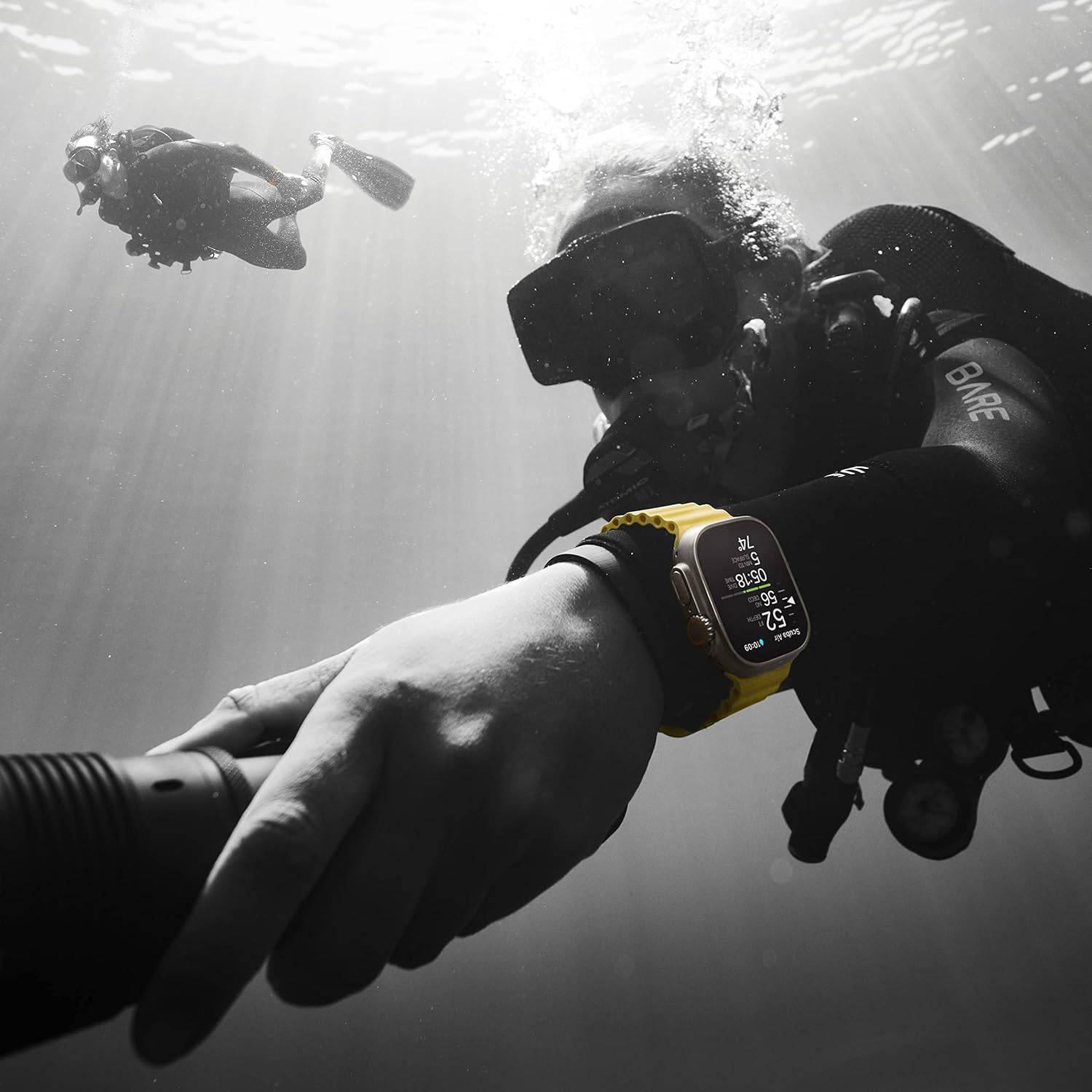
Image: A diver wearing an Apple Watch Ultra with a yellow Ocean Band underwater, demonstrating its water resistance and suitability for diving activities. Another diver is visible in the background.
Troubleshooting
Watch Not Turning On
- Ensure the watch is charged. Connect it to the charger for at least 30 minutes.
- Perform a force restart: Press and hold both the Side Button and the Digital Crown for at least 10 seconds until you see the Apple logo.
Pairing Issues
- Ensure your iPhone's Bluetooth is on and it's connected to Wi-Fi or cellular.
- Restart both your Apple Watch and iPhone.
- If pairing fails, try unpairing the watch from your iPhone (if previously paired) and then re-pair.
Inaccurate Heart Rate Readings
- Ensure the watch is snug on your wrist, but not too tight.
- Clean the back of the watch and your wrist.
- Environmental factors or certain movements can affect accuracy.
Specifications
| Feature | Detail |
|---|---|
| Model Number | MNHC3LL/A |
| Case Material | Titanium |
| Case Size | 49mm |
| Display | Always-On Retina Display |
| Water Resistance | 100m (WR100), Dive to 40m |
| GPS | Precision Dual-Frequency GPS (L1 and L5) |
| Cellular | Built-in Cellular Connectivity |
| Battery Life | Up to 36 hours (normal use) |
| Operating System | WatchOS |
| Storage Capacity | 32 GB |
| Sensors | Blood Oxygen sensor, Electrical heart sensor, Optical heart sensor, Temperature sensing, Depth gauge, Accelerometer, Gyroscope, Ambient light sensor |
| Connectivity | Wi-Fi (802.11n), Bluetooth 5.3 |
| Weight | 2.16 ounces (61.3 grams) |
Warranty Information
Your Apple Watch Ultra is covered by a one-year limited warranty against defects in materials and workmanship. This warranty is in addition to rights provided by consumer law. For full terms and conditions, including how to make a claim, please refer to the official Apple warranty documentation available on the Apple website or contact Apple Support.
Proof of purchase may be required for warranty service.
Support and Service
For further assistance, technical support, or service inquiries, please visit the official Apple Support website or contact Apple directly.
- Online Support: support.apple.com/watch
- Apple Store: Visit your local Apple Store for in-person assistance.
- Contact Apple: Refer to the Apple website for regional contact numbers.