
1. Introduction
Thank you for choosing the iWALK USB-C Portable Charger, Model DBL5000PC. This compact and efficient power bank is designed to provide fast charging for your USB-C compatible devices, ensuring you stay powered throughout your day. This manual provides essential information for the safe and effective use of your device.
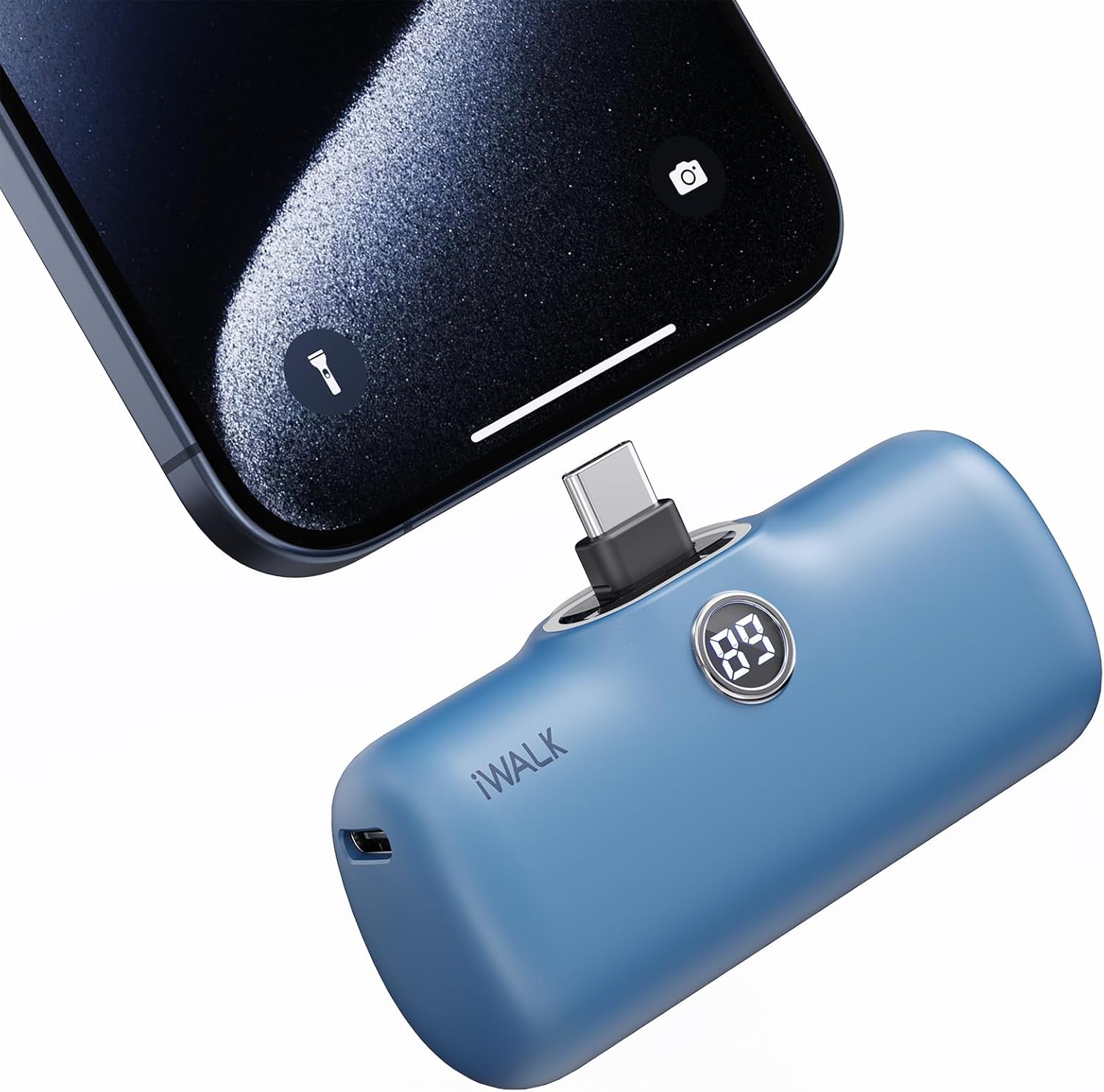
Image: The iWALK USB-C Portable Charger, Model DBL5000PC, in blue, directly plugged into the bottom of a smartphone. The charger's digital display shows "89".
2. Product Features
- Wide Compatibility: Features a built-in USB-C port designed for iPhone 15/16 series, Samsung S25/S24/S23 Ultra series, Galaxy, Pixel, LG, Huawei, OnePlus, and other USB-C Android phones.
- 20W Fast Charging: Capable of charging an iPhone 15 from 0% to 50% in approximately 30 minutes.
- Smart Power Management: A digital display tracks the 4,800mAh capacity and charging progress in real-time.
- Mini & Lightweight Design: Compact and light, designed for easy portability in pockets or bags.
- 4,800mAh Capacity: Provides sufficient power for a complete charge of an iPhone 15.
3. Package Contents
Verify that all items are present in your package:
- iWALK USB-C Portable Charger (Model DBL5000PC)
- USB-C Charging Cable
- Welcome Guide / Instruction Manual

Image: The iWALK portable charger, its retail box, a USB-C charging cable, and the welcome guide laid out on a surface.
4. Setup and Initial Use
4.1 Charging the Power Bank
Before initial use, fully charge your iWALK portable charger. The device can be charged using two methods:
- Cordless Charging: Plug the power bank directly into a USB wall adapter (not included).
- Wired Charging: Use the provided USB-C cable to connect the power bank to a USB power source.
The digital display will show the charging progress. A full charge typically takes approximately 1.5 hours with an 18W Power Delivery (PD) charger.

Image: Two iWALK portable chargers demonstrating charging methods. One is plugged directly into a wall adapter (cordless charging), and another is connected to a wall adapter via a USB-C cable (wired charging).
4.2 Checking Battery Level
Press the small button on the side of the power bank to activate the digital display, which shows the remaining battery percentage.

Image: A close-up of the iWALK portable charger highlighting its digital display, which shows the number "89" to indicate the current battery percentage.
5. Operating Instructions
5.1 Charging Your Device
To charge your USB-C compatible device:
- Remove the protective cap from the USB-C connector on the power bank.
- Plug the USB-C connector directly into your device's charging port.
- The digital display on the power bank will activate, showing its remaining charge and indicating that charging has begun.
The compact design allows you to continue using your device while it charges, without the need for additional cables.
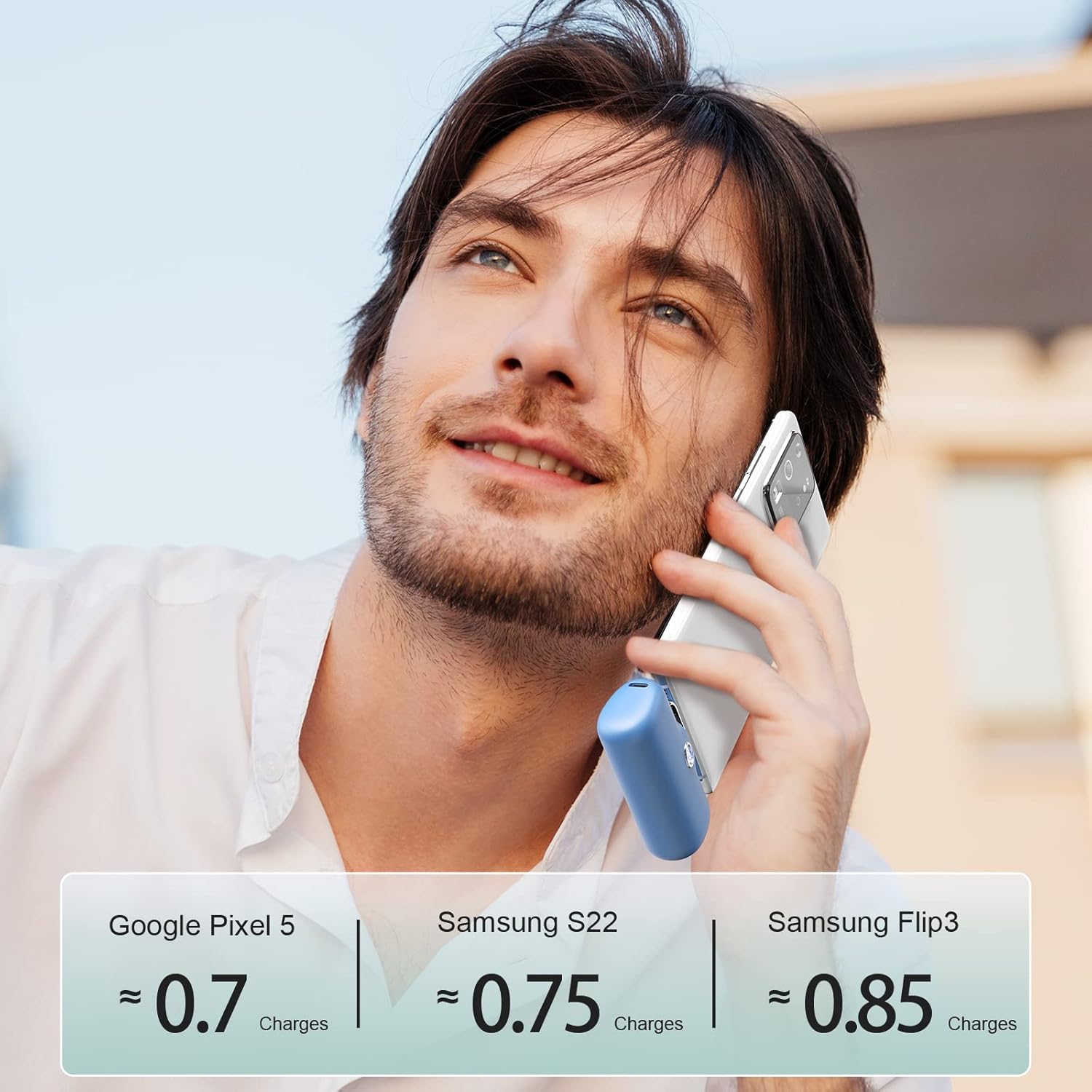
Image: A person holding a smartphone horizontally, with the iWALK portable charger plugged into its USB-C port, allowing for continued use during charging.
5.2 Pass-Through Charging
The iWALK portable charger supports pass-through charging, allowing you to charge both the power bank and your connected device simultaneously. To do this, plug the power bank into a power source while it is connected to your device. Note that simultaneous charging may result in slower charging speeds for your device compared to charging the device directly or charging the power bank alone.

Image: A detailed view of the iWALK portable charger's USB-C port, illustrating its dual function for both input (charging the power bank) and output (charging a device).
6. Compatibility
The iWALK USB-C Portable Charger is compatible with a wide range of USB-C devices, including but not limited to:
- iPhone 15/16 series (including Plus, Pro, Pro Max models)
- Samsung Galaxy S25/S24/S23 Ultra series, Galaxy, Pixel, LG, Huawei, OnePlus, and other Android phones with USB-C ports.
- Other USB-C enabled devices such as earbuds and small accessories.

Image: A visual guide showing the iWALK portable charger's compatibility with a range of USB-C devices from brands like Samsung, LG, and Google, along with a note indicating compatibility with iPhone 15/16 series.
7. Maintenance
- Keep the power bank dry and away from moisture.
- Avoid extreme temperatures.
- Clean the device with a soft, dry cloth. Do not use harsh chemicals or abrasive materials.
- Store in a cool, dry place when not in use.
- Ensure the protective cap is on the USB-C connector when not in use to prevent dust and damage.
8. Troubleshooting
| Problem | Possible Cause | Solution |
|---|---|---|
| Device not charging. | Power bank battery is depleted. | Recharge the iWALK portable charger. |
| Device not charging. | Improper connection. | Ensure the USB-C connector is fully and correctly inserted into your device. |
| Power bank not charging. | Faulty power source or cable. | Try a different USB wall adapter or USB-C cable. |
| Slow charging speed. | Using a non-PD charger or pass-through charging. | Use a 20W PD compatible charger for optimal speed. Avoid pass-through charging if faster device charging is needed. |
9. Specifications
| Feature | Detail |
|---|---|
| Model Number | DBL5000PC |
| Battery Capacity | 4800mAh |
| Output Power | 20W (Max) |
| Connector Type | USB Type-C |
| Product Dimensions | 3.2 x 1 x 2 inches |
| Item Weight | 6.3 ounces |
| Special Features | Digital Display, Fast Charging, LED Indicator Lights, Pocket Size |
| Manufacturer | U2O GLOBAL CO., LTD. |
10. Safety Information
- Do not expose the device to water or extreme temperatures.
- Avoid dropping or subjecting the device to strong impacts.
- Do not attempt to disassemble, repair, or modify the device.
- Keep out of reach of children.
- Dispose of the device according to local regulations for electronic waste.
11. Official Product Videos
Watch these official videos from iWALK Direct for more information on your portable charger:
iWALK USB C Power Bank Fast Charging Compatible with Samsung
Video: An overview of the iWALK USB-C Power Bank, highlighting its fast charging capabilities and compatibility with Samsung devices. Duration: 0:25.
iWALK Portable Charger 4800mAh 20W USB C Power Bank
Video: A demonstration of the iWALK 4800mAh 20W USB-C Power Bank, showcasing its features and ease of use. Duration: 0:20.
iWALK USB-C Portable Charger for iPhone 15
Video: A brief presentation of the iWALK USB-C Portable Charger, specifically highlighting its use with iPhone 15 models. Duration: 0:26.
12. Warranty and Support
For warranty information or technical support, please refer to the official iWALK website or contact their customer service directly. Keep your purchase receipt as proof of purchase.
Visit the official iWALK Store: iWALK Store


