
Introduction
This manual provides instructions for the setup, operation, and maintenance of your Timex Expedition Atlantis 40mm Digital Watch. Please read this guide thoroughly to ensure proper use and care of your timepiece.
Setup
Initial Setup
Your watch may have a plastic spacer in the crown/pusher to conserve battery life. Remove this spacer before first use. The watch will then activate and display the time.
Setting Time and Date
Your Timex Expedition Atlantis watch features multiple modes and settings. Familiarize yourself with the watch buttons:
- MODE Button: Cycles through different functions (Time, Stopwatch, Alarm, Timer, Dual Time).
- SET Button: Used to enter setting mode for time, date, alarm, etc.
- START/STOP Button: Adjusts values during setting, starts/stops stopwatch/timer.
- INDIGLO Button: Activates the Indiglo night-light.
To set the time and date:
- Press the MODE button until the time display is active.
- Press and hold the SET button until the seconds begin to flash.
- Press the START/STOP button to reset seconds to zero.
- Press the MODE button to advance to the next setting (e.g., hours, minutes, month, date, day of week).
- Use the START/STOP button to adjust the flashing value.
- Repeat steps 4 and 5 until all desired settings are adjusted.
- Press the SET button to exit setting mode.

Image: Front view of the Timex Expedition Atlantis watch, showing the digital display and watch face.
Adjusting the Strap
The watch features an adjustable 18mm fabric and leather strap. To adjust the strap, locate the buckle and slide the pin through the desired hole for a comfortable and secure fit. Ensure the watch is snug but not too tight on your wrist.
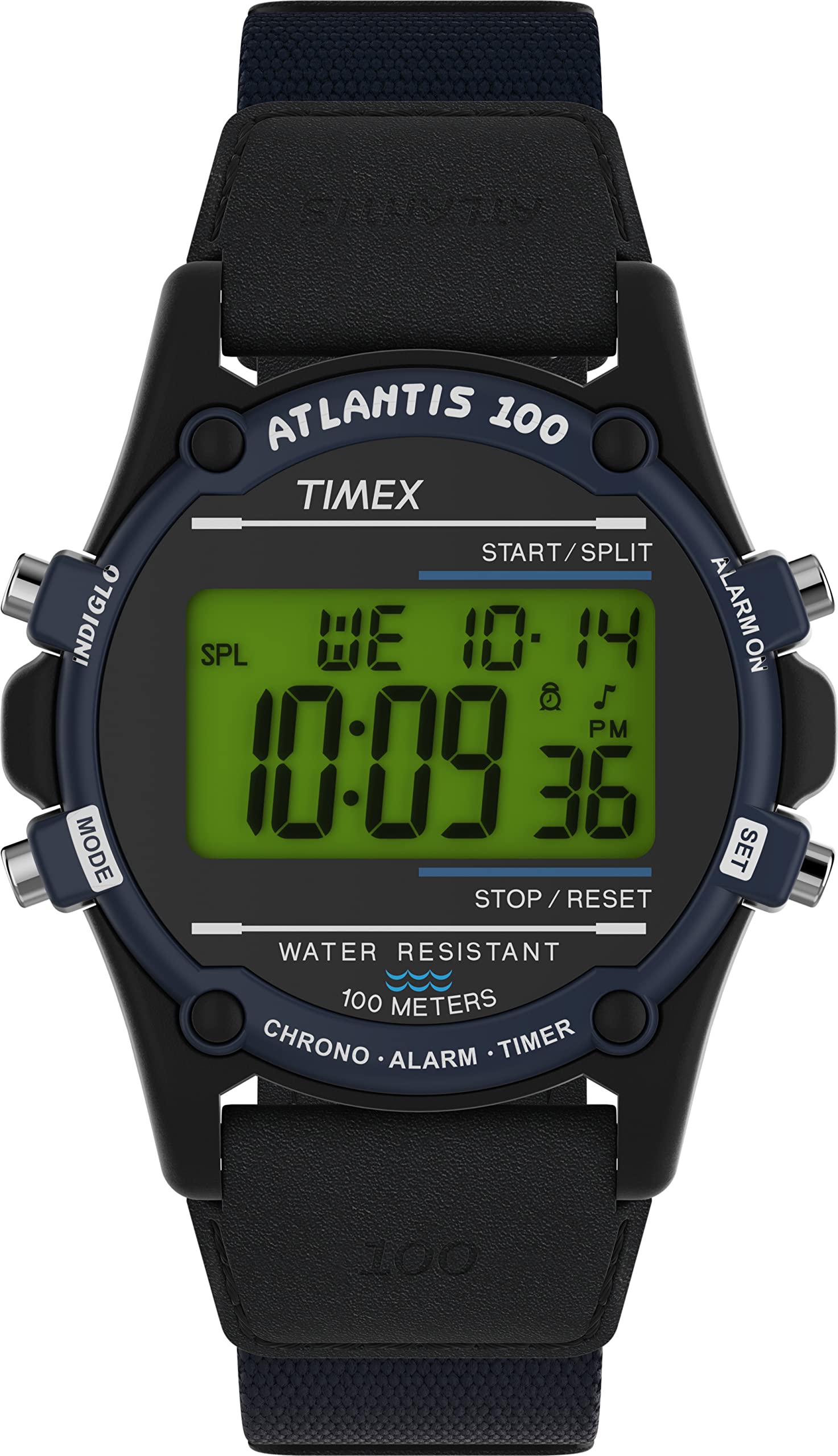
Image: Side profile of the Timex Expedition Atlantis watch, illustrating the watch case and the adjustable strap.
Operating Your Watch
Indiglo Night-Light
Press the INDIGLO button to illuminate the watch display for easy viewing in low-light conditions. The light will remain on for a few seconds.
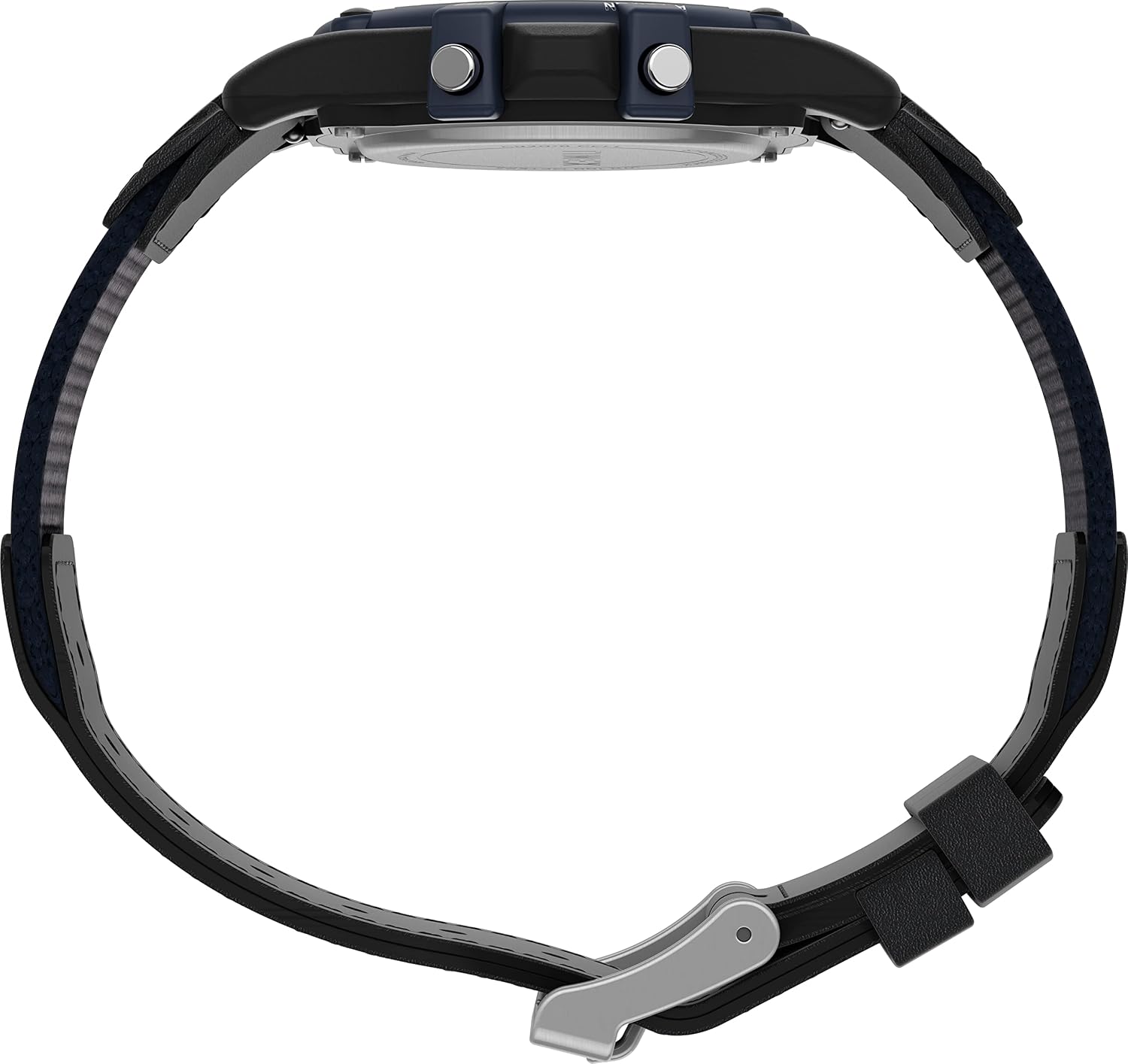
Image: Side view of the watch, highlighting the push buttons on the case for various functions, including the Indiglo button.
Stopwatch Function
To use the 24-hour stopwatch:
- Press the MODE button repeatedly until "STOPWATCH" or "CHR" (Chronograph) appears on the display.
- Press the START/STOP button to begin timing.
- Press the START/STOP button again to pause/stop the timing.
- To reset the stopwatch, press the SET button while the stopwatch is stopped.
Daily Alarm
To set and activate the daily alarm:
- Press the MODE button repeatedly until "ALARM" appears.
- Press and hold the SET button until the alarm hours begin to flash.
- Use the START/STOP button to adjust the hours.
- Press the MODE button to advance to minutes and adjust with START/STOP.
- Press the SET button to confirm and exit.
- To activate/deactivate the alarm, press the START/STOP button while in alarm mode. An alarm icon will appear/disappear.
Dual Time Zone (T2)
Your watch allows you to set a second time zone (T2) for convenience when traveling:
- Press the MODE button until "T2" or "DUAL TIME" appears.
- Press and hold the SET button until the hours begin to flash.
- Use the START/STOP button to adjust the hours.
- Press the MODE button to advance to minutes and adjust with START/STOP.
- Press the SET button to confirm and exit.
24-Hour Military Time Mode
To switch between 12-hour (AM/PM) and 24-hour (military) time format:
- In normal time display mode, press the START/STOP button to toggle between 12-hour and 24-hour formats.
Water Resistance
This watch is water resistant to 100 meters (330 feet). It is suitable for swimming and snorkeling. It is not suitable for diving. Do not press any buttons while the watch is wet or submerged to prevent water entry.
Maintenance
Battery Replacement
The watch uses one Lithium Metal battery (CR2016). When the display dims or functions become erratic, the battery may need replacement. It is recommended to have the battery replaced by a qualified watch technician to ensure proper sealing and maintain water resistance.

Image: Rear view of the watch, showing the stainless steel case back and engraved details including "CR2016 CELL".
Cleaning Your Watch
To clean your watch, wipe it with a soft, damp cloth. Do not use harsh chemicals or abrasive cleaners, as these can damage the watch case or strap. For the strap, avoid prolonged exposure to water or direct sunlight to preserve its material integrity.
Maintaining Water Resistance
To maintain the water resistance of your watch:
- Ensure the case back is securely closed after any battery replacement or service.
- Avoid exposing the watch to extreme temperature changes, which can affect seals.
- Do not operate buttons while the watch is submerged or wet.
Troubleshooting
| Problem | Possible Cause | Solution |
|---|---|---|
| Display is blank or dim. | Low or dead battery. | Replace the battery (CR2016). Professional replacement is recommended. |
| Time is incorrect or resets. | Accidental button press; battery issue; strong magnetic field. | Reset the time and date. If problem persists, check battery or consult service. |
| Buttons are unresponsive or stiff. | Debris under buttons; watch is wet. | Clean around buttons. Ensure watch is dry before operating. If problem persists, seek professional service. |
| Water appears inside the watch. | Compromised water resistance seal. | Immediately take the watch to a qualified technician for inspection and repair to prevent further damage. |
Specifications
- Model Number: TW2V44400VQ
- Case Diameter: 40mm
- Case Material: Resin
- Lens Material: Acrylic
- Strap Width: 18mm
- Strap Material: Fabric & Leather
- Water Resistance: 100 meters (330 feet)
- Battery Type: CR2016 Lithium Metal (included)
- Functions: Digital Time, Date, Day, 24-Hour Stopwatch, Daily Alarm, 2 Time Zones, 24-Hour Military Time Mode, Indiglo Night-Light.
Warranty and Support
Your Timex watch is covered by a manufacturer's warranty. For detailed warranty information, service, or support, please refer to the official Timex website or contact Timex customer service directly. Keep your proof of purchase for warranty claims.
Official Timex Website: www.timex.com


