
1. Introduction
Thank you for choosing the Silvercrest SRBX 2200 B2 Cordless Cleaning Brush. This manual provides essential information for the safe and efficient operation, setup, and maintenance of your device. Please read these instructions carefully before first use and keep them for future reference.
The Silvercrest SRBX 2200 B2 is designed for thorough cleaning of various surfaces and corners, including showers, bathtubs, tiles, and floors. Its powerful Li-ion battery and versatile brush attachments make cleaning effortless and efficient.
2. Safety Instructions
Always observe the following safety precautions to prevent injury or damage to the device:
- General Safety: Keep the device out of reach of children. Do not operate the device if it is visibly damaged. Ensure the power adapter is compatible with your local voltage (100-240 V~).
- Battery Safety: The device uses a powerful Li-ion battery. Do not attempt to replace the battery yourself. Do not expose the battery to extreme temperatures or direct sunlight.
- Water Resistance: The device is splash-proof (IPX4), meaning it is protected against splashing water from any direction. Do not immerse the device in water.
- Operation Safety: The device features a safety shutdown mechanism that activates if the brush head becomes blocked. If this occurs, turn off the device, clear the obstruction, and then restart.
- Cleaning Agents: Use cleaning agents suitable for the surfaces you are cleaning. Avoid abrasive or highly corrosive chemicals that could damage the device or surfaces.
3. Product Overview and Package Contents
The Silvercrest SRBX 2200 B2 Cordless Cleaning Brush comes with several components designed for versatile cleaning tasks.
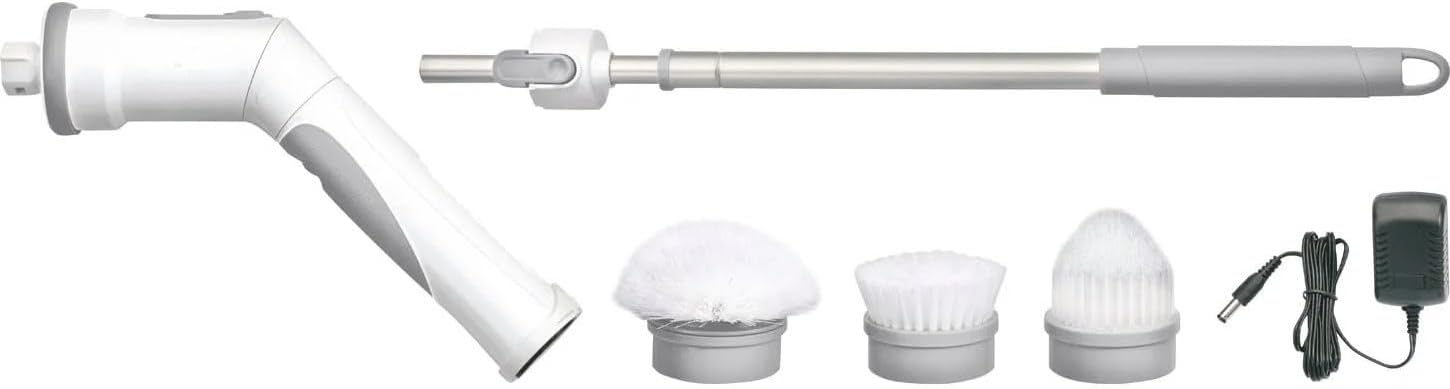
Image 1: Overview of the Silvercrest SRBX 2200 B2 Cordless Cleaning Brush and its included accessories. This image displays the main cleaning unit, the adjustable telescopic handle, three distinct brush heads (flat, round, and conical), and the power adapter for charging.
Package Contents:
- Main Cleaning Unit (with integrated Li-ion battery)
- Telescopic Handle (adjustable approx. 42-75 cm)
- Flat Brush Head (approx. Ø 7.5 cm)
- Round Brush Head (approx. Ø 11 cm)
- Conical Brush Head (approx. Ø 7 cm)
- Power Adapter (5 V/0.5 A, cable length 1.5 m)
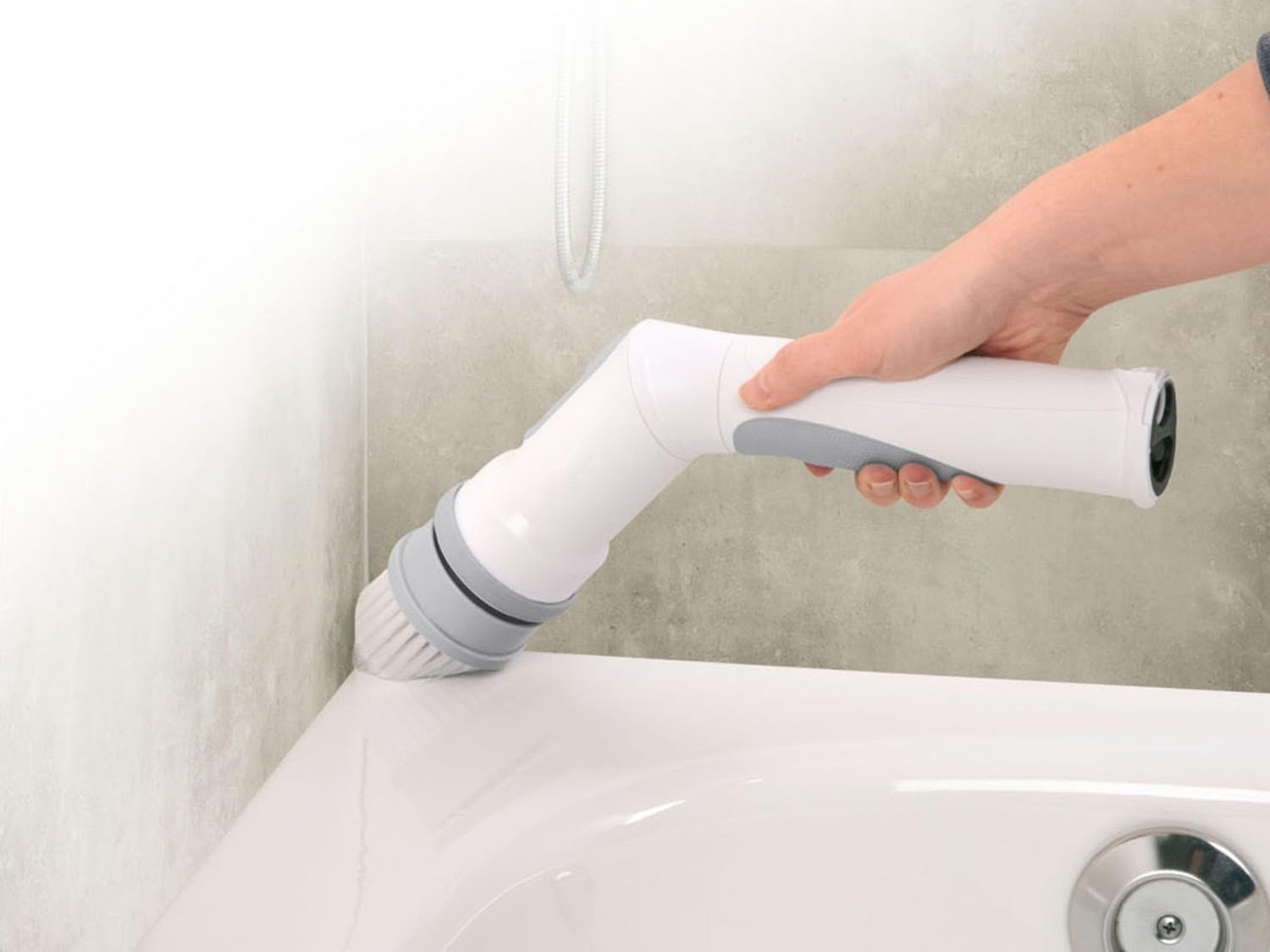
Image 2: A close-up view of the three interchangeable brush heads included with the cleaning brush: the flat brush, the round brush, and the conical brush. Each is designed for specific cleaning tasks.
4. Setup
4.1 Charging the Battery
- Connect the power adapter to the charging port on the main cleaning unit.
- Plug the power adapter into a suitable wall outlet (100-240 V~).
- The charging indicator light will illuminate (refer to device for specific indicator behavior).
- A full charge takes approximately 4-5 hours. The device provides an operating time of up to 90 minutes on a full charge.
- Once fully charged, disconnect the power adapter.
4.2 Assembling the Brush Heads
- Select the appropriate brush head for your cleaning task (flat, round, or conical).
- Align the brush head with the attachment point on the main cleaning unit.
- Twist or push the brush head firmly until it clicks securely into place.
4.3 Attaching the Telescopic Handle
- To extend your reach, attach the telescopic handle to the main cleaning unit.
- Align the handle's connector with the corresponding slot on the main unit.
- Push and twist until the handle is securely locked.
- Adjust the length of the telescopic handle from approximately 42 cm to 75 cm by twisting and extending the sections. Lock it at the desired length.
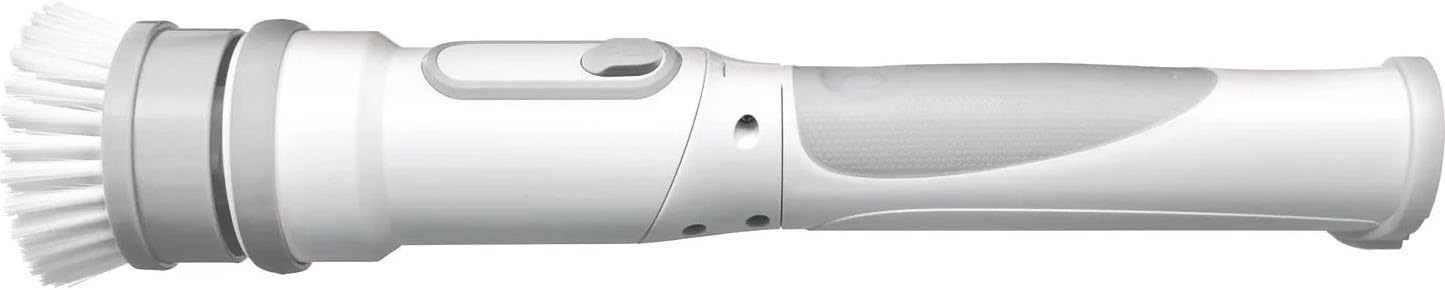
Image 3: The main cleaning unit with a brush head securely attached, demonstrating its compact form for handheld use.
5. Operation
5.1 Powering On/Off
Locate the power button on the main cleaning unit. Press the button to turn the device on. Press it again to turn the device off.
5.2 Using the Brush Heads
- Flat Brush Head: Ideal for cleaning large flat surfaces such as floors and walls.
- Round Brush Head: Best suited for curved surfaces like sinks, showers, and bathtubs.
- Conical Brush Head: Designed for reaching into tight corners, grout lines, and narrow crevices.

Image 4: A user demonstrating the cleaning brush in action, effectively cleaning the edge of a bathtub. The main unit can be adjusted to a 45-degree angle for ergonomic use.
5.3 Adjusting the Main Unit Angle
The main cleaning unit can be adjusted to a 45-degree angle. This feature allows for improved ergonomics and access to difficult-to-reach areas. Refer to the device for the specific mechanism to adjust the angle.
5.4 Using the Telescopic Handle
For cleaning high walls, ceilings, or floors without bending, attach and extend the telescopic handle. This allows for effortless cleaning of hard-to-reach places.
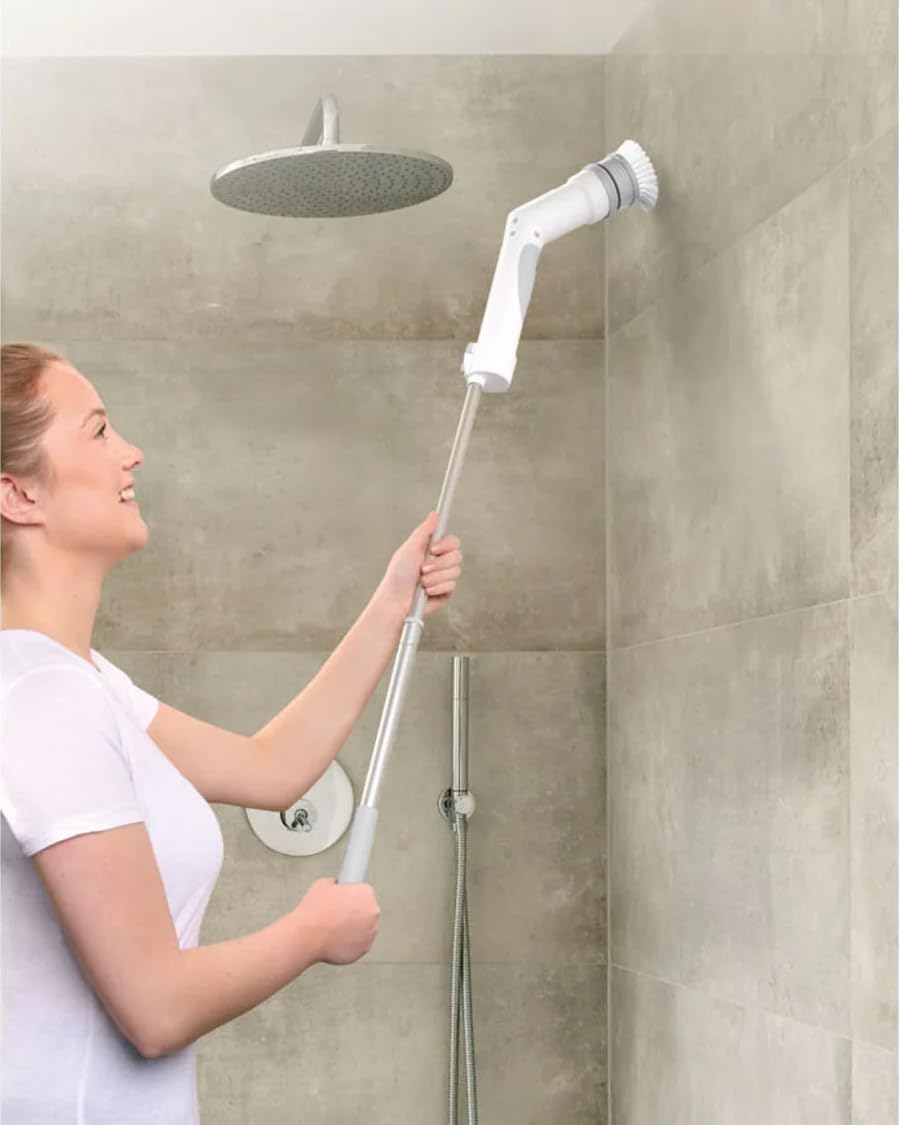
Image 5: A user cleaning a shower wall using the Silvercrest cordless cleaning brush with the telescopic handle extended, demonstrating its utility for higher surfaces.
6. Maintenance
6.1 Cleaning the Device
- Always turn off and disconnect the device from the power adapter before cleaning.
- Wipe the main unit and handle with a damp cloth. Do not use harsh chemicals or abrasive cleaners.
- Ensure no water enters the charging port or other openings.
6.2 Cleaning the Brush Heads
- Remove the brush head from the main unit.
- Rinse the brush head under running water to remove dirt and cleaning residue.
- Allow the brush heads to air dry completely before reattaching or storing.
6.3 Storage
Store the device and its accessories in a clean, dry place, away from direct sunlight and extreme temperatures. The telescopic handle includes a loop for convenient hanging storage.

Image 6: The Silvercrest cordless cleaning brush, with its telescopic handle, shown hanging on a wall hook, illustrating a practical storage solution.
7. Troubleshooting
- Device does not turn on: Ensure the battery is fully charged. Check if the power button is pressed correctly.
- Brush stops during operation: The safety shutdown may have activated due to a blocked brush. Turn off the device, remove any obstruction, and restart.
- Reduced cleaning performance: The brush heads may be worn out and require replacement, or the battery charge is low.
- Charging indicator not working: Ensure the power adapter is properly connected to both the device and the wall outlet. Check if the outlet is functional.
If you encounter issues not listed here, please contact customer support.
8. Specifications
- Model: SRBX 2200 B2
- Battery: Li-ion, 3.7 V, 2200 mAh
- Operating Time: Approx. 90 minutes (on full charge)
- Charging Time: Approx. 4-5 hours
- Power Adapter Input: 100-240 V~
- Power Adapter Output: 5 V / 0.5 A
- Power Cable Length: 1.5 m
- Material: Plastic
- Water Resistance: IPX4 (splash-proof)
- Telescopic Handle Length: Approx. 42-75 cm (adjustable)
- Main Unit Angle Adjustment: 45 degrees
- Dimensions (Device incl. battery, without attachment): Approx. L 80-112 cm (with telescopic handle)
- Brush Head Dimensions:
- Round Brush Head: Approx. Ø 11 cm
- Conical Brush Head: Approx. Ø 7 cm
- Flat Brush Head: Approx. Ø 7.5 cm
- Weight:
- Device incl. battery (without attachment and handle): Approx. 450 g
- Handle: Approx. 170 g
- Round Brush Head: Approx. 80 g
- Conical Brush Head: Approx. 65 g
- Flat Brush Head: Approx. 60 g
9. Warranty and Support
This product is manufactured to high-quality standards. For information regarding warranty terms and conditions, please refer to the documentation provided at the time of purchase or contact your retailer. For technical support or inquiries, please reach out to the customer service department of your retailer or the brand's official support channels.