
Introduction
The FILCO Majestouch 3 TKL is a high-performance tenkeyless mechanical keyboard designed for durability and typing precision. It features PBT double shot keycaps and genuine Cherry MX Red switches, providing a consistent and responsive typing experience. This manual provides essential information for setting up, operating, maintaining, and troubleshooting your keyboard.

Image: The FILCO Majestouch 3 TKL mechanical keyboard, showcasing its compact tenkeyless design and black finish.
Package Contents
Verify that all items are present in the package:
- FILCO Majestouch 3 TKL Mechanical Keyboard
- USB Cable
- PS/2 Adapter
- User Manual (this document)

Image: The retail packaging for the FILCO Majestouch 3 TKL keyboard, indicating the product inside.
Setup
Follow these steps to connect your FILCO Majestouch 3 TKL keyboard to your computer.
- USB Connection: Connect the included USB cable to the USB port on the back of the keyboard and then to an available USB port on your PC. The keyboard is USB powered and compatible with Windows operating systems.
- PS/2 Connection (Optional): For systems supporting PS/2, you can use the included PS/2 adapter. Connect the USB cable to the adapter, then plug the adapter into a PS/2 port on your PC. This connection type typically offers full N-key rollover without USB limitations.
- Driver Installation: The keyboard is plug-and-play. No additional drivers are required for basic functionality on Windows operating systems.

Image: A view of the FILCO Majestouch 3 TKL keyboard, illustrating its connection point and overall layout.
Operating Instructions
The FILCO Majestouch 3 TKL keyboard offers standard typing functionality along with dedicated media controls and full N-key rollover.
Full N-Key Rollover (NKRO)
This keyboard supports full N-key rollover, meaning every key press is registered independently, even when multiple keys are pressed simultaneously. This feature is active by default, especially when connected via PS/2. When connected via USB, it typically supports 6-key rollover (6KRO) by default, which is sufficient for most applications, but full NKRO is also supported over USB.
Dedicated Media Controls
Media control functions are integrated into the F-row keys. To activate these functions, press the Fn key (located to the right of the right Alt key) simultaneously with the corresponding F-key.
- Fn + F1: Mute Volume
- Fn + F2: Volume Down
- Fn + F3: Volume Up
- Fn + F5: Previous Track
- Fn + F6: Play/Pause
- Fn + F7: Next Track

Image: Close-up view of the F-row keys on the FILCO Majestouch 3 TKL, highlighting the media control legends.
Indicator Lights
The keyboard features indicator lights for Caps Lock and Scroll Lock, located above the Insert and Home keys respectively. These lights illuminate when the corresponding function is active.
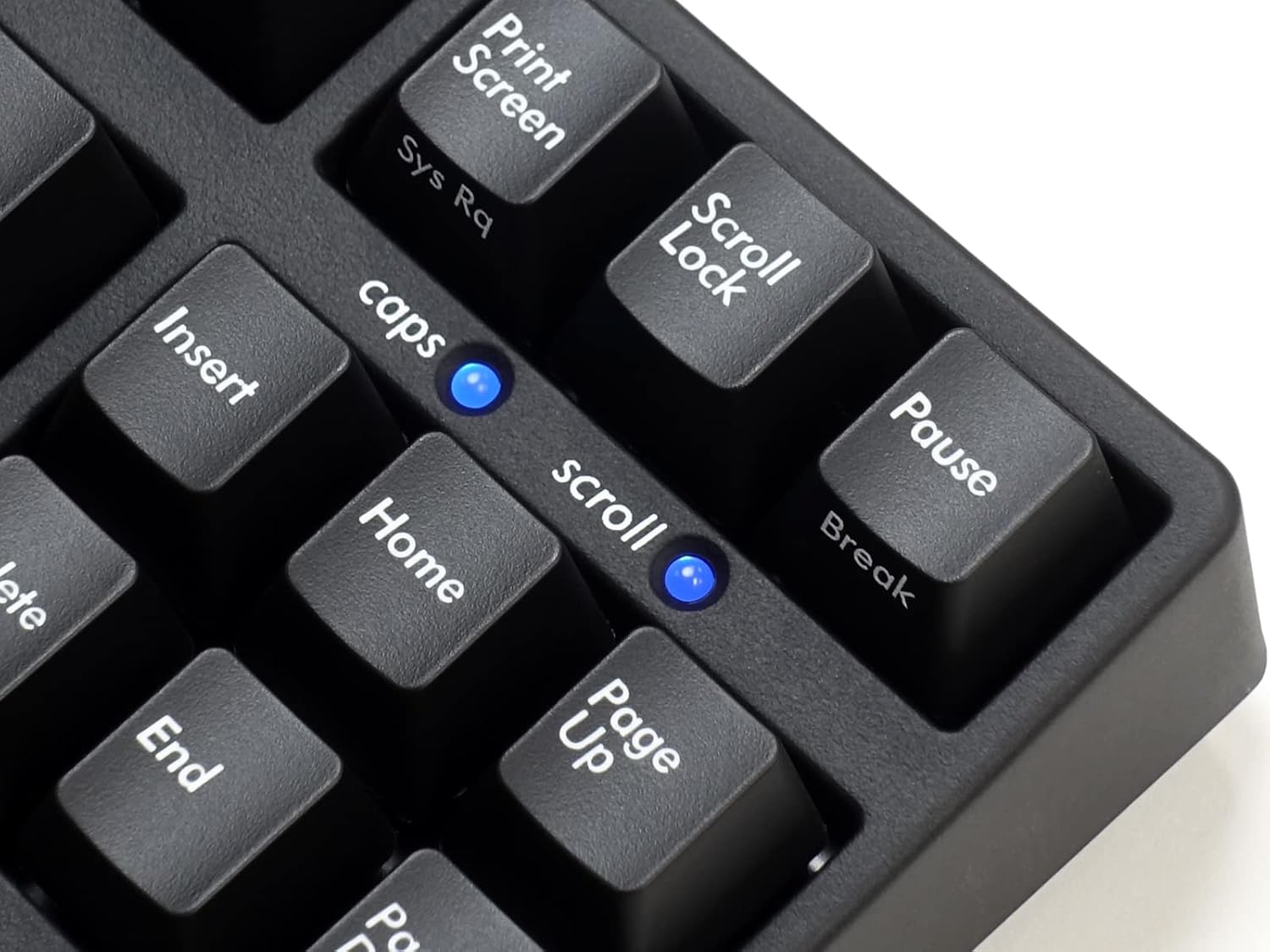
Image: Close-up of the indicator lights for Caps Lock and Scroll Lock on the FILCO Majestouch 3 TKL keyboard.
Maintenance
Proper maintenance ensures the longevity and optimal performance of your FILCO Majestouch 3 TKL keyboard.
Cleaning
- Surface Cleaning: Use a soft, lint-free cloth slightly dampened with water or a mild cleaning solution to wipe down the keycaps and case. Avoid harsh chemicals or abrasive materials.
- Dust Removal: Use compressed air to remove dust and debris from between the keycaps and switches.
Keycap Removal and Replacement
The keyboard features durable PBT double shot keycaps. If you need to remove keycaps for deep cleaning or replacement, use a keycap puller to avoid damaging the keycaps or switches. Gently pull straight up on the keycap. When replacing, align the keycap with the switch stem and press down firmly until it clicks into place.

Image: Several PBT double shot keycaps removed from the keyboard, showing their construction and the Cherry MX compatible stems.
Troubleshooting
If you encounter issues with your keyboard, refer to the following common troubleshooting steps:
- Keyboard Not Responding:
- Ensure the USB cable is securely connected to both the keyboard and the computer.
- Try connecting the keyboard to a different USB port on your computer.
- If using a USB hub, try connecting directly to the computer.
- Restart your computer.
- Specific Keys Not Working:
- Check for any debris or foreign objects lodged under the keycap.
- Carefully remove the keycap and inspect the switch for damage.
- N-Key Rollover Issues:
- Ensure you are using a direct connection to the PC, especially for PS/2.
- Some older USB controllers or operating systems might have limitations.
Specifications
| Brand | FILCO |
| Model Number | FKBN87MRL/EMB3 |
| Keyboard Description | Mechanical, Tenkeyless (TKL) |
| Switch Type | Cherry MX Red (Linear) |
| Keycap Material | PBT Double Shot |
| Number of Keys | 87 |
| Connectivity Technology | USB (with PS/2 adapter included) |
| Compatible Devices | PC |
| Compatible Operating System Family | Windows |
| Special Features | Full N-key Rollover, Dedicated Media Controls |
| Item Weight | 1200 Grams |

Image: Close-up of the FILCO logo on the keyboard's casing.
Warranty Information
FILCO products are manufactured to high-quality standards. This product is covered by a limited warranty against defects in materials and workmanship. Please refer to the warranty card included with your product or visit the official FILCO website for detailed warranty terms and conditions specific to your region.
Support
For technical assistance, product inquiries, or warranty claims, please contact FILCO customer support through their official website. You may need to provide your product model number (FKBN87MRL/EMB3) and proof of purchase.
Online Resources: Visit the official FILCO website for FAQs, driver updates (if applicable), and additional support resources.


