
Introduction
The Riptunes White Noise Sound Machine (Model SM136) is designed to provide a soothing audio environment for sleep, relaxation, or concentration. It features 36 high-fidelity sounds, a 7-color night light, and an auto-off timer function. This manual provides instructions for the proper setup, operation, and maintenance of your device.

Image: The Riptunes White Noise Sound Machine positioned next to a sleeping individual, illustrating its use for promoting restful sleep.

Image: The Riptunes White Noise Sound Machine placed near a person working on a laptop, demonstrating its ability to help block out distractions and enhance focus.
Safety Information
- Do not use this device near water or in excessively humid environments.
- Avoid high volume levels for prolonged use, especially for children, to prevent potential hearing damage.
- This product is not intended for use by children as a toy. Keep out of reach of small children.
- Ensure the USB C-Cable is connected to a compatible power source (5V DC) for charging.
Product Overview
The Riptunes White Noise Sound Machine features an intuitive control panel for easy operation. Familiarize yourself with the buttons and ports:

Image: Detailed diagram of the Riptunes White Noise Sound Machine's top panel, indicating the function of each button and control, including Timer Setting, Light Brightness, White Noise, Fan Sound, Volume, Power Button, Light Switch, Color Light Adjust, and Nature Sound.
- Power Button: Turns the device ON/OFF.
- Volume Control: Adjusts the sound output level.
- Sound Selection Buttons: Cycle through White Noise, Fan Sounds, and Nature Sounds.
- Light Switch: Activates and deactivates the night light.
- Light Brightness: Adjusts the intensity of the night light.
- Color Light Adjust: Changes the color of the night light or activates color rotation.
- Timer Setting: Sets the auto-off timer to 30, 60, or 90 minutes.
- Type C Charging Port: For connecting the charging cable.
- Headphone Jack: For private listening.
Setup
Charging the Device
- Locate the Type C charging port on the device.
- Connect the provided USB C-Cable to the charging port.
- Plug the other end of the USB C-Cable into a compatible 5V DC power source (e.g., USB wall adapter, computer USB port).
- The device will indicate charging status (e.g., an indicator light). A full charge typically takes approximately 2.5 hours.
- Once fully charged, the device provides approximately 7 hours of continuous playtime. A red light will flash when the battery is low.
Operating Instructions
Power ON/OFF
- To turn the device ON, press the Power Button.
- To turn the device OFF, press the Power Button again.
Sound Selection
The device offers 36 soothing sounds, categorized into White Noise, Fan Sounds, and Nature Sounds.

Image: Visual representation of the 36 high-fidelity soothing sounds, categorized into 7 white noises, 7 fan sounds, and 22 nature relaxing sounds, with icons for examples like Birds, Ocean Waves, Lullaby, Stream, Crickets, and Thunder.
- Press the dedicated White Noise button to cycle through white noise options.
- Press the dedicated Fan Sound button to cycle through fan sound options.
- Press the dedicated Nature Sound button to cycle through nature sound options.
Volume Adjustment
- Rotate the Volume Control knob clockwise to increase the volume.
- Rotate the Volume Control knob counter-clockwise to decrease the volume.
Night Light Operation
The device features a 7-color night light with adjustable brightness.
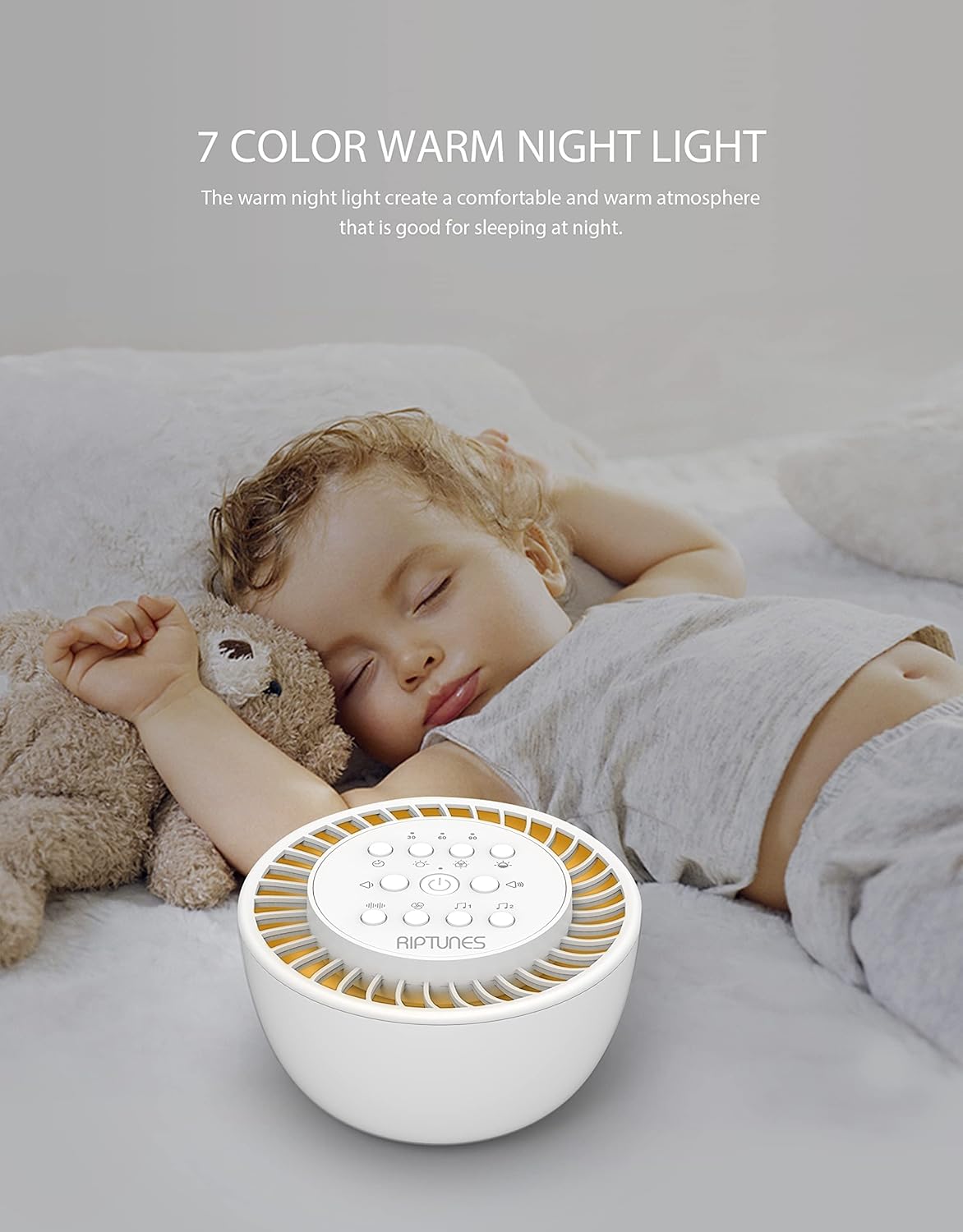
Image: The Riptunes White Noise Sound Machine providing a warm night light in a nursery setting, with a baby sleeping peacefully nearby, highlighting its use for creating a comfortable atmosphere.
- Press the Light Switch button to turn the night light ON/OFF.
- While the light is ON, press the Color Light Adjust button to cycle through the 7 available colors or activate a color rotation mode.
- Use the Light Brightness button to adjust the intensity of the light.
Timer Function
Set an auto-off timer to conserve battery or for specific sleep cycles.

Image: The Riptunes White Noise Sound Machine next to a sleeping woman, with visual cues for 30, 60, and 90-minute auto-off timer options, emphasizing its convenience for timed use.
- Press the Timer Setting button to select a duration of 30, 60, or 90 minutes. The device will automatically turn off after the selected time.
- To disable the timer and allow continuous play, press the Timer Setting button until no timer indicator is active.
Memory Function
The device includes a built-in memory that will recall your last sound and light settings when powered on again.
Headphone Use
- Insert standard 3.5mm headphones into the Headphone Jack for private listening.
- When headphones are connected, sound will be routed through the headphones and the device's speaker will be muted.
Maintenance
- To clean the device, gently wipe the exterior with a soft, dry cloth.
- Do not use abrasive cleaners, solvents, or harsh chemicals, as these may damage the finish.
- Keep the device away from dust and moisture.
Troubleshooting
- Device not turning on: Ensure the device is charged. Connect it to a power source using the USB C-Cable and allow it to charge for at least 30 minutes before attempting to power on again.
- No sound: Check the volume level and ensure it is not set to minimum. If headphones are connected, disconnect them to check speaker output.
- Red light flashing: This indicates a low battery. Connect the device to a power source for charging.
- Night light not working: Ensure the light switch is pressed. Check if the device has sufficient battery charge.
Specifications
| Model Number | SM136 |
| Dimensions | 4.8 x 5.21 x 3.1 inches (12.2 x 13.2 x 7.9 cm) |
| Weight | 15.45 ounces (0.44 kg) |
| Battery Capacity | 3.7V/1200mAH Lithium Ion |
| Charging Voltage | 5V DC |
| Charging Time | Approximately 2.5 hours |
| Continuous Playtime | Approximately 7 hours |
| Loudspeaker | 52mm, 2Ω, 5W, 1% THD, 76dB SNR |
| Number of Sounds | 36 |
| Night Light Colors | 7 |
| Timer Options | 30, 60, 90 minutes |
| Material | Plastic |
| Color | White |
| UPC | 810941028922 |
Warranty and Support
Manufacturer's Warranty
This Riptunes product is covered by a 1-year limited warranty from the date of purchase. This warranty covers manufacturing defects and workmanship under normal use. It does not cover damage caused by misuse, accident, unauthorized modification, or external causes.
Customer Support
For technical assistance, warranty claims, or any questions regarding your Riptunes White Noise Sound Machine, please contact Riptunes customer support. Refer to the product packaging or the official Riptunes website for the most current contact information.


