
1. Introduction
This manual provides detailed instructions for the Timex UFC Takedown 33mm Digital Watch, Model TW5M52000JT. This timepiece is designed for durability and functionality, featuring a 100-hour chronograph, 24-hour countdown timer, 10-lap memory recall, customizable alarms, and INDIGLO backlight technology. It is water resistant up to 100 meters.
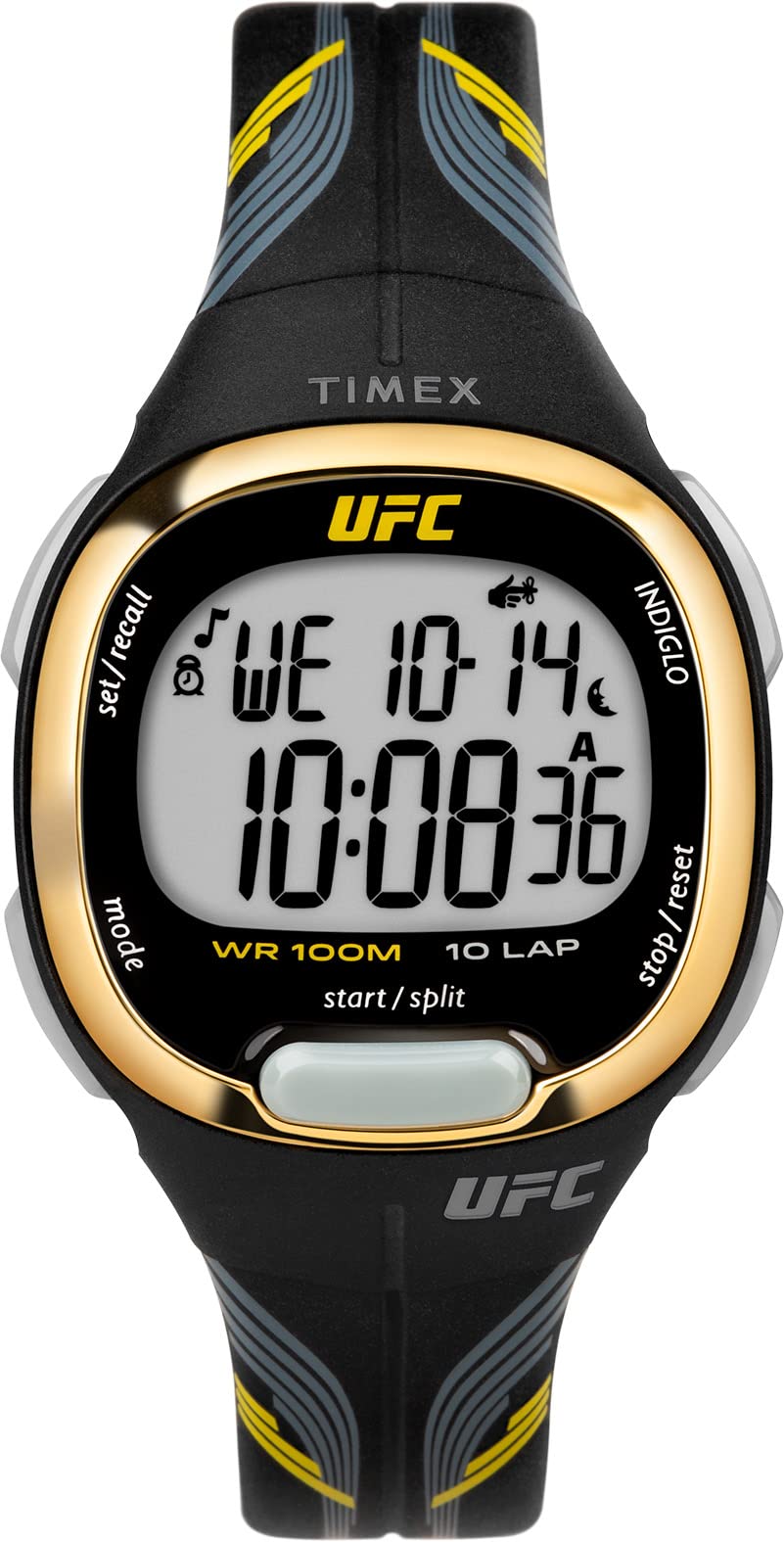
Figure 1: Front view of the Timex UFC Takedown 33mm Digital Watch.
2. Setup
2.1 Battery Information
Your watch comes with one Lithium Metal battery (CR2025) pre-installed. The battery is designed for long-lasting performance. When the display dims or functions become erratic, it may be time for a battery replacement.
2.2 Setting Time and Date
To set the time and date:
- Press the MODE button repeatedly until the time setting mode is displayed (usually indicated by flashing digits).
- Use the SET/ADJUST button (or similar, typically on the top right) to select the digit you wish to change (e.g., hours, minutes, year, month, day).
- Use the START/STOP button (or similar, typically on the bottom right) to increase the selected value. Hold to advance rapidly.
- Repeat steps 2 and 3 for all time and date settings.
- Press the MODE button to exit the setting mode and return to the normal time display.

Figure 2: Side view showing watch buttons for control.
3. Operating Instructions
3.1 Mode Navigation
Press the MODE button to cycle through the different functions: Time, Chronograph, Timer, and Alarm.
3.2 Chronograph (Stopwatch)
The chronograph measures elapsed time up to 100 hours with 10-lap memory recall.
- Enter Chronograph mode by pressing MODE.
- Press START/STOP to begin timing.
- Press START/STOP again to pause timing. Press again to resume.
- To record a lap time, press LAP/RESET while the chronograph is running. The lap time will display briefly.
- To reset the chronograph, ensure it is stopped, then press LAP/RESET.
3.3 Countdown Timer
The 24-hour countdown timer can be set for various durations.
- Enter Timer mode by pressing MODE.
- To set the timer, press and hold SET/ADJUST until digits flash.
- Use SET/ADJUST to select hours, minutes, or seconds. Use START/STOP to adjust the value.
- Press MODE to confirm settings.
- Press START/STOP to start the countdown.
- An audible alert will sound when the timer reaches zero.
3.4 Alarms
Set customizable alarms to alert you at specific times.
- Enter Alarm mode by pressing MODE.
- To set an alarm, press and hold SET/ADJUST until digits flash.
- Use SET/ADJUST to select hours or minutes. Use START/STOP to adjust the value.
- Press MODE to confirm settings.
- To activate/deactivate the alarm, press START/STOP while in Alarm mode (not setting). An alarm icon will appear/disappear.
3.5 INDIGLO Backlight
Press the INDIGLO button (typically on the top left) to illuminate the watch face for easy viewing in low-light conditions.

Figure 3: Watch face displaying digital time and features.
4. Maintenance
4.1 Water Resistance
This watch is water resistant to 100 meters (328 feet). This means it is suitable for splashes, rain, and brief immersion in water. It is not suitable for swimming, diving, or bathing, especially with hot water or steam, as this can compromise the seals.
- Do not operate buttons underwater.
- Ensure the crown (if applicable) is pushed in completely after setting the time.
4.2 Cleaning
To clean your watch, wipe it with a soft, damp cloth. Avoid using harsh chemicals or abrasive materials, which can damage the case or strap.
4.3 Battery Replacement
Battery replacement should ideally be performed by a qualified watch technician to ensure proper sealing and maintain water resistance.

Figure 4: Back view of the watch, highlighting the case back.
5. Troubleshooting
If you encounter issues with your watch, please refer to the following common solutions:
- No Display or Dim Display: The battery may be low or depleted. Consider professional battery replacement.
- Buttons Unresponsive: Ensure the watch is not in a locked mode (if applicable). If the issue persists, a battery reset (professional service recommended) might be needed.
- Incorrect Time/Date: Re-follow the time and date setting instructions in Section 2.2.
- Water Inside Watch: Immediately take the watch to a professional watch repair service to prevent further damage.
6. Specifications
| Feature | Detail |
|---|---|
| Model Number | TW5M52000JT |
| Case Size | 33mm |
| Water Resistance | 100m (328ft) |
| Lens Material | Acrylic |
| Strap Material | Resin |
| Backlight | INDIGLO |
| Battery Type | 1 Lithium Metal (CR2025) |
| Chronograph | 100-hour, 10-lap memory |
| Countdown Timer | 24-hour |

Figure 5: Key features of the Timex UFC Takedown watch.
7. Warranty and Support
Your Timex watch is covered by a manufacturer's warranty. For specific warranty details, please refer to the warranty card included with your purchase or visit the official Timex website. For technical support or service inquiries, please contact Timex customer service directly.


