
1. Introduction
Thank you for choosing the Redkey P6C Corded Stick Vacuum Cleaner. This 4-in-1 vacuum is designed for versatile cleaning, offering powerful 17 kPa suction for dust, crumbs, and pet hair. Its lightweight design and 7-meter power cord provide extended reach for cleaning various surfaces including wooden floors, carpets, laminate, and tiles. The integrated LED headlights illuminate dark areas, ensuring thorough cleaning. This manual provides essential information for safe operation, maintenance, and troubleshooting to ensure optimal performance of your appliance.
2. Important Safety Instructions
Please read all instructions carefully before using this appliance and retain them for future reference. Failure to follow these instructions may result in electric shock, fire, or serious injury.
- Always unplug the vacuum cleaner from the power outlet before cleaning or performing any maintenance.
- Do not use the vacuum cleaner on wet surfaces or to pick up liquids.
- Do not pick up flammable or combustible materials, such as lighter fluid, gasoline, or kerosene, or use in areas where they may be present.
- Do not pick up anything that is burning or smoking, such as cigarettes, matches, or hot ashes.
- Keep hair, loose clothing, fingers, and all parts of the body away from openings and moving parts.
- Do not use without the dust cup and filters in place.
- If the power cord is damaged, it must be replaced by the manufacturer, its service agent, or similarly qualified persons to avoid a hazard.
- This appliance is not intended for use by persons (including children) with reduced physical, sensory, or mental capabilities, or lack of experience and knowledge, unless they have been given supervision or instruction concerning use of the appliance by a person responsible for their safety.
- Children should be supervised to ensure that they do not play with the appliance.
3. Package Contents
Verify that all components are present in the package:
- Main Vacuum Unit
- Extension Wand
- Floor Nozzle with LED Headlights
- Crevice Tool
- 2-in-1 Dusting Brush
- Power Cord (7 meters)
- User Manual
4. Product Overview
The Redkey P6C features a modular design allowing it to transform from a stick vacuum to a handheld unit. Key components include the motor unit, dust cup, filtration system, and various attachments for specialized cleaning.

Image 4.1: Overview of the Redkey P6C vacuum cleaner and its included attachments.

Image 4.2: Detailed view of the high-speed motor and 17kPa suction system.
5. Setup and Assembly
Follow these steps to assemble your Redkey P6C vacuum cleaner:
- Assemble the Stick Vacuum: Insert the extension wand into the main vacuum unit until it clicks securely. Then, attach the floor nozzle to the other end of the extension wand, ensuring it also clicks into place.
- Assemble as Handheld Vacuum: For handheld use, detach the extension wand and floor nozzle. Directly attach the desired accessory (crevice tool or 2-in-1 brush) to the main vacuum unit.
- Power Connection: Unwind the 7-meter power cord and plug it into a suitable electrical outlet.

Image 5.1: The Redkey P6C configured for floor cleaning and reaching high spots.
6. Operating Instructions
The Redkey P6C is designed for ease of use across various cleaning tasks.
6.1 Powering On/Off
- Plug the power cord into an electrical outlet.
- Locate the power switch on the handle of the main unit. Press the switch to turn the vacuum cleaner ON.
- To turn OFF, press the power switch again.
6.2 Using Attachments
- Floor Nozzle: Ideal for general cleaning of hard floors, carpets, and rugs. The integrated LED headlights illuminate dust and debris in dark areas.
- Crevice Tool: Use this slim attachment for cleaning narrow gaps, corners, edges, and hard-to-reach areas like between sofa cushions or car seats.
- 2-in-1 Dusting Brush: This versatile tool is suitable for cleaning delicate surfaces, furniture, curtains, and upholstery. The brush can be retracted for a wider nozzle or extended for gentle dusting.
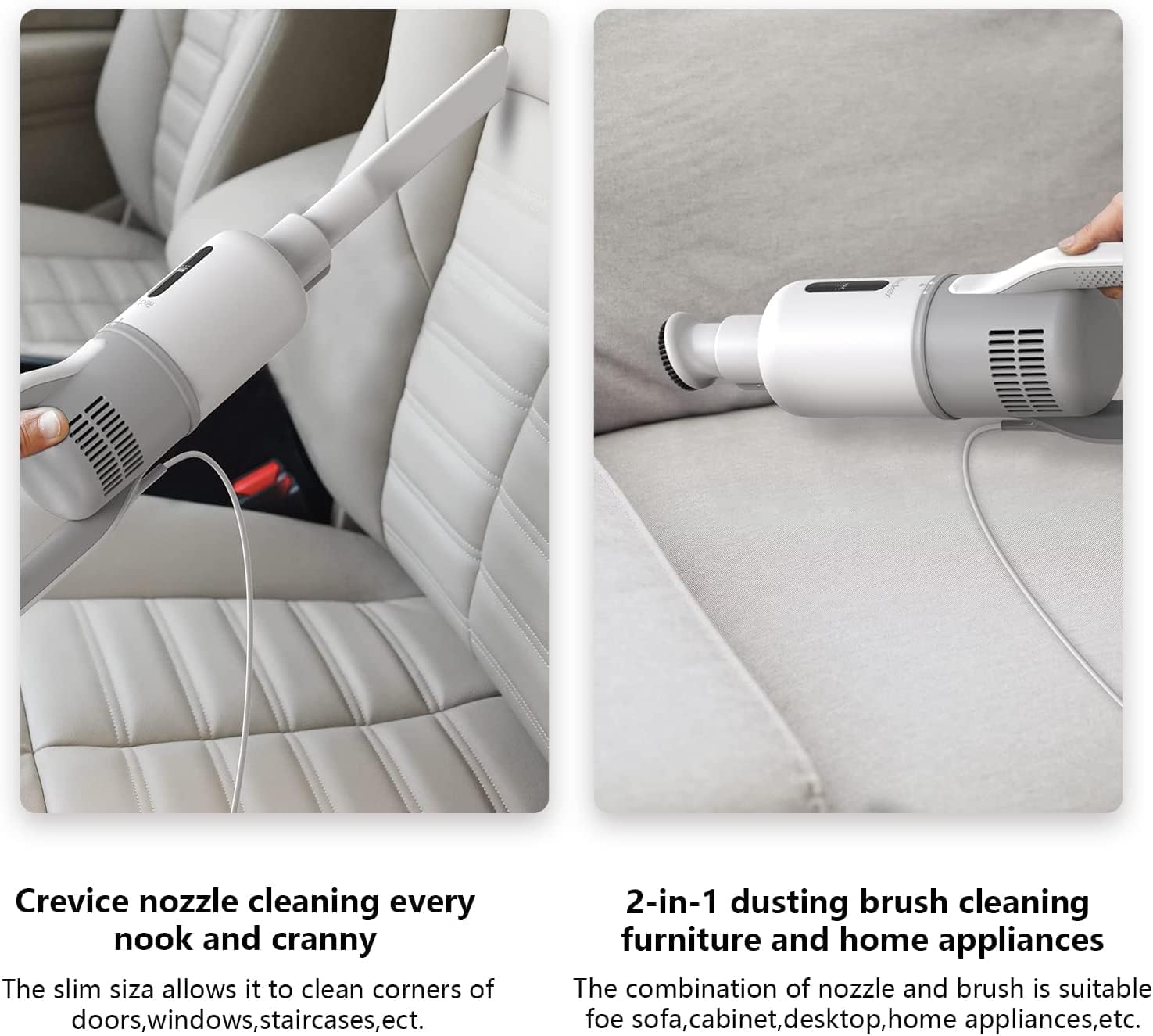
Image 6.1: Demonstrating the use of the crevice nozzle for tight spaces and the 2-in-1 dusting brush for furniture.
7. Maintenance
Regular maintenance ensures the longevity and optimal performance of your Redkey P6C vacuum cleaner.
7.1 Emptying the Dust Cup
The 1.2-liter dust cup should be emptied after each use or when the MAX fill line is reached.
- Ensure the vacuum is unplugged.
- Twist the dust cup counter-clockwise to detach it from the main unit.
- Hold the dust cup over a trash bin and press the release button to open the bottom flap, allowing debris to fall out.
- Close the flap and reattach the dust cup to the main unit by twisting clockwise until secure.

Image 7.1: Illustration of the easy dust disposal method by detaching and twisting the dust cup.
7.2 Cleaning the Filtration System
The Redkey P6C features a triple filtration system including a metal filter, round sponge filter, and HEPA filter. These filters should be cleaned regularly (approximately every 3 months, depending on usage) to maintain suction power and air quality.
- Unplug the vacuum and remove the dust cup.
- Carefully remove the metal filter, sponge filter, and HEPA filter from the dust cup.
- Tap the filters gently over a trash bin to remove loose dust.
- Rinse the sponge filter and HEPA filter under running water until the water runs clear. Do not wash the metal filter with water; wipe it clean.
- Allow all washable filters to air dry completely for at least 24 hours before reassembling. Do not use the vacuum with wet filters.
- Reassemble the filters in the dust cup and reattach the dust cup to the main unit.

Image 7.2: Exploded view of the three-stage filtration system, including cyclonic dust separation, stainless steel mesh, and HEPA filter.
7.3 Cleaning the Brush Roll
Periodically check the brush roll in the floor nozzle for tangled hair or debris. Unplug the vacuum, then use scissors to carefully cut and remove any tangled material.
8. Troubleshooting
If you encounter issues with your Redkey P6C, refer to the following table for common problems and solutions.
| Problem | Possible Cause | Solution |
|---|---|---|
| Vacuum does not turn on | Not plugged in; Power outlet malfunction; Damaged power cord | Ensure cord is securely plugged in; Test outlet with another appliance; Contact customer support if cord is damaged. |
| Loss of suction | Dust cup full; Filters clogged; Blockage in nozzle, wand, or hose | Empty dust cup; Clean or replace filters; Check for and remove any blockages. |
| Vacuum overheats and shuts off | Clogged filters; Full dust cup; Blockage in air path | This is an automatic overheating protection feature. Unplug the vacuum, empty the dust cup, clean all filters, and check for blockages. Allow the unit to cool down for at least 30 minutes before restarting. |
| Unusual noise | Blockage; Damaged brush roll; Loose part | Check for and remove blockages; Inspect brush roll for damage; Ensure all parts are securely assembled. |
9. Specifications
Technical specifications for the Redkey P6C Corded Stick Vacuum Cleaner:
| Feature | Specification |
|---|---|
| Brand | Redkey |
| Model Name | P6C |
| Power Source | Corded Electric |
| Wattage | 600 Watts |
| Suction Power | 17 kPa |
| Voltage | 120 Volts |
| Dust Cup Capacity | 1.2 Liters |
| Filter Type | HEPA Filter |
| Cord Length | 7 Meters |
| Special Features | Bagless, LED Headlights, 4-in-1 Design |
| Recommended Surface | Hard floors, Carpet |
| Connectivity Technology | Wi-Fi (Note: This feature is listed in product specifications, but typical for smart home integration, not direct vacuum operation.) |
10. Warranty and Support
Your Redkey P6C vacuum cleaner comes with a standard manufacturer's warranty. Please refer to the warranty card included in your package for specific terms and conditions, including the warranty period and coverage details.
For technical support, troubleshooting assistance beyond this manual, or to inquire about replacement parts, please contact Redkey customer service. Contact information can typically be found on the product packaging or the official Redkey website.