
1. Introduction
Thank you for choosing the ropelux HC-262 LED Camping Lantern & Flashlight. This versatile and durable device is designed to provide reliable illumination for various outdoor activities and emergency situations. With multiple lighting modes, a powerful rechargeable battery, and a robust waterproof design, it is an essential tool for camping, hiking, power outages, and more. Please read this manual carefully to ensure proper use and maintenance of your device.
2. Product Features
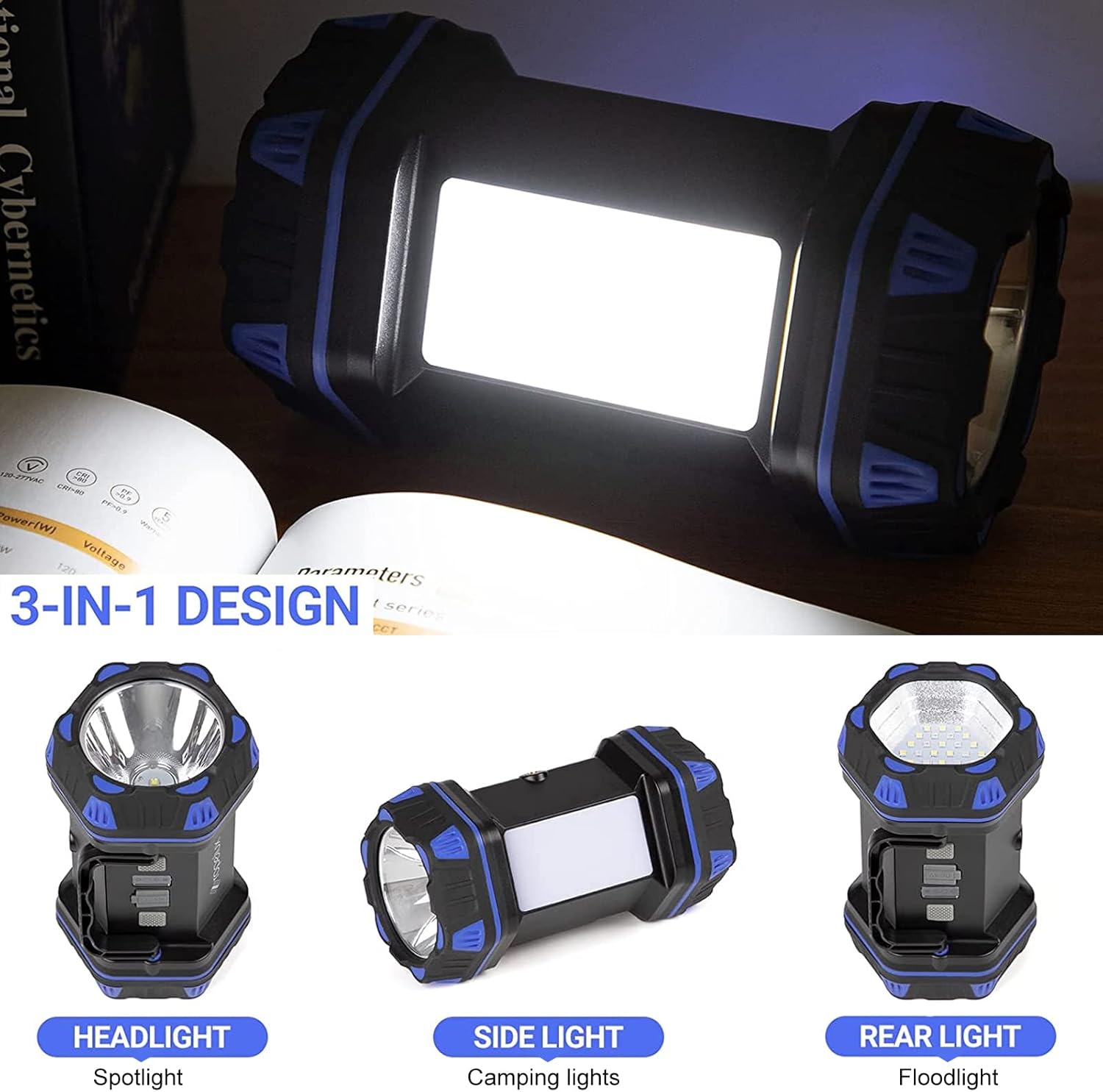
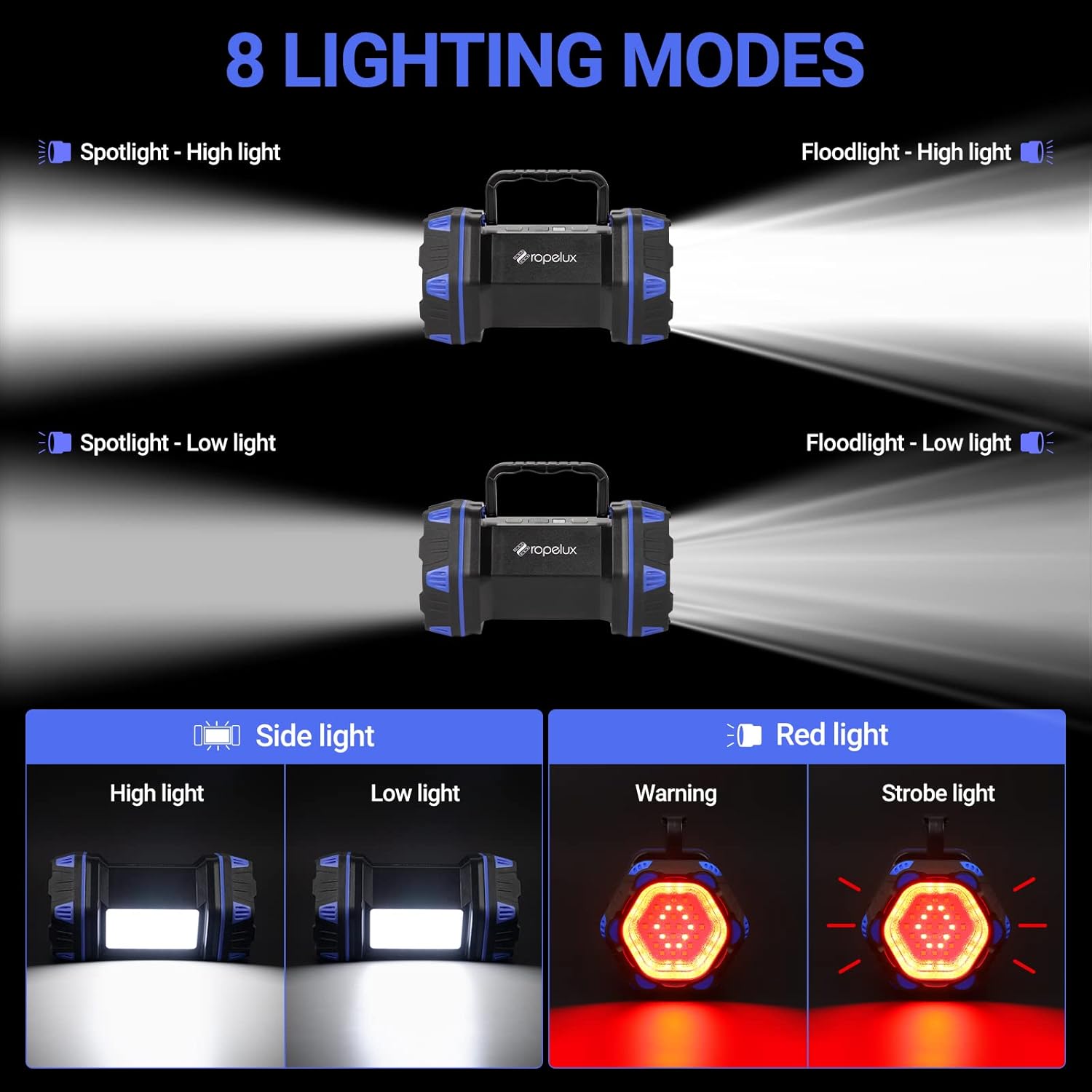
- 8 Lighting Modes: Features front spotlight (high/low), rear floodlight (high/low, red, red strobe), and side lantern light (high/low) for diverse illumination needs.
- High Brightness: Main beam provides up to 1500 lumens with an illumination distance of 500m (1640ft).
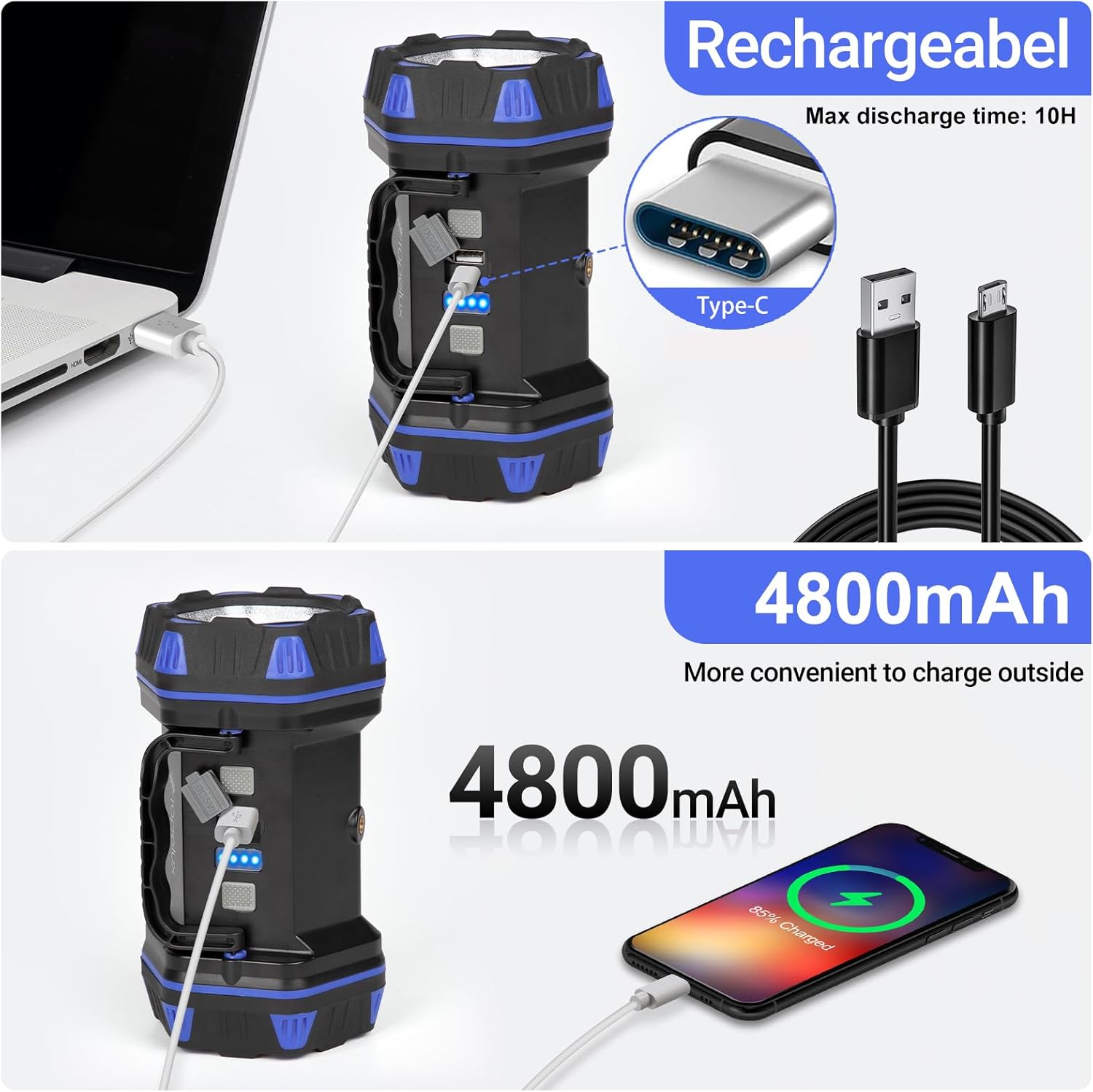
- Rechargeable & Power Bank Function: Equipped with a 4800mAh Lithium-Ion battery, rechargeable via USB-C, and can also serve as a power bank to charge mobile devices.
- Durable & Waterproof: Constructed with sturdy ABS body and TPR for anti-slip and shock resistance. IP54 waterproof rating protects against water splashes.
- Portable Design: Features a 180° rotatable handle for easy carrying and versatile positioning.
3. Package Contents
Ensure all items are present in the package:
- ropelux HC-262 LED Camping Lantern & Flashlight
- USB Charging Cable
- User Manual
4. Setup
4.1 Initial Charging
- Locate the USB-C charging port on the device, usually protected by a rubber flap.
- Connect the provided USB charging cable to the device's USB-C port.
- Plug the other end of the USB cable into a compatible USB power adapter (not included) or a power source.
- The battery indicator lights will illuminate to show charging progress. A full charge typically takes about 10 hours.
4.2 Power Bank Function
The lantern can also be used to charge other devices:
- Open the rubber flap covering the USB ports.
- Connect your mobile device's charging cable to the USB-A output port on the lantern.
- The lantern's internal battery will begin charging your connected device.
5. Operating Instructions
The ropelux HC-262 features two main control buttons, one for each end of the device, and a side light button. Each button cycles through different modes with successive presses.
5.1 Spotlight (Front Light)
The front light functions as a powerful spotlight for long-distance illumination.
- Press the front button once for High Brightness (1500LM).
- Press again for Low Brightness (800LM).
- Press a third time to turn off the spotlight.
5.2 Floodlight & Emergency Modes (Rear Light)
The rear light provides a broader floodlight and emergency signaling options.
- Press the rear button once for High Brightness (1000LM).
- Press again for Low Brightness (500LM).
- Press a third time for Red Light mode.
- Press a fourth time for Red Strobe Light (emergency signal).
- Press a fifth time to turn off the rear light.
5.3 Side Lantern Light
The side light functions as a lantern, providing ambient light for close-range activities.
- Press the side button once for High Brightness (500LM).
- Press again for Low Brightness (200LM).
- Press a third time to turn off the side light.

6. Maintenance
6.1 Cleaning
Wipe the device with a soft, damp cloth. Do not use abrasive cleaners or solvents, as they may damage the surface.
6.2 Storage
Store the lantern in a cool, dry place away from direct sunlight and extreme temperatures. For long-term storage, ensure the battery is partially charged (around 50%) and recharge it every 3-6 months to maintain battery health.
6.3 Water Resistance
The device has an IP54 waterproof rating, meaning it is protected from dust and splashing water from any direction. Do not submerge the device in water.
7. Troubleshooting
7.1 Light Not Turning On
- Ensure the battery is charged. Connect the device to a power source and check the battery indicator lights.
- Press the power buttons firmly and cycle through the modes.
7.2 Device Not Charging
- Check if the USB cable is securely connected to both the lantern and the power adapter.
- Ensure the power adapter is functioning correctly and plugged into a live outlet.
- Try using a different USB cable or power adapter.
7.3 Power Bank Function Not Working
- Ensure the lantern's battery has sufficient charge.
- Verify that the charging cable for your external device is properly connected to the lantern's USB-A output port.
- Some devices may require specific charging protocols; ensure compatibility.
8. Specifications
| Feature | Detail |
|---|---|
| Model Number | HC-262 |
| Brand | ropelux |
| Light Source Type | Light Emitting Diode (LED) |
| Brightness (Max) | 1500 Lumens |
| Wattage | 10 watts |
| Battery Description | Lithium-Ion |
| Battery Life | 10 Hours (maximum runtime) |
| Water Resistance Level | IP54 (Waterproof) |
| Material | Acrylonitrile Butadiene Styrene (ABS) |
| Product Dimensions | 7.44"L x 4.41"W x 4.02"H |
| Item Weight | 1.21 pounds |
| Special Features | Portable, Rechargeable, Multiple light modes, USB charging, High brightness |
9. Warranty and Support
For any product inquiries, technical support, or warranty claims, please contact ropelux customer service through the platform where you purchased the product. Please have your model number (HC-262) and purchase details ready when contacting support.