
AIMIBO A8-RX
AIMIBO Wireless HDMI Receiver (RX Unit) User Manual
Model: A8-RX
Brand: AIMIBO
Introduction
Thank you for purchasing the AIMIBO Wireless HDMI Receiver (RX Unit). This device is designed to work seamlessly with the AIMIBO A8 Wireless HDMI Transmitter (ASIN: B0BTM2R7P8) to extend your wireless HDMI system, allowing for up to 8 receivers to be connected simultaneously. This manual provides detailed instructions for setup, operation, and troubleshooting to ensure optimal performance.
Important Safety Information
- Do not expose the device to water or excessive humidity.
- Keep away from heat sources and direct sunlight.
- Use only the provided power adapter.
- Do not attempt to disassemble or repair the device yourself. Refer all servicing to qualified personnel.
- Ensure proper ventilation around the device during operation.
Package Contents
Please check the package for the following items:
- 1 x AIMIBO Wireless HDMI Receiver (RX Unit)
- 1 x Power Adapter
- 1 x HDMI Cable
- 1 x User Manual (this document)
Product Overview
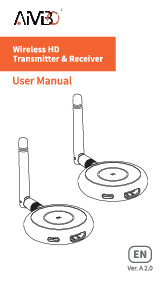
The AIMIBO A8-RX is a compact and efficient wireless HDMI receiver. Below is an illustration of the device and its components.

Figure 1: Front view of the AIMIBO A8-RX Wireless HDMI Receiver, showing USB ports, power, link, mode, and ID indicator lights, along with SW and SP switches.
Ports and Indicators
- USB Ports: For power or data connection (if applicable).
- MODE Button: To switch between different operating modes.
- Power Indicator: Lights up when the device is powered on.
- Link Indicator: Shows connection status with the transmitter.
- STA/MODE1/MODE2/1/2/4/8/ID Indicators: Various status and ID indicators.
- SW Switch: Mode switch for transmitter expansion.
- SP Switch: Mode switch for receiver expansion.
- HDMI IN/OUT: HDMI input/output ports.
- DC IN: Power input port.
Setup Instructions
1. Initial Connection
- Connect the power adapter to the DC IN port of the AIMIBO RX unit and plug it into a power outlet. The Power indicator will light up.
- Connect one end of the HDMI cable to the HDMI OUT port of the RX unit and the other end to the HDMI input of your display device (e.g., TV, monitor, projector).
- Ensure your AIMIBO A8 Wireless HDMI Transmitter (TX unit) is also powered on and connected to your source device (e.g., laptop, DVD player).
2. Pairing the Receiver
To establish a connection between the RX unit and your TX unit, follow these pairing steps:

Figure 2: Detailed pairing process for the RX unit.
- Connect Power: Connect the power adapter to both the Transmitter (TX) and Receiver (RX) units.
- Set TX to SP Mode: On the Transmitter (TX) unit, switch the mode to "SP" (Single Point) mode.
- Set RX to SP Mode: On the Receiver (RX) unit, switch the mode to "SP" (Single Point) mode.
- Connect HDMI: Connect an HDMI cable from the "HDMI IN" port of the TX unit to the "HDMI OUT" port of the RX unit. This temporary connection is for pairing only.
- Observe STA Light: The "STA" light on both units will flash, indicating they are attempting to pair.
- Pairing Complete: Once the "STA" light becomes solid, the pairing process is complete. You can now disconnect the HDMI cable between the TX and RX units and connect them to your source and display devices respectively.
3. Expanding with Multiple Receivers (Up to 8 Units)
The AIMIBO system allows you to expand your wireless HDMI setup by adding up to 8 receiver units to a single transmitter. This is ideal for displaying content on multiple screens simultaneously.

Figure 3: Multi-display output configuration with one transmitter and multiple receivers.
To add more receiver units:
- Ensure your primary TX unit is set to "SW" (Switch) mode for multi-receiver operation.
- For each additional RX unit, follow the pairing steps outlined in "2. Pairing the Receiver" above. Ensure each new RX unit is paired with the same TX unit.
- Once paired, each RX unit can be connected to a separate display, receiving the same signal wirelessly from the TX unit.
Operating Modes
The AIMIBO system supports different modes for various configurations:
- SP Mode (Single Point): Used for a one-to-one connection between a single transmitter and a single receiver. This is the default mode for initial pairing.
- SW Mode (Switch/Multi-Receiver): Used when you want to connect one transmitter to multiple receiver units (up to 8). The TX unit should be set to SW mode, and each RX unit should be paired individually.
To switch between modes, locate the "SW" and "SP" switches on your TX and RX units and toggle them accordingly.
Troubleshooting
If you encounter issues with your AIMIBO Wireless HDMI Receiver, please refer to the following common solutions:
| Problem | Possible Cause | Solution |
|---|---|---|
| No Signal on Display | Incorrect HDMI connection, power issue, or pairing failure. | Check all HDMI cable connections. Ensure both TX and RX units are powered on. Re-attempt the pairing process as described in the "Setup Instructions" section. Verify the display input is set to the correct HDMI port. |
| Intermittent Signal / Poor Quality | Interference, distance too great, or obstacles. | Reduce the distance between TX and RX units. Remove any large obstacles (walls, furniture) between the units. Avoid placing units near other wireless devices (Wi-Fi routers, cordless phones). Ensure antennas are properly oriented. |
| STA Light Flashing Continuously | Units are not paired or have lost connection. | Perform the pairing procedure again. Ensure both TX and RX units are in the correct mode (SP for pairing). |
| Cannot Add More Receivers | TX unit not in SW mode. | Ensure the Transmitter (TX) unit is switched to "SW" mode before attempting to pair additional receivers. |
Specifications
The following are the technical specifications for the AIMIBO A8-RX Wireless HDMI Receiver:
- Brand: AIMIBO
- Model Number: A8-RX
- Connectivity Technology: HDMI
- Connector Type: HDMI
- Max Resolution: 1080p
- Video Codec: H.264, H.265/HEVC
- Compatible Devices: TV
- Product Dimensions: 20 x 10 x 5 cm
- Product Weight: 560 g
- Color: Red
- Battery Required: No
Warranty and Support
AIMIBO products come with a standard manufacturer's warranty. For detailed warranty information, technical support, or service inquiries, please visit the official AIMIBO website or contact their customer service. Keep your purchase receipt for warranty claims.
Online Support: Visit the AIMIBO Store on Amazon
Related documentsA8-RX



Ask a question about this manual
Ask about setup, troubleshooting, compatibility, parts, safety, or missing instructions. Manuals+ will review the question and use this page’s manual context to help answer it.