Introduction
This user manual provides detailed instructions for the operation and maintenance of your CONNECOM GA80 Portable Two-Way Radios. Please read this manual thoroughly before using the radios to ensure proper function and safety. The GA80 radios are designed for reliable communication in various environments, featuring an oversized call button, channel lock, VOX function, and a long-lasting battery.
Important Safety Information
- Do not disassemble or modify the radio. Unauthorized modifications can void the warranty and may cause harm.
- Use only CONNECOM approved batteries and chargers. Using incompatible accessories may result in fire, explosion, or injury.
- Do not expose the radio to extreme temperatures, direct sunlight, or excessive moisture.
- Keep the radio away from medical devices, as it may interfere with their operation.
- Avoid using the radio in potentially explosive atmospheres (e.g., near flammable gases, dust, or powders).
- Always ensure the radio is turned off when refueling vehicles or in areas with blasting operations.
- Dispose of batteries and electronic components responsibly according to local regulations.
Package Contents
Your CONNECOM GA80 package includes the following items:
- CONNECOM GA80 Portable Two-Way Radios (4 units)
- Lithium Ion Batteries (4 units, pre-installed or separate)
- Separate Charging Bases (4 units)
- Power Adapters for Charging Bases (4 units)
- Belt Clips (4 units)
- High-Quality Earpieces (4 units)
- User Manual (this document)
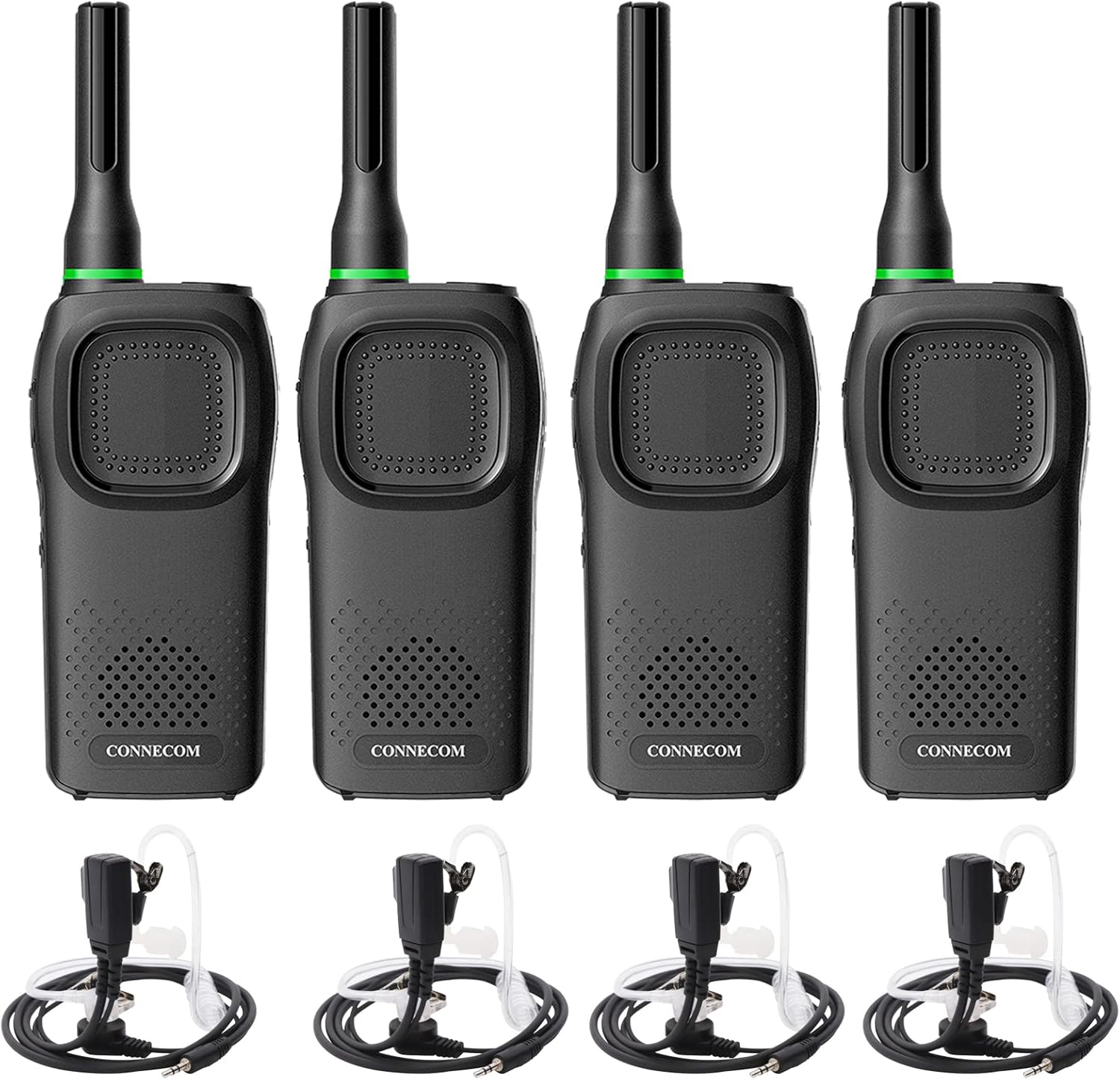
Image: Four CONNECOM GA80 walkie-talkies are displayed, each with an antenna, speaker, and large PTT button. Below them are four sets of earpieces and charging bases, illustrating the complete package contents.
Product Overview
Familiarize yourself with the components and controls of your CONNECOM GA80 radio:

Image: A detailed diagram of the CONNECOM GA80 walkie-talkie, labeling key components such as the Antenna, LED Indicator, Power Key, Up Key, PTT Key, Down Key, Menu Key, Programmable Key, Accessory Port, Charging Port, Microphone, Speaker, and Charging Contacts.
- Antenna: For transmitting and receiving signals.
- LED Indicator: Displays radio status (e.g., transmitting, receiving, charging).
- Power Key: Turns the radio on or off.
- Up/Down Keys: Adjust volume, change channels, or navigate menus.
- PTT (Push-to-Talk) Key: Press and hold to transmit your voice.
- Menu Key: Accesses radio settings.
- Programmable Key: Can be customized for specific functions.
- Accessory Port: For connecting earpieces or programming cables.
- Charging Port: Connects to the charging base.
- Microphone: Captures your voice during transmission.
- Speaker: Outputs received audio.
- Charging Contacts: Connects to the charging base for power.
Setup
1. Battery Installation
The CONNECOM GA80 radios come with Lithium Ion batteries. Ensure the battery is securely installed in the back compartment of the radio. Refer to the battery compartment cover for correct orientation and locking mechanism.
2. Charging the Radio
Before first use, fully charge the radio's battery. The GA80 features a separate charging base for convenience.
- Connect the power adapter to the charging base and plug it into a standard electrical outlet.
- Place the radio into the charging base, ensuring the charging contacts on the radio align with those on the base.
- The LED indicator on the radio will typically show a specific color (e.g., red) to indicate charging and change color (e.g., green) or turn off when fully charged.
- A full charge typically takes several hours. Do not overcharge the battery.

Image: A CONNECOM GA80 walkie-talkie is shown seated in its dedicated charging base. Icons next to it highlight the 1500mAh battery capacity, the voice broadcast function for battery status, and the convenience of base charging without needing to remove the battery.
3. Attaching Accessories
- Belt Clip: Attach the provided belt clip to the back of the radio for easy carrying.
- Earpiece: Insert the earpiece plug into the accessory port on the side of the radio for private listening and hands-free operation.
Operating Instructions
1. Power On/Off
To turn the radio on, rotate the Power/Volume knob clockwise until you hear a click and a voice prompt indicating "Power On". To turn off, rotate the knob counter-clockwise until it clicks.
2. Channel Selection
The GA80 radios support 16 channels. To change channels, use the Up/Down keys on the side of the radio. A voice prompt will announce the current channel number as you switch.
3. Push-to-Talk (PTT) Operation
To transmit your voice, press and hold the large PTT button on the front of the radio. Speak clearly into the microphone. Release the PTT button to listen for a response. The LED indicator will glow red during transmission.

Image: A close-up of the CONNECOM GA80 walkie-talkie, pointing out the "Ezview Status LED" at the top and the "Ezpress PTT button" on the front. Additional icons illustrate features like call acceptance, long range, rechargeability, squelch, anti-interference, and 1500mAh battery capacity.
4. VOX Function (Voice Activated Transmit)
The VOX function allows for hands-free operation. When activated, the radio will automatically transmit when it detects your voice. You can adjust the sensitivity of the VOX function to suit your environment. Refer to the full programming guide (if applicable) or contact support for detailed VOX activation and sensitivity adjustment instructions.
5. Volume Adjustment
Rotate the Power/Volume knob to adjust the listening volume. A voice prompt will indicate the volume level.
6. Channel Lock
The channel lock feature prevents accidental channel changes. This function can be activated to ensure the radio remains on the selected channel during use. Consult the full programming guide or contact support for instructions on enabling/disabling channel lock.
Key Features
- Channel Lock: Prevents accidental channel changes, ensuring stable communication.
- Oversized Call Button: Designed for ease of use, even with gloves.
- VOX Function: Voice-activated transmit for hands-free communication with adjustable sensitivity.
- License-Free Operation: Radios require no FCC license or exam to operate, suitable for areas with poor or non-existent cell signals.
- 16 Channels: Provides multiple communication options.
- Long Range: Provides adequate coverage in many environments.
- Separate Charging Base: Offers flexible charging options without restrictions.
- High-Quality Earpieces: Included for improved anti-interference and private communication.
- High/Low Power Modes: Select between 2W (High Power) for enhanced signal or 0.5W (Low Power) to prolong battery life.

Image: A CONNECOM GA80 walkie-talkie is shown alongside graphics indicating "2W HIGH POWER" for enhanced signal and "0.5W LOW POWER" for prolonged battery life, emphasizing the 1500mAh lithium polymer battery.
Maintenance
- Cleaning: Wipe the radio's surface with a soft, damp cloth. Do not use harsh chemicals or abrasive cleaners.
- Battery Care: To maximize battery life, avoid fully discharging the battery frequently. Store the radio and battery in a cool, dry place when not in use for extended periods.
- Antenna: Do not bend or twist the antenna excessively, as this may damage it and affect performance.
- Charging Contacts: Keep the charging contacts on both the radio and the base clean and free of debris.
Troubleshooting
| Problem | Possible Cause | Solution |
|---|---|---|
| Radio does not turn on. | Battery is low or not installed correctly. | Charge the battery or ensure it is properly installed. |
| Cannot transmit or receive. | Radios are on different channels or out of range. | Ensure both radios are on the same channel. Move closer to the other radio. |
| Poor audio quality/static. | Weak signal, interference, or low battery. | Move to an open area. Charge the battery. Check for sources of interference. |
| Channel changes accidentally. | Channel lock is not enabled. | Enable the channel lock feature (refer to advanced settings or support). |
Specifications
| Feature | Detail |
|---|---|
| Brand | CONNECOM |
| Model Number | GA80 |
| Item Weight | 2.81 pounds (for the pack) |
| Product Dimensions | 6.54 x 2.05 x 1.24 inches |
| Batteries | 4 Lithium Ion batteries (included) |
| Number of Channels | 16 |
| Special Feature | Long Range, Portable |
| Tuner Technology | UHF |
| Water Resistance Level | Waterproof |
| Included Components | Walkie-talkie, Charging Base, Earpiece, Belt Clip |
Warranty Information
The CONNECOM GA80 Portable Two-Way Radios come with a 2-year warranty from the date of purchase. This warranty covers manufacturing defects and malfunctions under normal use. Please retain your proof of purchase for warranty claims. The warranty does not cover damage caused by misuse, accidents, unauthorized modifications, or natural disasters.
Customer Support
For further assistance, technical support, or warranty inquiries regarding your CONNECOM GA80 Portable Two-Way Radios, please contact CONNECOM customer service. Refer to the product packaging or the official CONNECOM website for the most up-to-date contact information.
We are committed to providing high-quality products and solutions.


