
LIGE BW1829A
LIGE BW1829 PRO Smartwatch User Manual
Model: BW1829A | Brand: LIGE
Introduction
Thank you for choosing the LIGE BW1829 PRO Smartwatch. This device is designed to be your comprehensive health and fitness companion, featuring a vibrant AMOLED display, Bluetooth calling capabilities, extensive health monitoring, and a wide range of sports modes. This manual provides detailed instructions to help you set up, operate, and maintain your smartwatch for optimal performance.

Image: The LIGE BW1829 PRO Smartwatch, showcasing its sleek design with both metal and leather strap options, along with examples of its AMOLED display features like call interface and voice assistant.
Package Contents
Upon opening your LIGE BW1829 PRO Smartwatch package, please ensure all the following items are present:
- LIGE BW1829 PRO Smartwatch
- Metal Strap
- Leather Strap
- Charging Cable (Magnetic)
- Strap Adjustment Tool (for metal strap)
- User Manual

Image: A visual representation of the LIGE Smartwatch package contents, including the smartwatch, metal strap, leather strap, charging cable, and user manual.
Setup
1. Charging the Smartwatch
Before first use, fully charge your smartwatch.
- Connect the magnetic charging cable to the charging points on the back of the smartwatch.
- Plug the USB end of the cable into a standard USB power adapter (5V/1A recommended) or a computer's USB port.
- The smartwatch display will indicate charging status. A full charge typically takes 2-3 hours.

Image: The LIGE smartwatch connected to its magnetic charging cable, illustrating the charging process and highlighting its 400mAh battery capacity.

Image: An infographic detailing the ultra-long battery life of the smartwatch, showing 30 days standby, 5-7 working days, and 2 hours charging time.
2. App Installation and Pairing
To unlock the full potential of your smartwatch, download and install the companion app on your smartphone.
- Scan the QR code provided in the manual or on the watch packaging, or search for the app name (usually mentioned in the quick start guide) in your smartphone's app store (Google Play Store for Android, Apple App Store for iOS).
- Install the app and open it.
- Follow the on-screen instructions in the app to create an account and pair your smartwatch via Bluetooth. Ensure Bluetooth is enabled on your smartphone.
- For Bluetooth calling functionality, ensure your phone's Bluetooth settings show two connections to the smartwatch (one for data, one for calls). For iOS 13+, one-click call connection is supported.
Compatibility:
- Android 5.0 and above
- iOS 9.0 and above (iOS 13+ for one-click call connection)
- HarmonyOS 2.0
Operating Instructions
Basic Navigation
- Touchscreen: Swipe up, down, left, or right to navigate through menus and features. Tap to select.
- Side Buttons: Use the physical buttons on the side for power on/off, returning to the home screen, or quick access to specific functions.
- Always-On Display (AOD): The 1.43-inch AMOLED display supports AOD, allowing you to see the time and essential information without raising your wrist or touching the screen.
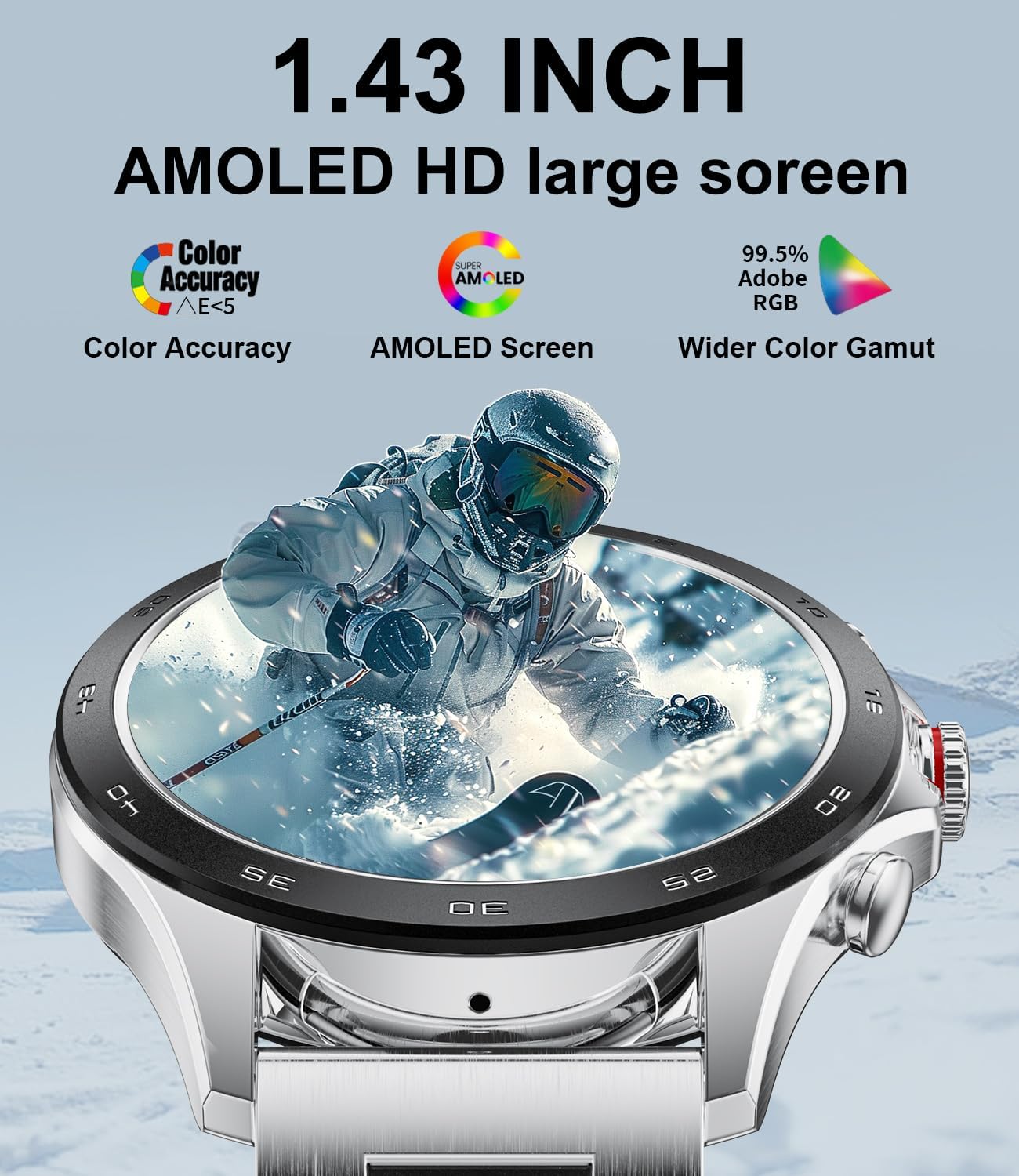
Image: The smartwatch display highlighting its 1.43-inch AMOLED HD screen with features like color accuracy, AMOLED screen technology, and wider color gamut.

Image: A detailed view of the smartwatch's 1.43-inch AMOLED display, emphasizing its 466x466 resolution, 10-bit color depth, HDR10+ peak brightness, and excellent visibility even in bright sunlight.
Bluetooth Calling and Notifications
The smartwatch features a built-in microphone and high-fidelity speaker for convenient communication.
- Making Calls: Dial numbers directly from the watch, access recent call records, or sync contacts from your phone.
- Answering/Rejecting Calls: Receive incoming call notifications on your watch and answer or reject them directly.
- Message Notifications: Get real-time notifications for messages from various applications such as WhatsApp, Twitter, Instagram, Facebook Messenger, and more.

Image: The smartwatch displaying its wireless call capabilities, showing the microphone, dial pad, contacts, and call records features, along with a visual of a call in progress on the watch and a smartphone.

Image: An illustration of the smartwatch's communication features, including message reminders with real-time synchronization, the ability to make and receive calls, and integrated voice assistant functionality.
Health Monitoring
The BW1829 PRO provides comprehensive health data to help you maintain a healthy lifestyle.
- Heart Rate Monitoring: Continuous tracking of your heart rate throughout the day.
- Blood Oxygen (SpO2) Monitoring: Measure your blood oxygen saturation levels.
- Blood Pressure Monitoring: Monitor your blood pressure (for reference only, not for medical diagnosis).
- Sleep Monitoring: Tracks your sleep patterns, including deep sleep, light sleep, and awake times, to help improve sleep quality.
- Breath Training: Guided breathing exercises to help you relax.
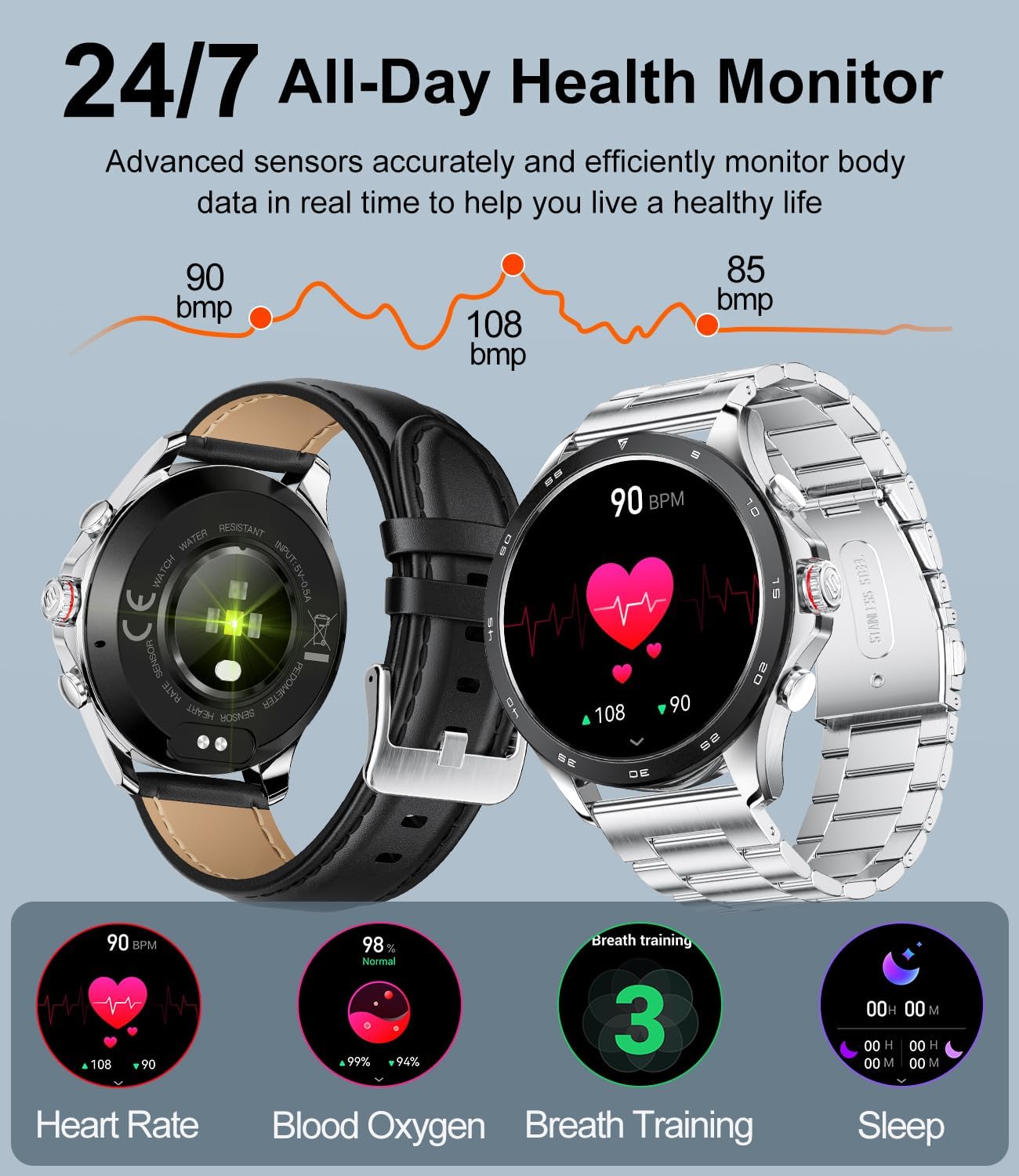
Image: The smartwatch displaying its 24/7 all-day health monitoring capabilities, including heart rate, blood oxygen, breath training, and sleep tracking, with visual data representations.

Image: The smartwatch's automatic sleep monitoring feature, showing a user sleeping and a graphic representation of sleep stages (awake, deep sleep, light sleep) and sleep duration over several days.

Image: A smartphone screen displaying various health data tracked by the smartwatch, including heart rate trends, sleep quality, blood pressure, blood oxygen, and activity data, all presented within the companion app interface.
Sports Modes
The smartwatch supports over 100 sports modes to accurately track your workouts.
- Track calories burned, steps taken, distance covered, and workout duration.
- Specific modes for activities like Running, Walking, Cycling, Sit-ups, Football, Rope Jump, Climbing, Treadmills, Elliptical, Golf, Skate, Tennis, and many more.
- The IP68 waterproof rating makes it suitable for swimming and daily use.

Image: A user wearing the smartwatch during a cycling activity, with an infographic showing icons for over 100 supported sports modes, including running, walking, cycling, and more.
Other Smart Features
- Voice Assistant: Integrated voice assistant for quick command execution (e.g., "How's the weather today?", "Play music").
- Music Control: Control music playback on your smartphone directly from the watch.
- Remote Camera Control: Use your smartwatch as a remote shutter for your phone's camera.
- Weather Forecast: Get real-time weather updates.
- Alarms & Timers: Set alarms, use the stopwatch, and countdown timer.
- Sedentary Reminder: Reminds you to move after periods of inactivity.
- Drink Water Reminder: Prompts you to stay hydrated.
- Find Phone/Watch: Locate your paired device.
- Customizable Watch Faces: Personalize your watch with various pre-installed faces or create your own.

Image: The smartwatch displaying various customizable watch faces, along with icons representing its diverse features such as message reminder, heart rate, blood oxygen, steps, music controller, sleep monitoring, stopwatch, luminance regulation, calorie tracking, alarm clock, weather forecast, and blood pressure.

Image: A user interacting with the smartwatch's voice assistant, showing example commands like "How's the weather today?", "Hello Siri!", and "Please play music."

Image: A couple taking a selfie, with the smartwatch displaying a camera shutter interface, demonstrating its remote camera control feature.

Image: The smartwatch displaying a weather forecast, showing the current temperature and sunny conditions, with a background of a clear sky and autumn trees.
Maintenance
- Cleaning: Regularly wipe the smartwatch and straps with a soft, dry cloth. For stubborn dirt, use a slightly damp cloth and then dry thoroughly. Avoid harsh chemicals or abrasive materials.
- Water Resistance: The smartwatch is IP68 waterproof, suitable for swimming and daily water exposure. However, avoid hot water, steam, or prolonged submersion in deep water. Do not operate buttons underwater.
- Charging: Ensure the charging contacts are clean and dry before charging to prevent corrosion.
- Storage: Store the smartwatch in a cool, dry place when not in use.
Troubleshooting
| Problem | Possible Cause | Solution |
|---|---|---|
| Smartwatch won't turn on | Low battery; device frozen. | Charge the smartwatch for at least 30 minutes. If still unresponsive, press and hold the power button for 10-15 seconds to force restart. |
| Cannot pair with smartphone | Bluetooth off; app not running; watch not discoverable; interference. | Ensure Bluetooth is on for both devices. Restart both the watch and phone. Make sure the app is open and searching. Check if the watch is in pairing mode. Move closer to the phone. |
| Inaccurate health data | Improper fit; sensor obstruction; movement during measurement. | Ensure the watch is worn snugly on your wrist, not too tight or too loose. Clean the sensor on the back of the watch. Remain still during measurements. Note that health data is for reference only and not for medical use. |
| Notifications not received | App permissions; notification settings; app not running in background. | Check app permissions on your phone to ensure notification access is granted. Verify notification settings within the smartwatch app. Ensure the app is allowed to run in the background. |
| Bluetooth call issues | Incorrect Bluetooth connection; phone settings. | Ensure both Bluetooth connections (data and call audio) are established. Check your phone's Bluetooth settings to confirm the watch is connected for calls. Restart both devices. |
Specifications
| Feature | Detail |
|---|---|
| Model Name | BW1829A (also referred to as BW1829 PRO) |
| Display | 1.43-inch AMOLED, Always On Display (AOD) |
| Resolution | 466 x 466 pixels |
| Battery Capacity | 400 mAh Lithium Polymer |
| Charging Time | Approx. 2-3 hours |
| Battery Life (Normal Use) | 7-15 days |
| Standby Time | Up to 30 days |
| Memory | 256 MB |
| Connectivity | Bluetooth 5.0 |
| Water Resistance | IP68 |
| Compatible OS | Android 5.0+, iOS 9.0+, HarmonyOS 2.0 |
| Product Dimensions | 22 x 4.6 x 1.3 cm |
| Weight | 40 grams |
| Included Components | Smartwatch, Metal Strap, Leather Strap, Charging Cable, Strap Adjustment Tool, User Manual |

Image: A diagram illustrating the dimensions of the smartwatch (45mm / 1.77inch diameter, 12mm / 0.47inch thickness, 215mm / 8.46inch strap length) and a table summarizing key specifications like screen size, resolution, Bluetooth version, battery capacity, memory, and system requirements.
Warranty and Support
LIGE offers a comprehensive warranty and dedicated customer support for your smartwatch.
- Warranty: Your LIGE BW1829 PRO Smartwatch comes with a 24-month warranty from the date of purchase. This warranty covers manufacturing defects and includes replacement, return, or repair services.
- Return & Exchange: A 6-month return and exchange service is provided.
- Customer Support: For any issues, questions, or support needs, please contact LIGE customer service. We aim to provide prompt and satisfactory solutions within 24 hours.
- Contact Information: Refer to the contact details provided in your product packaging or on the official LIGE website.

Image: An infographic detailing LIGE's customer support and warranty policy, including 24-hour online customer service, 6-month return and exchange service, and a 2-year warranty.
Related documentsBW1829A


Ask a question about this manual
Ask about setup, troubleshooting, compatibility, parts, safety, or missing instructions. Manuals+ will review the question and use this page’s manual context to help answer it.