
1. Introduction
This manual provides essential information for the safe and efficient operation of your FONOBO 2000W/2600W Pure Sine Wave Power Inverter. This device converts 12V/24V DC power from a battery into 110V/220V AC household power, suitable for various applications including vehicles, camping, and solar systems. Please read this manual thoroughly before installation and use.
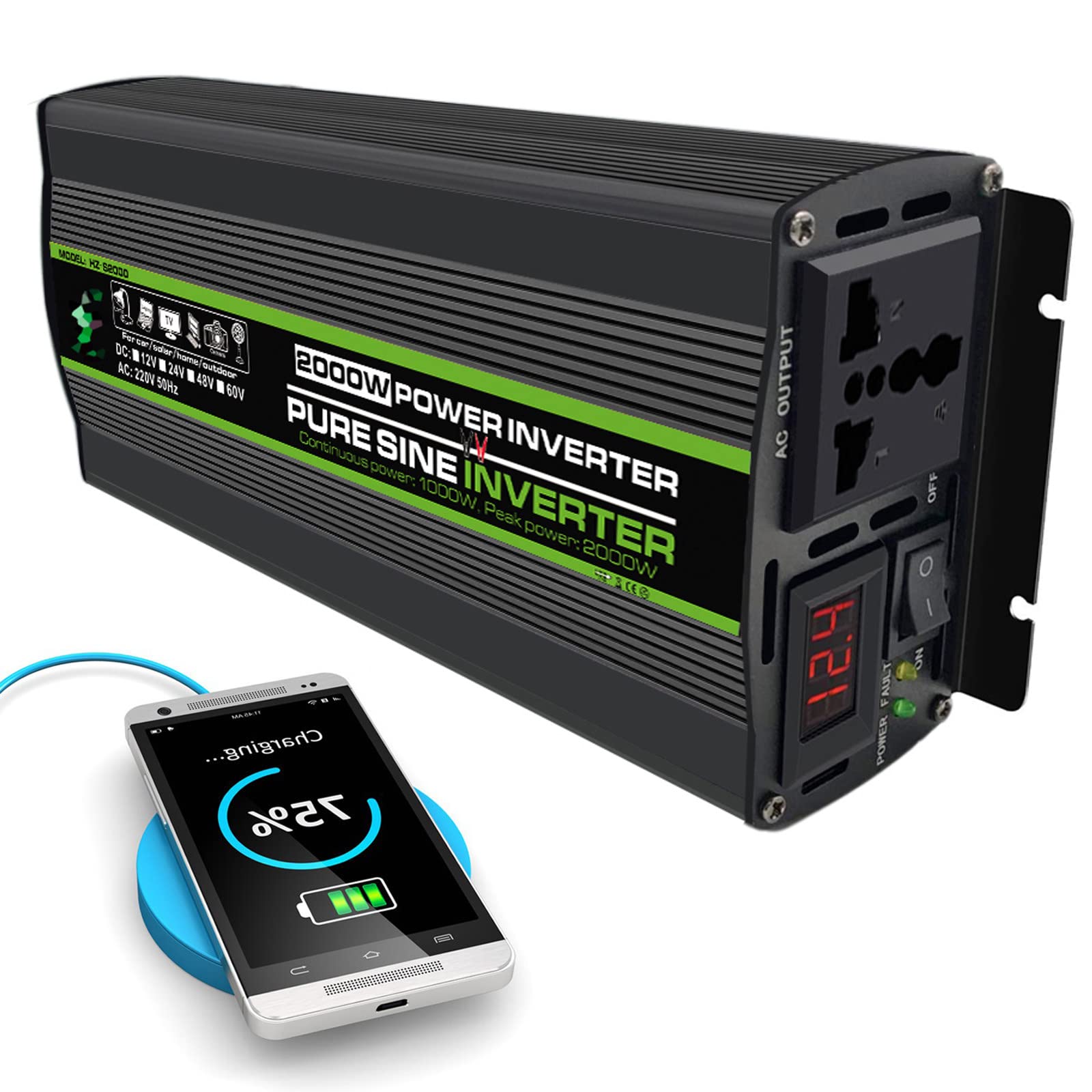
Image 1.1: FONOBO 2000W/2600W Pure Sine Wave Power Inverter. This image shows the front and side view of the inverter, highlighting its compact design and output capabilities.
2. Safety Instructions
WARNING: Failure to follow these safety instructions may result in electric shock, fire, or serious injury.
- Ensure the inverter is connected to a DC power source with the correct voltage (12V or 24V) as specified for your model. Incorrect voltage can damage the inverter and connected devices.
- Do not connect the inverter to an AC distribution wiring system.
- Avoid reverse polarity connections. Always connect the positive (+) terminal of the inverter to the positive (+) terminal of the battery, and the negative (-) terminal of the inverter to the negative (-) terminal of the battery.
- Do not expose the inverter to water, rain, snow, or spray.
- Operate the inverter in a well-ventilated area. Do not block the cooling fan or vents.
- Keep the inverter away from flammable materials, gases, or liquids.
- Do not open the inverter casing. There are no user-serviceable parts inside. Refer all servicing to qualified personnel.
- Ensure the total rated power of connected AC devices does not exceed the inverter's continuous rated power (1000W/1300W for this model).
- Disconnect the inverter from the battery when not in use to prevent battery discharge.
3. Product Features and Overview
The FONOBO Power Inverter is designed for reliability and efficiency, featuring:
- Pure Sine Wave Output: Provides clean power suitable for sensitive electronics, converting 12V/24V DC to 110V/220V AC.
- Robust Construction: Aluminum alloy housing for durability and heat dissipation.
- Intelligent Cooling Fan: Activates automatically when temperature exceeds 45°C or load exceeds 100W to prevent overheating.
- Multiple Protection Functions: Includes reverse polarity, low/high input voltage, over-current, short circuit, over-temperature, overload, and internal fuses.
- LED Indicators: Green LED for normal operation, Red LED for protection status.
- LED Voltage Display: Shows input voltage for monitoring.
- AC Receptacles: One AC outlet for connecting devices.

Image 3.1: Detailed view of the FONOBO Power Inverter components. This image labels the aluminum shell, LED input voltage display, AC receptacle, ON/OFF switch, power indicator light, fault indicator light, negative DC terminal, cooling fan, and positive DC terminal.
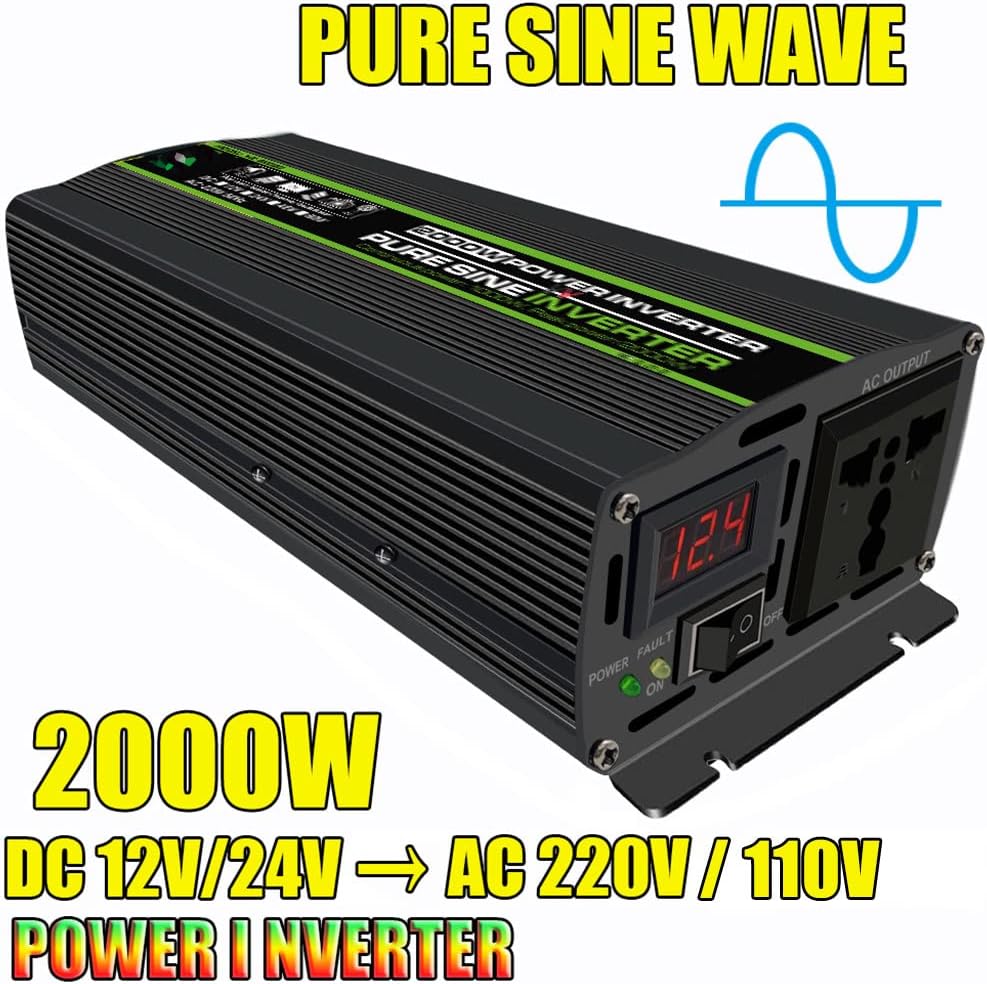
Image 3.2: FONOBO Pure Sine Wave Inverter highlighting its output waveform. This image visually represents the pure sine wave output, indicating suitability for sensitive electronics.
4. Setup and Installation
Follow these steps for proper installation of your power inverter:
- Choose a Location: Select a dry, cool, and well-ventilated area for the inverter. Ensure there is sufficient space around the unit for air circulation, especially around the cooling fan.
- Prepare the Battery: Ensure your DC power source (battery) is fully charged and has the correct voltage (12V or 24V) for your inverter model.
- Connect DC Cables:
- Connect the red cable (positive) to the positive (+) terminal of the inverter and the positive (+) terminal of the battery.
- Connect the black cable (negative) to the negative (-) terminal of the inverter and the negative (-) terminal of the battery.
- Ensure all connections are tight and secure to prevent loose connections and sparking.
- Cigarette Lighter Connection (for lower power applications): For loads under 150W, you may use the provided cigarette lighter plug. Connect it to the inverter's DC input and then to your vehicle's cigarette lighter socket. For higher loads, direct battery connection with battery clips is required.
- Initial Power On: After securing all connections, switch the inverter's ON/OFF switch to the "ON" position. The green LED indicator should light up, and the LED display will show the input voltage.

Image 4.1: Diagram illustrating a typical solar system connection with the FONOBO Power Inverter. This diagram shows how solar panels, a solar charge controller, a battery, and the power inverter connect to power AC applications and DC loads.

Image 4.2: FONOBO Power Inverter product size and included accessories. This image displays the inverter's dimensions (8.2in/21cm length, 2.3in/6cm width, 4.1in/10.5cm height) and the included battery clips and cigarette lighter plug.
5. Operating Instructions
Once the inverter is properly installed and powered on:
- Connect AC Devices: Plug your AC appliances into the AC receptacle on the inverter. Ensure the total wattage of all connected devices does not exceed the inverter's continuous rated power (1000W/1300W).
- Monitor Indicators:
- The Green LED indicates normal operation.
- The Red LED will light up if the inverter enters a protection state (e.g., overload, low voltage).
- The LED Voltage Display shows the current DC input voltage from your battery.
- Cooling Fan Operation: The intelligent cooling fan will automatically activate when the internal temperature exceeds 45°C or when the load exceeds 100W. This is normal operation and helps maintain optimal performance and longevity of the inverter.
- Power Off: When finished using the inverter, first switch off all connected AC appliances, then switch the inverter's ON/OFF switch to the "OFF" position. Disconnect the inverter from the battery if it will not be used for an extended period.

Image 5.1: Illustration of the FONOBO Power Inverter's smart cooling fan. This image shows the fan's location and explains that it operates when the temperature exceeds 45°C or the load exceeds 100W.

Image 5.2: Examples of wide applications for the FONOBO Power Inverter. This image displays various uses such as powering home appliances, outdoor monitoring, outdoor construction, photovoltaic off-grid solar power systems, unattended agricultural electricity, and electricity for RVs.
6. Maintenance
To ensure the longevity and optimal performance of your FONOBO Power Inverter, follow these maintenance guidelines:
- Keep Clean: Regularly clean the exterior of the inverter with a dry, soft cloth. Do not use liquids or abrasive cleaners.
- Check Connections: Periodically inspect all DC cable connections to ensure they are tight and free from corrosion. Loose connections can cause overheating and damage.
- Ventilation: Ensure the cooling vents and fan are free from dust and obstructions. Blocked vents can lead to overheating.
- Storage: If storing the inverter for an extended period, disconnect it from the battery and store it in a cool, dry place away from direct sunlight and moisture.
7. Troubleshooting
The FONOBO Power Inverter includes multiple protection features. If the Red LED lights up or the inverter stops functioning, refer to the following common issues and solutions:
| Problem | Possible Cause | Solution |
|---|---|---|
| Inverter not turning on (no LEDs) |
|
|
| Red LED lights up (Fault Indicator) |
|
|
| No AC output |
|
|
If the problem persists after attempting these solutions, please contact FONOBO customer support.
8. Specifications
| Feature | Detail |
|---|---|
| Model | Inverter |
| Input Voltage | DC 10.5V~15V (for 12V systems) / DC 21V~30V (for 24V systems) |
| Output Voltage | AC 220V / 110V (depending on model) |
| Output Frequency | 50Hz (for 220V) / 60Hz (for 110V) |
| Continuous Rated Power | 1000W / 1300W (depending on model) |
| Peak Power | 2000W / 2600W (depending on model) |
| Output Waveform | Pure Sine Wave (<3% THD) |
| Maximum AC Current per socket | 8.33 Ampere |
| Protection Features | Reverse polarity, Low/High input voltage, Over-current, Short circuit, Over temperature, Overload, Internal fuses |
| Cooling | Intelligent Cooling Fan (temperature/load controlled) |
| Dimensions (approx.) | 21cm (8.2in) L x 6cm (2.3in) W x 10.5cm (4.1in) H |
| Certifications | FCC, UL, ETL |
Note: Specifications are subject to change without notice. Please refer to the product label for the exact specifications of your unit.
9. Warranty and Support
FONOBO is committed to customer satisfaction. While specific warranty details are not provided in this manual, please retain your proof of purchase for any warranty claims.
For technical support, troubleshooting assistance, or any inquiries regarding your FONOBO Power Inverter, please contact our customer service team. You can reach us via Amazon email or through our official website. Our support team is available to assist you.
We value your feedback and are dedicated to providing excellent service.