
CYCPLUS T2
CYCPLUS T2 Smart Bike Trainer
User Manual
1. Introduction
This manual provides detailed instructions for the setup, operation, and maintenance of your CYCPLUS T2 Smart Bike Trainer. The CYCPLUS T2 is a high-performance indoor cycling trainer featuring an 85 N·m brushless motor, 2200W maximum resistance, and up to 20% gradient simulation. It supports BLE and ANT+ dual mode connectivity for seamless integration with popular cycling applications, offering a realistic and immersive indoor cycling experience.
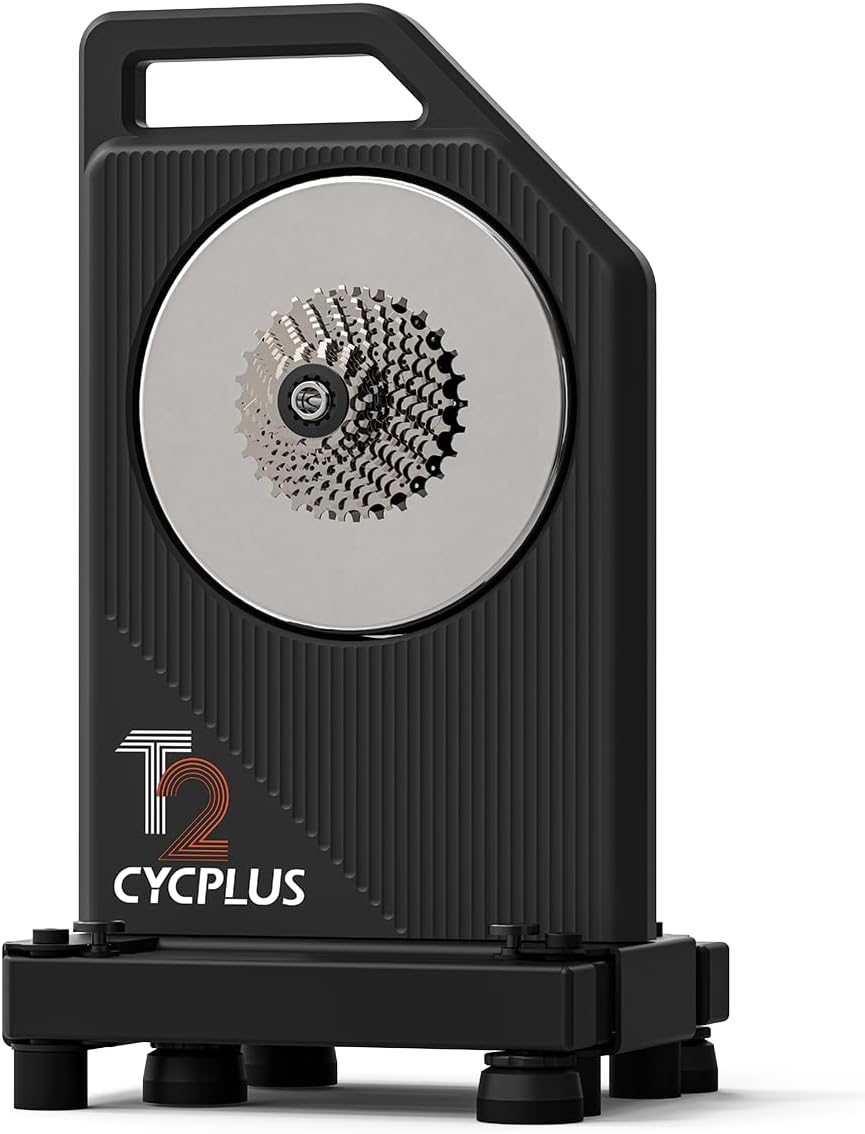
Figure 1: CYCPLUS T2 Smart Bike Trainer
2. What's in the Box
Verify that all components are present before beginning assembly:
- CYCPLUS T2 Smart Bike Trainer (with pre-installed 11-speed cassette)
- AC adapter and cable
- Various installation accessories (Thru-axle adapter-R, Thru-axle adapter-L, Quick release adapter-R, Quick release adapter-L, 17mm Wrench for thru-axle adapter-R, H5 Allen key for quick release adapter-R, 8-10 speed cassette spacer, Cassette adjustment spacer [7x], Disc brake spacer, Quick release, Hydraulic Disk Brake Pad Spacer)
- User Manual
- Cushioning mat

Figure 2: Included Components and Accessories
3. Setup
3.1 Unfolding the Trainer Legs
To prepare the trainer for use, unfold the legs until they click into place. Ensure both legs are fully extended for stability.

Figure 3: CYCPLUS T2 in folded configuration

Figure 4: CYCPLUS T2 with legs unfolded for stability
Video 1: Quick Release Frame Installation Tutorial, demonstrating the unfolding of the trainer legs.
3.2 Bike Installation (Quick Release)
For bikes with quick release axles, ensure the pre-installed quick release lever is removed from the trainer. Adjust the quick release adapter to match your bike's hub width (130mm for road bikes, 135mm for folding/mountain bikes). Shift your bike's chain to the smallest cog on its cassette and the smaller chainring. Toggle the rear derailleur and carefully mount your bike onto the trainer, aligning the chain with the smallest cog on the trainer's cassette. Secure the quick release lever.
Video 2: Quick Release Frame Installation Tutorial, showing the process of mounting a quick release bike.
3.3 Bike Installation (Thru-Axle)
For bikes with thru-axles, remove the pre-installed quick release adapter from the trainer using the provided #5 Allen key. Obtain the correct thru-axle adapter (142mm for road bikes, 148mm for mountain bikes) and screw it into the trainer. Shift your bike's chain to the smallest cog on its cassette and the smaller chainring. Toggle the rear derailleur and carefully mount your bike onto the trainer, aligning the chain with the smallest cog on the trainer's cassette. Ensure the spacing is aligned with the axle, then install and secure your bike's thru-axle.
Video 3: Thru-Axle Frame Installation Tutorial, detailing the mounting process for thru-axle bikes.
3.4 Adjusting Trainer Height
Adjust the height of the trainer by rotating the feet to fit your cushioning mat and ensure stability. Secure the lock nut until fixed. The maximum adjustable height of each foot is 16mm. It is suggested to place the front wheel away from the crease of the cushioning mat to avoid wear and tear.
4. Operating Instructions
4.1 Connecting to the CYCPLUS App and Adjusting Settings
The CYCPLUS T2 Smart Bike Trainer connects to the CYCPLUS app via BLE/ANT+ for personalized training and data management. Open the CYCPLUS app, select your T2 trainer, and connect. Within the app's settings, you can adjust various parameters for a more realistic and accurate training experience:
- Body Weight & Rider Weight: Adjust these parameters to simulate climbing experiences more accurately based on your weight and your bike's weight.
- Chain Drive Coefficient: This setting allows you to fine-tune the displayed power data to better match external power meters. Lowering the value increases displayed power, while raising it decreases it. The default is 97%, accounting for typical chain transmission loss.
- Downhill Coefficient: Simulates the effect of downhill cycling. A higher value results in a lighter pedaling feel on descents, while a lower value makes it heavier.
- Power Smoothing: Turning this on can reduce power fluctuations in ERG mode, providing a smoother power experience and better matching target power in workout courses.
Video 4: CYCPLUS Application User Tutorial, guiding through app connection and settings adjustments.
4.2 Exercise Modes
The CYCPLUS app allows you to train in various modes:
- Fixed Power: Set a target wattage, and the trainer will automatically adjust resistance to maintain that power output regardless of your cadence.
- Fixed Gradient: Simulate inclines up to 20%. The trainer will adjust resistance to mimic the chosen gradient, providing a realistic climbing experience.
You can switch between these modes and adjust values by sliding the respective controls within the app. Default values for gradient setting range from 0-20%, and power setting range from 50-500W.

Figure 5: Smart Connectivity with various cycling apps

Figure 6: Virtual Shifting for smooth, electronic resistance (requires BC2 Shifter, sold separately)
5. Maintenance
To ensure the longevity and optimal performance of your CYCPLUS T2 Smart Bike Trainer, regular maintenance is recommended:
- Cleaning: Regularly wipe down the trainer with a dry or slightly damp cloth to remove dust and sweat. Avoid using harsh chemicals.
- Noise Reduction: The T2 features a triple-layer noise reduction design for quiet operation. Ensure the trainer is placed on a stable, flat surface, preferably on the provided cushioning mat, to minimize vibration noise.
- Cooling System: The dual-fan cooling system efficiently dissipates heat. Ensure the vents are not obstructed during use to prevent overheating, especially during intense rides.

Figure 7: Rapid Heat Dissipation system for stable performance
6. Troubleshooting
If you encounter issues with your CYCPLUS T2 Smart Bike Trainer, consider the following general troubleshooting steps:
- Connectivity Issues: Ensure Bluetooth/ANT+ is enabled on your device and the trainer is powered on. Try restarting both the trainer and your device. Check for app updates.
- Power Accuracy Discrepancies: Verify your chain drive coefficient setting in the app. Ensure your bike's drivetrain is clean and well-lubricated.
- Unusual Noises: Check that the trainer legs are fully unfolded and locked. Ensure the bike is securely mounted and the quick release/thru-axle is tightened correctly.
- Resistance Problems: Confirm the trainer is connected to the app and the desired exercise mode (fixed power/gradient) is selected. Check for any physical obstructions.
For persistent issues, refer to the official CYCPLUS support resources or contact customer service.
7. Specifications
| Feature | Detail |
|---|---|
| Brand | CYCPLUS |
| Model Name | T2 |
| Color | Black |
| Material | Stainless Steel, Alloy Steel, Plastic, Metal |
| Resistance Mechanism | Electromagnetic |
| Max Power Output | 2200W |
| Max Simulated Gradient | 20% |
| Power Accuracy | ±1% |
| Connectivity | BLE, ANT+ |
| Noise Level | Under 60 dB |
| Folded Footprint | 11.8" x 10.1" (300mm x 257mm) |
| Max User Weight | 220 lbs (100 kg) |
| Wheel Size Compatibility | 29 Inches (and others via adapters) |
| Cassette Compatibility | 8-12 Speed HG Cassettes, XDR/XD (user-provided) |
| Axle Support | Thru-Axle: 12x142mm, 12x148mm; Quick Release: 5x130mm, 5x135mm |
8. Warranty and Support
The CYCPLUS T2 Smart Bike Trainer comes with a two-year warranty from the date of purchase. Please retain your proof of purchase for warranty claims.
For technical support, troubleshooting assistance, or warranty inquiries, please visit the official CYCPLUS website or contact their customer service team through the contact information provided on their website or your purchase platform.
You can also find additional resources and tutorials on the CYCPLUS Amazon Store.
Related documentsT2


Ask a question about this manual
Ask about setup, troubleshooting, compatibility, parts, safety, or missing instructions. Manuals+ will review the question and use this page’s manual context to help answer it.