
Introduction
This manual provides instructions for the installation and maintenance of the HUIZHEN Replacement Parts Kit, designed specifically for the AIRROBO P10 Robot Vacuum Cleaner. Regular replacement of these parts ensures optimal performance and extends the lifespan of your robot vacuum.
The kit includes:
- 1 x Roller Brush
- 4 x Side Brushes
- 4 x HEPA Filters
- 1 x Primary Filter
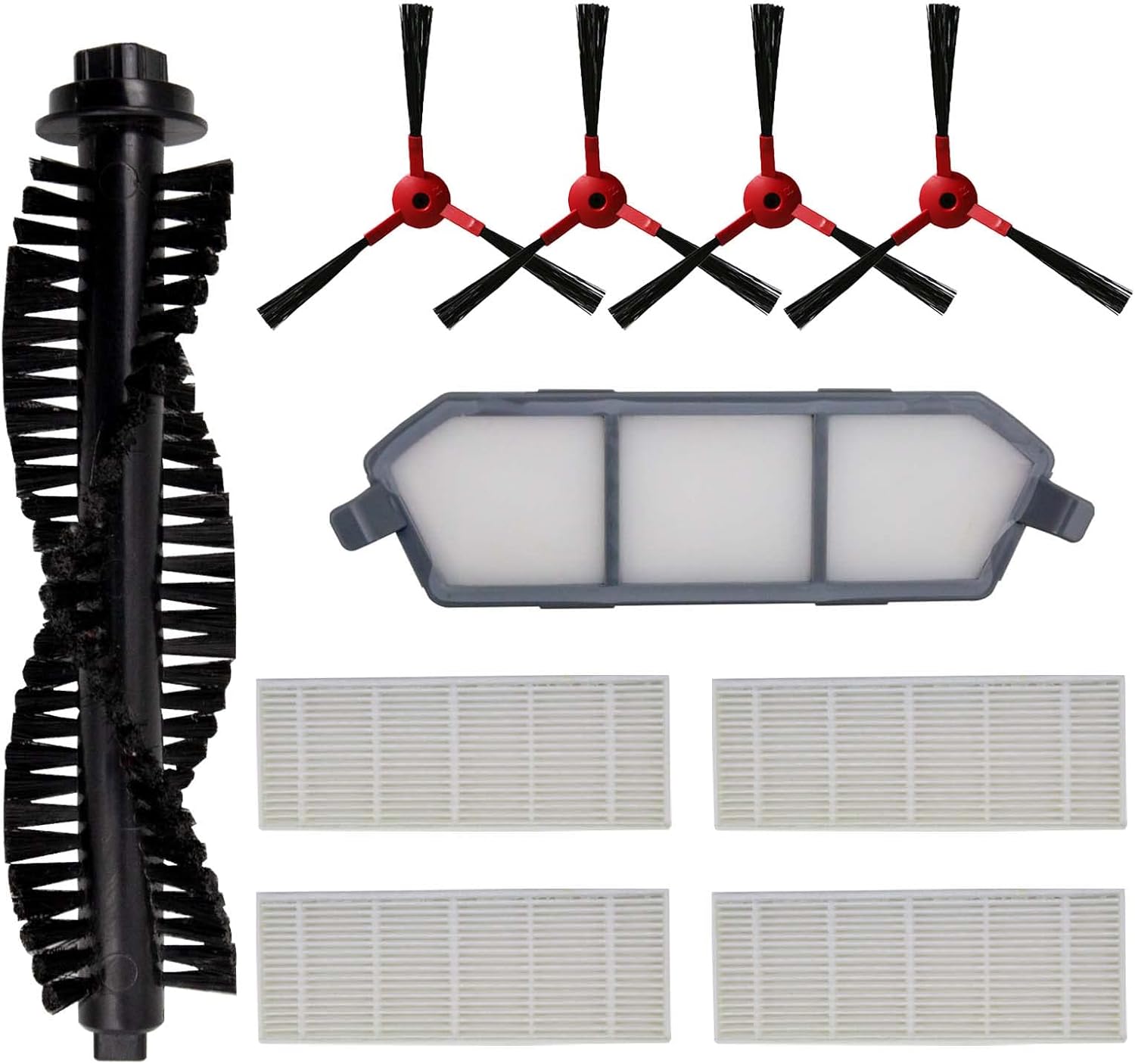
Image: Complete HUIZHEN Replacement Parts Kit for AIRROBO P10.
Installation Guide
Before installing any replacement parts, ensure your AIRROBO P10 Robot Vacuum Cleaner is powered off and disconnected from its charging base.
1. Roller Brush Replacement
- Turn the robot vacuum upside down.
- Locate the roller brush cover, usually secured by latches or screws. Open or remove it.
- Carefully lift out the old roller brush. Clean any debris from the brush compartment.
- Insert the new roller brush into the compartment, ensuring it clicks into place correctly.
- Close the roller brush cover securely.

Image: Detailed view of the replacement roller brush.
2. Side Brush Replacement
- Turn the robot vacuum upside down.
- Locate the side brushes. They are typically held in place by a single screw.
- Unscrew and remove the old side brush.
- Align the new side brush with the screw hole and secure it with the screw.

Image: Replacement side brushes.
3. HEPA Filter and Primary Filter Replacement
- Open the top cover of the robot vacuum to access the dustbin.
- Remove the dustbin from the vacuum cleaner.
- Open the dustbin cover to reveal the filter compartment.
- Remove the old HEPA filter and primary filter. Dispose of them properly.
- Insert the new primary filter first, followed by the new HEPA filter, ensuring they fit snugly.
- Close the dustbin cover and reinsert the dustbin into the robot vacuum.

Image: Replacement HEPA filters.

Image: Replacement primary filter.
Maintenance Schedule
To maintain the cleaning efficiency of your AIRROBO P10 Robot Vacuum Cleaner, it is recommended to replace the entire kit (roller brush, side brushes, and filters) every 2-3 months. This frequency may vary depending on usage and the amount of debris collected.
Tip: If a side brush becomes bent or curled during shipping or use, immerse the brush in warm water for a few minutes. This can help it recover its original shape.
The kit also includes a cleaning tool to help remove hair and debris from the brushes and filters.
Video: This video demonstrates the components of a similar robot vacuum cleaner (AIRROBO P20) and includes a cleaning tool, which is also part of this replacement kit. It provides a visual reference for the parts and their general appearance.
Troubleshooting
This replacement parts kit is designed to restore the cleaning performance of your AIRROBO P10. If you encounter issues after replacing the parts, such as reduced suction or unusual noises, ensure all parts are installed correctly and securely. If problems persist, please refer to the original AIRROBO P10 Robot Vacuum Cleaner user manual for further troubleshooting steps or contact AIRROBO customer support.
Specifications
| Compatible Model | AIRROBO P10 Robot Vacuum Cleaner |
| Kit Contents | 1 Roller Brush, 4 Side Brushes, 4 HEPA Filters, 1 Primary Filter |
| Material Type | HEPA (for filters) |
| Recommended Replacement | Every 2-3 months |
Warranty and Support
For any questions regarding this product or its installation, please contact the seller directly. The seller aims to respond to inquiries within 24 hours to ensure a satisfactory experience.