
Moman Moman H2 EU
Moman H2S Motorcycle Intercom User Manual
Model: Moman H2 EU
Brand: Moman
Introduction
The Moman H2S Motorcycle Intercom is an advanced communication system designed for motorcyclists, offering seamless connectivity, high-fidelity audio, and robust performance in various riding conditions. This manual provides detailed instructions for the proper installation, operation, and maintenance of your H2S intercom system.

Image: Two Moman H2S intercom units with interchangeable covers and microphone options.
Safety Information
- Always prioritize road safety. Do not operate the intercom in a way that distracts you from riding.
- Ensure the intercom is securely mounted to your helmet before riding.
- Adjust volume levels to allow awareness of ambient traffic sounds.
- Do not attempt to disassemble or modify the device. This may void the warranty and pose safety risks.
- Keep the device away from extreme temperatures and direct sunlight.
- Use only the provided charging cables and adapters.
Package Contents
Verify that all items are present in your package:
- Moman H2S Intercom Unit (x2)
- Back Clip (x2)
- Interchangeable Pattern Shells Kit (x4)
- Changeable Microphone Speakers (x2 sets, typically boom mic and soft wire mic)
- Charging Cable (USB-C, x2)
- User Manual (x1)
- Back Clip/Stick Style (x2)
- Double-Sided Tape (x2)
- Tape Kit (x4)
- Hexagon Key (x2)

Image: A visual representation of all components included in the Moman H2S package.
Product Overview
The Moman H2S features an intuitive design for easy operation while riding. Key components include the main unit, speakers, and microphone.
Main Unit Controls:
- Multi-function Knob: Used for volume control, track navigation, and FM radio tuning.
- Power Button: Powers the device on/off, initiates pairing, and handles calls.
- Intercom Button: Activates and deactivates intercom communication.
- Charging Port: USB-C port for charging the internal battery.

Image: The main unit of the H2S intercom, highlighting the large, glove-friendly control knob and buttons.
Setup
1. Charging the Device
Before first use, fully charge the H2S intercom. Connect the provided USB-C cable to the charging port on the unit and a compatible USB power source. The LED indicator will show charging status and turn off when fully charged. A full charge takes approximately 2 hours.
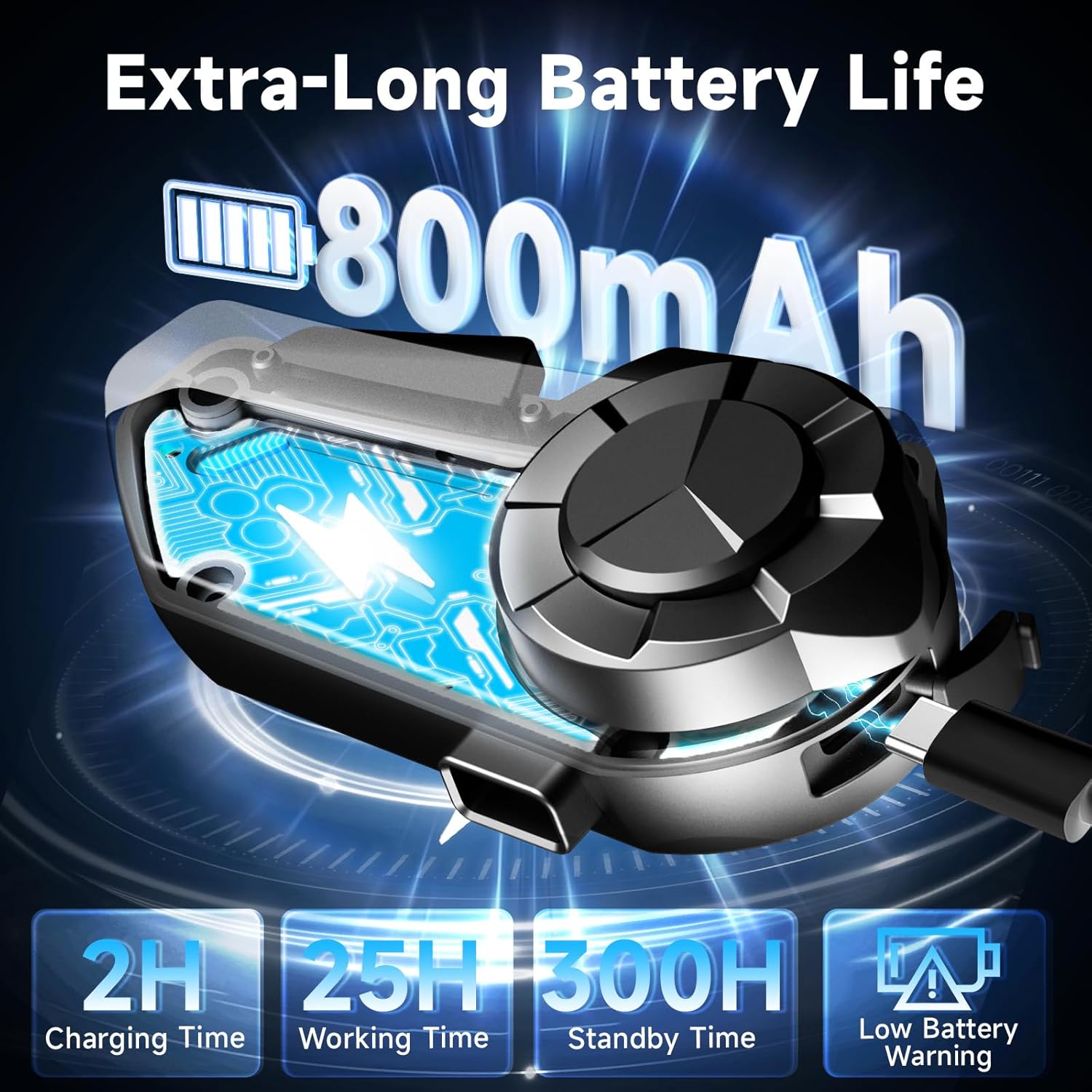
Image: Illustration of the H2S unit being charged, with battery life details.
2. Helmet Installation
The Moman H2S can be installed using either the clip-on mount or the adhesive mount.
Method 1: Clip-on Mount
- Slide the clip mount between the helmet shell and the inner padding.
- Ensure the clip is securely fastened.
- Slide the H2S main unit onto the clip until it clicks into place.
Method 2: Adhesive Mount
- Clean the desired mounting area on the helmet surface.
- Peel off the protective film from the double-sided tape on the adhesive mount.
- Firmly press the adhesive mount onto the helmet surface for at least 30 seconds. Allow adhesive to cure for 24 hours before use.
- Slide the H2S main unit onto the adhesive mount until it clicks into place.
Speaker and Microphone Installation:
- Attach the speakers to the helmet's interior using the provided Velcro pads, ensuring they are positioned directly over your ears for optimal sound.
- Choose the appropriate microphone (boom mic for open-face helmets, soft wire mic for full-face helmets) and attach it to the helmet interior near your mouth.
- Connect the speaker and microphone cables to the corresponding ports on the H2S main unit.

Image: Step-by-step guide for mounting the intercom unit onto a helmet.
3. Bluetooth Pairing
The H2S intercom uses Bluetooth 5.3 and 5.1 for stable connections.
Pairing with a Mobile Phone:
- With the H2S off, press and hold the Power Button until the LED indicator flashes red and blue alternately, indicating pairing mode.
- On your mobile phone, enable Bluetooth and search for "Moman H2S".
- Select "Moman H2S" to connect. The LED will turn solid blue when successfully paired.
Pairing Two H2S Units for Intercom Communication:
- Ensure both H2S units are off.
- On both units, press and hold the Power Button until the LED indicators flash red and blue alternately.
- Briefly press the Intercom Button on one of the units. The units will automatically search and pair with each other.
- Once paired, the LEDs on both units will turn solid blue, and you will hear a confirmation tone.

Image: Visual representation of the 1000-meter intercom range between two H2S units.
Operating Instructions
Power On/Off:
- Power On: Press and hold the Power Button for 2 seconds.
- Power Off: Press and hold the Power Button for 3 seconds.
Intercom Communication:
- Start Intercom: Briefly press the Intercom Button.
- End Intercom: Briefly press the Intercom Button again.
- The H2S supports rider-to-rider communication up to 1000 meters.
Music Playback:
- Play/Pause: Briefly press the Power Button.
- Next Track: Rotate the Multi-function Knob clockwise.
- Previous Track: Rotate the Multi-function Knob counter-clockwise.
- Music Sharing: With music playing, press and hold the Intercom Button for 2 seconds to share music with a paired H2S unit.
FM Radio:
- Turn On/Off FM Radio: Double-click the Multi-function Knob.
- Scan Stations: Rotate the Multi-function Knob.
Phone Calls:
- Answer Call: Briefly press the Power Button.
- End Call: Briefly press the Power Button during a call.
- Reject Call: Press and hold the Power Button for 2 seconds during an incoming call.
- Redial Last Number: Double-click the Power Button.
Voice Assistant (AI Voice):
- Activate Voice Assistant: Press and hold the Multi-function Knob for 2 seconds.
Audio Multitasking and Volume Adjustment:
The H2S supports simultaneous audio functions. For example, you can have intercom communication while listening to music or GPS navigation. The system automatically adjusts volumes for clarity.
- Volume Up: Rotate the Multi-function Knob clockwise.
- Volume Down: Rotate the Multi-function Knob counter-clockwise.

Image: Illustration of the H2S's ability to mix audio from intercom, music, GPS, FM radio, and AI voice assistant simultaneously.

Image: Explanation of the triple noise cancellation technology for clear audio at high speeds.
Maintenance
- Cleaning: Wipe the unit with a soft, damp cloth. Do not use harsh chemicals or abrasive cleaners.
- Storage: Store the device in a cool, dry place when not in use. Avoid extreme temperatures.
- Battery Care: To prolong battery life, avoid fully discharging the battery frequently. Charge the device regularly, even if not in use for extended periods.
- The H2S is IPX6 waterproof and dustproof, but avoid submerging it in water.

Image: Visual demonstration of the H2S intercom's ruggedness and weather resistance.
Troubleshooting
| Problem | Possible Cause | Solution |
|---|---|---|
| Device does not power on. | Low battery. | Charge the device fully. |
| Cannot pair with phone/another unit. | Device not in pairing mode; too far apart; interference. | Ensure device is in pairing mode (flashing red/blue). Bring devices closer. Restart devices. |
| No sound or low volume. | Volume too low; speakers not connected properly; speakers misplaced in helmet. | Increase volume. Check speaker connections. Adjust speaker position. |
| Intercom connection drops frequently. | Out of range; environmental interference. | Stay within 1000m range. Avoid areas with strong electromagnetic interference. |
| Microphone not working. | Microphone not connected; wrong microphone type for helmet. | Ensure microphone is securely connected. Use the appropriate microphone (boom or soft wire). |
Specifications
| Feature | Detail |
|---|---|
| Model Name | Moman H2 |
| Item Model Number | Moman H2 EU |
| Connectivity Technology | Wireless (Bluetooth 5.3 & 5.1) |
| Intercom Range | Up to 1000 meters |
| Noise Control | Active Noise Cancellation (DSP, CVC, ENC) |
| Speaker Size | 40mm Dynamic Speaker |
| Impedance | 32 Ohm |
| Battery | 800mAh Lithium Ion (included) |
| Charging Time | Approx. 2 hours |
| Working Time | Up to 25 hours |
| Standby Time | Up to 300 hours |
| Waterproof Rating | IPX6 |
| Manufacturer | Moman |
| First Available Date | 13 July 2022 |
Warranty and Support
For warranty information and customer support, please refer to the documentation included with your product packaging or visit the official Moman website. Specific warranty terms may vary by region and retailer.
For further assistance, you may contact Moman customer service through their official channels. Please have your product model number (Moman H2 EU) and purchase details ready.
Related documentsMoman H2 EU


Ask a question about this manual
Ask about setup, troubleshooting, compatibility, parts, safety, or missing instructions. Manuals+ will review the question and use this page’s manual context to help answer it.