Introduction
This manual provides comprehensive instructions for the proper setup, operation, and maintenance of your Vanguard Veo 3 264APS Camera Tripod. Designed for stability and versatility, this aluminum tripod features a VEO PH-38S 2-way and 3-way panoramic ball joint, a monopod conversion option, and robust construction for various photographic and videographic applications.
Please read this manual thoroughly before using the product to ensure safe and optimal performance.
Package Contents
Upon unpacking, verify that all items listed below are present:
- Vanguard Veo 3 264APS Tripod
- VEO PH-38S Ball Joint (pre-attached)
- QS-74 Quick Release Shoe
- Premium Carrying Case
- Low Angle Adapter

Image: The Vanguard Veo 3 264APS tripod fully assembled, showcasing its robust aluminum legs and the VEO PH-38S ball joint.
Setup
Extending the Tripod Legs
Release the leg locks on each section of the tripod legs. Extend the legs to the desired height. Ensure all leg locks are securely fastened after adjustment. The tripod features four sections with improved 26mm legs for stability.
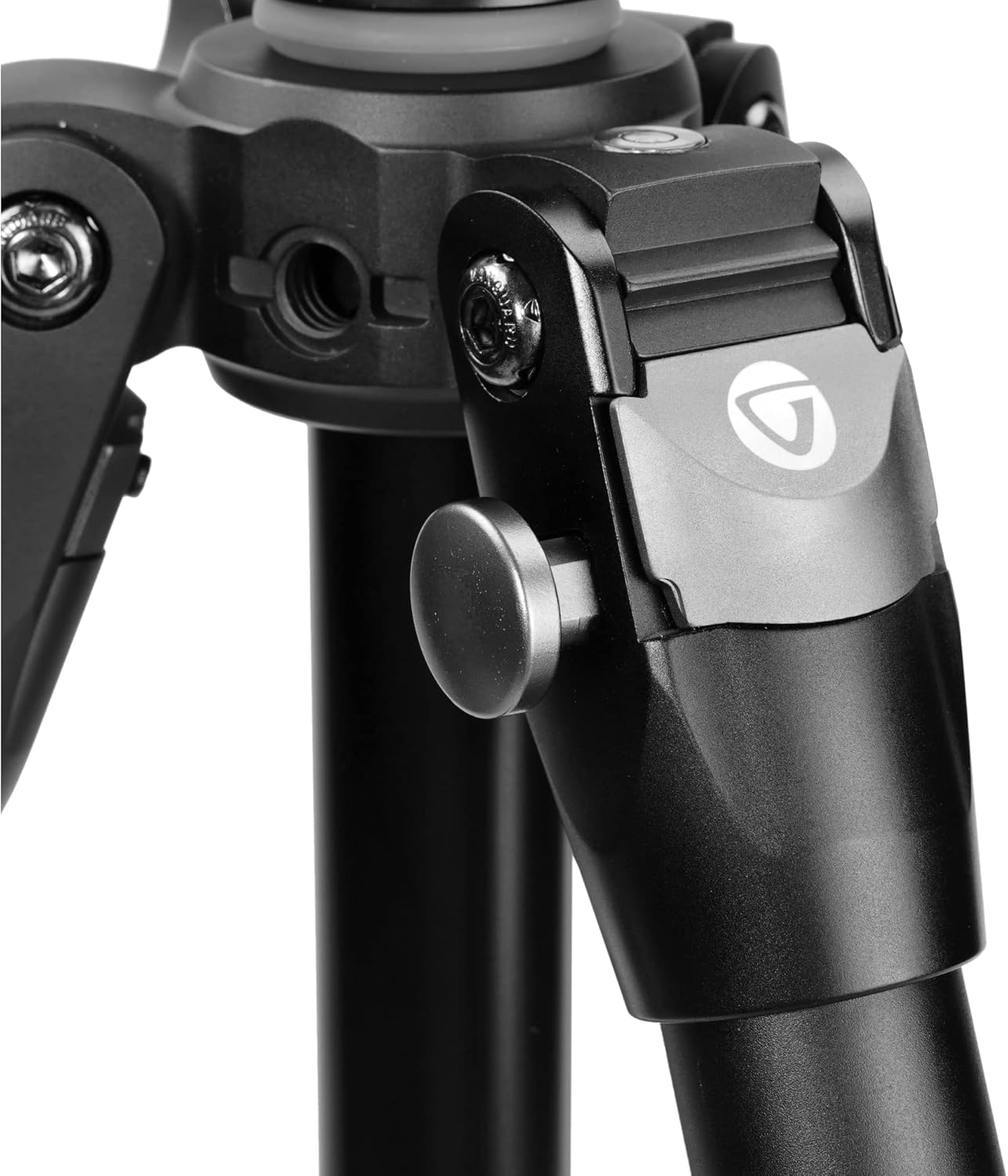
Image: A close-up view of the leg lock mechanism on the Vanguard Veo 3 264APS tripod, designed for secure and easy adjustment.
Adjusting Leg Angles
Each leg can be independently adjusted to three different angles. Press the angle adjustment tab at the top of each leg to select the desired spread. This allows for stable positioning on uneven terrain or for achieving low-angle shots.
Leveling the Tripod
Utilize the integrated bubble level located on the tripod canopy to ensure the tripod base is perfectly level before mounting your camera. The VEO PH-38S ball joint also includes an additional bubble level for fine-tuning.

Image: A detailed view of the bubble level integrated into the tripod's canopy, essential for ensuring a perfectly level setup.
Attaching the Camera
The VEO PH-38S ball joint comes with an Arca-compatible QS-74 quick release shoe. Attach the QS-74 shoe to the base of your camera or lens collar. Then, slide the shoe into the clamp on the ball joint and secure it by tightening the locking knob. Ensure the safety pin engages for added security.
Operating the Tripod
Using the VEO PH-38S Ball Joint
The VEO PH-38S is a 2-way and 3-way panoramic ball joint. It features two levers for independent movement control:
- Horizontal Pan: Loosen the lower lever to rotate the head horizontally for panoramic shots. The numbered base assists in precise adjustments.
- Vertical Tilt: Loosen the upper lever to tilt the camera vertically.
- Combined Movement: When both levers are loosened, the head allows for full 3-way movement. Tighten both levers to lock the position securely.
The upper handle grip can be rotated in 90° segments to position the levers comfortably for both right-handed and left-handed users, and to adjust for unstable terrain.
Monopod Conversion
One of the tripod legs can be quickly converted into a monopod. To do this:
- Unscrew the designated leg (usually marked) from the tripod canopy.
- Remove the center column with the ball joint attached from the tripod canopy.
- Attach the center column (with ball joint) to the top of the detached leg.
This provides a stable monopod for quick action shots or situations where a full tripod is not feasible.
Low Angle Photography
For extremely low-angle shots, you can use the included low angle adapter. Alternatively, the center column can be reversed and inserted upside down into the tripod canopy, allowing the camera to be positioned very close to the ground.
Accessory Attachment
The tripod canopy features two 3/8" threads. These threads allow for the attachment of support arms or other accessories, expanding the versatility of your setup.

Image: The Vanguard Veo 3 264APS tripod supporting a camera and an additional accessory arm, demonstrating its versatility for multiple attachments.
Maintenance
- Cleaning: Regularly clean the tripod, especially the leg locks, to prevent dirt and debris from affecting their operation. Use a soft, damp cloth. For stubborn dirt, a mild soap solution can be used, followed by thorough drying.
- Lubrication: The leg closures are designed for easy cleaning and maintenance. Avoid applying excessive lubricants unless specifically recommended by the manufacturer, as this can attract dirt.
- Storage: Store the tripod in its premium carrying case in a dry, cool environment when not in use to protect it from dust and moisture.
- Inspection: Periodically inspect all screws, joints, and moving parts for tightness and wear. Tighten any loose screws carefully.
Troubleshooting
- Legs not extending/retracting smoothly: Check for dirt or sand in the leg locks. Clean thoroughly as described in the Maintenance section. Ensure locks are fully disengaged.
- Ball joint movement is stiff or loose: Ensure all locking levers are properly engaged or disengaged. If stiff, check for debris. If consistently loose, ensure the camera is within the specified load capacity.
- Tripod instability: Ensure all leg sections are fully extended and locked, and leg angles are set appropriately for the terrain. Verify the camera is securely mounted on the quick release shoe.
Specifications
| Feature | Detail |
|---|---|
| Model Name | VEO 3 264APS |
| Material | Aluminum |
| Maximum Height | 158 cm (62.2 inches) |
| Folded Length | Approx. 60 cm (23.62 inches) |
| Weight Limit | 10 kg (22 lbs) |
| Item Weight | 2.3 kg (5.06 pounds) |
| Leg Sections | 4 |
| Leg Diameter | 26 mm |
| Tripod Head Type | VEO PH-38S 2-way and 3-way Panoramic Ball Joint |
| Quick Release Plate | Arca-compatible QS-74 |
| Special Features | Monopod conversion, Adjustable leg angles, Reversible center column, Accessory threads, Integrated bubble levels |
| Compatible Devices | Camcorder, Camera, Smartphone (with adapter, not included) |
Warranty and Support
Vanguard products are manufactured to high-quality standards. For specific warranty information regarding your Veo 3 264APS tripod, please refer to the warranty card included with your purchase or visit the official Vanguard website.
For technical support, spare parts, or service inquiries, please contact Vanguard customer service through their official channels. Keep your purchase receipt and product model number handy for faster assistance.


