
YMOO RT5066
YMOO 2.4Ghz Wireless Audio Transmitter Receiver User Manual
Model: RT5066
Product Overview
The YMOO 2.4Ghz Wireless Audio Transmitter Receiver kit provides a high-fidelity, low-latency solution for wirelessly transmitting audio. Designed with a durable metal shell, it offers easy plug-and-play functionality, automatically connecting upon power-on. It supports 24bit/192kHz audio quality and boasts an extended working range, making it ideal for various home and professional audio setups.
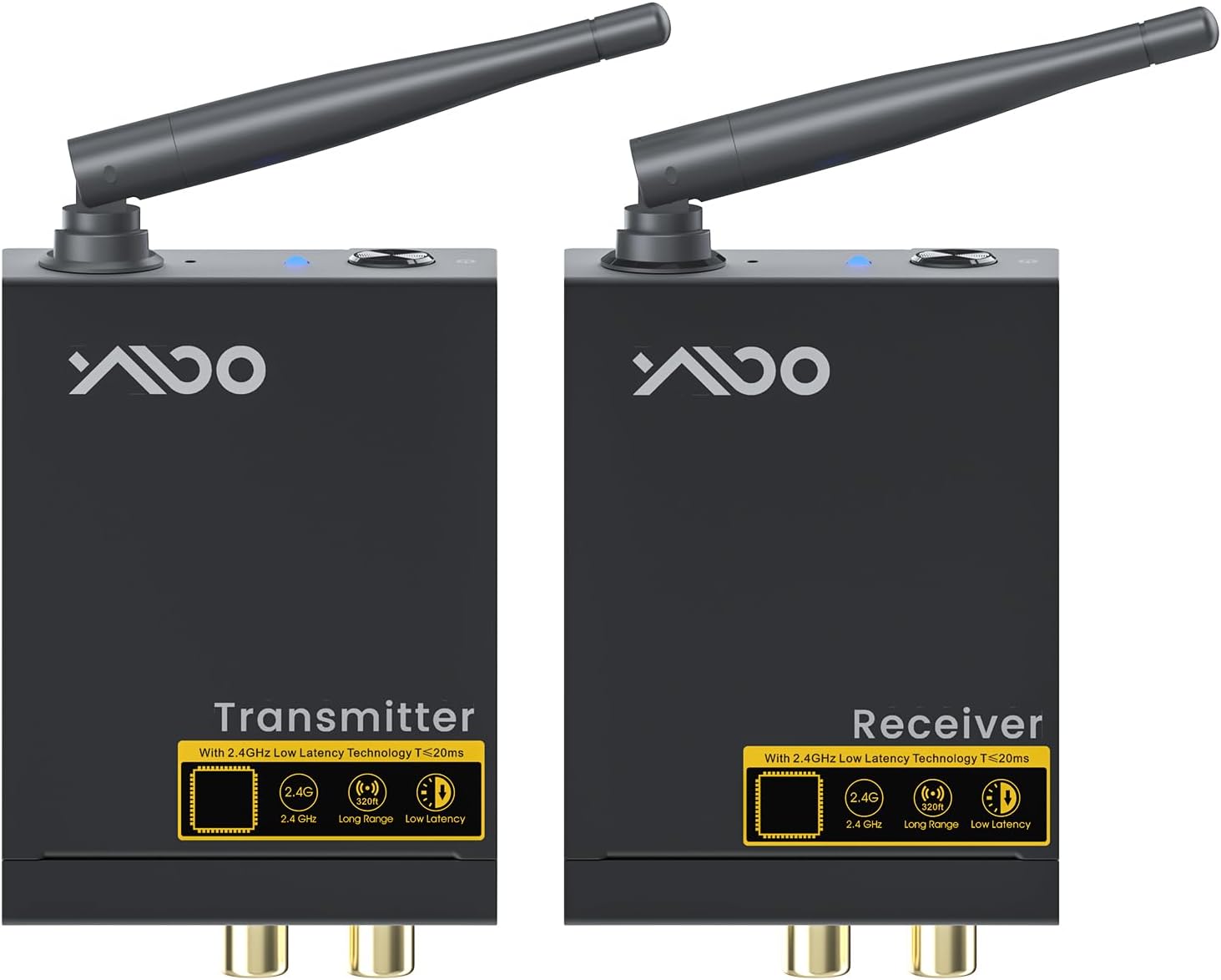
Image: The YMOO 2.4Ghz Wireless Audio Transmitter and Receiver units, showcasing their compact design and external antennas.
Package Contents
Please verify that all items are present in your package:
- 1 x YMOO 2.4Ghz Wireless Audio Transmitter
- 1 x YMOO 2.4Ghz Wireless Audio Receiver
- 2 x Power Adapters (DC 5V)
- 2 x USB Power Cables
- 2 x RCA to 3.5mm Audio Cables
- User Manual (this document)

Image: Illustration of the YMOO wireless audio kit package contents, including the transmitter, receiver, power adapters, USB cables, and RCA to 3.5mm audio cables.
Setup Guide
The YMOO wireless audio system is designed for easy plug-and-play setup. Follow these steps to get started:
- Connect the Transmitter: Plug the YMOO Transmitter into your audio source (e.g., TV, PC, MP3 Player) using the provided RCA to 3.5mm audio cable. Ensure the audio output from your source is connected to the "Audio In" ports on the Transmitter.
- Power the Transmitter: Connect one of the provided USB power cables to the Transmitter's DC 5V port and plug the power adapter into a wall outlet. The Transmitter will automatically power on.
- Connect the Receiver: Plug the YMOO Receiver into your audio destination (e.g., powered speaker, soundbar, amplifier) using the provided RCA to 3.5mm audio cable. Ensure the audio input of your destination is connected to the "Audio Out" ports on the Receiver.
- Power the Receiver: Connect the second USB power cable to the Receiver's DC 5V port and plug its power adapter into a wall outlet. The Receiver will automatically power on.
- Automatic Pairing: The wireless transmitter and receiver will automatically pair within seconds. Once paired, the indicator lights on both units will show a stable connection.

Image: A visual guide demonstrating the connection process for the YMOO wireless audio system, showing the transmitter connected to a TV and the receiver connected to a speaker.
Operating Instructions
Once the transmitter and receiver are powered on and paired, the system operates automatically. Audio from your source connected to the transmitter will be wirelessly streamed to the device connected to the receiver.
- Audio Quality: The system supports high-quality audio transmission up to 24bit/192kHz, providing clear, stable, and noise-free sound with excellent audio synchronization.
- Range: The 2.4GHz technology allows for a working range of up to 320 feet (100m) in open spaces and approximately 60 feet (20m) through one or two walls.
- Low Latency: With a delay of less than 20ms, the system ensures audio and video remain perfectly synchronized, making it suitable for TV, movies, and gaming.

Image: A family enjoying a movie with the YMOO wireless audio system, highlighting its ultra-low latency for synchronized audio and video.
Troubleshooting and Important Notes
To ensure optimal performance and avoid common issues, please consider the following:
- Subwoofers/Passive Speakers: We do not suggest using this product with subwoofers or passive speakers that exceed 150W. If the power of the subwoofer exceeds 150W or if used with passive speakers without an additional amplifier, the sound output will be too low or non-existent. An additional amplifier is required for high-power subwoofers or passive speakers.
- TV Size and DVD/CD Players: This product is not suitable for TVs larger than 86 inches or for use with DVD/CD players. Using it with these devices may result in audio distortion and degraded sound quality.
- Musical Instruments: We do not recommend using this product for electric guitars or electric pianos, as it may cause excessive audio delay and poor sound quality.
- Router Interference: Do not place the transmitter or receiver too close to a Wi-Fi router (2.4G/5.8G). Proximity to a router can cause transmission slowdown, increased delay, and degraded sound quality due to interference.
- Cable Usage: Always use the provided RCA to 3.5mm audio cable. Using an RCA to RCA cable may cause excessive delay and distortion.
- Surround Sound/Rear Speakers: This product is not recommended for surround sound setups or for connecting rear speakers, as it may not meet the specific requirements for these applications.

Image: A table outlining acceptable and unacceptable usage scenarios for the RT5066, including notes on TV size, subwoofer power, and device compatibility.
Specifications
| Feature | Detail |
|---|---|
| Model Number | RT5066 |
| Product Dimensions | 4.84 x 3.94 x 0.94 inches |
| Item Weight | 10.5 ounces |
| Connectivity Technology | 2.4Ghz Wireless (Note: Product description mentions Bluetooth, but feature bullets and main tech is 2.4Ghz. Sticking to 2.4Ghz as primary.) |
| Audio Quality | Up to 192kHz/24bit HiFi Stereo |
| Latency | Less than 20ms |
| Working Range | Up to 320 feet (100m) in open space; 60 feet (20m) through 1-2 walls |
| Power Source | Corded Electric (DC 5V) |
| Material | Metal Shell |
Warranty and Support
YMOO products are designed for reliability and performance. For any technical assistance or warranty inquiries, please refer to the official YMOO support channels.
- User Manual (PDF): For a downloadable version of the user manual, please visit: YMOO RT5066 User Manual PDF
- Online Support: Visit the official YMOO store on Amazon for product information and customer service: YMOO Store
Related documentsRT5066


Ask a question about this manual
Ask about setup, troubleshooting, compatibility, parts, safety, or missing instructions. Manuals+ will review the question and use this page’s manual context to help answer it.