Product Overview
The JBL Cinema SB271 is a powerful 2.1 channel soundbar system designed to enhance your home entertainment experience. It features a soundbar with two full-range drivers and a wireless subwoofer for deep, thumping bass. With Dolby Digital audio, it delivers an immersive sound experience for movies and music. Connectivity options include HDMI ARC, Optical, and Bluetooth for versatile setup and wireless music streaming.

Image: The JBL Cinema SB271 system, showcasing the soundbar, wireless subwoofer, and remote control.
Key Features:
- 220W Powerful Sound: Delivers robust audio output from the soundbar and wireless subwoofer.
- Wireless Subwoofer: Provides extra deep bass without the clutter of cables.
- Dolby Digital Audio: Enhances the immersive feeling for movies and music.
- Versatile Connectivity: Supports HDMI ARC, Optical, and Bluetooth for easy integration with various devices.
- Voice Clarity Enhancement: A dedicated "Voice" button on the remote clarifies dialogues.

Image: Visual representation of key product features including 220W Soundbar, Wireless Subwoofer, JBL Signature Sound, Dolby Digital Audio, Bluetooth, HDMI ARC, Optical Input, Predefined Equalizers, Smart Standby Mode, and TV Remote Compatibility.
What's in the Box
Before you begin, ensure all components are present in the packaging:
- Soundbar
- Wireless subwoofer
- Remote control with batteries
- Power cords (quantity may vary by region)
- HDMI cable
- Wall-mount bracket kit with screws

Image: An illustration showing all items included in the JBL Cinema SB271 product box: soundbar, wireless subwoofer, remote control with batteries, HDMI cable, and wall-mount bracket kit with screws.
Setup
1. Placement
- Soundbar: Place the soundbar centrally below your TV. Ensure it is on a stable, flat surface or mounted securely to the wall using the provided kit.
- Wireless Subwoofer: Position the wireless subwoofer anywhere in the room. For optimal bass performance, experiment with different locations, typically near a wall or in a corner.
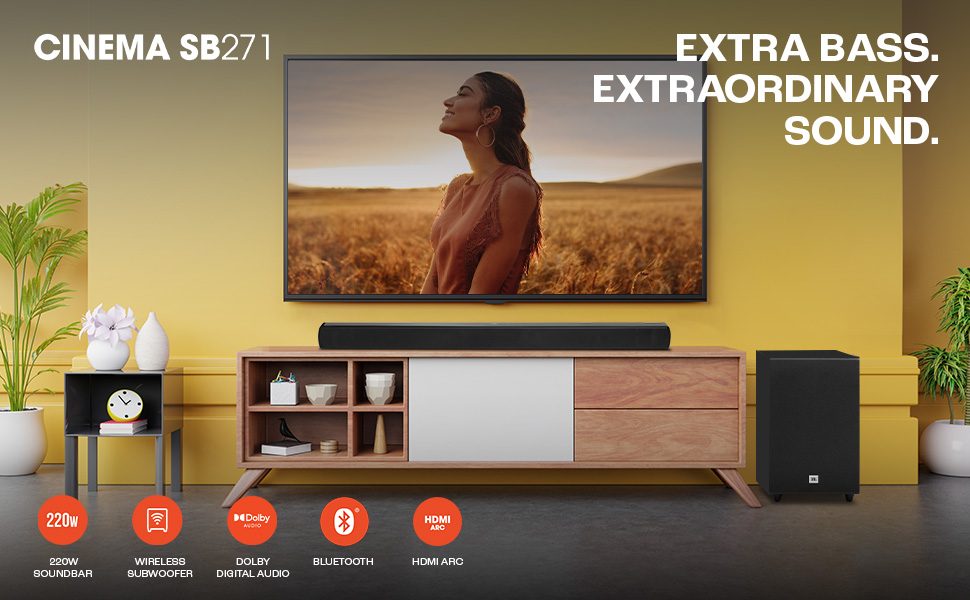
Image: A visual demonstrating the placement of the 220W soundbar in front of a television and the wireless subwoofer positioned on the side, illustrating a typical home theater setup.
2. Connections
Connect the soundbar to your TV or other audio sources using one of the following methods:
- HDMI ARC (Recommended): Connect one end of the provided HDMI cable to the HDMI ARC port on the soundbar and the other end to the HDMI ARC port on your TV. This allows for high-quality audio transmission and control of the soundbar volume using your TV remote.
- Optical: If your TV does not have an HDMI ARC port, connect an optical cable (not included) from the Optical OUT port on your TV to the Optical IN port on the soundbar.
- Bluetooth: For wireless audio streaming from mobile devices, ensure Bluetooth is enabled on your device and the soundbar is in Bluetooth pairing mode.
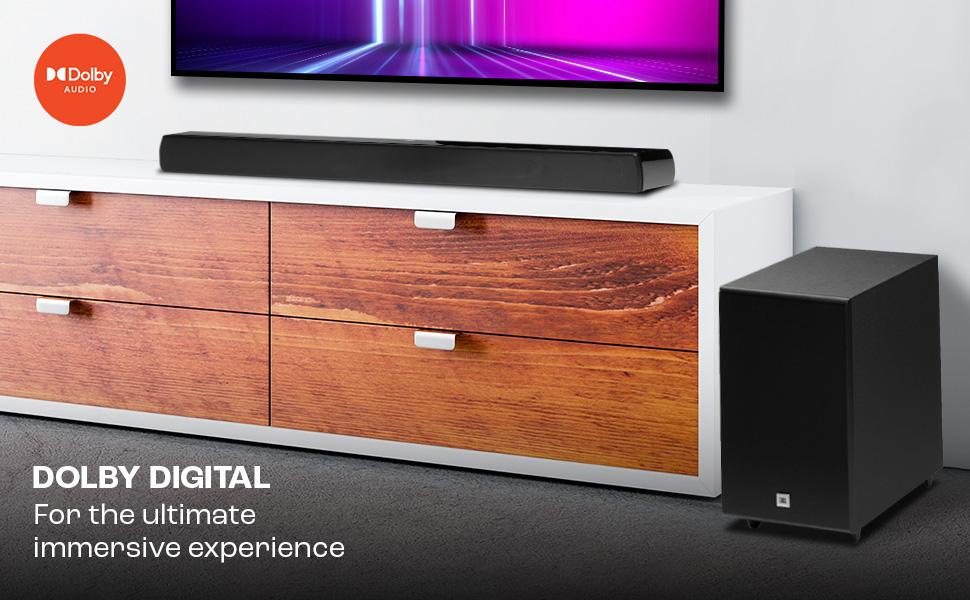
Image: A close-up of a hand holding a smartphone displaying a music player interface, with the JBL soundbar in the background, illustrating wireless and wired connectivity options like Bluetooth and HDMI ARC.
3. Power Connection
Connect the power cords to the soundbar and the wireless subwoofer, then plug them into a power outlet. The soundbar and subwoofer should automatically pair. If not, refer to the Troubleshooting section for manual pairing instructions.
Operating Instructions
Power On/Off
Press the Power button on the soundbar or the remote control to turn the system on or off. The system will enter Smart Standby mode after a period of inactivity.
Input Selection
Use the Source button on the remote control to cycle through available input sources: HDMI ARC, Optical, and Bluetooth.
Volume Control
Adjust the volume using the Volume + and Volume - buttons on the soundbar or the remote control.
Sound Modes
The JBL Cinema SB271 offers predefined equalizer modes to optimize your listening experience:
- Music Mode: Optimized for music playback.
- Movie Mode: Enhances cinematic audio for films.
- News & Voice Mode: Activates the dedicated "Voice" feature to boost dialogue clarity, making conversations easier to understand against background noise.

Image: A hand holding the JBL remote control, highlighting the buttons for Music, Movie, and News & Voice modes, allowing users to customize sound for a richer experience.
Bluetooth Pairing
- Press the Bluetooth button on the remote control or soundbar. The Bluetooth indicator will blink.
- On your mobile device, search for "JBL Cinema SB271" in the Bluetooth settings and select it to pair.
- Once connected, the Bluetooth indicator will glow solid. You can now stream audio wirelessly.
Maintenance
To ensure the longevity and optimal performance of your JBL Cinema SB271 system, follow these maintenance guidelines:
- Cleaning: Use a soft, dry cloth to wipe the surfaces of the soundbar and subwoofer. Avoid using liquid cleaners, aerosols, or abrasive materials, as they may damage the finish or internal components.
- Ventilation: Ensure that the ventilation openings on the soundbar and subwoofer are not blocked. Proper airflow prevents overheating.
- Storage: If storing the unit for an extended period, disconnect it from power and store it in a cool, dry place away from direct sunlight and extreme temperatures.
Troubleshooting
If you encounter issues with your JBL Cinema SB271, refer to the following common problems and solutions:
| Problem | Possible Cause / Solution |
|---|---|
| No power |
|
| No sound from soundbar |
|
| No sound from wireless subwoofer |
|
| Bluetooth connection issues |
|
Specifications
| Feature | Detail |
|---|---|
| Model Name | Cinema SB271 |
| Speaker Type | Soundbar with Wireless Subwoofer |
| Audio Output Mode | 2.1 Channel, Surround |
| Total Speaker Power Output | 220 Watts |
| Subwoofer Diameter | 5.25 Inches |
| Connectivity Technology | Bluetooth, HDMI ARC, Optical |
| Product Dimensions (D x W x H) | 35.5D x 18.5W x 94.5H Centimeters |
| Item Weight | 6.65 kg |
| Color | Black |
| Included Components | Soundbar, Wireless subwoofer, Remote control with batteries, Power cords, HDMI cable, Wall-mount bracket kit with screws |
Warranty and Support
Warranty Information
The JBL Cinema SB271 comes with a Limited Warranty. For specific terms and conditions, please refer to the warranty card included in your product packaging or visit the official JBL support website.
Customer Support
For further assistance, technical support, or service inquiries, please contact JBL customer support. Contact details can typically be found on the official JBL website or in your product documentation.
Note: Free installation, replacement, and on-site repair services may be available in select cities. Please check with your retailer or JBL support for eligibility.