
arboleaf CS20H
arboleaf Smart Scale User Manual
Model: CS20H
Your guide to comprehensive body composition analysis.
Product Overview
The arboleaf Smart Scale is a digital bathroom scale designed to provide a full body composition analysis. Beyond just weight, it measures 13 additional body metrics, offering a comprehensive view of your health. Data is seamlessly synced to the arboleaf app via Bluetooth, allowing for easy tracking and progress monitoring.

Image: The arboleaf Smart Scale in dark black, displaying a weight reading. Alongside it, a smartphone and smartwatch show the connected arboleaf app interface, illustrating body composition data and tracking features.
Video: An official arboleaf video demonstrating the features of the Digital Scale, highlighting its WiFi and Bluetooth connectivity for smart body composition analysis.
Setup Guide
1. Unboxing and Battery Installation
Carefully remove the scale from its packaging. The arboleaf Smart Scale (Model CS20H) requires 1 AAA battery, which is included. Locate the battery compartment on the underside of the scale.
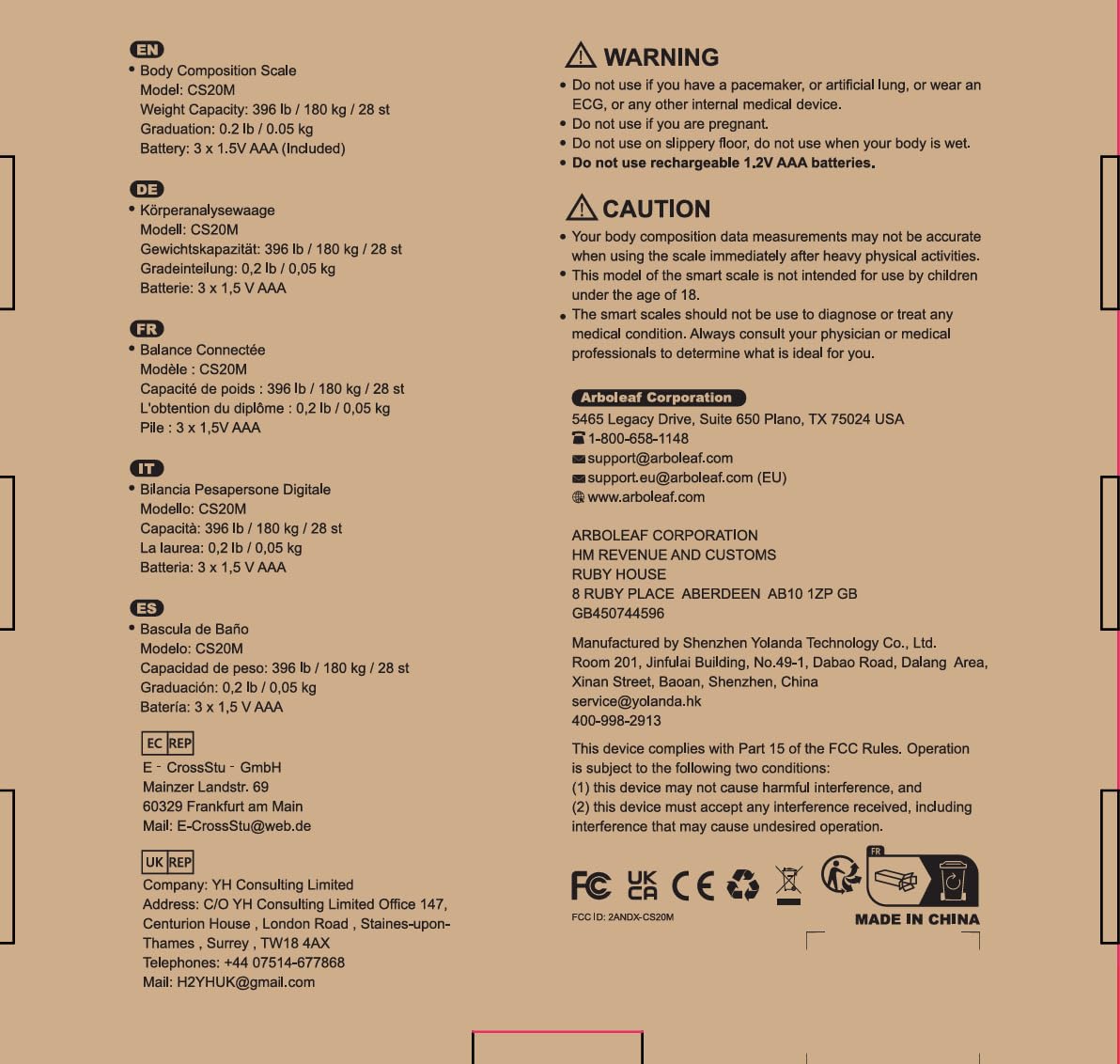
Image: The underside of the arboleaf Smart Scale, revealing the battery compartment. This model uses 1 AAA battery.
2. App Download and Pairing
To unlock the full potential of your arboleaf Smart Scale, download the free arboleaf app on your smartphone. The app is available on both the App Store (for iOS devices) and Google Play (for Android devices).

Image: A smartphone displaying the arboleaf app download page, with icons for Apple Health, Google Fit, and Fitbit, indicating seamless integration with popular fitness applications.
Once downloaded, open the arboleaf app and follow the on-screen instructions to create your profile and pair the scale via Bluetooth. Ensure Bluetooth is enabled on your device.
3. Scale Placement
For accurate measurements, place the arboleaf Smart Scale on a hard, flat surface. Avoid carpets or uneven flooring, as this can affect the precision of the readings.

Image: A visual guide illustrating the recommended placement of the scale on a hard, flat floor for optimal accuracy.
Operating Instructions
Taking a Measurement
Step onto the scale barefoot. The scale will automatically turn on and display your weight. Within a few seconds, it will transmit your full body composition data to the arboleaf app on your paired smartphone.

Image: Multiple smartphone screens displaying the arboleaf app's user interface, showcasing smart measurement capabilities and detailed body composition data.
Understanding Your Body Composition Data
The arboleaf Smart Scale provides 14 essential body composition measurements, offering deep insights into your health and fitness journey. These metrics are displayed in an organized manner within the app.
- Weight: Your current body mass.
- BMI (Body Mass Index): A measure of body fat based on height and weight.
- Body Fat Percent: The proportion of fat to total body weight.
- Muscle Mass: The total weight of muscle in your body.
- Fat-free Body Weight: Your total body weight minus body fat.
- Subcutaneous Fat: Fat stored directly under the skin.
- Body Type: Classification based on body composition.
- Visceral Fat: Fat stored around internal organs.
- Body Water: The total amount of fluid in your body.
- Skeletal Muscle: The muscles attached to bones that are used for movement.
- Protein: The percentage of protein in your body.
- BMR (Basal Metabolic Rate): The number of calories your body needs to function at rest.
- Metabolic Age: Compares your BMR to the average BMR for your age group.
- Bone Mass: The total weight of bone in your body.

Image: An infographic detailing the 14 essential body composition measurements provided by the arboleaf Smart Scale, including Weight, BMI, Body Fat, and more.
Tracking Your Progress
The arboleaf app allows you to set goals and track your progress over time. You can view your data in weekly, monthly, or yearly graphs, providing a clear visual representation of your health trends.

Image: A woman tracking her weight, body fat, and BMI progress over time using the arboleaf app, which displays data in clear graphical formats.
Multi-User Support
The arboleaf app supports adding multiple custom profiles and automatically recognizes unlimited users. This feature makes it ideal for families or weight loss groups, ensuring each individual's data is assigned correctly.

Image: A family interacting with the arboleaf app, demonstrating its ability to manage multiple user profiles and automatically recognize individuals for personalized tracking.
Maintenance
Cleaning the Scale
To clean your arboleaf Smart Scale, use a soft, damp cloth. Avoid abrasive cleaners or harsh chemicals, as these can damage the scale's surface. Ensure the scale is dry before storage or next use.
Battery Replacement
When the scale display shows 'Lo', it indicates low battery. Replace the 1 AAA battery located in the compartment on the underside of the scale. Ensure correct polarity when inserting new batteries.
Troubleshooting
If you encounter any issues with your arboleaf Smart Scale, refer to the common error messages and solutions below.
| Display Code | Meaning | Solution |
|---|---|---|
| Lo | Low Battery | Replace the AAA battery. |
| Err1 | Unstable Measurement | Ensure the scale is on a hard, flat surface and you are standing still. |
| Err2 | Zeroing Failure | Step off the scale, wait for it to reset to 0.0, then step on again. |
| CAL | Calibrating | Wait for the calibration process to complete. |

Image: Visual representation of common error codes (Lo, Err1, Err2) that may appear on the scale's display, indicating low battery, unstable measurement, or zeroing failure.
Specifications
- Product Dimensions: 10.6 x 10.6 x 1.5 inches
- Item Model Number: CS20H
- Weight: 2.2 Pounds
- Batteries: 1 AAA battery required (included)
- Manufacturer: arboleaf
- ASIN: B0B5ZZR2RB
- Recommended Uses: Adults
- Special Features: Backlit Display, Body Fat, Bone Mass, Auto Shut Off, Smart
- Display Type: Backlit Display
Important Safety Information
WARNING:
- Do not use if you have a pacemaker, artificial lung, or wear an ECG, or any other internal medical device.
- Do not use if you are pregnant.
- Do not use on a slippery floor, especially when your body is wet.
- Do not use rechargeable 1.2V AAA batteries.
CAUTION:
- Your body composition data measurements may not be accurate when using the scale immediately after heavy physical activities.
- This model of the smart scale is not intended for use by children under the age of 18.
- The smart scales should not be used to diagnose or treat any medical condition. Always consult your physician or medical professional to determine what is ideal for you.
Warranty and Support
For warranty information or customer support, please contact arboleaf directly. You can find contact details on the product packaging or through the arboleaf official website.
arboleaf Corporation
5465 Legacy Drive, Suite 650 Plano, TX 75024 USA
☎ 1-800-658-1148
✉ support@arboleaf.com
✉ support.eu@arboleaf.com (EU)
🌐 www.arboleaf.com
Related documentsCS20H


Ask a question about this manual
Ask about setup, troubleshooting, compatibility, parts, safety, or missing instructions. Manuals+ will review the question and use this page’s manual context to help answer it.