
DS18 DSP2.8DBT
DS18 DSP2.8DBT Digital Sound Processor User Manual
Model: DSP2.8DBT | Brand: DS18
Product Overview
The DS18 DSP2.8DBT is a 2-channel input and 8-channel output digital sound processor designed to provide comprehensive control over your vehicle's audio system. It features Bluetooth connectivity and an LCD screen for intuitive operation. This processor allows users to fine-tune various audio parameters through a dedicated application available on the App Store and Google Play, ensuring an optimized listening experience.
Safety Information
To ensure safe operation and prevent damage, please observe the following guidelines:
- Do not expose the device to excessive heat or moisture.
- Use only the recommended power supply and batteries.
- Keep batteries away from children and dispose of them according to local regulations.
- Avoid placing the device near other wireless devices to prevent interference.
What's in the Box
Upon opening the package, you should find the following item:
- DS18 DSP2.8DBT Digital Sound Processor
Setup Guide
Proper installation is crucial for optimal performance. Follow these steps for setting up your DSP2.8DBT:
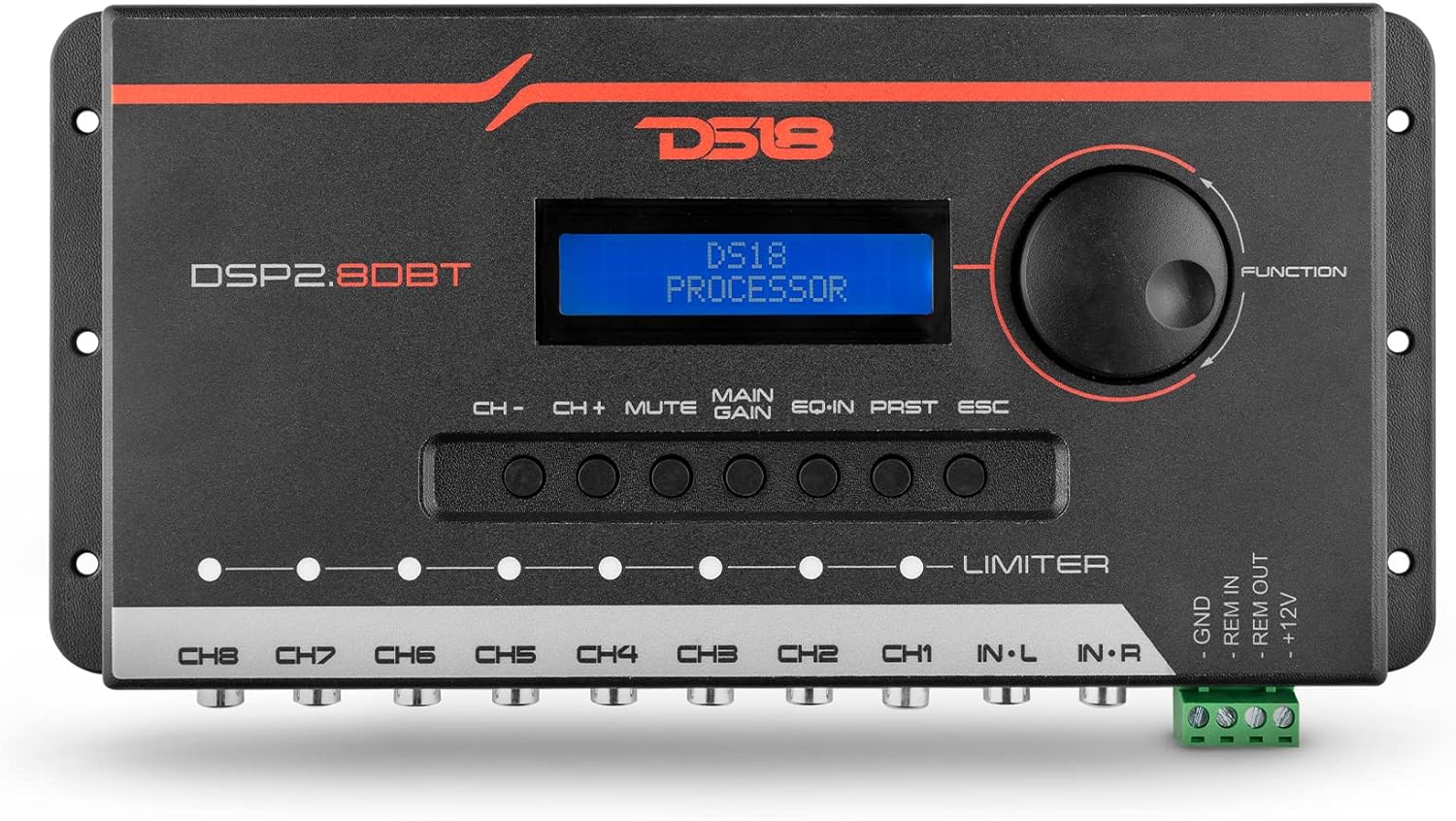
- Power Connection: Connect the DSP to a stable DC power supply between 10V and 15V. Ensure proper grounding. The unit consumes approximately 300mA (5W) and requires a 2A fuse.
- Input Connections: The DSP2.8DBT features 2-channel RCA and/or high-level speaker inputs. Connect your audio source (e.g., head unit) to the appropriate inputs. The maximum input level is up to 6 Volts RMS.
- Output Connections: Utilize the 8-channel RCA outputs to connect to your amplifiers. The maximum output level is 2 Volts RMS.
- Bluetooth Pairing: Enable Bluetooth on your smartphone or tablet. Search for the DSP2.8DBT and pair with the device. This will allow for wireless audio tuning.
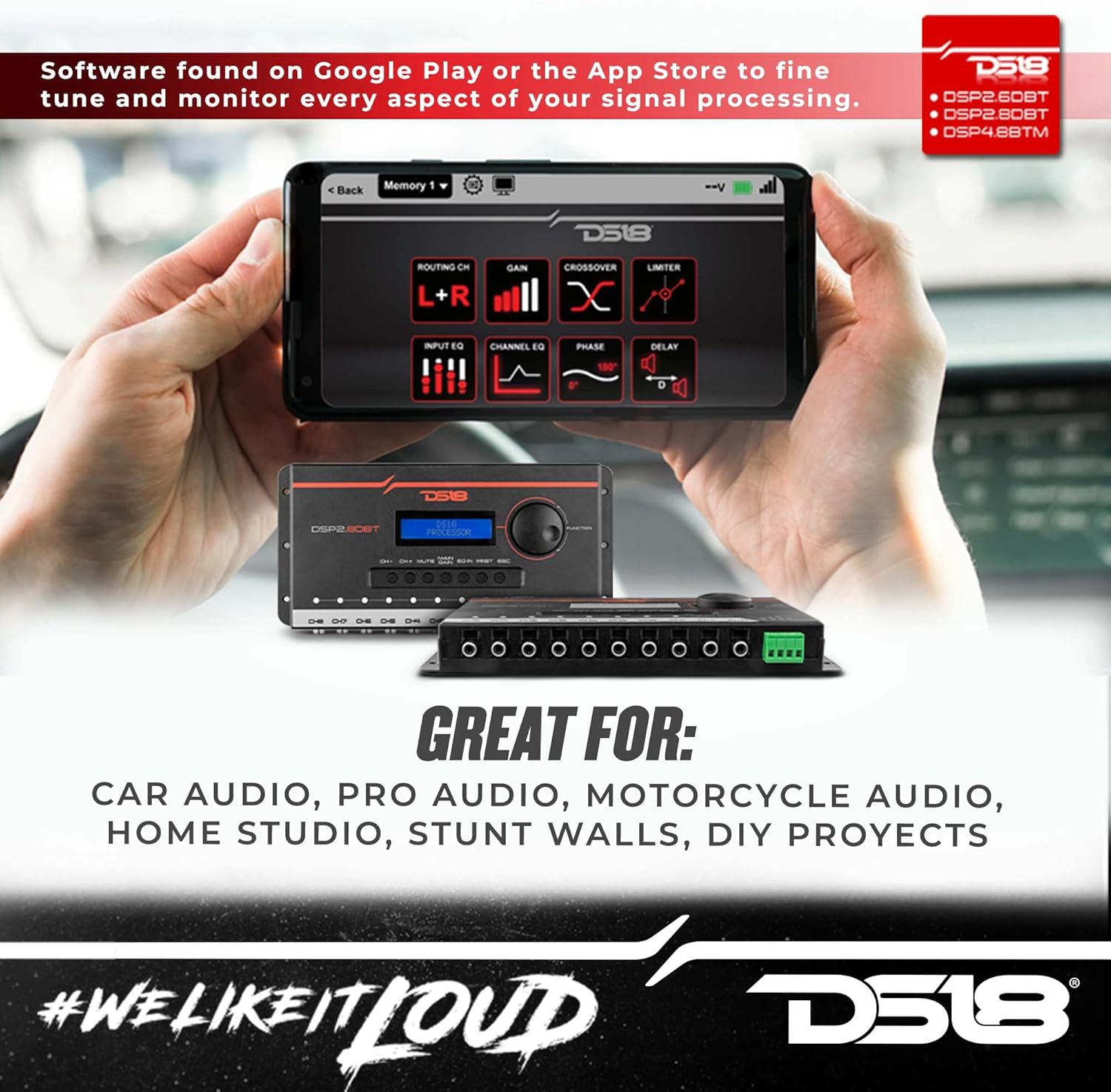
- App Installation: Download and install the "DSP2.8DBT Application" from the App Store (for iOS) or Google Play (for Android). This app is essential for fine-tuning and monitoring the signal processing.

Operating Instructions
The DSP2.8DBT offers extensive control over your audio system. Most advanced adjustments are made via the dedicated smartphone/tablet application.
Using the DSP2.8DBT App
The DSP2.8DBT Application provides a didactic and intuitive interface for comprehensive audio tuning. Key features include:
- Parametric Equalizer: Adjust the sound with 3 independent bands per channel.
- Crossover Filters: Utilize Butterworth, Linkwitz-Riley, and Bessel filters with attenuations from 6dB/OCT up to 48dB/OCT.
- Adjustable Time Delay: Fine-tune the time delay per channel for optimal sound staging.
- Automatic/Manual Limiter: Control the output with adjustable threshold, attack, and release settings.
- Phase Selector: Adjust the phase on each channel.
- Input and Output Gains: Precisely adjust input and output levels.
- Preset Management: Save and recall custom audio presets for different songs or genres, ensuring a perfect listening experience.
- Battery Monitoring: Monitor your vehicle's battery status directly through the app.
- Pink Noise Generator: Utilize the built-in pink noise generator for system calibration.

On-Device Controls
The DSP2.8DBT features an LCD display and easy-to-use buttons for basic operation and navigation. A rotary encoder allows for precise adjustments and menu selection.

Maintenance
To ensure the longevity and optimal performance of your DS18 DSP2.8DBT, follow these maintenance tips:
- Keep the device clean by wiping it with a soft, dry cloth. Avoid using harsh chemicals or abrasive cleaners.
- Ensure proper ventilation around the unit to prevent overheating.
- Regularly check all cable connections to ensure they are secure and free from damage.
- Avoid exposing the device to extreme temperatures or direct sunlight for prolonged periods.
Troubleshooting
If you encounter issues with your DSP2.8DBT, refer to the following common troubleshooting steps:
- No Power: Check the power connections, fuse, and ensure the vehicle's battery voltage is within the specified range (10-15Vdc).
- No Sound: Verify all RCA input and output connections. Ensure the source unit is sending an audio signal and amplifiers are powered on. Check gain settings in the app.
- Distorted Sound: Reduce input or output gains. Check for proper impedance matching. Ensure no cables are damaged or short-circuited.
- Bluetooth Connectivity Issues: Ensure the DSP is powered on and within range. Try restarting both the DSP and your mobile device. Re-pair the Bluetooth connection.
- App Not Responding: Close and reopen the app. Ensure your mobile device's operating system is up to date. Reinstall the app if necessary.
For persistent issues, contact DS18 customer support.
Specifications
| Feature | Specification |
|---|---|
| Model Number | DSP2.8DBT |
| Input Type | Unbalanced RCA |
| Max Input Level | Up to 6 Volts RMS |
| Input Impedance | 47kΩ |
| Output Type | Unbalanced RCA |
| Max Output Level | 2 Volts RMS |
| Output Impedance | 470kΩ |
| Resolution | 24 Bits |
| Sample Frequency | 48KHz |
| Latency Frequency | 1.08ms |
| Frequency Range | 15Hz to 22KHz (-1db) |
| THD+N Max | 0.01% |
| Signal Noise Ratio | 100dB |
| Power Supply Voltage | 10~15Vdc |
| Power Consumption | 300mA (5W) |
| Fuse | 2A |
| Dimensions (H x L x D) | 4.72" x 9.84" x 1.18" (120 x 250 x 30mm) |
| Weight | 13.4 Oz (382g) |
| Display Type | LCD |
| Wireless Remote | No |
| Expansion | Bluetooth |
| Media Playback Supported | Bluetooth 5.0 or later |
Warranty Information
The DS18 DSP2.8DBT comes with a 2-year warranty from the date of purchase. This warranty covers defects in materials and workmanship under normal use. Please retain your proof of purchase for warranty claims. For detailed warranty terms and conditions, refer to the official DS18 website or contact customer support.
Customer Support
For technical assistance, troubleshooting, or general inquiries regarding your DS18 DSP2.8DBT, please visit the official DS18 website or contact their customer support team. You can also refer to the User Manual (PDF) for additional information.
Visit the DS18 Store on Amazon for more products and information.
Related documentsDSP2.8DBT


Ask a question about this manual
Ask about setup, troubleshooting, compatibility, parts, safety, or missing instructions. Manuals+ will review the question and use this page’s manual context to help answer it.