
LUTEC 7635401053-W
Instruction Manual
LUTEC 38W 3500 Lumen LED Motion Activated Integrated Dual-Head Floodlight Outdoor
Model: 7635401053-W | Brand: LUTEC
Product Overview
The LUTEC 38W 3500 Lumen LED Motion Activated Integrated Dual-Head Floodlight is designed for outdoor security lighting. It features energy-efficient LED technology, a sensitive motion sensor, and multiple lighting modes to suit various needs. Its durable aluminum construction and IP65 waterproof rating ensure reliable performance in outdoor environments.

Figure 1: LUTEC 38W Dual-Head Floodlight, showing its two adjustable light heads and integrated motion sensor.
Key Features
- Energy Saving: LED units output 38W, 3500 Lumens, 5000K brightness (daylight white), equivalent to 125W halogen light, saving up to 88% on electricity bills.
- Motion-Activated: Wide 180-degree sensing angle detects motion up to 59 feet away. Adjustable timer settings for 1, 3, or 10 minutes.
- Multiple Lighting Modes: Includes Test Mode, Security Mode, Dusk to Dawn Mode, and Manual Override Mode for versatile operation.
- Durable & Adjustable Design: Constructed from aluminum material with IP65 waterproof rating and 50,000-hour lifespan. Adjustable heads provide customizable coverage.

Figure 2: Illustration of the floodlight's adjustable heads (360° rotation, 180° vertical adjustment) and key specifications: 38W power, 5000K color temperature, and 3500 lumens brightness.

Figure 3: Depiction of the motion sensor's 180-degree sensing angle and maximum 59-foot detection range, suitable for detecting people, pets, and vehicles. Note: Motion sensor deactivates during daylight hours.
Package Contents
Please verify that all components are present before beginning installation.
- LUTEC Dual-Head Floodlight (Integrated LED)
- Mounting Hardware (screws, wire nuts, mounting plate)
- Gasket

Figure 4: Visual representation of included accessories: wire nuts, mounting screws, mounting bracket, and gasket.
Specifications
| Attribute | Detail |
|---|---|
| Brand | LUTEC |
| Model Name | 7635401053-W |
| Color | White |
| Material | Aluminum |
| Light Source Type | LED (Integrated) |
| Wattage | 38 Watts |
| Brightness | 3500 Lumens |
| Color Temperature | 5000 Kelvin (Daylight White) |
| Motion Sensor Angle | 180 Degrees |
| Motion Sensor Range | Up to 59 feet |
| Lifespan | 50,000+ Hours |
| Water Resistance Level | IP65 Waterproof |
| Installation Type | Wall Mount |
| Product Dimensions | 6.52"L x 5.39"W x 10.43"H |
| Item Weight | 2.09 Pounds |

Figure 5: Overview of the floodlight's features including motion sensor, dusk to dawn, metal finish, adjustable heads, wet location rating, and long lifespan.
Setup and Installation
For detailed installation instructions, please refer to the official Installation Manual PDF provided by LUTEC. This manual contains comprehensive diagrams and step-by-step guidance for safe and proper setup.
Important Safety Note: Always turn off power at the circuit breaker before beginning any electrical installation. If you are unsure about any steps, consult a qualified electrician.
You can access the Installation Manual here: LUTEC Floodlight Installation Manual (PDF)

Figure 6: Illustration showing the ease of installation for the floodlight on a wall surface.
Operating Modes
The LUTEC floodlight offers four distinct operating modes, adjustable via controls located on the motion sensor unit. Refer to Figure 7 for control locations.

Figure 7: Close-up of the motion sensor unit showing the Sensitivity (Distance) and Time adjustment dials. Sensitivity settings include L (0-20 ft), M (0-39 ft), and H (0-59 ft). Time settings include 1, 3, and 10 minutes.
1. Test Mode
Used for initial setup and testing of the motion sensor and light coverage. In this mode, the light will turn on for a short duration (typically a few seconds) each time motion is detected, regardless of ambient light conditions.
2. Security Mode
The light will only activate when motion is detected during nighttime hours. The duration the light stays on is determined by the 'Time' setting (1, 3, or 10 minutes). This mode is ideal for deterring intruders and providing light only when needed.
3. Dusk to Dawn Mode
In this mode, the light automatically turns on at a low brightness level at dusk and stays on throughout the night. When motion is detected, the light will temporarily switch to full brightness for the set duration (1, 3, or 10 minutes), then return to low brightness. The light turns off automatically at dawn.
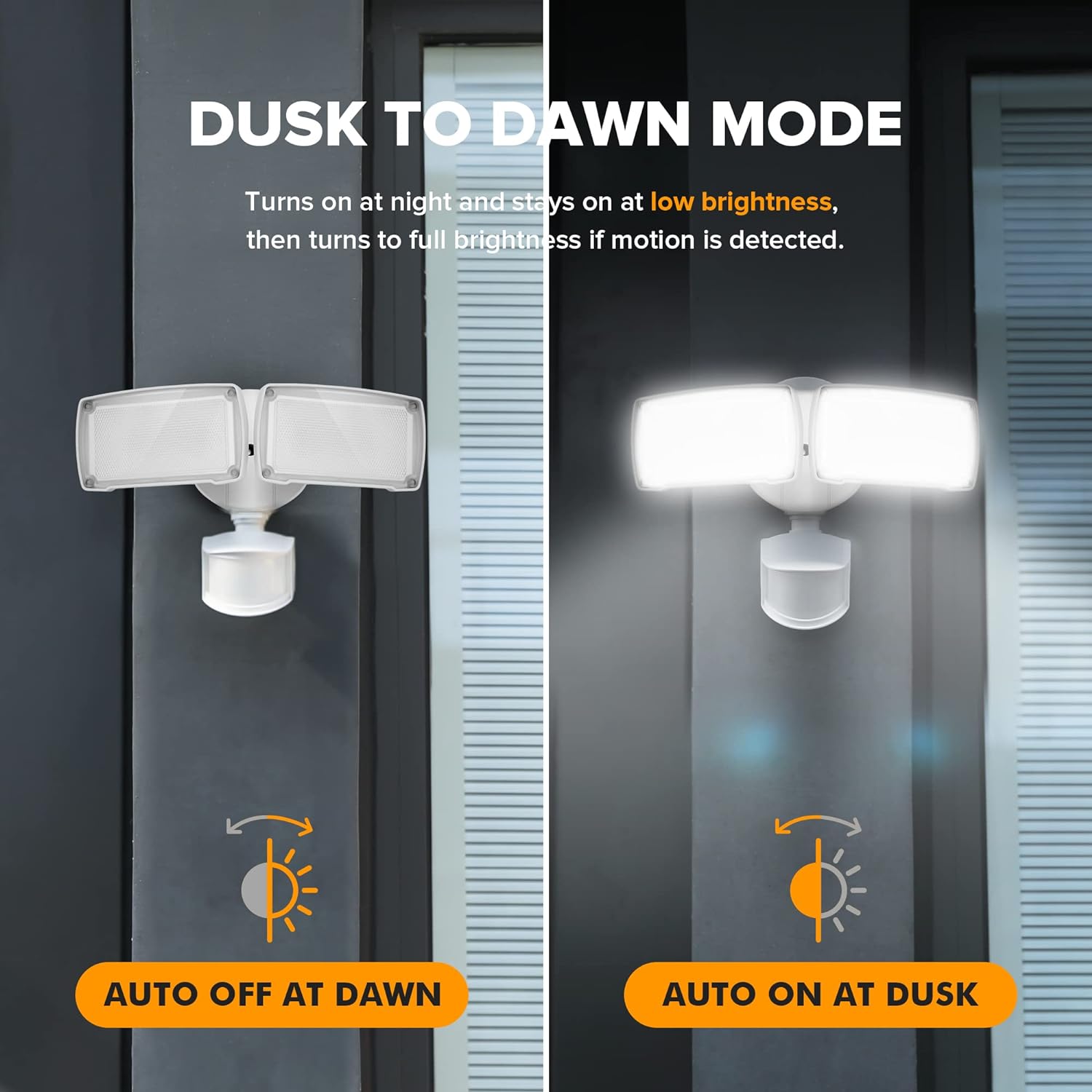
Figure 8: Visual explanation of the Dusk to Dawn mode, showing the light automatically turning on at low brightness at dusk and off at dawn, with full brightness activation upon motion detection.
4. Manual Override Mode
This mode allows the light to operate constantly at 100% brightness for a selected period (typically 6 hours, though this can vary based on specific model and settings). This is useful when continuous illumination is desired, such as during outdoor gatherings. To activate, quickly turn the light switch OFF then ON. To deactivate, turn the light switch OFF then ON again, or wait for the set override period to expire.
Maintenance
The LUTEC floodlight is designed for minimal maintenance. Follow these guidelines to ensure optimal performance and longevity:
- Cleaning: Periodically clean the light fixture and motion sensor lens with a soft, damp cloth. Do not use abrasive cleaners or solvents, as they may damage the finish or electronic components.
- Inspection: Regularly inspect the wiring and mounting hardware for any signs of wear, damage, or loosening. Ensure the gasket is properly seated to maintain the IP65 waterproof rating.
- LEDs: The LED light source is integrated and not user-replaceable. With a lifespan of 50,000+ hours, replacement should not be necessary under normal use.

Figure 9: The floodlight's IP65 waterproof rating ensures protection against dust and water jets, making it suitable for outdoor use in various weather conditions. A gasket is provided for secure sealing.
Troubleshooting
If you encounter issues with your LUTEC floodlight, please refer to the following common troubleshooting steps:
| Problem | Possible Cause | Solution |
|---|---|---|
| Light does not turn on at night. |
|
|
| Light stays on continuously. |
|
|
| Light flickers or dims. |
|
|
If the problem persists after attempting these solutions, please contact LUTEC customer support.
Warranty and Support
LUTEC provides a 5-year warranty on this product, ensuring quality and reliability. For any issues or inquiries, please utilize the following support channels:
- Customer Service: We provide 7*24h after-sales service. Contact us if any issue arises.
- Online Support: Visit the official LUTEC store on Amazon for FAQs and additional product information: LUTEC Amazon Store
- Installation Manual: For detailed setup and wiring instructions, download the PDF manual: Installation Manual (PDF)
Related documents7635401053-W


Ask a question about this manual
Ask about setup, troubleshooting, compatibility, parts, safety, or missing instructions. Manuals+ will review the question and use this page’s manual context to help answer it.