
defean for HC5 HC6 headset
defean Replacement Ear Pads User Manual
For MPOW HC5 HC6 Noise Cancelling Headphones
Product Overview
The defean Replacement Ear Pads are designed to provide a comfortable and durable solution for refreshing your MPOW HC5 and HC6 Noise Cancelling Headphones. These ear cushions are crafted from softer protein leather and high-density noise-cancelling foam, ensuring a snug fit and maintaining sound quality.

Image: A pair of defean replacement ear pads, showcasing their black protein leather exterior and the red perforated inner mesh designed for sound transmission.
Compatibility
These replacement ear pads are specifically compatible with the following headphone models:
- MPOW HC5 Noise Cancelling Headphones
- MPOW HC6 Noise Cancelling Headphones

Image: Visual confirmation of compatibility, displaying the ear pads alongside an MPOW HC5/HC6 headphone, highlighting the intended use.
Installation Guide
Replacing your headphone ear pads can extend the life and comfort of your headphones. Follow these steps carefully:
- Remove Old Ear Pads: Gently peel off the old ear pads from your MPOW HC5 or HC6 headphones. They are typically held in place by a thin rim or adhesive. Take care not to damage the headphone speaker unit underneath.
- Clean Headphone Surface: If there is any adhesive residue or debris, carefully clean the surface of the headphone where the new ear pads will attach. Ensure the surface is dry before proceeding.
- Align New Ear Pads: Take one new defean ear pad. Locate the thin lip or rim on the back of the ear pad. Align this lip with the groove or edge on your headphone's ear cup.
- Stretch and Secure: Starting from one point, gently stretch the lip of the new ear pad around the headphone's ear cup, working your way around the entire circumference. Apply even pressure to ensure the lip is fully seated in the groove. This step may require patience.
- Adjust for Fit: Once the ear pad is fully attached, gently press around its edges to ensure it is securely fastened and sits flush with the headphone. Repeat the process for the other ear pad.
Note: Installation may require some patience to ensure a proper and secure fit. Do not apply excessive force.
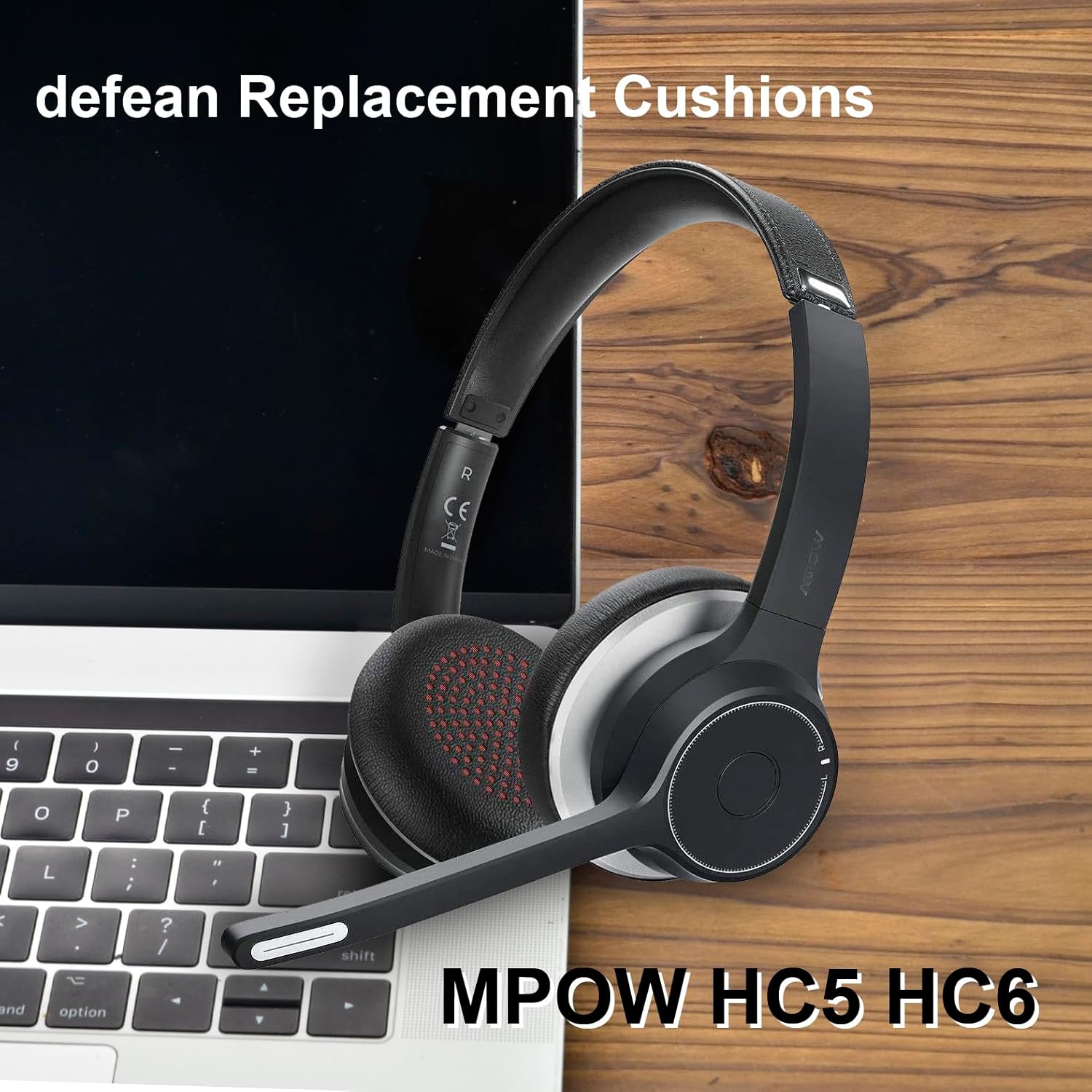
Image: An MPOW HC5/HC6 headphone, fitted with the defean replacement ear pads, demonstrating the final installed appearance.
Usage and Comfort
The defean replacement ear pads are designed with softer protein leather and high-density foam to enhance comfort during extended listening sessions and improve noise isolation.
- Enhanced Comfort: The soft protein leather provides a smooth, comfortable feel against the skin, reducing pressure points.
- Improved Noise Isolation: The high-density foam core helps to seal around your ears, contributing to the noise-cancelling capabilities of your MPOW headphones.
- Optimal Fit: Ensure the ear pads are correctly seated to achieve the best sound experience and comfort.

Image: A cross-section view illustrating the material composition of the ear pad, highlighting the softer protein leather and high-density foam layers.
Maintenance and Care
To ensure the longevity and hygiene of your defean replacement ear pads, follow these maintenance guidelines:
- Regular Cleaning: Wipe the surface of the ear pads regularly with a soft, dry, lint-free cloth to remove dust and light grime.
- Deep Cleaning (if necessary): For more stubborn dirt, lightly dampen a cloth with a small amount of mild soap and water. Gently wipe the surface, then immediately wipe dry with another clean, dry cloth. Avoid excessive moisture.
- Avoid Harsh Chemicals: Do not use alcohol, solvents, or abrasive cleaners, as these can damage the protein leather material.
- Storage: When not in use, store your headphones in a clean, dry place away from direct sunlight and extreme temperatures to prevent material degradation.
Troubleshooting
If you encounter any issues with your defean replacement ear pads, consider the following:
- Ear Pads Don't Fit:
- Ensure you have the correct model: These pads are specifically for MPOW HC5 and HC6 headphones.
- Re-attempt installation: The lip of the ear pad must be fully seated in the headphone's groove. This often requires patience and careful stretching.
- Reduced Sound Quality/Noise Cancelling:
- Check for proper seal: Ensure the ear pads are fully and evenly attached to create a good seal around your ears.
- Verify headphone function: Confirm that the issue is not with the headphone's internal components.
- Discomfort During Use:
- Allow break-in period: New ear pads may feel slightly different initially.
- Check for proper orientation: Ensure the ear pads are installed correctly on the left and right ear cups if they have a specific orientation.
If problems persist, please refer to the Warranty and Support section for contact information.
Product Specifications
| Feature | Detail |
|---|---|
| Brand | defean |
| Compatible Models | MPOW HC5, MPOW HC6 Noise Cancelling Headphones |
| Material | Softer Protein Leather, High-Density Foam |
| Color | Black |
| Package Dimensions | 5.51 x 3.66 x 0.79 inches |
| Item Weight | 1.13 ounces |
| Model Number | for HC5 HC6 headset |
| ASIN | B0B5G2F7T2 |

Image: A technical diagram illustrating the precise dimensions of the ear pads, including diameter and thickness, for accurate fitment.
Warranty and Support
defean products are manufactured under strict quality inspection to ensure reliability and performance.
- Warranty: All defean products come with a 12-Month worry-free warranty.
- Technical Support: Free lifetime technical support is provided for all defean products.
- Customer Service: For any issues with your purchase, including replacements or refunds, please contact defean customer service. Contact details can typically be found on the product packaging or the official defean store page on Amazon.
Your satisfaction is important to us. Please do not hesitate to reach out if you require assistance.
Ask a question about this manual
Ask about setup, troubleshooting, compatibility, parts, safety, or missing instructions. Manuals+ will review the question and use this page’s manual context to help answer it.