
Introduction
Thank you for choosing the SHARE SUNSHINE Wireless Ergonomic Vertical Optical Mouse. This manual provides essential information for setting up, operating, and maintaining your new mouse. Designed for comfort and precision, this vertical mouse aims to reduce wrist strain and enhance your computing experience.


Package Contents
Please check the package for the following items:
- 1 x SHARE SUNSHINE Wireless Vertical Ergonomic Optical Mouse
- 1 x 2.4G USB Receiver (stored in the bottom of the mouse)
- 1 x Instruction Manual
Note: 2 AAA batteries are not included and must be purchased separately.
Product Overview
Familiarize yourself with the different parts and functions of your mouse.


Setup
Follow these steps to get your mouse ready for use:
- Install Batteries: Open the battery compartment on the bottom of the mouse. Insert two (2) AAA batteries, ensuring correct polarity. Close the compartment securely.
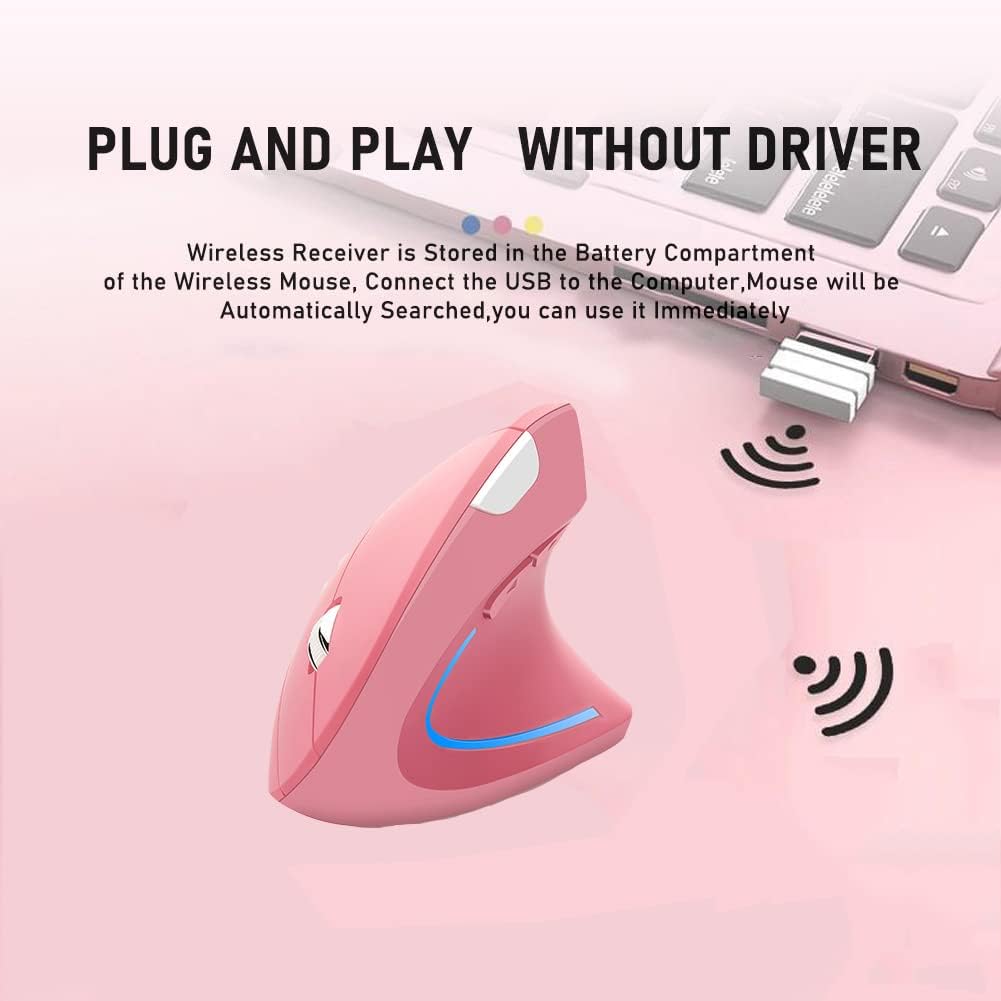
- Retrieve USB Receiver: The 2.4G USB receiver is stored in a slot next to the battery compartment on the bottom of the mouse. Gently slide it out.
- Connect Receiver: Plug the USB receiver into an available USB port on your computer (desktop, laptop, Mac, etc.).
- Power On: Turn on the mouse using the Power Switch located on the bottom. The mouse will automatically be searched and connected by your computer. No additional drivers are required for most operating systems.

Operating Instructions
Your SHARE SUNSHINE Vertical Mouse is designed for intuitive use.
- Basic Functions: Use the Left and Right buttons for standard clicking actions. The Scroll Wheel allows for smooth vertical scrolling.
- DPI Adjustment: Press the DPI Switch Button (located on the top of the mouse, see Figure 3) to cycle through the available DPI settings: 800, 1200, and 1600. Choose the sensitivity that best suits your task, whether for precise work or faster browsing.
- Side Buttons: The Backward Button and Forward Button (located on the side, see Figure 3) are pre-programmed to navigate web pages or documents.
- Power Saving Mode: To conserve battery life, the mouse will automatically enter a power-saving mode after 8 minutes of inactivity. To wake it up, simply press any button (left or right click).

Compatibility
The SHARE SUNSHINE Vertical Mouse offers broad compatibility with various operating systems and devices:
- Operating Systems: Windows 2000/ME/XP (x64)/Vista/7/8/10, Mac OS X (over V10.4)
- Compatible Devices: Desktop PCs, Laptops, Macbooks, and other devices with an available USB port.

Maintenance
To ensure the longevity and optimal performance of your mouse:
- Cleaning: Use a soft, dry cloth to clean the mouse. Avoid using harsh chemicals or abrasive materials.
- Battery Replacement: When the mouse performance degrades or the LED light indicates low power, replace the two AAA batteries.
- Storage: When not in use for extended periods, turn off the mouse to conserve battery life. Store the USB receiver in its designated slot on the bottom of the mouse to prevent loss.
- Avoid Extreme Conditions: Do not expose the mouse to extreme temperatures, humidity, or direct sunlight.
Troubleshooting
If you encounter any issues, try the following solutions:
- Mouse not responding:
- Ensure the mouse is powered on.
- Check if the USB receiver is securely plugged into a working USB port.
- Replace the batteries with fresh ones.
- Try plugging the USB receiver into a different USB port.
- Cursor movement is erratic or slow:
- Clean the optical sensor on the bottom of the mouse.
- Ensure you are using the mouse on a suitable surface (not highly reflective or transparent).
- Adjust the DPI setting using the DPI Switch Button.
- Wireless connection issues:
- Ensure the mouse is within the 33-foot operating range of the receiver.
- Avoid obstructions between the mouse and the receiver.
- Minimize interference from other wireless devices.
Specifications
| Feature | Detail |
|---|---|
| Brand | SHARE SUNSHINE |
| Model Name | Vertical Mouse |
| Color | Pink |
| Connectivity Technology | Wireless (2.4G USB Receiver) |
| Movement Detection Technology | Optical |
| DPI Resolution | 800 / 1200 / 1600 DPI (Adjustable) |
| Button Quantity | 6 (Left, Right, Scroll Wheel, DPI Switch, Forward, Backward) |
| Hand Orientation | Right |
| Operating Range | Up to 33 Feet (10 meters) |
| Power Source | 2 x AAA Batteries (not included) |
| Energy Saving | Automatic power-saving mode after 8 minutes idle |
| Embellishment Feature | LED Light |
| Item Weight | 80 Grams |
| Item Dimensions (L x W) | 4.92"L x 3.23"W |
Warranty and Support
Your SHARE SUNSHINE Wireless Ergonomic Vertical Optical Mouse comes with a comprehensive warranty and dedicated customer support:
- Warranty: Enjoy a 12-month warranty from the date of purchase.
- Returns & Refunds: A 30-day free return and refund policy is available.
- Customer Service: Our customer support team is committed to a 24-hour response time for any issues or inquiries you may have.
For warranty claims or support, please refer to the contact information provided with your purchase or visit the official SHARE SUNSHINE store on Amazon: SHARE SUNSHINE Store.