
Introduction
This manual provides detailed instructions for the setup, operation, and maintenance of your OBZ 2D 1D Wired USB Barcode Scanner. Designed for efficiency and durability, this scanner is compatible with various systems and supports a wide range of 1D and 2D barcodes.

Product Features
- Versatile Barcode Compatibility: Supports most 1D barcodes (EAN13, EAN8, UPC-A, UPC-E0, UPC-E1, Code128, Code39, Code93, CodaBar, Interleaved 2 of 5, Industrial 25, Matrix 2 of 5, Code11, MSI Plessey, RSS-14, limited RSS, extended RSS) and 2D barcodes (QR Code, Data Matrix (ECC200), PDF417).
- Plug and Play Connectivity: Connects via USB cable without requiring driver or software installation. Compatible with Windows, Android, and Linux operating systems.
- High Decoding Accuracy: Features CMOS technology for faster scanning and improved decoding precision, capable of reading 1D and 2D QR codes from both paper and digital screens, including incomplete or blurred barcodes.
- Multiple Scanning Modes: Offers Manual, Continuous, and Automatic Induction scanning modes to suit different operational needs.
- Durable and Shock-Resistant Design: Ergonomically designed with high-quality TPU soft rubber casing for excellent drop resistance, capable of withstanding repeated drops from 3 meters onto concrete.
- Wide Application: Suitable for use in supermarkets, shopping malls, retail stores, postal services, logistics, banks, and medical facilities. Supports multiple languages.


Package Contents
Please check the package for the following items:
- OBZ 2D 1D Wired USB Barcode Scanner
- USB Cable
- Instruction Manual
Setup
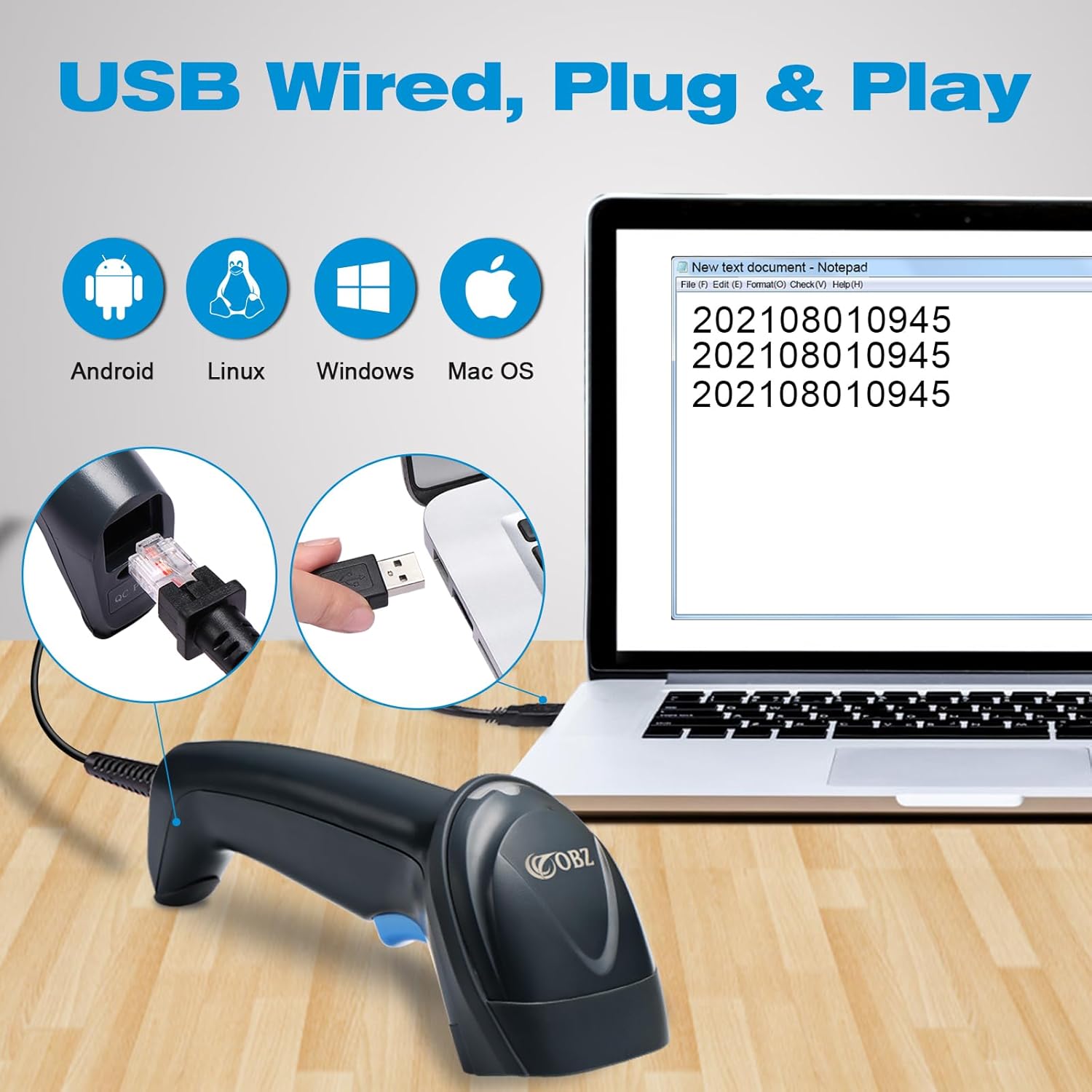
The OBZ Barcode Scanner is designed for simple plug-and-play operation.
- Connect the USB cable to the scanner's port.
- Plug the other end of the USB cable into an available USB port on your computer (Windows, Android, or Linux).
- The system will automatically detect and install the necessary drivers. No additional software installation is required.
- Once connected, the scanner is ready for use. Open any text editor or application where you want the scanned data to appear.
Operating Instructions
To scan a barcode, point the scanner's window at the barcode and press the trigger (if in manual mode) or allow it to detect automatically (in continuous or auto-sensing mode). The scanner will emit a beep and/or an LED flash upon successful scan.
Scanning Modes
The scanner supports three operational modes:
- Manual Mode: Press the trigger to activate the scan beam and read a barcode. Release the trigger to deactivate.
- Continuous Mode: The scan beam remains active continuously, allowing for rapid scanning without repeatedly pressing the trigger.
- Automatic Induction Mode: The scanner automatically detects a barcode within its field of view and activates the scan beam to read it.
Refer to the included quick setup guide or the full manual (if provided separately) for instructions on how to switch between these modes by scanning specific configuration barcodes.


Supported Barcode Types
The OBZ Barcode Scanner is capable of decoding a wide array of 1D and 2D barcode symbologies:
1D Barcodes:
- EAN13, EAN8, UPC-A, UPC-E0, UPC-E1
- Code128, Code39, Code93, CodaBar
- Interleaved 2 of 5, Industrial 25, Matrix 2 of 5
- Code11, MSI Plessey
- RSS-14, Limited RSS, Extended RSS
2D Barcodes:
- QR Code
- Data Matrix (ECC200)
- PDF417

Maintenance
Proper maintenance ensures the longevity and optimal performance of your barcode scanner.
- Cleaning: Use a soft, dry cloth to clean the scanner's exterior. For the scanning window, use a lint-free cloth lightly dampened with a mild, non-abrasive cleaner. Avoid harsh chemicals or abrasive materials.
- Storage: Store the scanner in a cool, dry place away from direct sunlight and extreme temperatures.
- Handling: While the scanner is designed to be durable, avoid unnecessary drops or impacts. Do not attempt to disassemble the device.
Troubleshooting
If you encounter issues with your OBZ Barcode Scanner, please refer to the following common troubleshooting steps:
- Scanner Not Responding:
- Ensure the USB cable is securely connected to both the scanner and the computer.
- Try plugging the scanner into a different USB port on your computer.
- Restart your computer.
- No Data Output After Scanning:
- Verify that an application (e.g., Notepad, Word, Excel) is open and has focus to receive input.
- Check if the scanner is in the correct scanning mode (e.g., Manual mode requires trigger press).
- Ensure the barcode is clean, clear, and within the scanner's optimal reading range.
- Try scanning a known good barcode to confirm scanner functionality.
- Incorrect Data Output:
- Check your computer's keyboard layout settings. The scanner's output might be affected by an incorrect keyboard language setting. Refer to the scanner's configuration guide for language settings.
- Ensure the barcode symbology is supported by the scanner.
- Scanner Beeps Continuously or Does Not Beep:
- Continuous beeping might indicate an error or a specific configuration mode. Refer to the manual for error codes or mode indicators.
- If no beep occurs on a successful scan, check the volume settings or if the buzzer function has been disabled via configuration.
If these steps do not resolve the issue, please contact OBZ customer support for further assistance.
Specifications
| Brand | OBZ |
| Model | B0B48TNTYT |
| Connectivity Technology | Wired USB |
| Compatible Devices | Desktop Computer, Laptop, POS Systems |
| Power Source | Corded Electric (USB Powered) |
| Scanning Speed | 100 fps (frames per second) |
| Operating Voltage | 5 Volts (DC) |
| Product Dimensions (L x W x H) | 7P x 8.3l x 17.2H cm (approximately 7 x 8.3 x 17.2 cm) |
| Item Weight | 112 Grams |
| Certifications | CE, RoHS, WEEE |
| Max Storage Temperature | 158 Degrees Fahrenheit (70 Degrees Celsius) |
Warranty and Support
For warranty information and technical support, please refer to the documentation included with your product or visit the official OBZ website. Keep your purchase receipt as proof of purchase for warranty claims.
Return Policy: The product typically includes a 14-day return policy for refund or replacement, as per standard retail terms.


